Mineuniverse
Data Packs
Bat Membrane

Bat Membrane

DATA PACK
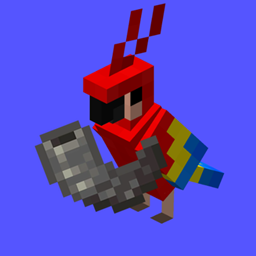
Disables phantoms and enables to get phantom membrane from bats
by Jodek
Download Claim this project
499 downloads
0 likes
Updated Oct 14, 2026
0 hypes
Adventure Miscellaneous Utility
Advertisement Remove ads with Premium →

minecraft datapack

jodeks discord - discord badge - pixel badge - pixel discord badge - jodeks datapacks - datapacks discord   datapacks jodek youtube   bat membrane minecraft datapack codeberg issues   jodeks datapacks kofi - jodek kofi - minecraft datapack kofi donation

jodeks library - 5555ff lib is required  

Features

1. Phantoms are disabled

2. Bats drop phantom membrane

Alterations

You can get the "Ol Betsy" advancement by killing two bats with one arrow

If you use my Mob Heads datapack/mod, you can get the phantom head from bats

bat-membrane-v3.2.0.0
MC 26.3
Release 2026-09-28 Get
bat-membrane-v3.2.0
MC 26.3
Release 2026-09-21 Get
Bat-Membrane v3.1.5
MC 1.21.8, 1.21.6, 1.21.7, 1.21.9, 1.21.10, 1.21.11, 26.1, 26.1.1, 26.1.2, 26.2
Release 2026-07-06 Get
Bat-Membrane v3.1.4
MC 1.21.8, 1.21.6, 1.21.7, 1.21.9, 1.21.10, 1.21.11, 26.1, 26.1.1, 26.1.2, 26.2
Release 2026-07-03 Get
bat-membrane v3.1.3.1
MC 1.21.8, 1.21.6, 1.21.7, 1.21.9, 1.21.10, 1.21.11, 26.1, 26.1.1, 26.1.2
Release 2026-04-10 Get
Bat-Membrane v3.1.3.2
MC 1.21.8, 1.21.6, 1.21.7, 1.21.9, 1.21.10, 1.21.11, 26.1, 26.1.1, 26.1.2
Release 2026-04-10 Get
Bat-Membrane v3.1.3.1
MC 1.21.8, 1.21.6, 1.21.7, 1.21.9, 1.21.10, 1.21.11, 26.1
Release 2026-03-31 Get
Bat-Membrane v3.1.3
MC 1.21.8, 1.21.6, 1.21.7, 1.21.9, 1.21.10, 1.21.11, 26.1
Release 2026-03-26 Get
Bat-Membrane v3.1.3.0
MC 1.21.8, 1.21.6, 1.21.7, 1.21.9, 1.21.10, 1.21.11, 26.1
Release 2026-03-26 Get
Bat-Membrane v3.1.2
MC 1.21.8, 1.21.6, 1.21.7, 1.21.9, 1.21.10, 1.21.11
Release 2026-01-11 Get

Requirements & install

How to use this data pack in Minecraft
Mods needed
None, works in vanilla
Minecraft
1.21.9 – 26.3
Install folder
saves/<world>/datapacks

How to install data packs

  1. Download the data pack .zip file (do not extract it).
  2. New world: click Data Packs on the world creation screen and drop the .zip in. Existing world: open .minecraft/saves/<world>/datapacks.
  3. Put the .zip into the datapacks folder of the world (servers: world/datapacks).
  4. Run /reload in game (or rejoin the world) and check it with /datapack list.
Browse more: Data Packs for 26.3 All data packs

More from Jodek

Advertisement Remove ads with Premium →

You Might Also Like