Mineuniverse
Data Packs
Backpack Club

Backpack Club

DATA PACK
Purely server-side or singleplayer. Equipable, dyeable, upgradable, craftable, enchantable, placeable, repairable, protective backpacks.
by MJRAMON
Download Claim this project
1,216 downloads
0 likes
Updated Oct 14, 2026
0 hypes
Adventure Magic Miscellaneous Tech Utility
Advertisement Remove ads with Premium →

CurseForge Modrinth Discord

Backpack Club

Purely server-side or singleplayer.

Equipable, dyeable, upgradable, craftable, enchantable, placeable, repairable, protective backpacks.

All-In-One

FEATURES

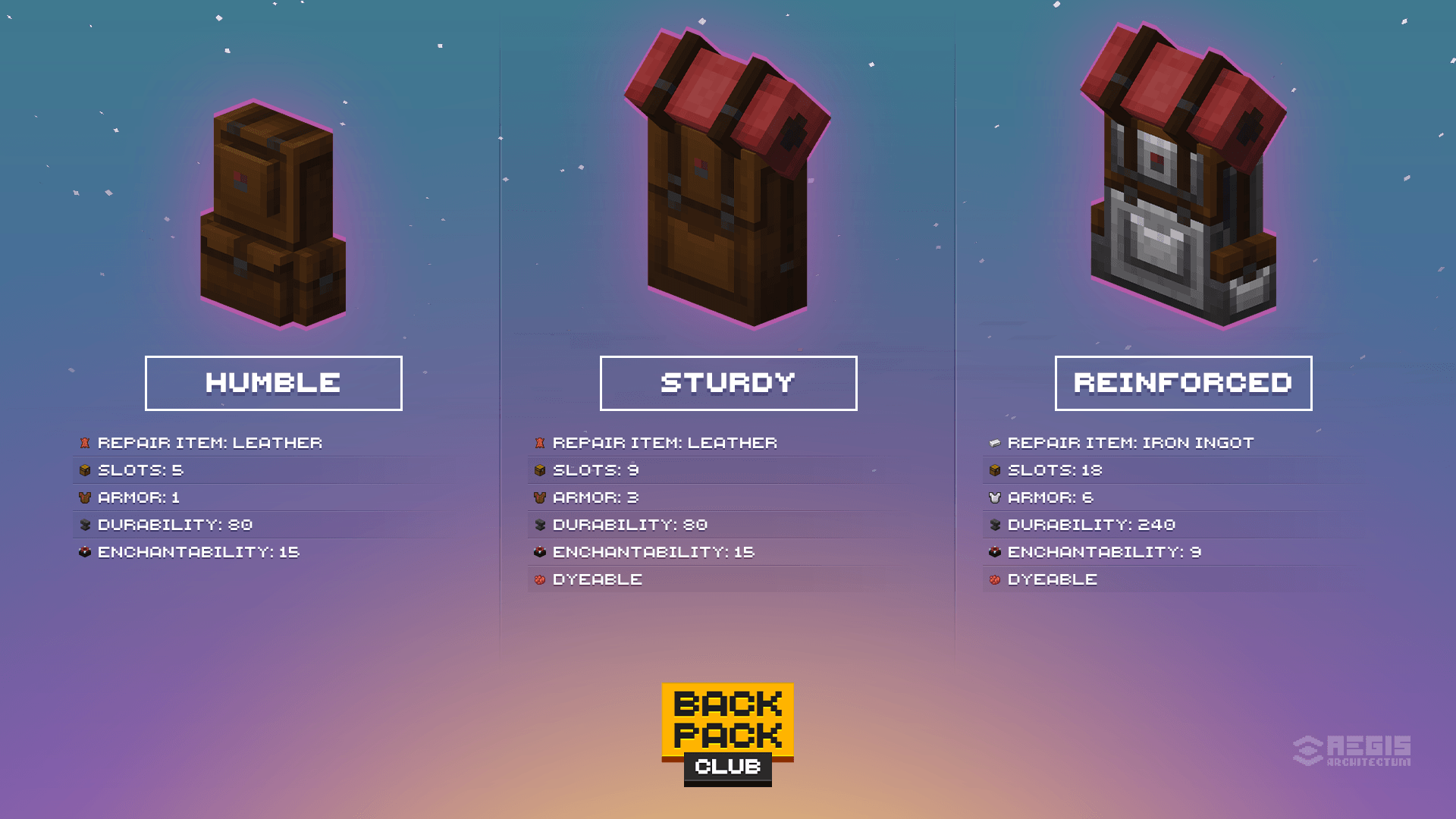
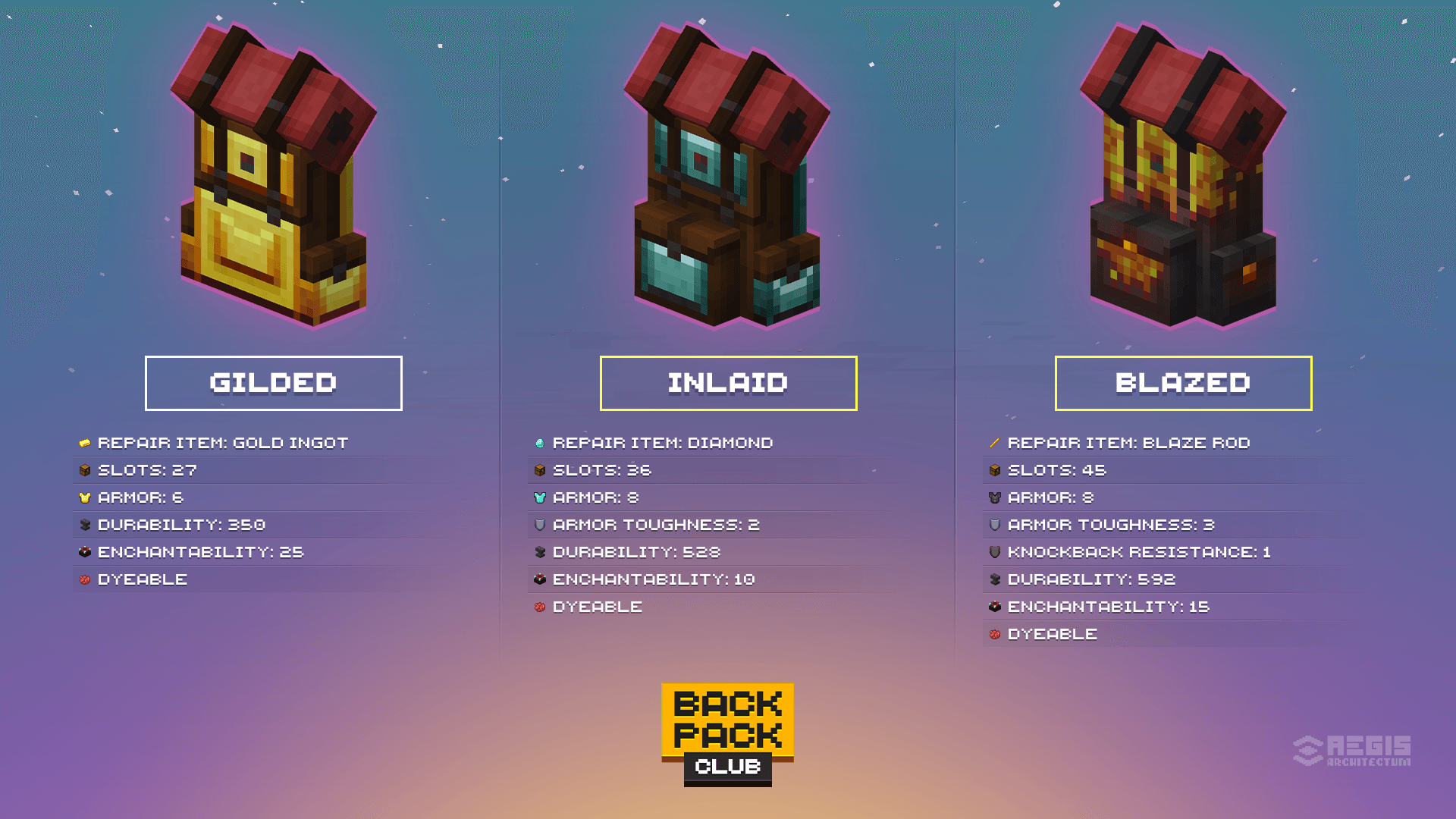
  • Craftable, tiered backpacks: each new tier has more space and protection.
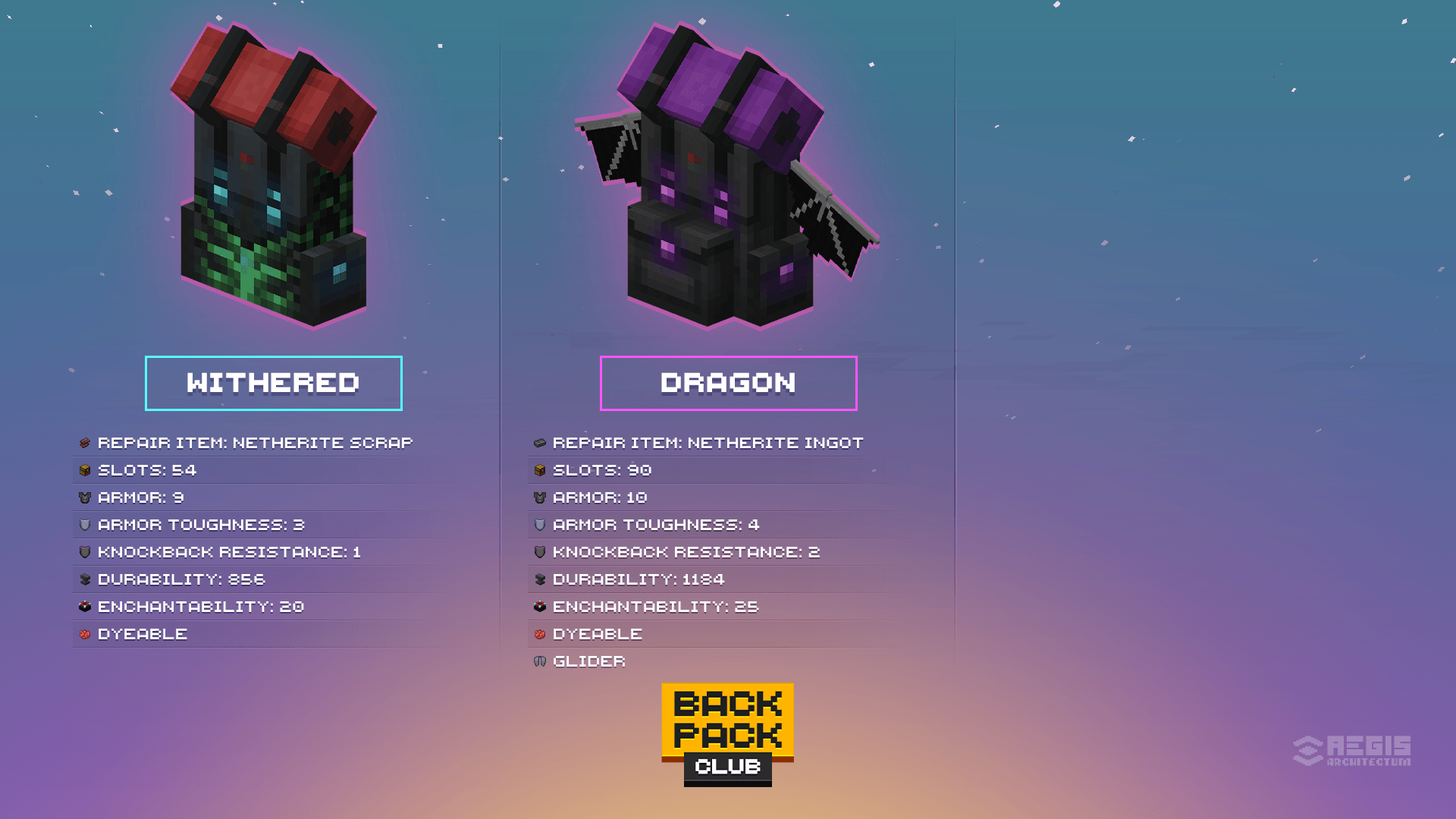
  • Wearable in chest slot. Every backpack tier has own custom model.
  • Each tier has same protection as corresponding chestplate - and even higher!
  • Dragon backpack acts like Elytra as well.
  • When upgraded to a higher tier in Smithing Table, your new backpack keeps all properties, items and enchantments.
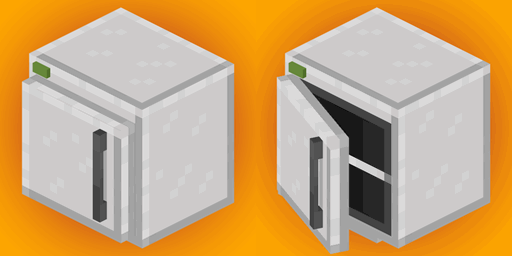
  • Can be placed on ground and interacted with as a block: works with hoppers, pipes, droppers etc.
  • Can be opened from hand.
  • Can be dyed.
  • Can be enchanted.
  • Can be repaired with corresponding material.
  • No overrides: should work with other mods and datapacks.

Make it your own

TECH DETAILS

  • Adjusted for skin overlay layer offset.
  • Fully translatable.
  • Tagged as "minecraft:chest_armor", "backpackclub:backpacks" and "c:backpacks".
  • Separate creative tab.
  • Clean approach: no console errors.
  • Everything is data-driven.

BACKPACKS PREVIEW

REQUIREMENTS (server side / singleplayer)

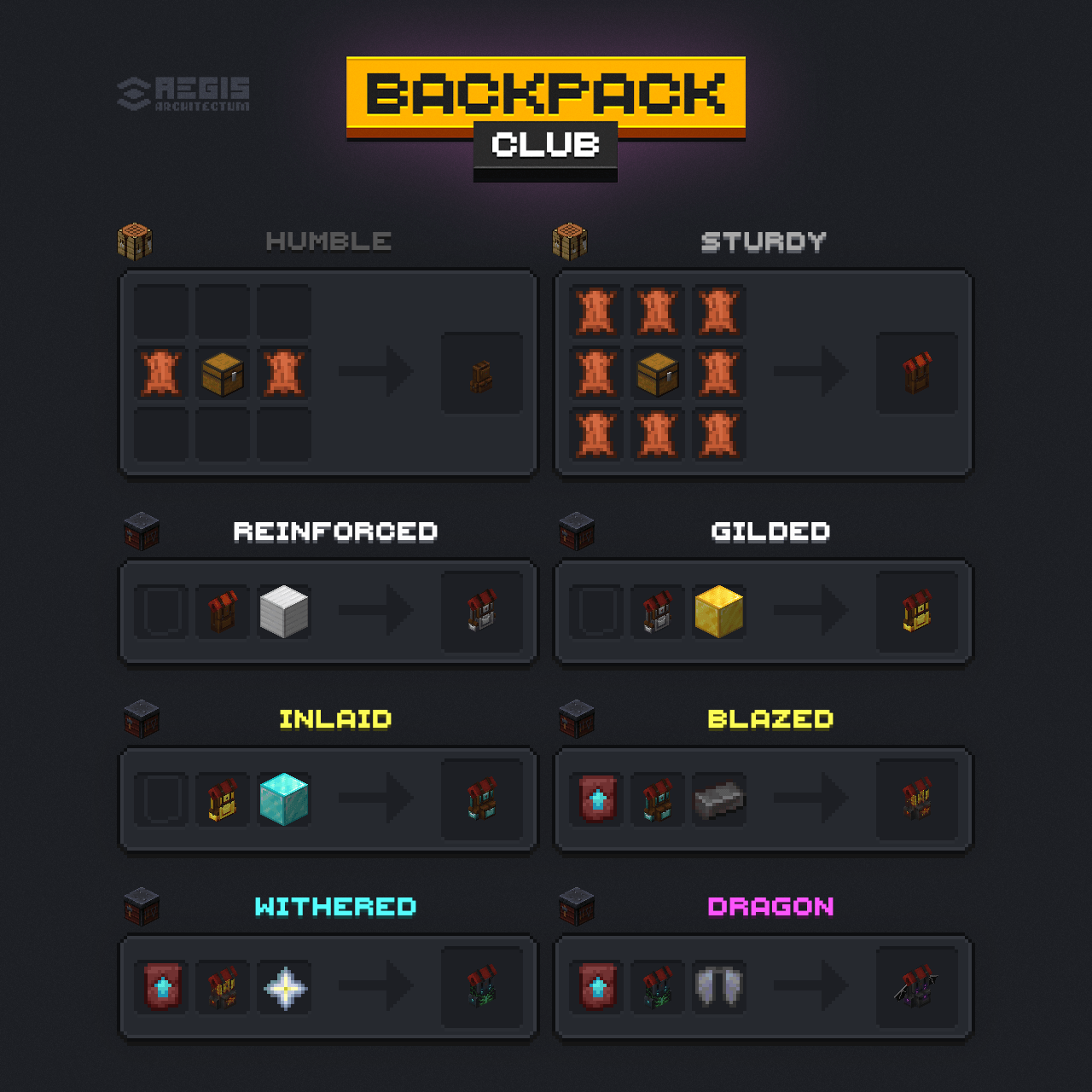
RECIPES

Backpack Club Recipes

Humble Backpack

- Crafting Table

- - -
L C L
- - -
L: Leather
C: Chest

Sturdy Backpack

- Crafting Table

L L L
L C L
L L L
L: Leather
C: Chest

Reinforced Backpack

- Smithing Table

Sturdy Backpack + Block of Iron
Smithing Template: *None*

Gilded Backpack

- Smithing Table

Reinforced Backpack + Block of Gold
Smithing Template: *None*

Inlaid Backpack

- Smithing Table

Gilded Backpack + Block of Diamond
Smithing Template: *None*

Blazed Backpack

- Smithing Table

Inlaid Backpack + Netherite Ingot
Smithing Template: *Netherite Upgrade*

Withered Backpack

- Smithing Table

Blazed Backpack + Nether Star
Smithing Template: *Netherite Upgrade*

Dragon Backpack

- Smithing Table

Withered Backpack + Elytra
Smithing Template: *Netherite Upgrade*

RECOMMENDATIONS

LINKS

Backpack Club 1.0.0 - 1.21.6-1.21.10
MC 1.21.8, 1.21.6, 1.21.7, 1.21.9-snapshot, 1.21.9, 1.21.10
Release 2025-11-27 Get

Requirements & install

How to use this data pack in Minecraft
Mods needed
None, works in vanilla
Minecraft
1.21.6 – 1.21.10
Install folder
saves/<world>/datapacks

How to install data packs

  1. Download the data pack .zip file (do not extract it).
  2. New world: click Data Packs on the world creation screen and drop the .zip in. Existing world: open .minecraft/saves/<world>/datapacks.
  3. Put the .zip into the datapacks folder of the world (servers: world/datapacks).
  4. Run /reload in game (or rejoin the world) and check it with /datapack list.
Browse more: Data Packs for 1.21.10 All data packs

More from MJRAMON

Advertisement Remove ads with Premium →

You Might Also Like