Mineuniverse
Data Packs
AutoSmelt Enchantment

AutoSmelt Enchantment

DATA PACK
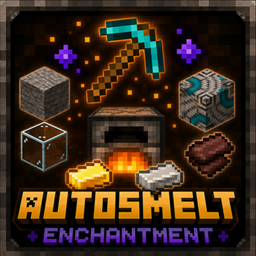
A lightweight datapack that adds the AutoSmelt enchantment, automatically smelting any smeltable block you mine.
by sgabello_0
Download Claim this project
294 downloads
0 likes
0 followers
Updated Oct 14, 2026
0 hypes
Follow0
Utility
Advertisement Remove ads with Premium →

AutoSmelt Enchantment

Autosmelt is a custom enchantment that can be applied to pickaxes and shovels. It automatically smelts blocks when mined, saving time and making resource gathering more efficient while keeping a balanced vanilla-like experience.

The enchantment has two levels:

Autosmelt I

Automatically smelts:

  • All normal and deepslate ores, including:
    • Iron Ore
    • Copper Ore
    • Gold Ore
    • Ancient Debris
  • Sand-related blocks:
    • Sand
    • Red Sand


Autosmelt II

Includes everything from Autosmelt I and additionally smelts all furnace-exclusive blocks:

  • Cobblestone
  • Stone
  • Stone Bricks
  • Cobbled Deepslate
  • Deepslate Bricks
  • Deepslate Tiles
  • Sandstone
  • Red Sandstone
  • Netherrack
  • Nether Bricks
  • Basalt
  • Polished Blackstone
  • Bricks
  • Block of Quartz
  • Clay
  • Dyed Terracotta
  • Wet Sponge

AutoSmelt II isn't obtainable with the enchanting table. It must be obtained by combining two AutoSmelt I enchantments or found with villagers.

Upgrade your tools with Autosmelt and let your furnace work while you mine!

 

AutoSmelt Enchantment - 1.2 - 1.21.9+.zip
MC 1.21.9, 1.21.10, 1.21.11, 26.1, 26.1.1, 26.1.2, 26.2
Release 2026-08-09 Get
AutoSmelt Enchantment - 1.1 - 1.21.9+.zip
MC 1.21.9, 1.21.10, 1.21.11, 26.1, 26.1.1, 26.1.2, 26.2
Release 2026-08-06 Get
AutoSmelt Enchantment - 1.0 - 1.21.9+.zip
MC 1.21.9, 1.21.10, 1.21.11, 26.1, 26.1.1, 26.1.2, 26.2
Release 2026-08-05 Get

Requirements & install

How to use this data pack in Minecraft
Mods needed
None, works in vanilla
Minecraft
1.21.9 – 26.2
Install folder
saves/<world>/datapacks

How to install data packs

  1. Download the data pack .zip file (do not extract it).
  2. New world: click Data Packs on the world creation screen and drop the .zip in. Existing world: open .minecraft/saves/<world>/datapacks.
  3. Put the .zip into the datapacks folder of the world (servers: world/datapacks).
  4. Run /reload in game (or rejoin the world) and check it with /datapack list.
Browse more: Data Packs for 26.2 All data packs
Advertisement Remove ads with Premium →

You Might Also Like