Mineuniverse
Data Packs
Altermons [Cobblemon Addon]

Altermons [Cobblemon Addon]

DATA PACK
A datapack / resource pack that adds new pokemon variants to the game.
by DeadlyEssence01
Download Claim this project
Add a badge to your pageLink to Altermons [Cobblemon Addon] from a README, website or forum post.
Preview: Badge

Badges update automatically and link to the data pack page on MineUniverse.

8,265 downloads
0 likes
0 followers
Updated Oct 14, 2026
0 hypes
Follow0
Miscellaneous
Advertisement Remove ads with Premium →

This datapack adds new variant versions of pokemon.
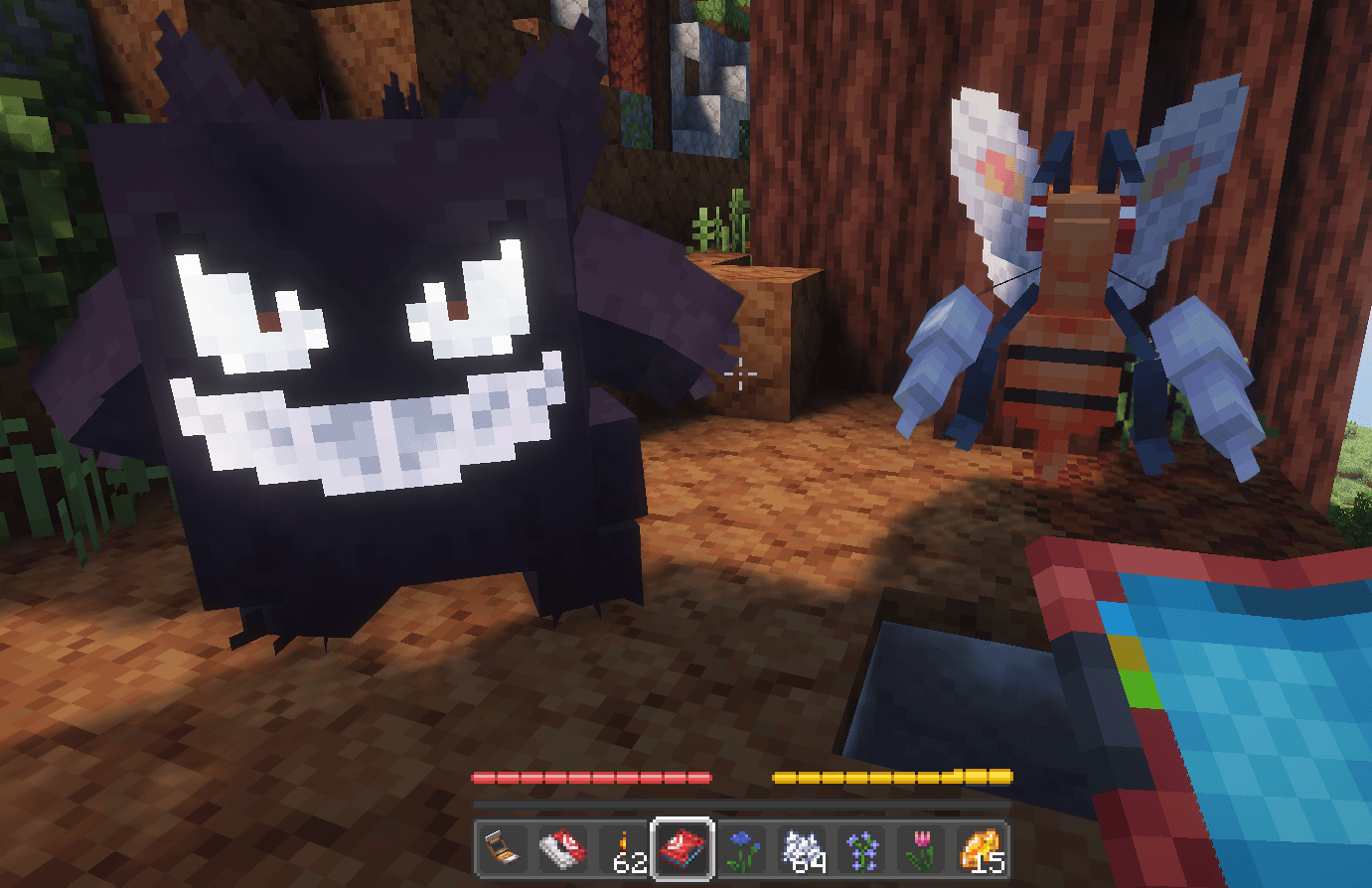
They can be determined as their forms are "Alterform - TYPING" such as "Beedrill (Alterform - Fire)" when you look at their name.

Alterforms receive changes to their stats, move pools and their abilities.

Some pokemon may receive coloration additions without form changes. I'd like to add a basalt Onix, etc.

To Use: Put the zip in your datapack folder (server / client) and your resource pack folder (client).

INFO:

To get info on the altermons go to my site: Info for Altermons

Added:

  • 1: Fire Beedrill (give kakuna a firestone, or find in sandy biomes).
  • 2: Dark / Ghost Gastly line (spawns in the same places are regular gastly.)
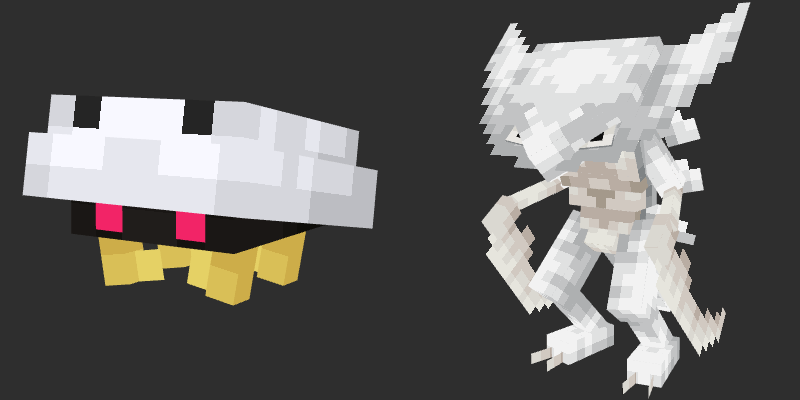
  • 3: Steel / Water Kabutops (spawns same biome as kabuto/ps but rare instead.

Click Spoiler for Shiny Info.

  1. Fire Beedrill shiny color is purple
  2. Shiny color is white.
  3. Shiny color is blue.

Up Next:

??

Possible Additions:

  • Ghost Murkrow
  • Poison Murkrow
  • Ice Charmander
  • Ghost Magikarp

Known Incompatibilities

  • TDMons (a Gastly Line Ported) - This will make gengar not appear in his darker texture. Everything else should work.
  • ?? - Kakuna will not be able to be given a fire stone to evolve into fire beedrill. (Works in pure cobblemon).
Altermons 1.1.0.zip
MC 1.21.1
Release 2025-08-27 Get
Altermons 1.0.0.zip
MC 1.21.1
Release 2025-08-22 Get

Requirements & install

How to use this data pack in Minecraft
Mods needed
None, works in vanilla
Minecraft
1.21.1
Install folder
saves/<world>/datapacks

How to install data packs

  1. Download the data pack .zip file (do not extract it).
  2. New world: click Data Packs on the world creation screen and drop the .zip in. Existing world: open .minecraft/saves/<world>/datapacks.
  3. Put the .zip into the datapacks folder of the world (servers: world/datapacks).
  4. Run /reload in game (or rejoin the world) and check it with /datapack list.
Browse more: Data Packs for 1.21.1 All data packs

More from DeadlyEssence01

Advertisement Remove ads with Premium →

You Might Also Like