Mineuniverse
Data Packs
Advancement Tracker

Advancement Tracker

DATA PACK
Track your progress on the cumulative advancements anytime!
by Pryor
Download Claim this project
441 downloads
0 likes
Updated Oct 14, 2026
0 hypes
Utility
Advertisement Remove ads with Premium →

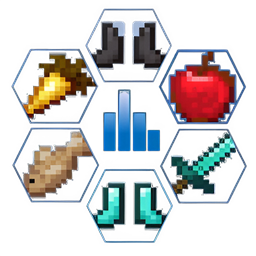
It is not very convenient that cumulative advancements like Adventure Time, Monsters Hunted and so on give you the number of criteria left to fulfill, but not their names. This datapack introduces commands that will get your remnant criteria on the go!

A total of 6 commands exist for the following advancements:

  • A Balanced Diet: /function adv_tracker:a_balanced_diet
  • A Complete Catalogue: /function adv_tracker:a_complete_catalogue
  • Adventuring Time: /function adv_tracker:adventuring_time
  • Hot Tourist Destinations: /function adv_tracker:hot_tourist_destinations
  • Monsters Hunted: /function adv_tracker:monsters_hunted
  • Two by Two: /function adv_tracker:two_by_two

Entering any one of the above commands in the chat box will proceed to list the respective criteria that are missing for the respective advancement.

If you have any queries or suggestions, please let me know in the comments. Wish you a most enjoyable Minecraft experience!

AdvancementTracker--1.0.zip
MC 1.20
Release 2024-04-12 Get

Requirements & install

How to use this data pack in Minecraft
Mods needed
None, works in vanilla
Minecraft
1.20
Install folder
saves/<world>/datapacks

How to install data packs

  1. Download the data pack .zip file (do not extract it).
  2. New world: click Data Packs on the world creation screen and drop the .zip in. Existing world: open .minecraft/saves/<world>/datapacks.
  3. Put the .zip into the datapacks folder of the world (servers: world/datapacks).
  4. Run /reload in game (or rejoin the world) and check it with /datapack list.
Browse more: Data Packs for 1.20 All data packs
Advertisement Remove ads with Premium →

You Might Also Like





