
Flux Networks moves FE without cables. You create a network once, then join devices to it: a Flux Plug takes energy from the blocks around it, a Flux Point gives it to the blocks around it, and every device on the same network shares the energy, however far apart they are. Everything starts with a dust that has no crafting recipe. This page follows Flux Networks 8.0.0 for Minecraft 1.21.1.
1. Flux Dust: crushing redstone
 Flux Dust is made in the world, as its tooltip says, by compressing Redstone Dust with bedrock and
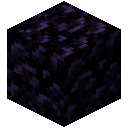 Obsidian:
- Find bedrock and place an obsidian block two blocks above it, so that one empty block stays between them. Once you own a
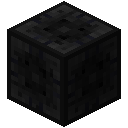 Flux Block, it works as the base instead of bedrock.
- Drop Redstone Dust into that empty space.
- Hit (left-click) the obsidian. All Redstone Dust lying in the gap turns into the same number of Flux Dust, which pops out.
2. Flux Cores and Flux Blocks
Four Flux Dust, four obsidian and an  Eye of Ender give 4
 Flux Cores. Five Flux Dust and four cores make a Flux Block. Cores and blocks are the parts of every device.
4 × Flux Dust + 4 × Obsidian + Eye of Ender → 4 × Flux Core
5 × Flux Dust + 4 × Flux Core → Flux Block
3. Plugs, Points and your first network
The 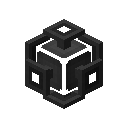 Flux Plug is a Flux Block with four cores; place it next to a generator or energy storage. The
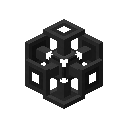 Flux Point is a
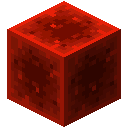 Block of Redstone with four cores; place it next to the machines you want to power. The Plug only accepts the energy that the blocks around it push into it, while the Point actively hands energy out.
4 × Flux Core + Flux Block → Flux Plug
4 × Flux Core + Block of Redstone → Flux Point
- Open a Plug and go to the Create New Network tab. Give the network a name, a color and a security level: Public, Private or Encrypted (with a password).
- Open each other device and pick the network in the Network Selection tab.
- Check the Network Statistics and Network Connections tabs to see the plugs, points, storages and controllers on the network and the energy moving through it.
Every device has a name, a priority, a transfer limit (800,000 FE per tick for Plugs, Points and the Controller in the default settings), Power Surge, Bypass Limit and Chunk Loading (allowed in the default settings). In the default settings each player can own 5 networks. Other players are added in the Network Members tab as User or Admin.
4. Flux Storage
Flux Storages join a network like any other device and hold energy for it. Each tier is six storages of the tier below plus two glass panes; the new storage keeps the energy of all six.
| Storage | Capacity (default settings) | Transfer limit (default settings) | Recipe |
|---|---|---|---|
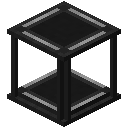 Basic Flux Storage | 2,000,000 FE | 20,000 FE/t | 6 Flux Blocks, 2 glass panes |
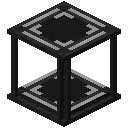 Herculean Flux Storage | 16,000,000 FE | 120,000 FE/t | 6 Basic Flux Storages, 2 glass panes |
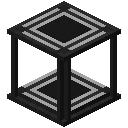 Gargantuan Flux Storage | 128,000,000 FE | 720,000 FE/t | 6 Herculean Flux Storages, 2 glass panes |







 Any #c:glass_panes
- Glass Pane
- White Stained Glass Pane
- Orange Stained Glass Pane
- Magenta Stained Glass Pane
- Light Blue Stained Glass Pane
- Yellow Stained Glass Pane
- Lime Stained Glass Pane
- Pink Stained Glass Pane
- Gray Stained Glass Pane
- Light Gray Stained Glass Pane
- Cyan Stained Glass Pane
- Purple Stained Glass Pane
- + 5 more
Any #c:glass_panes- Glass Pane
- White Stained Glass Pane
- Orange Stained Glass Pane
- Magenta Stained Glass Pane
- Light Blue Stained Glass Pane
- Yellow Stained Glass Pane
- Lime Stained Glass Pane
- Pink Stained Glass Pane
- Gray Stained Glass Pane
- Light Gray Stained Glass Pane
- Cyan Stained Glass Pane
- Purple Stained Glass Pane
- + 5 more
6 × Flux Block + 2 × any Glass Pane (#c:glass_panes) → Basic Flux Storage
Any #c:glass_panes- Glass Pane
- White Stained Glass Pane
- Orange Stained Glass Pane
- Magenta Stained Glass Pane
- Light Blue Stained Glass Pane
- Yellow Stained Glass Pane
- Lime Stained Glass Pane
- Pink Stained Glass Pane
- Gray Stained Glass Pane
- Light Gray Stained Glass Pane
- Cyan Stained Glass Pane
- Purple Stained Glass Pane
- + 5 more
Any #c:glass_panes- Glass Pane
- White Stained Glass Pane
- Orange Stained Glass Pane
- Magenta Stained Glass Pane
- Light Blue Stained Glass Pane
- Yellow Stained Glass Pane
- Lime Stained Glass Pane
- Pink Stained Glass Pane
- Gray Stained Glass Pane
- Light Gray Stained Glass Pane
- Cyan Stained Glass Pane
- Purple Stained Glass Pane
- + 5 more
6 × Basic Flux Storage + 2 × any Glass Pane (#c:glass_panes) → Herculean Flux Storage
Any #c:glass_panes- Glass Pane
- White Stained Glass Pane
- Orange Stained Glass Pane
- Magenta Stained Glass Pane
- Light Blue Stained Glass Pane
- Yellow Stained Glass Pane
- Lime Stained Glass Pane
- Pink Stained Glass Pane
- Gray Stained Glass Pane
- Light Gray Stained Glass Pane
- Cyan Stained Glass Pane
- Purple Stained Glass Pane
- + 5 more
Any #c:glass_panes- Glass Pane
- White Stained Glass Pane
- Orange Stained Glass Pane
- Magenta Stained Glass Pane
- Light Blue Stained Glass Pane
- Yellow Stained Glass Pane
- Lime Stained Glass Pane
- Pink Stained Glass Pane
- Gray Stained Glass Pane
- Light Gray Stained Glass Pane
- Cyan Stained Glass Pane
- Purple Stained Glass Pane
- + 5 more
6 × Herculean Flux Storage + 2 × any Glass Pane (#c:glass_panes) → Gargantuan Flux Storage
5. Flux Controller: wireless charging
The 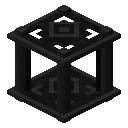 Flux Controller (Flux Blocks, a Flux Core and Flux Dust) enables wireless charging on its network. A network can have only one controller. In the Wireless Charging tab you choose which slots get charged: hotbar, main hand, off hand, armor and Curios slots.
5 × Flux Block + Flux Core + 2 × Flux Dust → Flux Controller
6. Copying and clearing settings
The  Flux Configurator copies settings between devices: sneak-use it on a device to copy, then use it on another device to paste. A device placed alone in the crafting grid comes out with its settings cleared; Flux Storages keep their energy when you do this.
2 × Flux Dust + Eye of Ender + 2 × Obsidian → Flux Configurator
Flux Plug → Flux Plug