⚔️ Blades of War 2
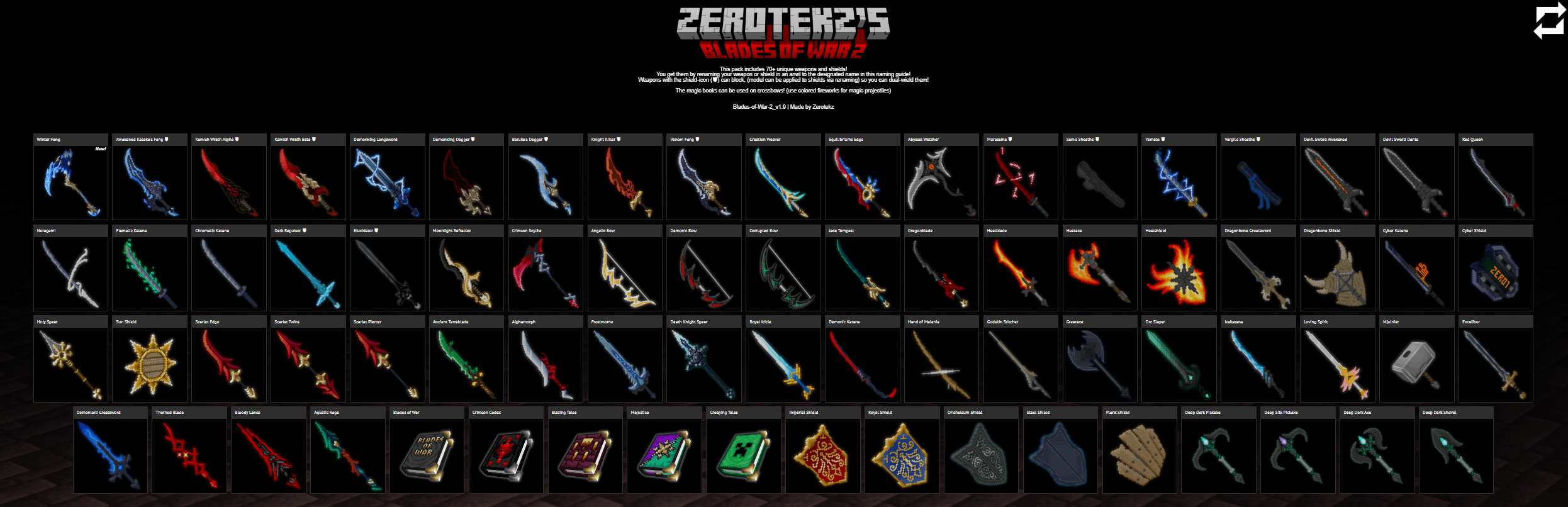
Transform your Minecraft equipment with 70+ unique custom 3D models — including weapons, shields, tools, bows and magic Spellbooks.
Simply rename a vanilla item in an anvil to equip its custom model.
✅ Minecraft 1.21.5+
No mods required!
Blades of War 2 works completely standalone on Minecraft 1.21.5 and newer.
Minecraft 1.21.4 and older are no longer supported. Legacy versions will remain available for download, but will not receive further updates or compatibility fixes. Remember, those need CIT-Resewn or Optifine!
🗡️ Solo Leveling Weapons

Wield weapons inspired by Solo Leveling, including:
- Winter Fang
- Awakened Kasaka's Fang ⛊
- Kamish Wrath Alpha ⛊
- Kamish Wrath Beta ⛊
- Demonking Longsword
- Demonking Dagger ⛊
- Venom Fang ⛊
- Knight Killer ⛊
- Baruka's Dagger ⛊
📖 Magic Spellbooks
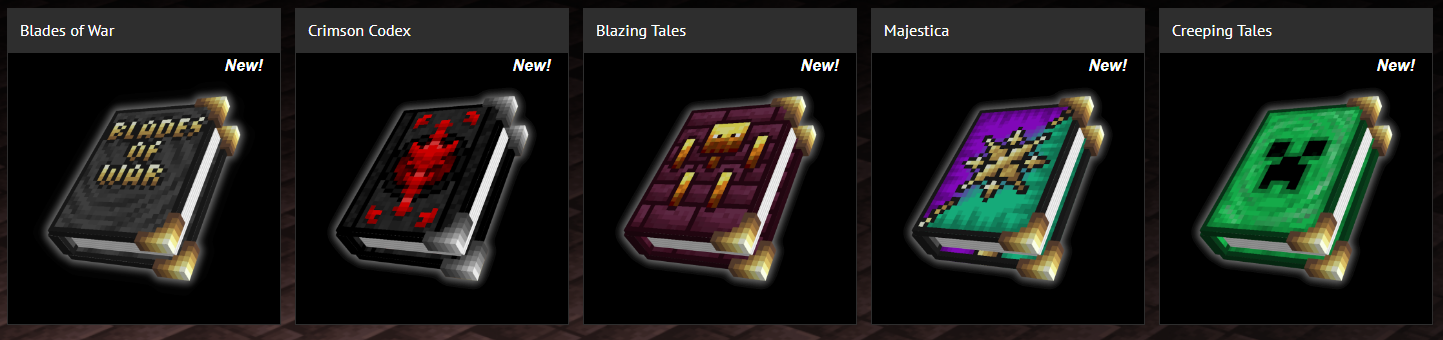
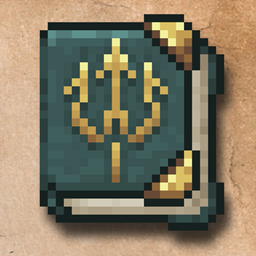
Turn a crossbow into a magic Spellbook by renaming it in an anvil.
Load it with colored fireworks and fire them as magic-looking projectiles!
Available Spellbooks:
- Blades of War
- Blazing Tales
- Creeping Tales
- Crimson Codex
- Majestica
⚔️ How does it work?
- Choose a model from the Nameslist
- Take the corresponding vanilla item
- Rename it in an anvil
- Done — your item now uses the custom 3D model!
Items marked with ⛊ can also be applied to shields, allowing you to dual-wield compatible weapon models.
🔱 Spears, Mace & Copper
- Spears: Holy Spear, Scarlet Piercer, Aquatic Rage, Bloody Lance, Godskin Stitcher and Death Knight Spear also work on spears of every material (wooden to netherite, including copper).
- Mace: Mjolnier can be applied to a mace.
- Copper tools are supported as well: rename a copper sword, axe, pickaxe, shovel or spear like any other item.
On versions that don't have spears or copper tools yet, those models are simply ignored — everything else works as usual.
📜 Full Nameslist
Solo Leveling
- Winter Fang
- Awakened Kasaka's Fang ⛊
- Kamish Wrath Alpha ⛊
- Kamish Wrath Beta ⛊
- Demonking Longsword
- Demonking Dagger ⛊
- Venom Fang ⛊
- Knight Killer ⛊
- Baruka's Dagger ⛊
Swords & Axes
- Scarlet Piercer
- Scarlet Edge
- Scarlet Twins
- Murasama ⛊
- Yamato ⛊
- Alphamorph
- Icekatana
- Ancient Terrablade
- Loving Spirit
- Crimson Scythe
- Greataxe
- Heatblade
- Heataxe
- Jade Tempest
- Dragonblade
- Aquatic Rage
- Death Knight Spear
- Moonlight Refractor
- Equilibriums Edge
- Creation Weaver
- Abyssal Watcher
- Mjolnier
- Bloody Lance
- Thorned Blade
- Holy Spear
- Godskin Stitcher
- Devil Sword Dante
- Devil Sword Awakened
- Elucidator ⛊
- Dark Repulsor ⛊
- Royal Icicle
- Orc Slayer
- Demonlord Greatsword
- Red Queen
- Excalibur
- Frostmorne
- Dragonbone Greatsword
- Noragami
- Flamatic Katana
- Cyber Katana
- Demonic Katana
- Chromatic Katana
- Hand of Malenia
Tools
- Deep Dark Pickaxe
- Deep Silk Pickaxe
- Deep Dark Axe
- Deep Dark Shovel
Bows
- Angelic Bow
- Demonic Bow
- Corrupted Bow
Spellbooks
- Blades of War
- Blazing Tales
- Creeping Tales
- Crimson Codex
- Majestica
Shields
- Heatshield ⛊
- Plank Shield ⛊
- Dragonbone Shield ⛊
- Sun Shield ⛊
- Royal Shield ⛊
- Orichalcum Shield ⛊
- Imperial Shield ⛊
- Cyber Shield ⛊
- Steel Shield ⛊
- Vergil's Sheathe ⛊
- Sam's Sheathe ⛊
💬 Help & Community
Need help, found an issue or just want to see what I'm working on?
Join the Discord Server.
Version Support
Minecraft 1.21.5+ ✅ Actively supported ✅ No mods required
Minecraft 1.21.4 and older ⚠️ Legacy versions ❌ No longer supported or updated