Mineuniverse
Resource Packs
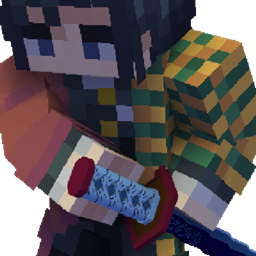
Zenitsu katana from anime Demon slayer

Zenitsu katana from anime Demon slayer

RESOURCE PACK
Resource pack makes it possible to replace any sword with a Zenitsu katana from the anime Kimetsu no Yaiba by renaming
by Anime_Packs
Download Claim this project
Add a badge to your pageLink to Zenitsu katana from anime Demon slayer from a README, website or forum post.
Preview: Badge

Badges update automatically and link to the resource pack page on MineUniverse.

1,378 downloads
0 likes
0 followers
Updated Oct 14, 2026
0 hypes
Follow0
16x Medieval Miscellaneous Modern Traditional
Advertisement Remove ads with Premium →

commission banner

OptiFine required!

( Rename Any sword to "Zenitsu katana" to use it. )


Resource pack with all katanas at once!


Discord server: discord.gg/z86yJcAZKc.

My website: mineanimecreations.com.

Watch my others packs: curseforge.com/mineanimecreations/projects.


Resource pack makes it possible to replace any sword with a Zenitsu katana from the anime Demon Slayer by renaming

zenitsu_katana.zip
MC 1.17, 1.16, 1.20, 1.18, 1.19
Release 2024-02-28 Get
zenitsu_katana.zip
MC 1.17, 1.16, 1.20, 1.18, 1.19
Release 2024-01-07 Get
zenitsu_katana.zip
MC 1.17, 1.16, 1.20, 1.18, 1.19
Release 2023-09-16 Get

Requirements & install

How to use this resource pack in Minecraft
Resolution
16x
Minecraft
1.16 – 1.20
Install folder
.minecraft/resourcepacks

How to install resource packs

  1. Download the resource pack .zip file (do not extract it).
  2. In Minecraft open Options → Resource Packs → Open Pack Folder.
  3. Drop the .zip into the resourcepacks folder (.minecraft/resourcepacks).
  4. Move the pack to the Selected column and click Done.
Browse more: 16x resource packs 32x resource packs 64x resource packs 128x resource packs 256x resource packs 512x+ resource packs Resource Packs for 1.20 All resource packs

More from Anime_Packs

Advertisement Remove ads with Premium →

You Might Also Like