Mineuniverse
Resource Packs
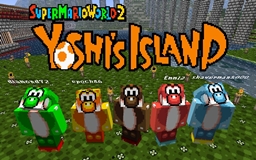
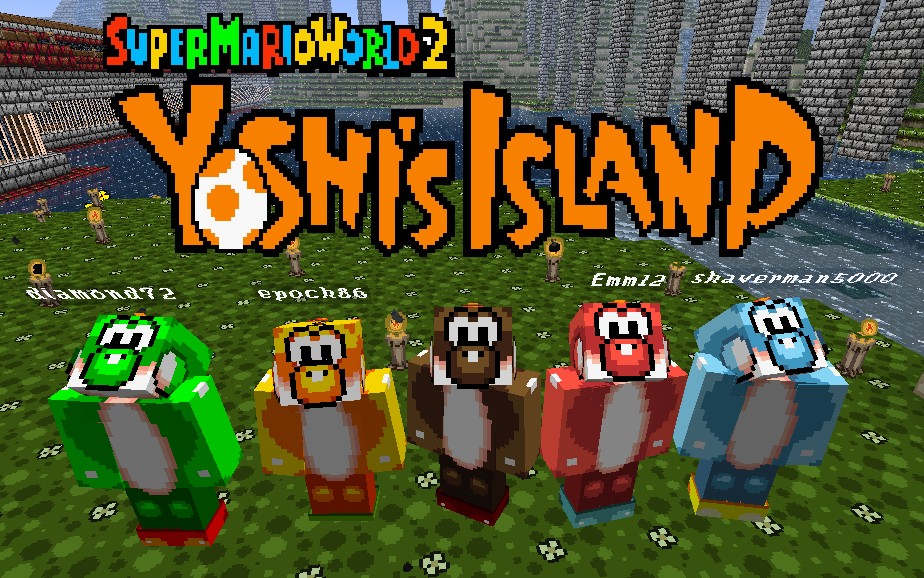
Yet Another Yoshi's Island Texture Pack

Yet Another Yoshi's Island Texture Pack

RESOURCE PACK
Based on Super Mario World 2: Yoshi's Island for the SNES
by LunaCues
Download Claim this project
Add a badge to your pageLink to Yet Another Yoshi's Island Texture Pack from a README, website or forum post.
Preview: Badge

Badges update automatically and link to the resource pack page on MineUniverse.

1,591 downloads
0 likes
0 followers
Updated Oct 14, 2026
0 hypes
Follow0
32x Animated Miscellaneous
Advertisement Remove ads with Premium →

Suggestions

For full effect, use MCPatcher or Optifine for the mods Random Mobs and Connected Textures.

Mobs

  • Bat: Fang
  • Blaze: Pyro Guy
  • Chicken: Goonie, Bumpty, Raven, Skeleton Goonie
  • Creeper: Baseball Boys mask, Shy Guy mask
  • Dragon: Giant Baby Bowser
  • Enderman: Little Mouser, Grinder
  • Ghast: Giant Baby Bowser
  • Iron Golem: Yoshi
  • Magma Cube: Slime, Georgette Jelly
  • Silverfish: Nipper Plant
  • Skeleton: Shy Guy mask
  • Slime: Sluggy, Georgette Jelly
  • Snowman: Dr. Freezegood
  • Squid: Preying Manta
  • Villagers: Yoshi
  • Witch: Kamek the Magikoopa
  • Wither: Kamek the Magikoopa
  • Wither Skeleton: Shy Guy mask
  • Wolf: Poochy
  • Zombie: Koopa Troopa (green and red), Bandit

Additional Notes

I need to give credit to the people who ripped the sprites from the game.
Mario Fan Games Galaxy: A.J Nitro, Shikaternia
Spriter's Resource: Bacon, Cheeseman, Jackster, Nemica, SmashBrother908, Tonberry2k, Touch Fuzzy Get Dizzy
Sprite Database: Silver

Without them, this texture pack may have never happened.

Super Mario World 2: Yoshi's Island
© Nintendo 1995

Yet-Another-Yoshi-Island-179.zip
MC 1.7.9
Release 2014-06-06 Get

Requirements & install

How to use this resource pack in Minecraft
Resolution
32x
Minecraft
1.7.9
Install folder
.minecraft/resourcepacks

How to install resource packs

  1. Download the resource pack .zip file (do not extract it).
  2. In Minecraft open Options → Resource Packs → Open Pack Folder.
  3. Drop the .zip into the resourcepacks folder (.minecraft/resourcepacks).
  4. Move the pack to the Selected column and click Done.
Browse more: 16x resource packs 32x resource packs 64x resource packs 128x resource packs 256x resource packs 512x+ resource packs Resource Packs for 1.7.9 All resource packs
Advertisement Remove ads with Premium →

You Might Also Like