Mineuniverse
Resource Packs
Xaero's World Map Translator

Xaero's World Map Translator

RESOURCE PACK
Xaero's World Map Translator
by Stepan1411_
Download Claim this project
33,137 downloads
0 likes
0 followers
Updated Oct 14, 2026
0 hypes
Follow0
Font Packs Mod Support
Advertisement Remove ads with Premium →

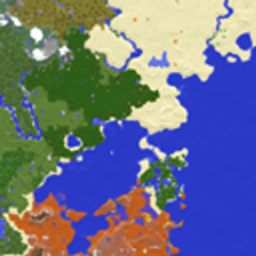
Dive into a world of adventure with Xaero's World Map Translator, a resource pack that makes your Minecraft travels more accessible and fun! This pack is designed to translate the Xaero's World Map mod interface into many languages, allowing players from all over the world to enjoy every aspect of this powerful tool.

With Xaero's World Map Translator, you can:

Simplified Interaction: Easily customize and use the map by translating all interface elements into your native language. No more struggling with incomprehensible terms - enjoy the game with maximum comfort!
Multilingual: View the world of Minecraft in languages ​​such as Russian, Spanish, French and many more. Our pack supports a wide range of languages ​​so that every player can appreciate the functionality of the mod.
Constant Updates: The resource pack is regularly updated to stay relevant with the latest versions of the Xaero's World Map mod, as well as to take into account changes in the language preferences of the community.

Create your own unique adventure without language barriers with Xaero's World Map Translator! Improve your navigation skills, explore new places and don't miss a single detail of your exciting Minecraft story, regardless of your language!

Xaero's World Map Translator.zip
MC 1.16.3, 1.13.1, 1.9.3, 1.8.7, 1.17.1, 1.9.1, 1.21, 1.16.1, 1.18.1, 1.14.3, 1.15, 1.16, 1.13, 1.7.3, 1.16.5, 1.10.2, 1.19.3, 1.20.2, 1.19.4, 1.21.8, 1.8.8, 1.9.4, 1.9.2
Release 2025-03-14 Get

Requirements & install

How to use this resource pack in Minecraft
Resolution
Not specified
Minecraft
1.16.5 – 1.21.8
Install folder
.minecraft/resourcepacks

How to install resource packs

  1. Download the resource pack .zip file (do not extract it).
  2. In Minecraft open Options → Resource Packs → Open Pack Folder.
  3. Drop the .zip into the resourcepacks folder (.minecraft/resourcepacks).
  4. Move the pack to the Selected column and click Done.
Browse more: 16x resource packs 32x resource packs 64x resource packs 128x resource packs 256x resource packs 512x+ resource packs Resource Packs for 1.21.8 All resource packs

More from Stepan1411_

Advertisement Remove ads with Premium →

You Might Also Like