Mineuniverse
Resource Packs
Xaero's Minimap - Pixelmon Support for Latest Version

Xaero's Minimap - Pixelmon Support for Latest Version

RESOURCE PACK
Updated Resource Pack for Xaero's Minimap Mod / Pixelmon
by DippoNA
Download Claim this project
Add a badge to your pageLink to Xaero's Minimap - Pixelmon Support for Latest Version from a README, website or forum post.
Preview: Badge

Badges update automatically and link to the resource pack page on MineUniverse.

26,141 downloads
0 likes
0 followers
Updated Oct 14, 2026
0 hypes
Follow0
16x Mod Support
Advertisement Remove ads with Premium →

Credit goes to babybluetit as he was the original creator of this resource pack, I basically went ahead and just updated the files to include all of the newer mons that have been added that you can get without spawning them in. I also went ahead and fixed all of the mons that were missing textures, except Arbok, as it's alternative sprite does not have an actual sprite file, so I just gave it the default Arbok sprite. Now this is not 100% perfect, as I attempted to add everything without having any prior experience to doing something like this, but it is 100% functional and everything does appear on the map!


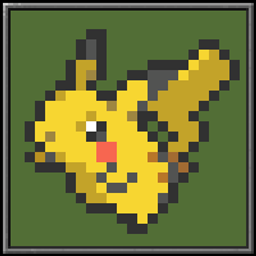
As you can see in the picture, I have given Garganacl and Naclstack sprites for example, and I fixed the Kommo-o line not having an actual texture.


This resource pack is intended to be used with Xaero's Minimap Mod which can be found here.


If you do run into any issues or see that I missed anything, please let me know and I will work on it ASAP.

Pixelmon Xaero's Minimap Assets 9.1.10
MC 1.16.5
Release 2023-12-17 Get
Pixelmon Assets Xaero's Minimap UPDATE 9.1.7
MC 1.16.5
Release 2023-08-25 Get
Pixelmon-Assets-Xaero's-Minimap-UPDATED-v1.1
MC 1.16.5
Release 2023-08-21 Get
Pixelmon-Assets-Xaero's-Minimap-UPDATED-FOR-9.1.6.zip
MC 1.16.5
Release 2023-08-20 Get

Requirements & install

How to use this resource pack in Minecraft
Resolution
16x
Minecraft
1.16.5
Install folder
.minecraft/resourcepacks

How to install resource packs

  1. Download the resource pack .zip file (do not extract it).
  2. In Minecraft open Options → Resource Packs → Open Pack Folder.
  3. Drop the .zip into the resourcepacks folder (.minecraft/resourcepacks).
  4. Move the pack to the Selected column and click Done.
Browse more: 16x resource packs 32x resource packs 64x resource packs 128x resource packs 256x resource packs 512x+ resource packs Resource Packs for 1.16.5 All resource packs
Advertisement Remove ads with Premium →

You Might Also Like




