Mineuniverse
Resource Packs
WU_SHUANGCB's Zombie Skin

WU_SHUANGCB's Zombie Skin

RESOURCE PACK
Zombies are entwined with an unknown virus, giving them a more oppressive appearance.
by WU_SHUANGCB
Download Claim this project
Add a badge to your pageLink to WU_SHUANGCB's Zombie Skin from a README, website or forum post.
Preview: Badge

Badges update automatically and link to the resource pack page on MineUniverse.

7,635 downloads
0 likes
0 followers
Updated Oct 14, 2026
0 hypes
Follow0
16x
Advertisement Remove ads with Premium →

Description: Planned for use in my modpacks, now that it's being released early. WU_SHUANGCB's Zombie Skin for Minecraft (Versions 1.7.1 to 1.21.1)

Features: Unique zombie skins make zombies look more aggressive.
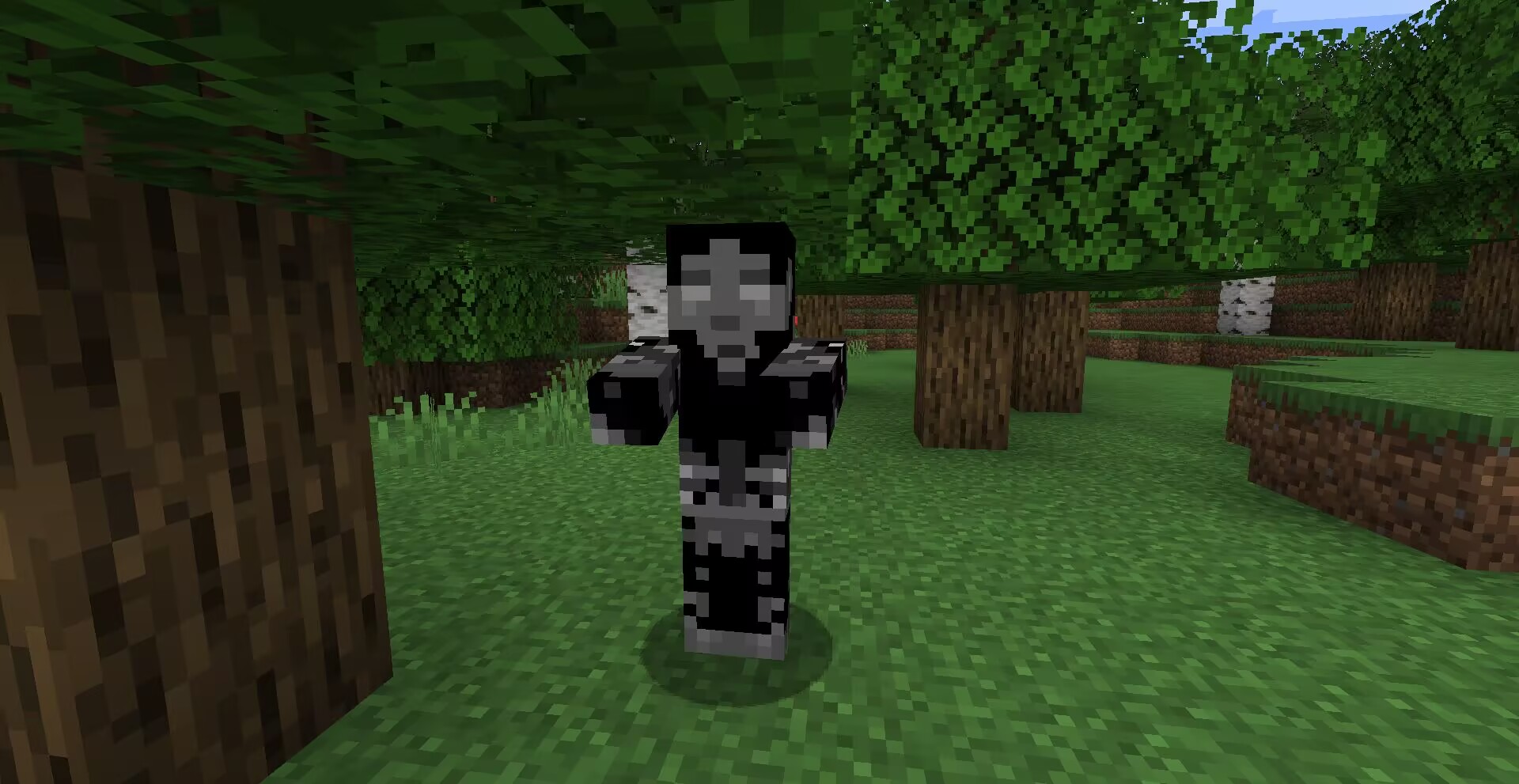
zombie Method: OptiFine or equivalent [ETF] Entity Texture Features mod.

Please use the latest version of Entity Texture Features just in case!

Compatibility: A new zombie texture for CrimsonSteve's more mobs and the Mutant More has been added for now. There is no need to have it at the top when using it with other textures, a TH version of this texture exists here and will be compatible with more in the future.

Additional Credits: Tissou for providing inspiration for my audio, EnderB_C_ for providing inspiration. Feel free to use it, and it would be appreciated if you give credit.

OptiFineEntity Texture FeaturesEntity Model Features

WSZ 1.2.zip
MC 1.19.3, 1.20.2, 1.21, 1.20.5, 1.17, 1.16, 1.19.4, 1.16.5, 1.18.2, 1.19.2, 1.20.3, 1.20.1, 1.20, 1.20.6, 1.20.4, 1.21.1, 1.18, 1.12.2, 1.19
Release 2025-04-01 Get
WSZ 1.1.zip
MC 1.7.6, 1.17.1, 1.9.1, 1.16.3, 1.13.1, 1.9.3, 1.8.7, 1.7.4, 1.7.7, 1.19.3, 1.20.2, 1.21, 1.7.5, 1.16.1, 1.18.1, 1.20.5, 1.9.4, 1.9.2, 1.8.4, 1.7.9, 1.14.4, 1.14.1, 1.12.1
Release 2024-10-11 Get
WSZ1.0.zip
MC 1.7.6, 1.16-Snapshot, 1.17.1, 1.9.1, 1.16.3, 1.13.1, 1.9.3, 1.8.7, 1.7.4, 1.7.7, 1.19.3, 1.20.2, 1.21.2-Snapshot, 1.21, 1.15-Snapshot, 1.7.5, 1.16.1, 1.18.1, 1.19.4-Snapshot
Release 2024-09-19 Get

Requirements & install

How to use this resource pack in Minecraft
Resolution
16x
Minecraft
1.20.2 – 1.21.2-Snapshot
Install folder
.minecraft/resourcepacks

How to install resource packs

  1. Download the resource pack .zip file (do not extract it).
  2. In Minecraft open Options → Resource Packs → Open Pack Folder.
  3. Drop the .zip into the resourcepacks folder (.minecraft/resourcepacks).
  4. Move the pack to the Selected column and click Done.
Browse more: 16x resource packs 32x resource packs 64x resource packs 128x resource packs 256x resource packs 512x+ resource packs Resource Packs for 1.21.2-Snapshot All resource packs

More from WU_SHUANGCB

Advertisement Remove ads with Premium →

You Might Also Like