Mineuniverse
Resource Packs
World of Saturation

World of Saturation

RESOURCE PACK
Adds a touch of vibrance to Minecraft's terrain blocks.
by Shock_Micro
Download Claim this project
Add a badge to your pageLink to World of Saturation from a README, website or forum post.
Preview: Badge

Badges update automatically and link to the resource pack page on MineUniverse.

2,274 downloads
0 likes
0 followers
Updated Oct 14, 2026
0 hypes
Follow0
16x Miscellaneous Traditional
Advertisement Remove ads with Premium →

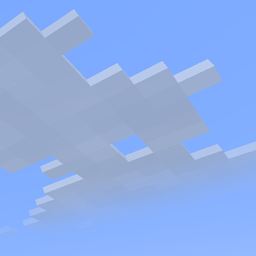
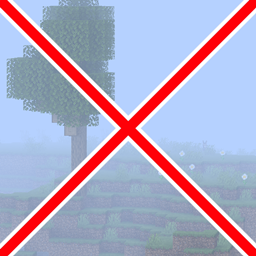
1.12 was a great update, making colored blocks much more vibrant. However, they neglected one thing: the bland grass. The grass has been drab ever since it was updated in beta, and the desaturation problem only got worse when 1.13 desaturated water as well. This pack changes that, adding the much-needed saturation back into the game and breathing life into drab areas.

I personally find this to be a much better approach than most others take, taking the areas where vibrancy matters most and giving them a small boost to make them more effective. It boosts the saturation of the grass/foliage colormap as well as hand-tuning a few of the leaf colors, not to mention making water slightly more realistically colored, which happens to make it more vibrant as well!

If you want to get updated about this pack and many others, make sure to join my Discord and follow my Bluesky!

World of Saturation (1.21.4+)
MC 1.21.4
Release 2025-01-09 Get
World of Saturation
MC 1.18.1
Release 2022-02-07 Get
World of Saturation
MC 1.18.1, 1.18, 1.18-Snapshot
Release 2021-12-18 Get
World of Saturation
MC 1.17.1, 1.17, 1.17-Snapshot
Release 2021-07-10 Get
World of Saturation (VT Compatible)
MC 1.17.1, 1.17, 1.17-Snapshot
Beta 2021-07-10 Get
World of Saturation
MC 1.17, 1.17-Snapshot
Release 2021-07-02 Get
World of Saturation.zip
MC 1.16.3, 1.16.1, 1.17, 1.16.5, 1.17-Snapshot, 1.16.4, 1.16.2
Release 2021-05-22 Get

Requirements & install

How to use this resource pack in Minecraft
Resolution
16x
Minecraft
1.16.5 – 1.21.4
Install folder
.minecraft/resourcepacks

How to install resource packs

  1. Download the resource pack .zip file (do not extract it).
  2. In Minecraft open Options → Resource Packs → Open Pack Folder.
  3. Drop the .zip into the resourcepacks folder (.minecraft/resourcepacks).
  4. Move the pack to the Selected column and click Done.
Browse more: 16x resource packs 32x resource packs 64x resource packs 128x resource packs 256x resource packs 512x+ resource packs Resource Packs for 1.21.4 All resource packs

More from Shock_Micro

Advertisement Remove ads with Premium →

You Might Also Like