



Mineuniverse
Resource Packs
Whitify

Whitify

RESOURCE PACK
Every color is gone. Only light remains.
by IleafDevelopment
Download Claim this project
2 downloads
0 likes
Updated Oct 14, 2026
0 hypes
16x Miscellaneous Traditional
Advertisement Remove ads with Premium →

Our Links

Discord Link Support us Another platform

About

Recolored Vanilla

26.1 26.1.1 26.1.2 26.2

Whitify

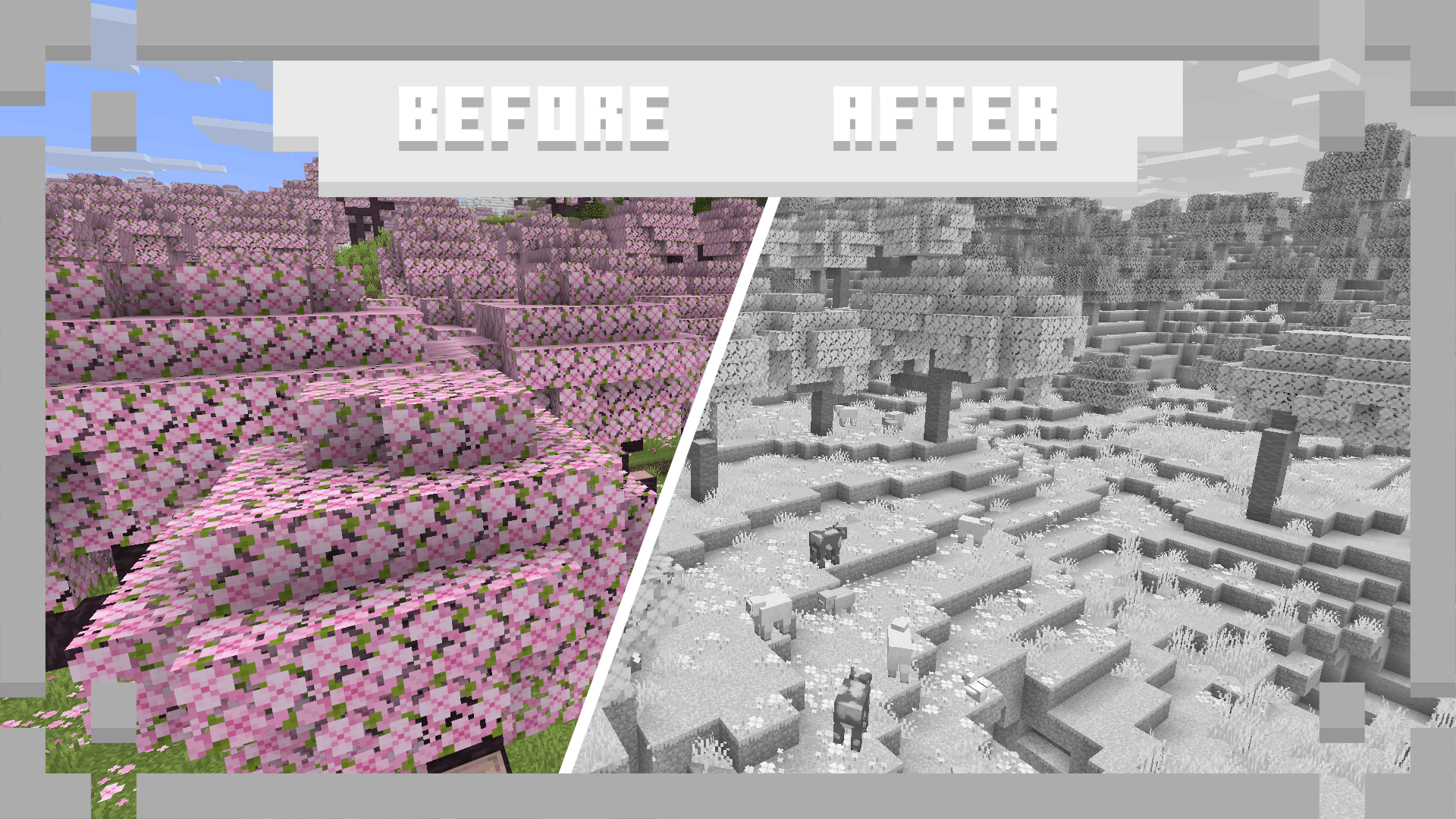
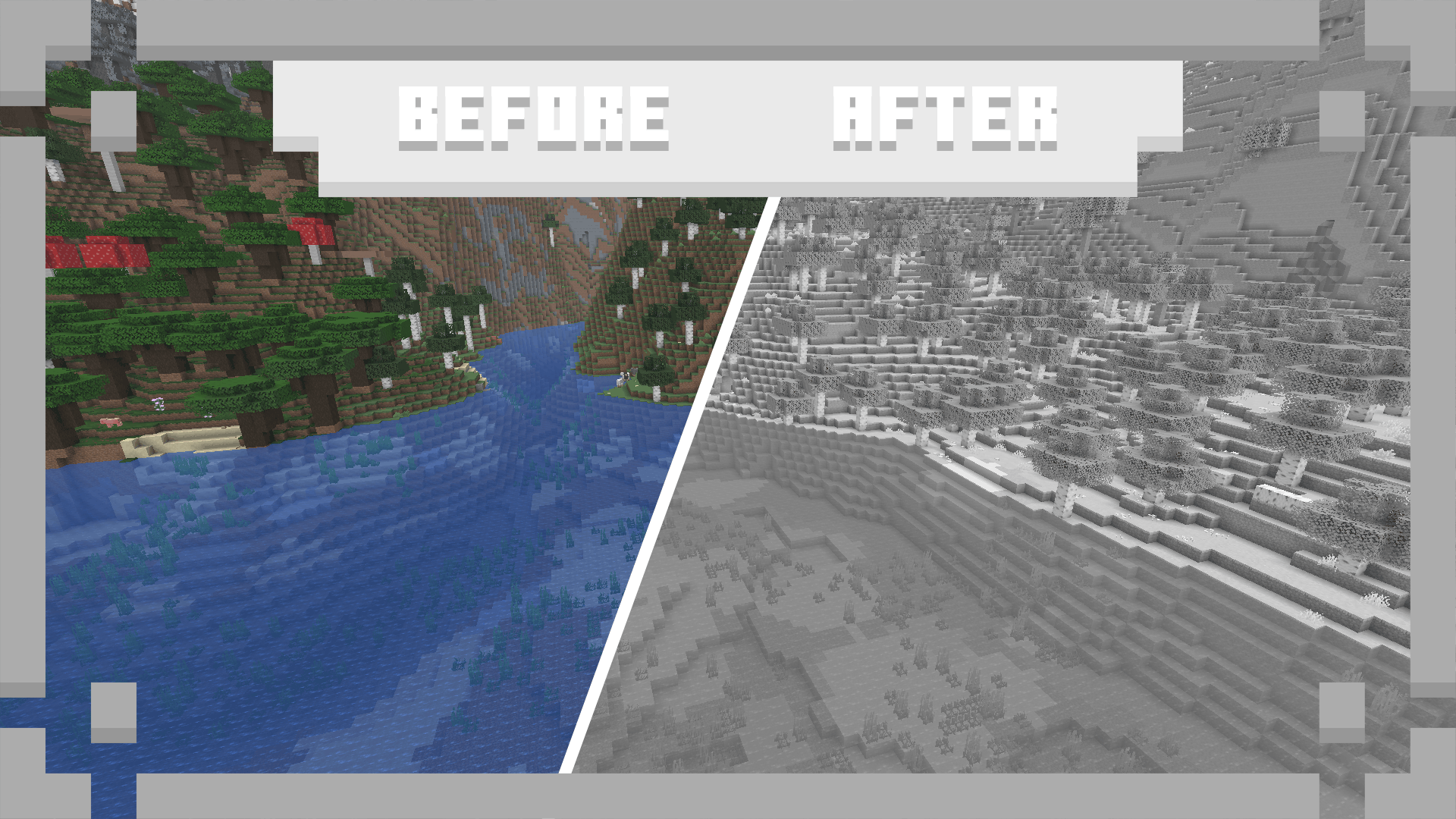
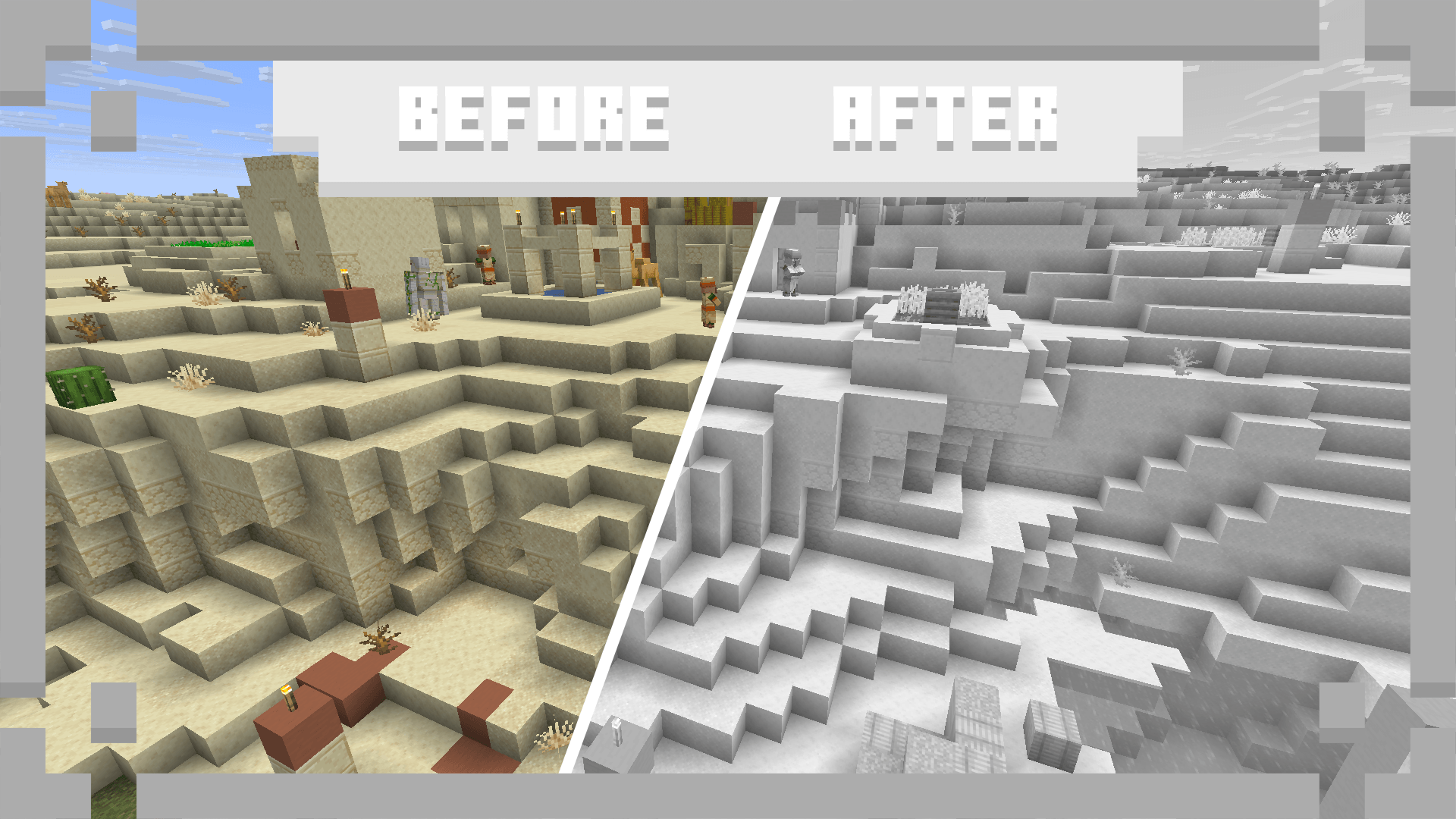
Experience Minecraft like never before with a completely bright visual style! This pack removes all colors from vanilla textures and replaces them with a palette of white and gray, while keeping the original shapes, details, and patterns intact. Every block, item, and mob gets a brighter appearance without losing the familiar Minecraft visuals. Whether you're building a futuristic city, a peaceful modern world, or simply want a brighter take on vanilla Minecraft, this pack gives the entire game a fresh new look.

What does this resource pack change?

  • Adjusts all shaders
  • Replaces all tints
  • Recolors all textures

Showcase

Nothing to show yet :(

FAQ

Question Answer
Can I use this in my modpack? Of course! We do not restrict anyone from using our projects :D
Will you port this to version X? We port our projects only to newer versions from the currently supported version (26.1+)
When does this get a new update? Once I finish it, I cannot say the exact date.
Where can I report bugs or suggest my idea? In our Discord server, you can find it in the links section.

Our Projects

Mods

Colorful Paradise IleafCore Motlin

Resourcepacks

Blackify BlackVoid Contrastia Pasteled Pixel Colorum WhiteVoid

Credits

Developed by the IleafMC Team which is a part of IleafDevelopment.

All rights reserved by IleafDevelopment.

Whitify 1.0 for 26.1
MC 26.1, 26.1.1, 26.1.2
Release 2026-09-06 Get

Requirements & install

How to use this resource pack in Minecraft
Resolution
16x
Minecraft
26.1 – 26.1.2
Install folder
.minecraft/resourcepacks

How to install resource packs

  1. Download the resource pack .zip file (do not extract it).
  2. In Minecraft open Options → Resource Packs → Open Pack Folder.
  3. Drop the .zip into the resourcepacks folder (.minecraft/resourcepacks).
  4. Move the pack to the Selected column and click Done.
Browse more: 16x resource packs 32x resource packs 64x resource packs 128x resource packs 256x resource packs 512x+ resource packs Resource Packs for 26.1.2 All resource packs

More from IleafDevelopment

Advertisement Remove ads with Premium →

You Might Also Like