Mineuniverse
Resource Packs
WhiteSky's Faithful Chimera

WhiteSky's Faithful Chimera

RESOURCE PACK
Moded Faithful x32, Dokucraft, BDcraft....They've come together
by tippingsky
Download Claim this project
Add a badge to your pageLink to WhiteSky's Faithful Chimera from a README, website or forum post.
Preview: Badge

Badges update automatically and link to the resource pack page on MineUniverse.

1,024 downloads
0 likes
0 followers
Updated Oct 14, 2026
0 hypes
Follow0
32x Animated Medieval Miscellaneous Mod Support
Advertisement Remove ads with Premium →

Before Downloading

안녕하세요! 제 모드팩도 다운로드해 주세요!

WhiteSky's Faithful is a texture pack for WhiteSky's Lucid dreams modpack.

Welcome! I'm WhiteSky. This texture pack is made for my modpack.

This texture pack is made of the moded faithful.


About Faithful Chimera

This is an edit of Moded Faithful x32 for an easier and better experience, explore life!


Faithful Chimera including

  • Fancy weapons, GUI, Blocks!
  • Clean Glasses from Jappa
  • And a lot more!

The pack is based on Faithful, however, I've added textures which doesn't right there.


Sources


Other images were found on Google.


Released for

Java Edition: 1.7.10 only!

The new updates only available for my modpack

If you want a better experience, please use Optifine!


Screenshots


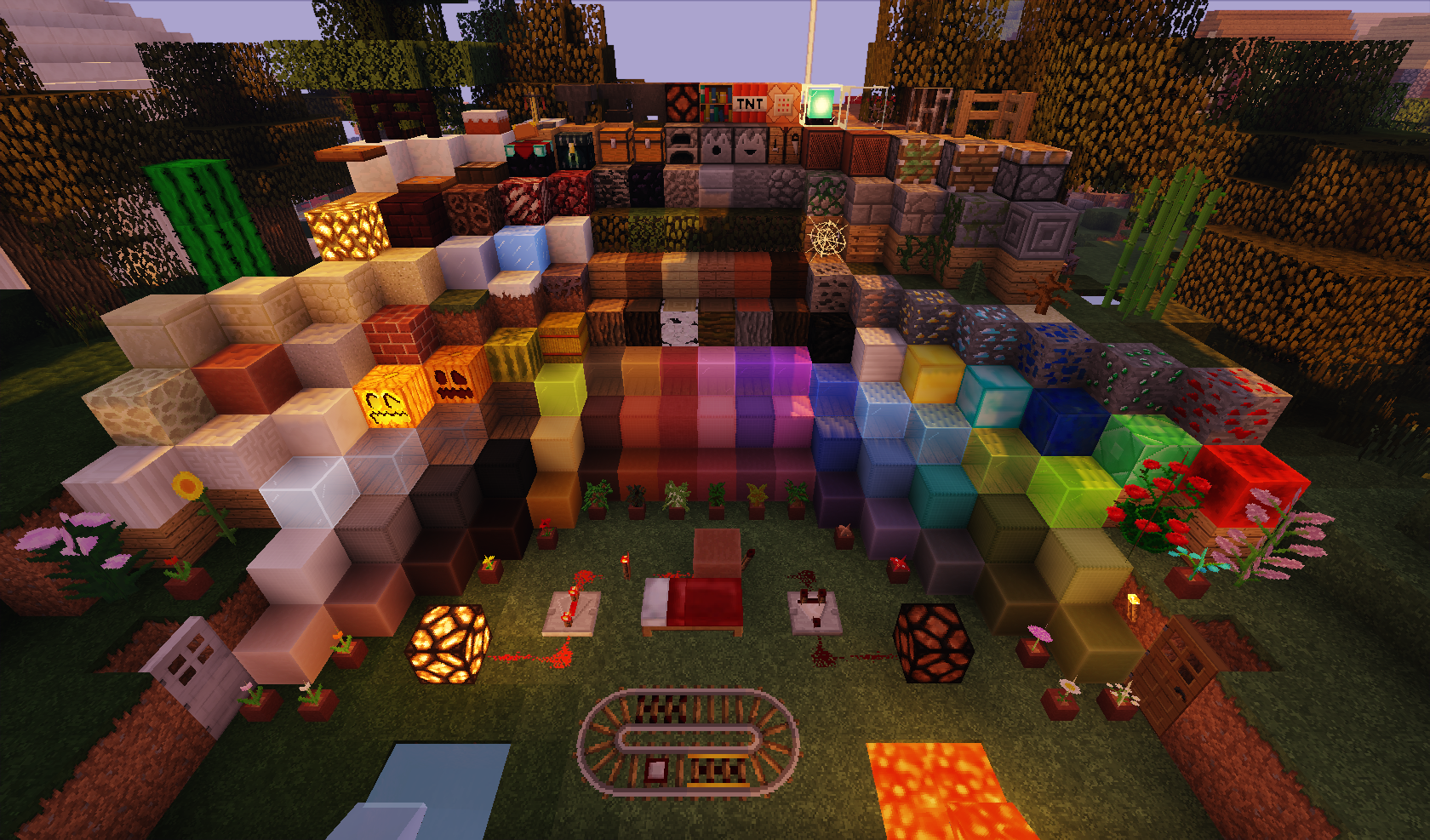
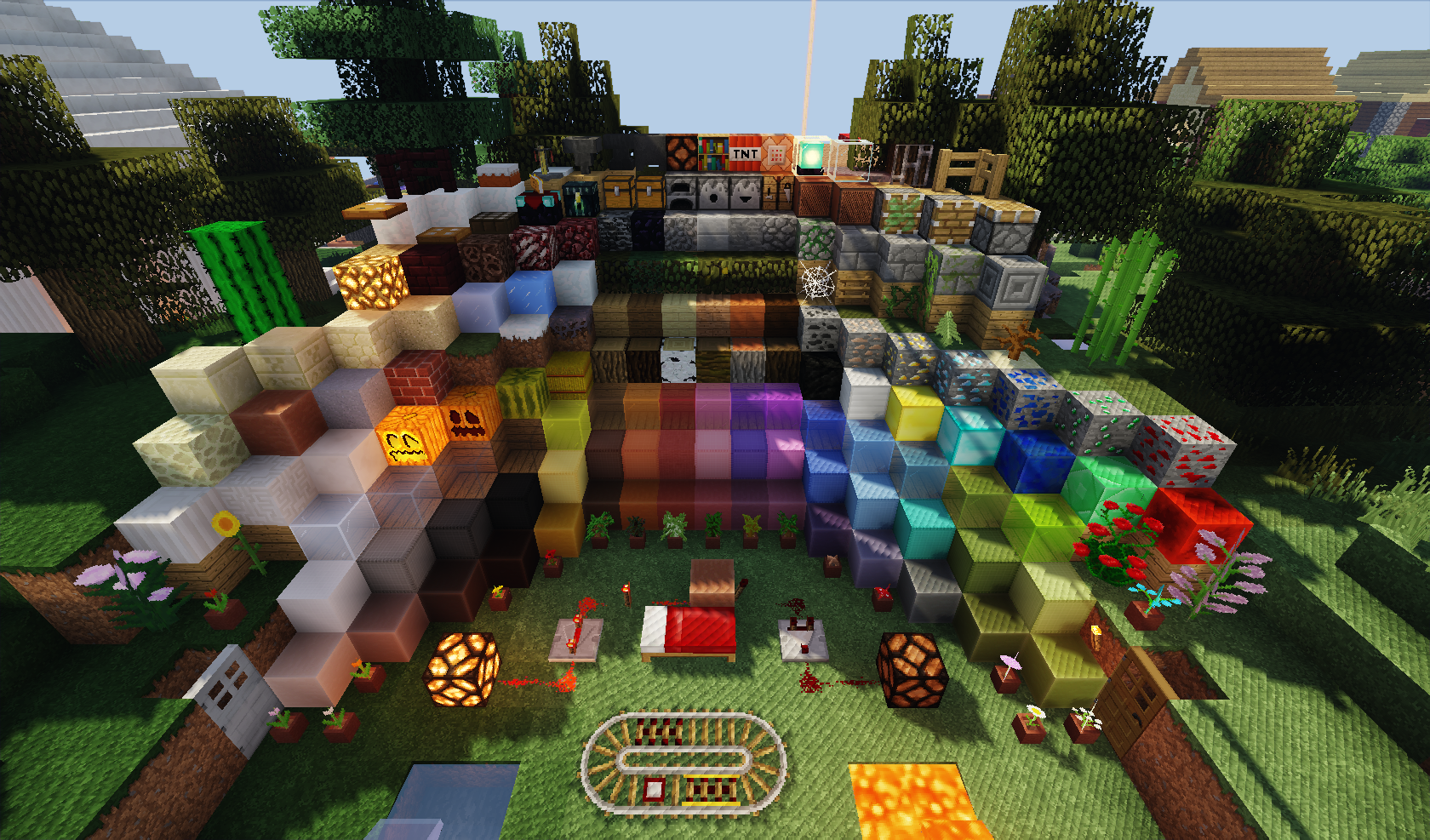
Vanilla textures in-game screenshot ( https://imgur.com/RHJQJpN )

All blocks ( https://imgur.com/h6hO1gx )

Sildurs Vibrant Shaders in-game screenshot ( https://imgur.com/6j8bIAF )

WhiteSky's Faithful Chimera-1.7.10 ver.1.2
MC 1.7.6, 1.7.4, 1.7.7, 1.7.5, 1.7.9, 1.7.2, 1.7.8, 1.7.10
Release 2019-07-31 Get
WhiteSky's Faithful Chimera-1.7.10 ver.1.1
MC 1.7.2, 1.7.10
Release 2019-07-22 Get
WhiteSky's Faithful Chimera-1.7.10.zip
MC 1.7.10
Release 2019-07-06 Get

Requirements & install

How to use this resource pack in Minecraft
Resolution
32x
Minecraft
1.7.2 – 1.7.10
Install folder
.minecraft/resourcepacks

How to install resource packs

  1. Download the resource pack .zip file (do not extract it).
  2. In Minecraft open Options → Resource Packs → Open Pack Folder.
  3. Drop the .zip into the resourcepacks folder (.minecraft/resourcepacks).
  4. Move the pack to the Selected column and click Done.
Browse more: 16x resource packs 32x resource packs 64x resource packs 128x resource packs 256x resource packs 512x+ resource packs Resource Packs for 1.7.10 All resource packs
Advertisement Remove ads with Premium →

You Might Also Like