VS Star Wars Resource Pack (v1.0.0)
Bring the galaxy far, far away into your Create-based world.
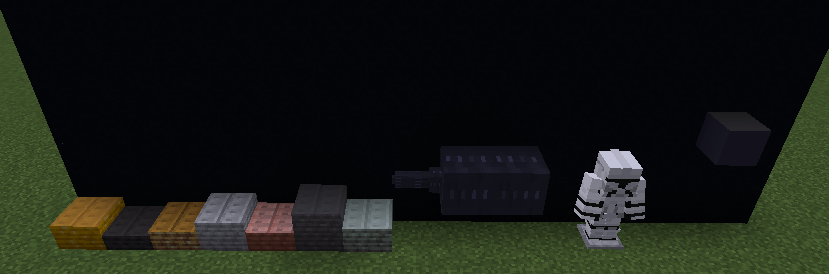
This resource pack reimagines key modded content with a cohesive Star Wars aesthetic—transforming industrial machinery, currency, weapons, and armor into something worthy of the Republic.
Features
- Republic Credits System
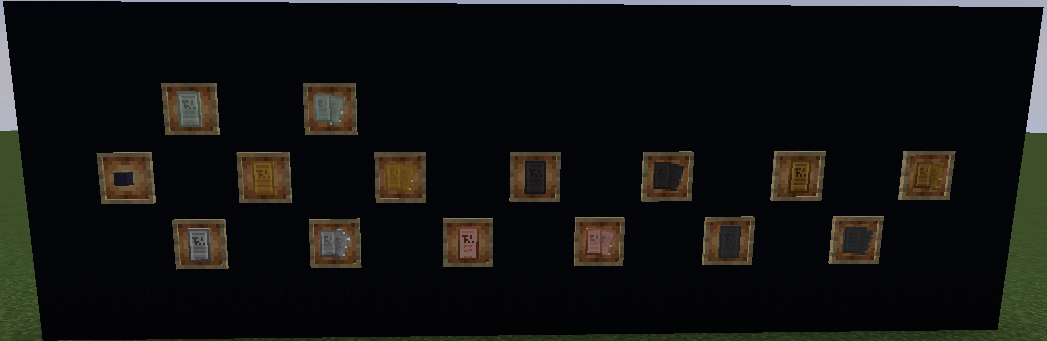
Coins and coin stacks from the Create Deco mod have been fully retextured and renamed into Republic Credits, turning your economy into something straight out of Coruscant.
- Futuristic Create Infrastructure
Creative blocks from the Create mod—including the Creative Fluid Tank and Item Vault—have been retextured with a clean, sci-fi foundation (with more detailed designs planned).
- Advanced Power Generation
The Creative Generator from the Create Crafts & Additions mod has been remodeled and retextured with a clean, sci-fi foundation (with more detailed designs planned).
- Phase I Clone Trooper Armor
Space armor from the VS Genesis mod has been completely reworked into Phase I Clone Trooper armor, letting you suit up like the Grand Army of the Republic.
- LS-1 Laser Cannon
The Photon Pulse Blaster from the ZPS mod is now a fully redesigned LS-1 laser cannon, featuring:
- Custom model
- Updated textures
- New sound design
- Reworked particle effects
- Hyperdrive System Overhaul
All Void Engine elements have been renamed and reimagined as a Hyperdrive, complete with immersive new sound effects.
Notes
- More detailed textures and expansions are planned for future updates.
IF YOU HAVE ANY QUESTIONS, COMMENTS, OR CONCERNS, PLEASE LET ME KNOW!