This pack works on 1.17. Ignore the incompatibility message for now.
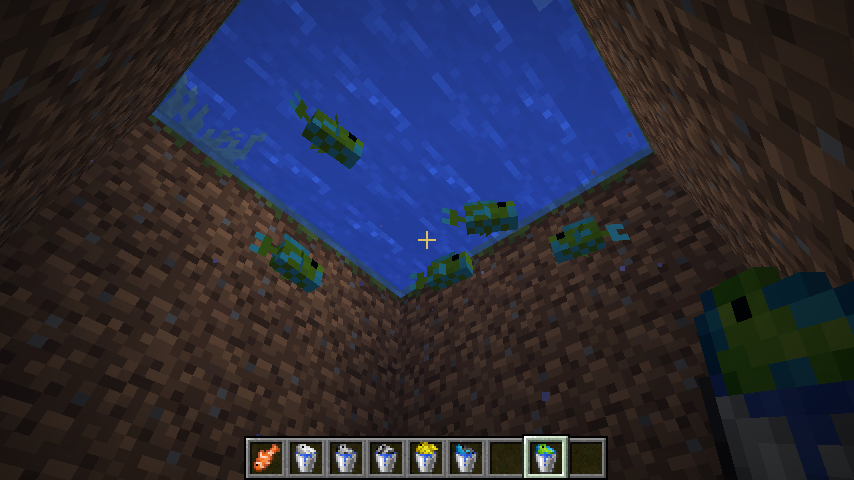
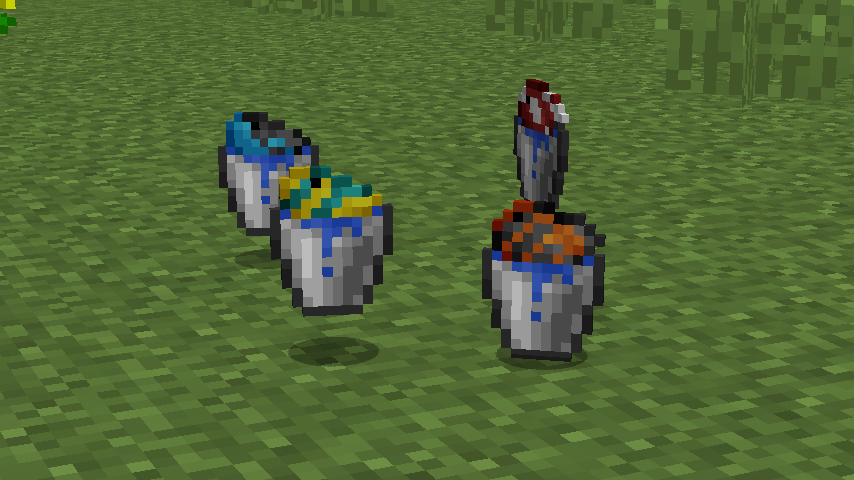
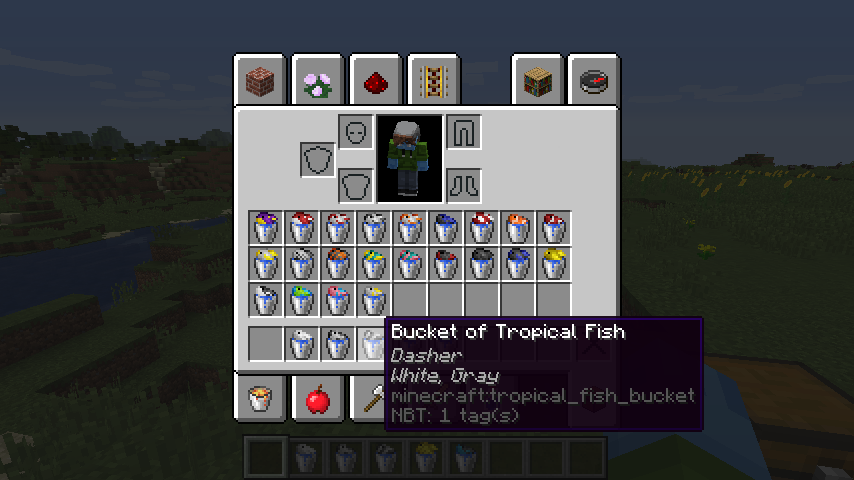
Visual Fish Buckets is a simple resource pack that uses Optifine's CIT features to give Tropical Fish Buckets unique textures based on the species of the fish in the bucket. This is done by assigning textures based on the NBT data of the fish bucket item. Each texture matches the appearance and colours of the actual tropical fish mob in order to make it easier to identify which bucket has what fish at first glance. This can be extremely helpful if you are a collector with many species of fish stored away.
This pack REQUIRES OptiFine 1.13 HD U E4 or newer in order to work.
Also, before anyone asks, I can't extend this pack to give regular Tropical Fish items unique textures as they don't store the mob variant nbt data.
Currently, the pack has unique textures for all 22 of the real-world fish species you can currently catch in minecraft, as well as a few of the randomly generated fish designs.
Commands for spawning in the real-world fish buckets:
Dottyback
/give @p minecraft:tropical_fish_bucket{BucketVariantTag:67764993} 1
Red Snapper
/give @p minecraft:tropical_fish_bucket{BucketVariantTag:918273} 1
Emperor Red Snapper
/give @p minecraft:tropical_fish_bucket{BucketVariantTag:234882305} 1
Butterfly Fish
/give @p minecraft:tropical_fish_bucket{BucketVariantTag:117441793} 1
Ornate Butterfly Fish
/give @p minecraft:tropical_fish_bucket{BucketVariantTag:16778497} 1
Cichlid
/give @p minecraft:tropical_fish_bucket{BucketVariantTag:118161664} 1
Red Cichlid
/give @p minecraft:tropical_fish_bucket{BucketVariantTag:918529} 1
Clownfish
/give @p minecraft:tropical_fish_bucket{BucketVariantTag:65536} 1
Tomato Clownfish
/give @p minecraft:tropical_fish_bucket{BucketVariantTag:917504} 1
Threadfin
/give @p minecraft:tropical_fish_bucket{BucketVariantTag:67108865} 1
Moorish Idol
/give @p minecraft:tropical_fish_bucket{BucketVariantTag:117441025} 1
Anemone
/give @p minecraft:tropical_fish_bucket{BucketVariantTag:117506305} 1
Yellowtail Parrotfish
/give @p minecraft:tropical_fish_bucket{BucketVariantTag:67699456} 1
Parrotfish
/give @p minecraft:tropical_fish_bucket{BucketVariantTag:101253888} 1
Red Lipped Blenny
/give @p minecraft:tropical_fish_bucket{BucketVariantTag:235340288} 1
Black Tang
/give @p minecraft:tropical_fish_bucket{BucketVariantTag:117899265} 1
Blue Tang
/give @p minecraft:tropical_fish_bucket{BucketVariantTag:185008129} 1
Yellow Tang
/give @p minecraft:tropical_fish_bucket{BucketVariantTag:67371009} 1
Triggerfish
/give @p minecraft:tropical_fish_bucket{BucketVariantTag:459008} 1
Queen Angelfish
/give @p minecraft:tropical_fish_bucket{BucketVariantTag:50660352} 1
Cotton Candy Betta
/give @p minecraft:tropical_fish_bucket{BucketVariantTag:50726144} 1
Goatfish
/give @p minecraft:tropical_fish_bucket{BucketVariantTag:67110144} 1
I do plan on identifying more nbt tags for randomly generated fish, though it may take some time. If you happen to have any variant tags that produce interesting looking fish, feel free to post them in the comments. :)
Disclaimer: This pack does not contain modified ripped textures. The buckets and fish were repainted by hand in the style of default Minecraft.