Mineuniverse
Resource Packs
Visible ores - Overworld & Nether

Visible ores - Overworld & Nether

RESOURCE PACK
Makes ores more visible in caves
by NetheriteGroup
Download Claim this project
Add a badge to your pageLink to Visible ores - Overworld & Nether from a README, website or forum post.
Preview: Badge

Badges update automatically and link to the resource pack page on MineUniverse.

1,553 downloads
0 likes
0 followers
Updated Oct 14, 2026
0 hypes
Follow0
16x Data Packs Miscellaneous Modern Photo Realistic
Advertisement Remove ads with Premium →

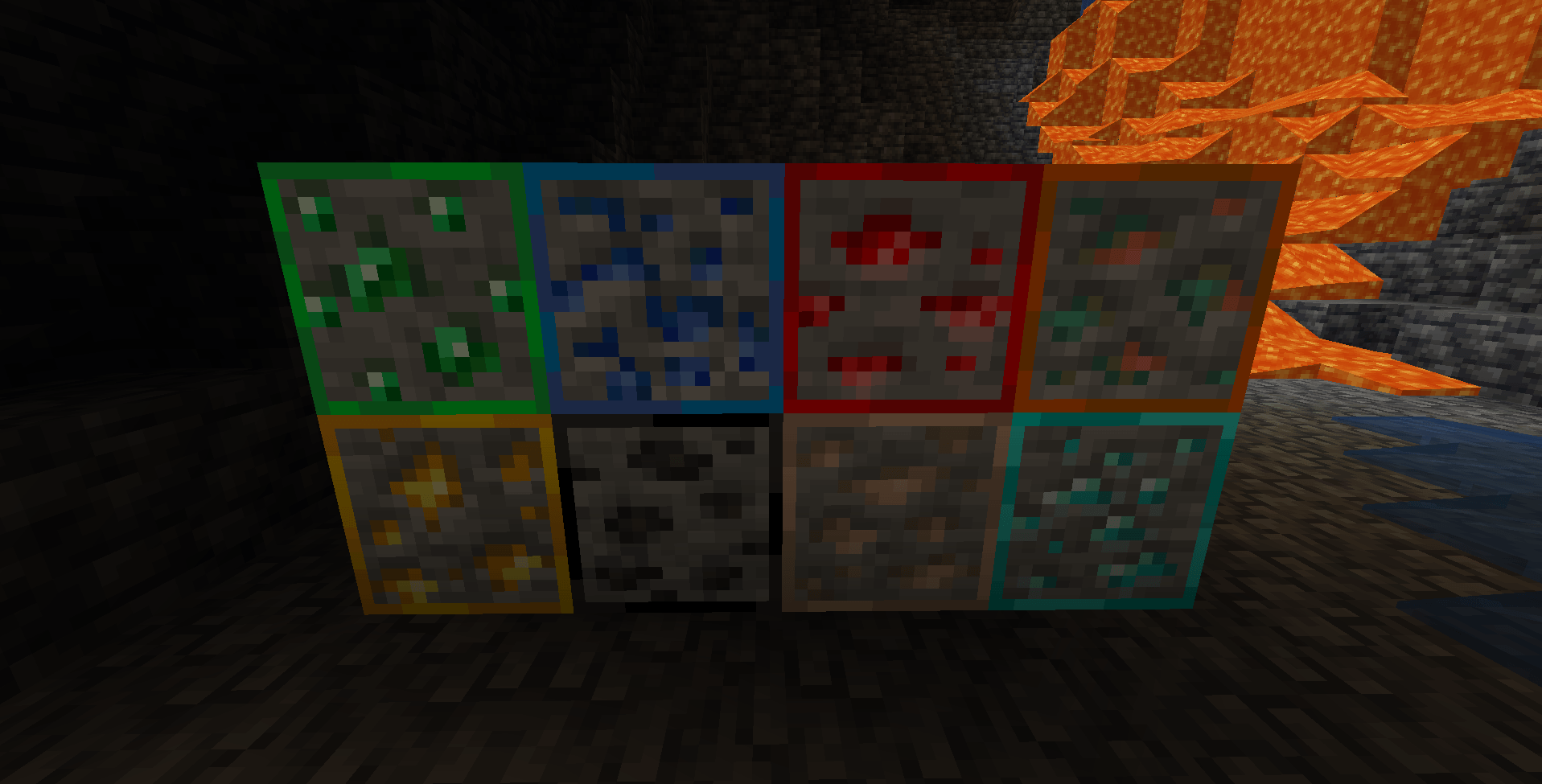
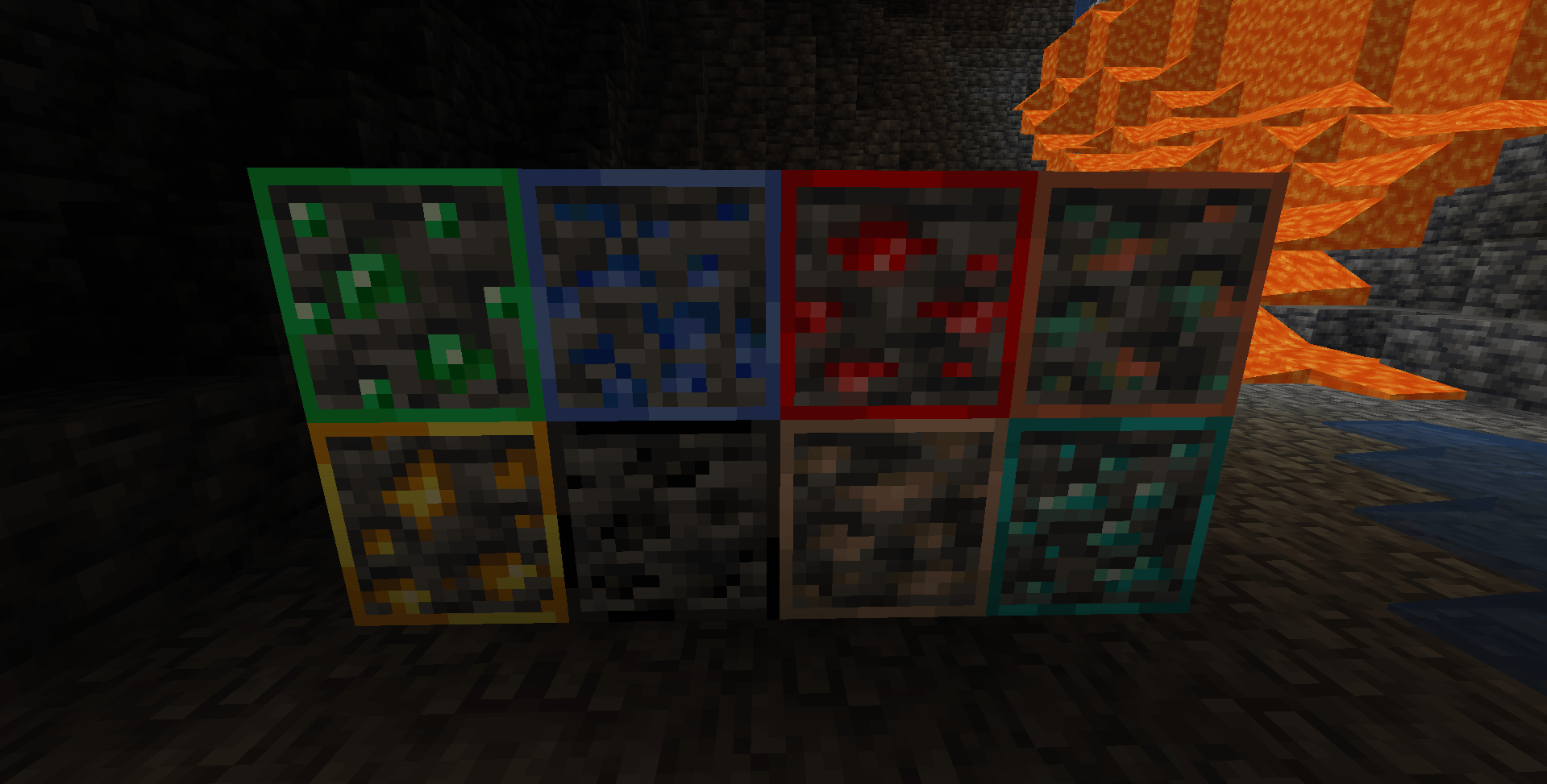
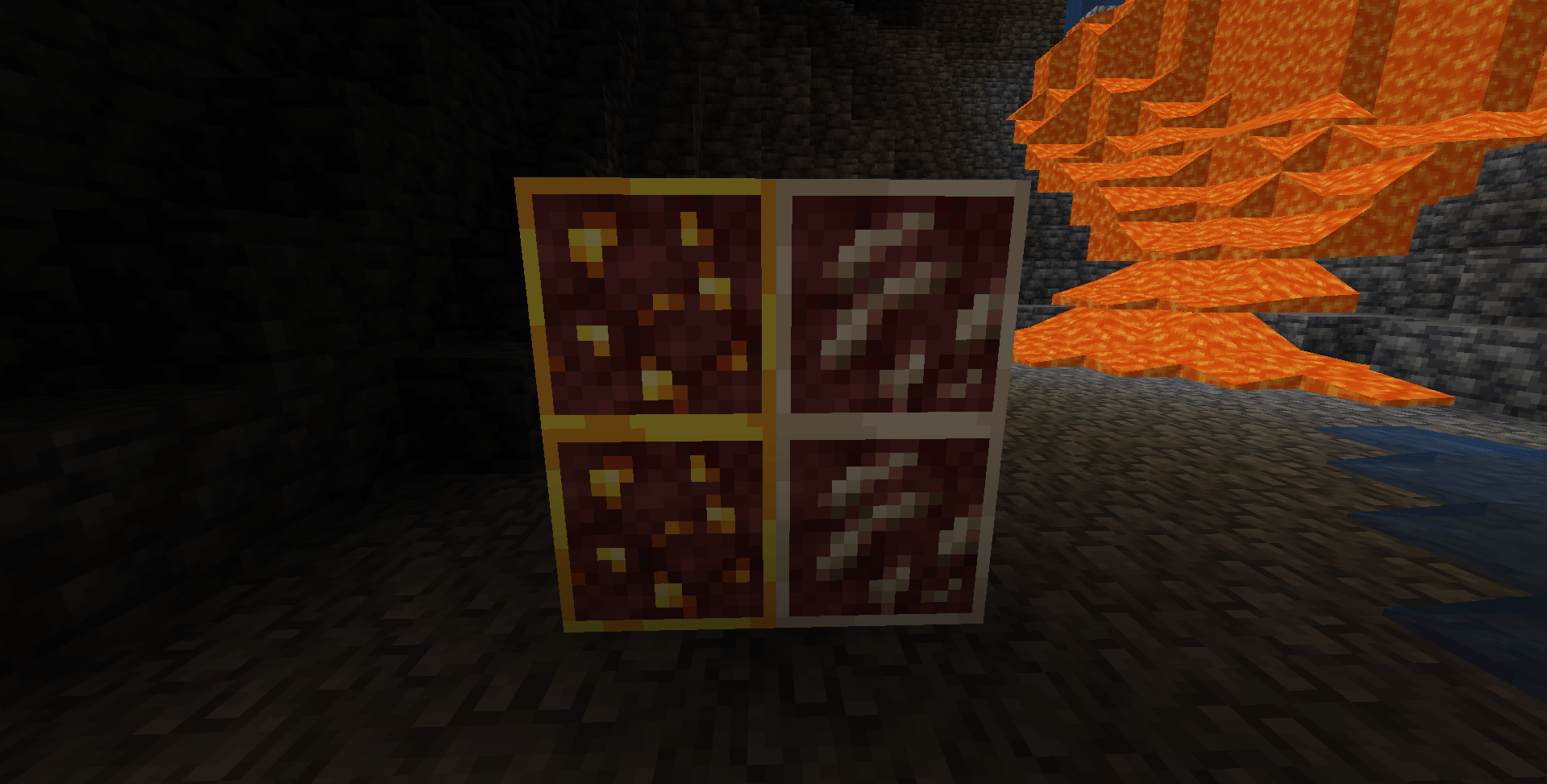
Visible Ores is a simple yet essential resource pack that adds distinct, high-contrast borders to all ore blocks. Designed for explorers and miners, this pack makes it impossible to miss valuable resources even in the darkest caves. No more missed diamonds!

Key Features

- Enhanced Visibility: Every ore type features a custom border for immediate recognition.

- Cave Optimization: Specifically designed to stand out in low-light environments, reducing the need for constant torch spam.

- Vanilla-Friendly: Keeps the original block textures you know and love, adding only the necessary highlights.

- Zero Lag: Lightweight textures with no impact on FPS.

Compatibility

- Versions: Supports Minecraft 1.21.x and older.

- Loaders: Compatible with standard Minecraft, OptiFine, and Sodium.

___________________________________________________________________________________________________-


Connect with us:

Support us on Ko-fi: https://ko-fi.com/netheritegroup

Modrinth Profile: https://modrinth.com/user/NetheriteGroup

CurseForge Projects: https://www.curseforge.com/members/netheritegroup/projects

Release 1.1 - 1.21.8
MC 1.21.8, 1.21.7
Release 2026-09-25 Get
Release 1.1 - 1.21.4
MC 1.21.4
Release 2026-09-25 Get
Release 1.1 - 1.21.1
MC 1.21, 1.21.1
Release 2026-09-25 Get
Release 1.1 - 1.20.6
MC 1.20.5, 1.20.6
Release 2026-09-25 Get
Release 1.1 - 1.20.4
MC 1.20.4, 1.20.3
Release 2026-09-25 Get
Release 1.1 - 1.20.1
MC 1.20.1, 1.20
Release 2026-09-25 Get
Release 1.1 - 1.19.4
MC 1.19.4
Release 2026-09-25 Get
Release 1.1 - 1.19.2
MC 1.19.1, 1.19.2, 1.19
Release 2026-09-25 Get
Release 1.1 - 1.18.2
MC 1.18.1, 1.18, 1.18.2
Release 2026-09-25 Get

Requirements & install

How to use this resource pack in Minecraft
Resolution
16x
Minecraft
1.20.4 – 1.21.8
Install folder
.minecraft/resourcepacks

How to install resource packs

  1. Download the resource pack .zip file (do not extract it).
  2. In Minecraft open Options → Resource Packs → Open Pack Folder.
  3. Drop the .zip into the resourcepacks folder (.minecraft/resourcepacks).
  4. Move the pack to the Selected column and click Done.
Browse more: 16x resource packs 32x resource packs 64x resource packs 128x resource packs 256x resource packs 512x+ resource packs Resource Packs for 1.21.8 All resource packs

More from NetheriteGroup

Advertisement Remove ads with Premium →

You Might Also Like