Mineuniverse
Resource Packs
Velyra Amazing 3×3 Crafting table!

Velyra Amazing 3×3 Crafting table!

RESOURCE PACK
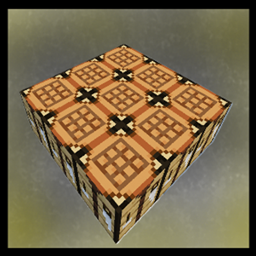
This resource pack increases the dimensions of the crafting table to 3x3!!!
by MEGASOLIXER
Download Claim this project
Add a badge to your pageLink to Velyra Amazing 3×3 Crafting table! from a README, website or forum post.
Preview: Badge

Badges update automatically and link to the resource pack page on MineUniverse.
50 downloads
0 likes
0 followers
Updated Oct 14, 2026
0 hypes
Follow0
16x Medieval
Advertisement Remove ads with Premium →

Crafting table 3*3

Velyra Amazing 3×3 Crafting Table

Ever wanted a larger crafting table in Minecraft?

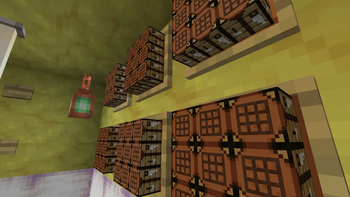
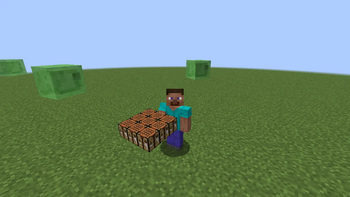
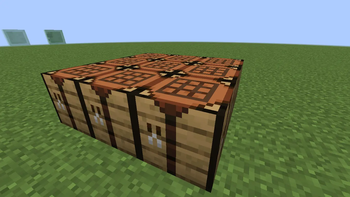
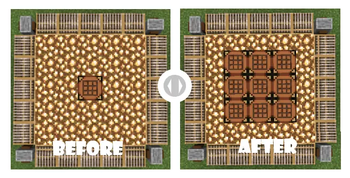
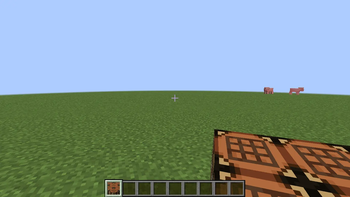
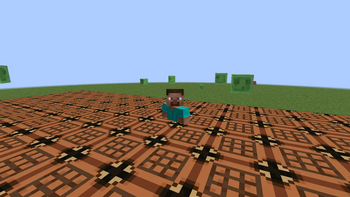
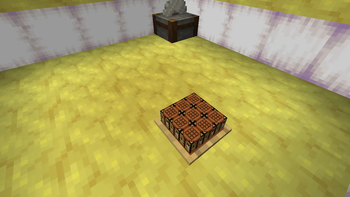
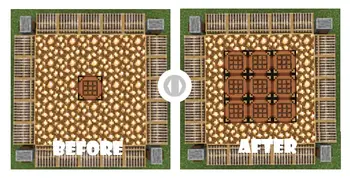
Velyra Amazing 3×3 Crafting Table changes the crafting table model into a decorative 3×3 crafting station made from 9 crafting tables, while keeping the original functionality.

/Features/


🪵 Beautiful 3×3 crafting table model


🎨 Vanilla-friendly style


📦 Lightweight resource pack


⚡ No mods required


✅ Multiplayer compatible


🎮 Works with Minecraft 26.1.x, 26.2, 1.21.x and 1.21.11+


/Installation/


Download the resource pack. Place it in your resourcepacks folder. Enable it in Minecraft. Enjoy your new crafting table! 💖


⚠ Notes

This pack only changes the model and textures. Crafting mechanics remain exactly the same. Compatible with most vanilla-style resource packs.


If you enjoy this pack, consider leaving a ❤️ and following for more Velyra creations!


Like this pack? Check out my other pack, Velyra Bushy Plants

§lVelyra Amazing 3×3 Crafting table!.zip
MC 1.21.6-snapshot, 1.21.8, 1.21.6, 1.21.7, 1.21.9-snapshot, 1.21.9, 1.21.10, 1.21.11-snapshot, 1.21.11, 26.1, 26.1.1, 26.1.2, 26.2
Beta 2026-07-27 Get

Requirements & install

How to use this resource pack in Minecraft
Resolution
16x
Minecraft
1.21.9 – 26.2
Install folder
.minecraft/resourcepacks

How to install resource packs

  1. Download the resource pack .zip file (do not extract it).
  2. In Minecraft open Options → Resource Packs → Open Pack Folder.
  3. Drop the .zip into the resourcepacks folder (.minecraft/resourcepacks).
  4. Move the pack to the Selected column and click Done.
Browse more: 16x resource packs 32x resource packs 64x resource packs 128x resource packs 256x resource packs 512x+ resource packs Resource Packs for 26.2 All resource packs

More from MEGASOLIXER

Advertisement Remove ads with Premium →

You Might Also Like