Mineuniverse
Resource Packs
VanillaExpansion Collection

VanillaExpansion Collection

RESOURCE PACK
Vanilla-like but expanded
by DevDyna
Download Claim this project
Add a badge to your pageLink to VanillaExpansion Collection from a README, website or forum post.
Preview: Badge

Badges update automatically and link to the resource pack page on MineUniverse.

288,953 downloads
0 likes
0 followers
Updated Oct 14, 2026
0 hypes
Follow0
16x Miscellaneous Modern Traditional
Advertisement Remove ads with Premium →

title 

Description:

This resource pack is collection of all feature from other modules


Modules:

[ Better Nature ] [ Player Utilities ] [ Radiant Redstone ] [ Font Trim ] [ Scaffolding Delta ]


All feature implemented:


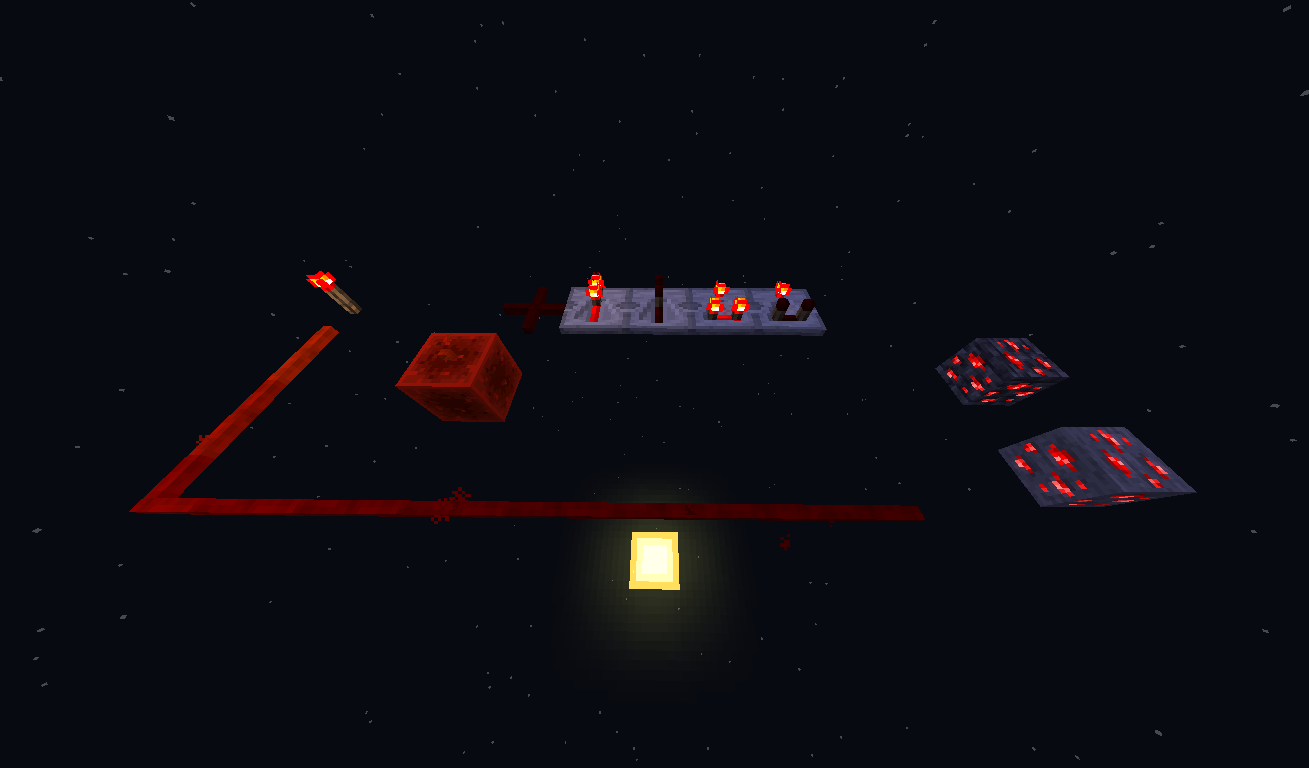
Redstone Wire:    - 3d model inspired by ProjectRed / RedPower

    - optimized models and blockstates to support rotation to have only a essential texture


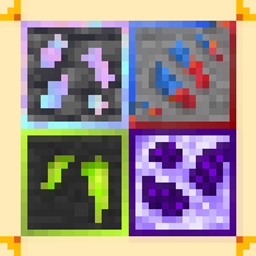
Redstone Torch ,  Repeater , Comparator , Redstone Ores (stone and deepslate) :

   - emit texture  Now without Mod support!


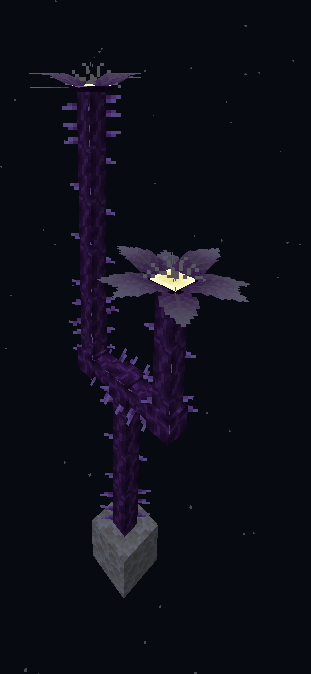
Chorus plant (and flower) 

  - Implemented an optimized version of chorus plants (this isn't the original , only a reimplementation) from Better End


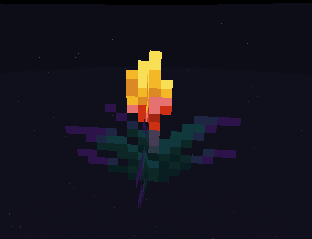
TorchFlower

 - Added emit light on flower of torch flower


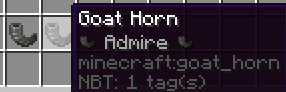
Goat Horns: An updated port from Goat Utils

    - All horns have a custom icon that can define the rarity


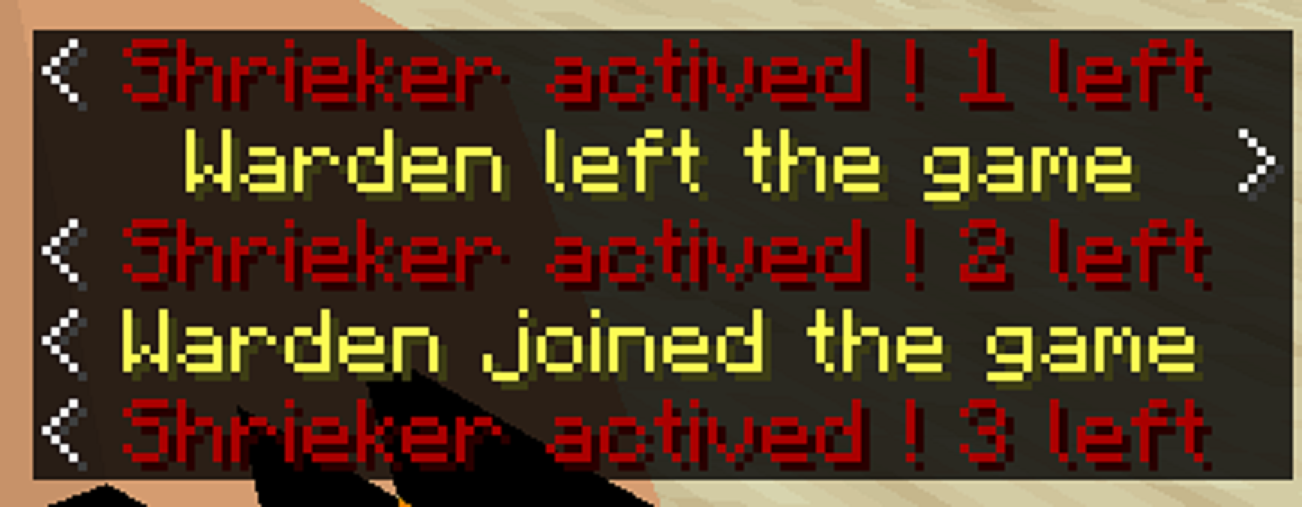
Subtitles: An updated port from Warden Gadgets

    - Shrieker Subtitles show how many shrieker left after the spawn of warden and some warden stages


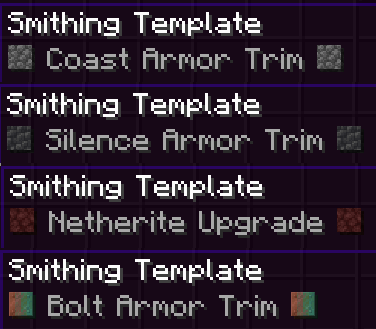
Smithing Template:

   - A custom font to allow to see ingredient materials and ingredient of trimming


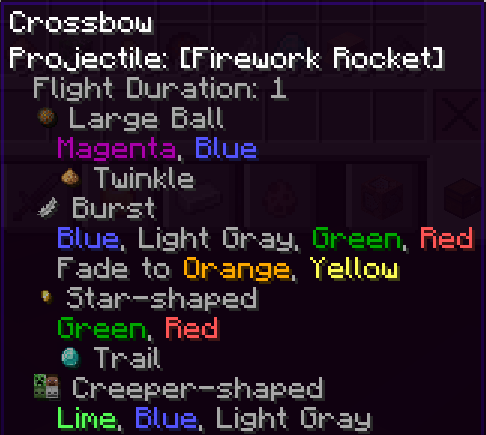
Firework ingredients:

   - A custom font to allow to see ingredient materials and colors


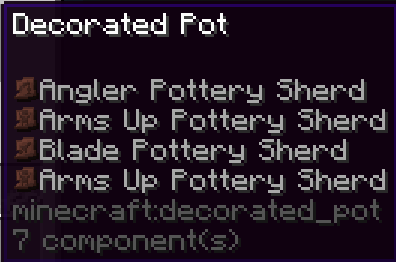
Pottery Sherd on Decorative Pots

  - A custom font to allow to see shards used as item icon


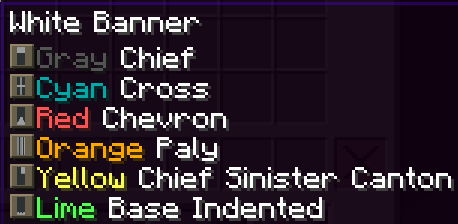
Banner Pattern icons

  - A custom font to allow to see colors and pattern used on ANY banner


Falling Block Damage

 - A custom font to allow to see the damage (anvil was multiplied on block height)


Poison Damage

- A custom font to see the damage of poison


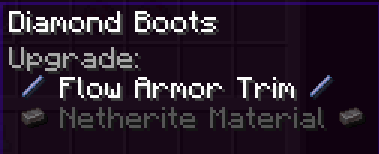
More intuitive Tooltips

 - Custom font to allow a view more intuitive on any armor

Absorption and Regen Hearts

 - A custom font to see hearts from absorption and regeneration effects from consumable items

Enchantments Overhal

 -  Any enchantment now show with all valid items to be applied


 - All enchantments with levels now show with "max level" tip before the level  

 - All enchantments levels are now colored

Scaffolding

    - Small extra shape colored

      - Has emit light Now without Mod support!

      - Define the distance before the fall

      - Added CTM support (require Continuity or Optifine)


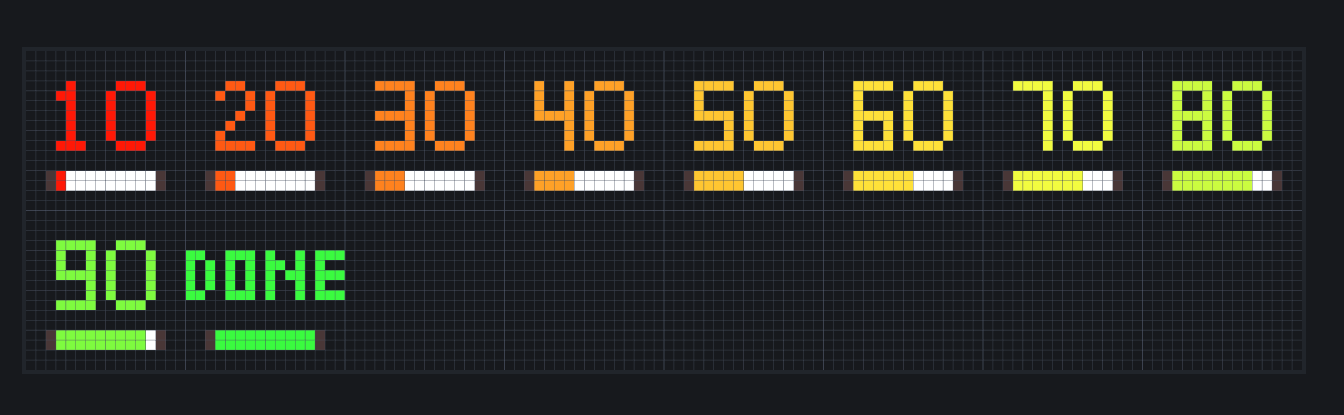
Block Breaking stages

   - changed texture with a more intuitive (see screenshot)


Enchanted Golden Apple

    - changed texture into "diamond golden apple"


Planned Features:


Menu/inventory update? (change all gui into dark mode)

Leaves decay? Better grass model? Easter eggs? 

Logic update? (modify model of comparator and repeater to make more intuitive simil ProjectRed but adapted)

Redstone wire power tooltip?


1.3.3
MC 1.20.2, 1.20.5, 1.20.2-Snapshot, 1.20.5-Snapshot, 1.20.3-Snapshot, 1.20.3, 1.20.1, 1.20, 1.20.6, 1.20.4, 1.20-Snapshot
Release 2024-11-14 Get
2.0
MC 1.21.3
Release 2024-10-29 Get
1.4.2
MC 1.21, 1.21.1, 1.21.2
Release 2024-10-29 Get
1.4.1
MC 1.21, 1.21.1-Snapshot, 1.21-Snapshot, 1.21.1
Release 2024-07-02 Get
1.3.2
MC 1.20.2, 1.20.5, 1.20.2-Snapshot, 1.20.5-Snapshot, 1.20.3-Snapshot, 1.20.3, 1.20.1, 1.20, 1.20.6, 1.20.4, 1.20-Snapshot
Release 2024-07-02 Get
1.3.1
MC 1.20.2, 1.20.5, 1.20.2-Snapshot, 1.20.5-Snapshot, 1.20.3-Snapshot, 1.20.3, 1.20.1, 1.20, 1.20.6, 1.20.4, 1.20-Snapshot
Release 2024-06-29 Get
1.4
MC 1.20.2, 1.21, 1.20.5, 1.20.2-Snapshot, 1.20.5-Snapshot, 1.20.3-Snapshot, 1.20.3, 1.20.1, 1.20, 1.20.6, 1.20.4, 1.21-Snapshot, 1.20-Snapshot
Release 2024-06-19 Get
1.3
MC 1.21, 1.21-Snapshot
Release 2024-06-18 Get
1.2.1
MC 1.16-Snapshot, 1.17.1, 1.16.3, 1.19.3, 1.20.2, 1.21, 1.16.1, 1.18.1, 1.19.4-Snapshot, 1.20.5, 1.17, 1.20.2-Snapshot, 1.20.5-Snapshot, 1.16, 1.19.4, 1.19-Snapshot, 1.16.5, 1.18.2
Release 2023-12-31 Get
1.2
MC 1.20.2, 1.20.2-Snapshot, 1.20.3-Snapshot, 1.20.1, 1.20, 1.20-Snapshot
Release 2023-10-05 Get
1.1
MC 1.19.3, 1.19.4, 1.19-Snapshot, 1.19.2, 1.19.1, 1.19
Release 2023-04-07 Get
1.0
MC 1.19.3, 1.19.4, 1.19-Snapshot, 1.19.2, 1.19.1, 1.19
Release 2023-04-06 Get

Requirements & install

How to use this resource pack in Minecraft
Resolution
16x
Minecraft
1.20.5 – 1.21.3
Install folder
.minecraft/resourcepacks

How to install resource packs

  1. Download the resource pack .zip file (do not extract it).
  2. In Minecraft open Options → Resource Packs → Open Pack Folder.
  3. Drop the .zip into the resourcepacks folder (.minecraft/resourcepacks).
  4. Move the pack to the Selected column and click Done.
Browse more: 16x resource packs 32x resource packs 64x resource packs 128x resource packs 256x resource packs 512x+ resource packs Resource Packs for 1.21.3 All resource packs

More from DevDyna

Advertisement Remove ads with Premium →

You Might Also Like