Mineuniverse
Resource Packs
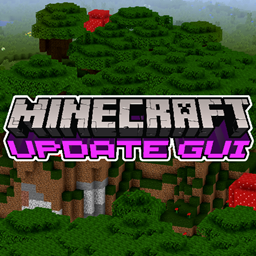
Update GUI

Update GUI

RESOURCE PACK
A Update Themed GUI Collection
by JetSetRadioheadMC
Download Claim this project
Add a badge to your pageLink to Update GUI from a README, website or forum post.
Preview: Badge

Badges update automatically and link to the resource pack page on MineUniverse.

1,177 downloads
0 likes
0 followers
Updated Oct 14, 2026
0 hypes
Follow0
16x Animated Miscellaneous Traditional
Advertisement Remove ads with Premium →

A collection of GUI Packs themed after multiple Minecraft Updates


The Update GUI Packs will be discontinued for now until I decide otherwise


(Always more to come in the future, I'm planning on making every future Update a GUI Pack)

!Note: The packs are specifically made for the Updates they are themed after.

They won't work properly in versions above and below.

If you want to use them in newer or maybe even older version you are allowed to update them by yourself and to publish

them on your own as long as you made changes to the original pack!


Currently Available Versions:


1.16

Soul Sand Valley

Nether Forests

Basalt Deltas


1.15

Buzzy Bees


1.13

Update Aquatic


! Optifine is recommended although it's not necessary !

1.13 Update Aquatic
MC 1.13.1, 1.13, 1.13-Snapshot, 1.13.2
Release 2021-01-25 Get
1.15 Buzzy Bees
MC 1.15-Snapshot, 1.15, 1.15.2, 1.15.1
Release 2020-12-21 Get
1.16 Soul Sand Valley
MC 1.16-Snapshot, 1.16.3, 1.16.1, 1.16, 1.16.4, 1.16.2
Release 2020-11-28 Get
1.16 Nether Forests
MC 1.16-Snapshot, 1.16.3, 1.16.1, 1.16, 1.16.4, 1.16.2
Release 2020-11-28 Get
1.16 Basalt Deltas
MC 1.16-Snapshot, 1.16.3, 1.16.1, 1.16, 1.16.4, 1.16.2
Release 2020-11-28 Get

Requirements & install

How to use this resource pack in Minecraft
Resolution
16x
Minecraft
1.15.1 – 1.16.4
Install folder
.minecraft/resourcepacks

How to install resource packs

  1. Download the resource pack .zip file (do not extract it).
  2. In Minecraft open Options → Resource Packs → Open Pack Folder.
  3. Drop the .zip into the resourcepacks folder (.minecraft/resourcepacks).
  4. Move the pack to the Selected column and click Done.
Browse more: 16x resource packs 32x resource packs 64x resource packs 128x resource packs 256x resource packs 512x+ resource packs Resource Packs for 1.16.4 All resource packs

More from JetSetRadioheadMC

Advertisement Remove ads with Premium →

You Might Also Like