Mineuniverse
Resource Packs
Unown Font Pack

Unown Font Pack

RESOURCE PACK
Adds an eerie eye font similar to the unown to Minecraft.
by DarkhaxDev
Download Claim this project
325 downloads
0 likes
0 followers
Updated Oct 14, 2026
0 hypes
Follow0
Font Packs Miscellaneous
Advertisement Remove ads with Premium →

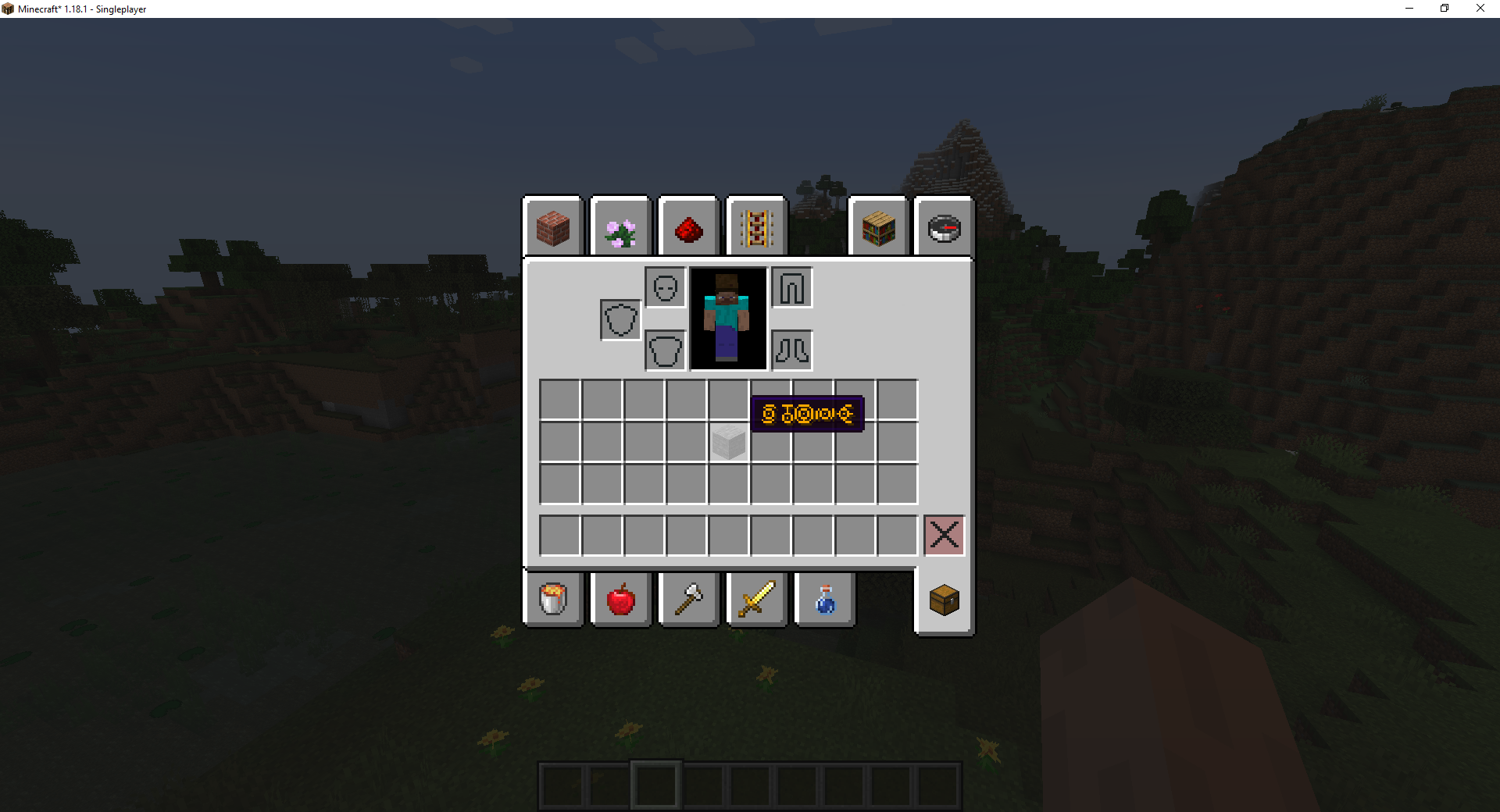
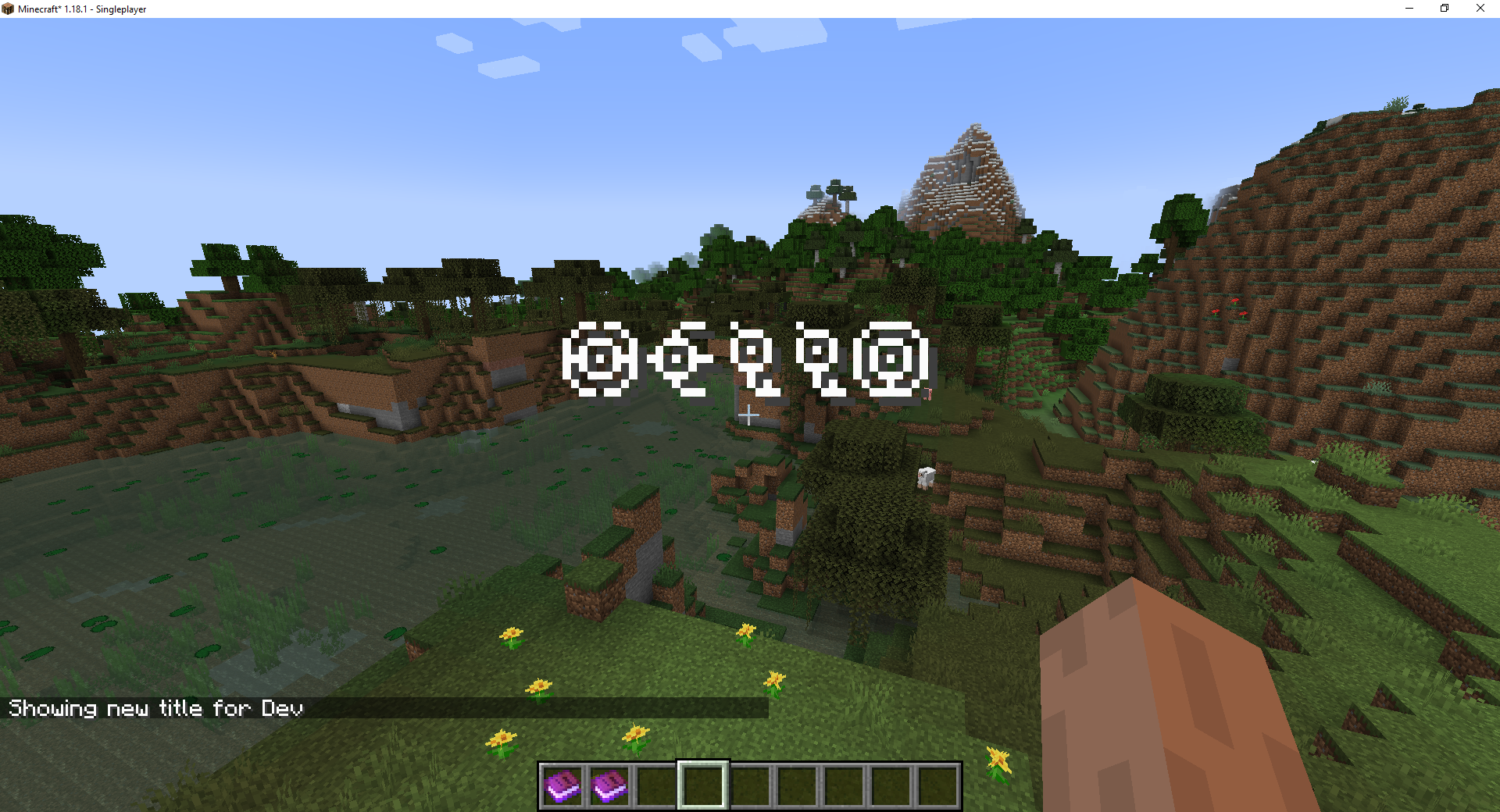
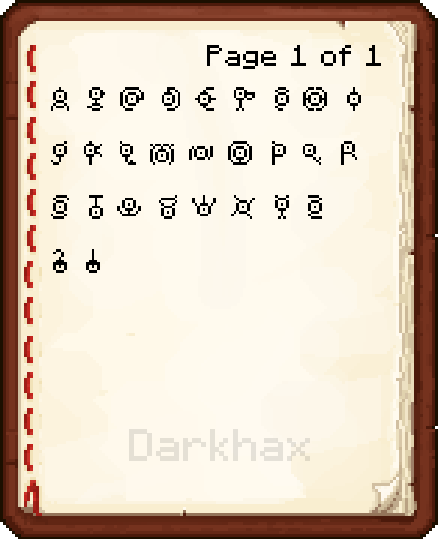
This resource pack adds an eerie eye font that resembles the pokemon Unown to Minecraft. This font can be used for item names, tooltips, books, signs, the title command, and anything else that accepts Raw JSON text.
 

 For additional screenshots check out the Image Gallery.


Example Usage

This font can be used in anything that accepts Raw JSON text. To specify the font simply set the font ID to "unown:unown". Both the lower and upper case latin alphabet can be used in addition to the question mark and exclamation mark.

Title Command Example
/title @a title {"text":"Hello","font":"unown:unown"}

Item Name Example

/give @p stone{display:{Name:"[{\"text\":\"Hello\",\"italic\":false,\"color\":\"gold\",\"font\":\"unown:unown\"}]"}} 1


Credits & Permissions

This font set is licensed under all rights reserved. You may use this font in your projects as long as you provide credit and your project does not redistribute or rehost the font pack in it's entirety. You may use this font in screenshots, custom assets, videos, blogs, articles, and showcases.

 

Nodecraft banner

This project is sponsored by Nodecraft. Use code DARKHAX for 30% off your first month of service!

UnownFontPack-1.16.X-v1.0.1.zip
MC 1.16-Snapshot, 1.16.3, 1.16.1, 1.16, 1.16.5, 1.16.4, 1.16.2
Release 2022-02-16 Get
UnownFontPack-1.17.X-v1.0.1.zip
MC 1.17.1, 1.17, 1.17-Snapshot
Release 2022-02-16 Get
UnownFontPack-1.18.1-v1.0.1.zip
MC 1.18.1, 1.18, 1.18-Snapshot
Release 2022-02-16 Get
UnownFontPack-v1.0.0.zip
MC 1.18.1
Release 2022-02-14 Get

Requirements & install

How to use this resource pack in Minecraft
Resolution
Not specified
Minecraft
1.16.4 – 1.18.1
Install folder
.minecraft/resourcepacks

How to install resource packs

  1. Download the resource pack .zip file (do not extract it).
  2. In Minecraft open Options → Resource Packs → Open Pack Folder.
  3. Drop the .zip into the resourcepacks folder (.minecraft/resourcepacks).
  4. Move the pack to the Selected column and click Done.
Browse more: 16x resource packs 32x resource packs 64x resource packs 128x resource packs 256x resource packs 512x+ resource packs Resource Packs for 1.18.1 All resource packs

More from DarkhaxDev

Advertisement Remove ads with Premium →

You Might Also Like