Mineuniverse
Resource Packs
Unique music discs

Unique music discs

RESOURCE PACK
Makes every music disc look different
by jackmann527
Download Claim this project
1,810 downloads
0 likes
Updated Oct 14, 2026
0 hypes
16x Miscellaneous Mod Support
Advertisement Remove ads with Premium →

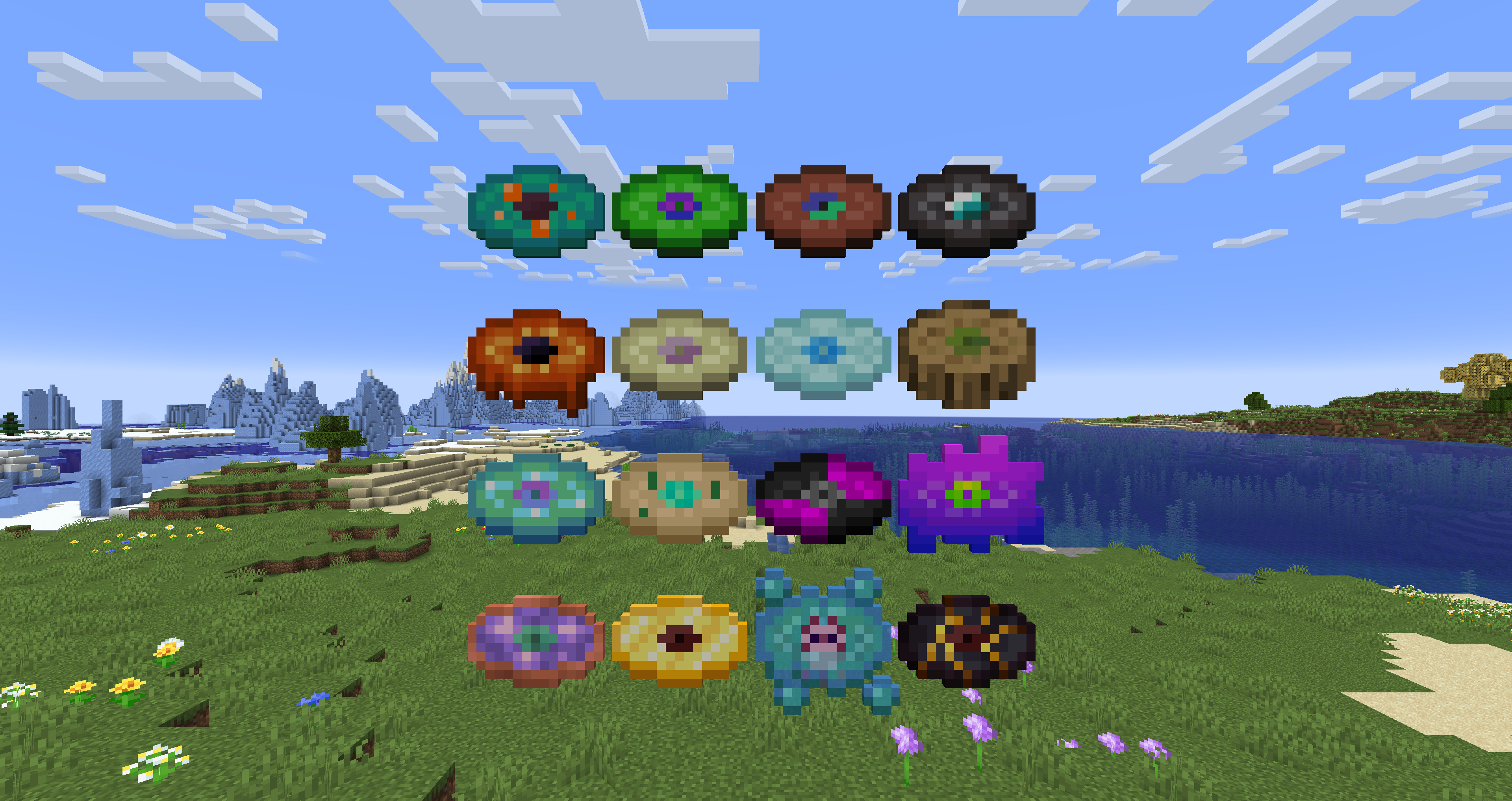
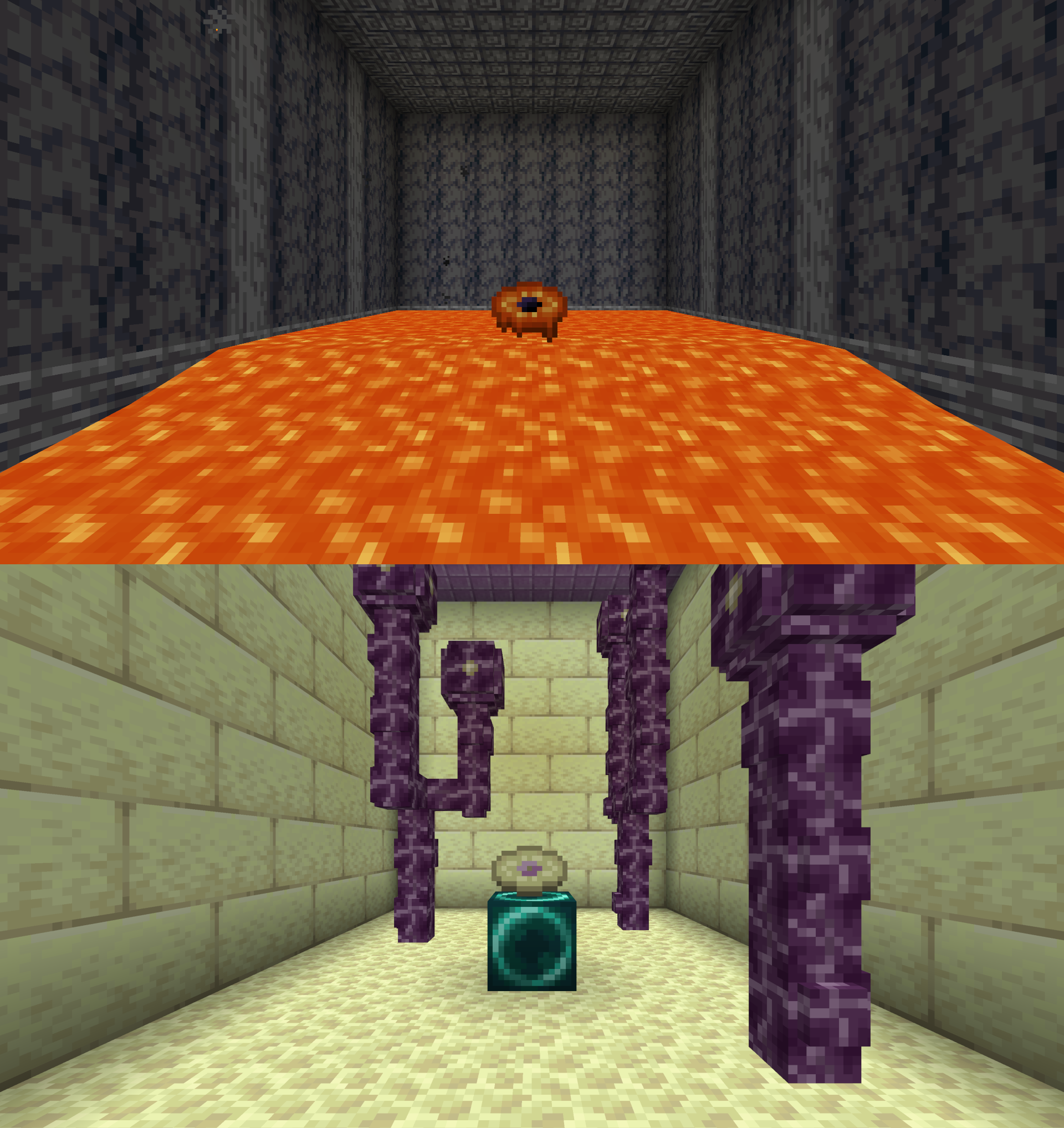
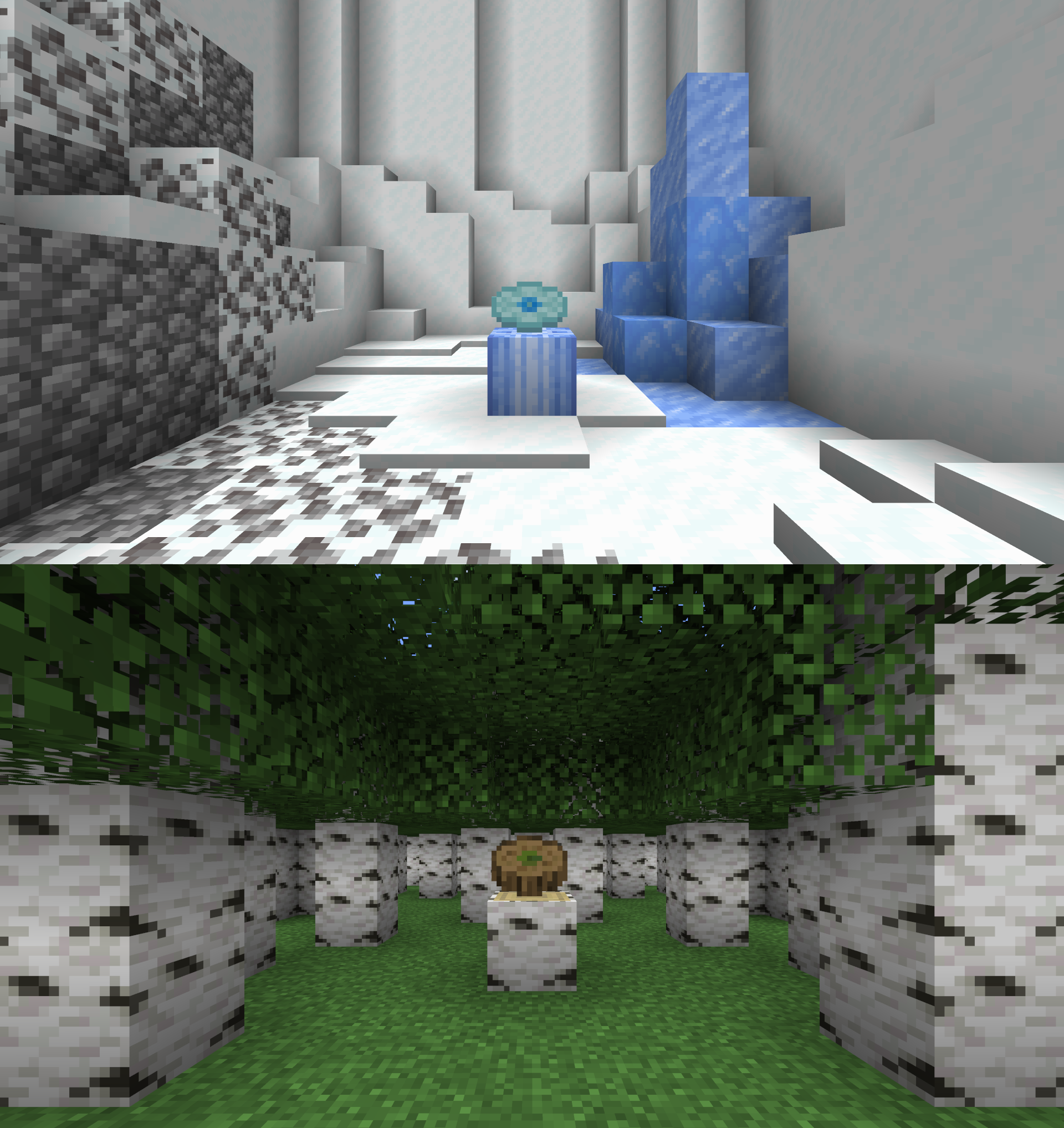
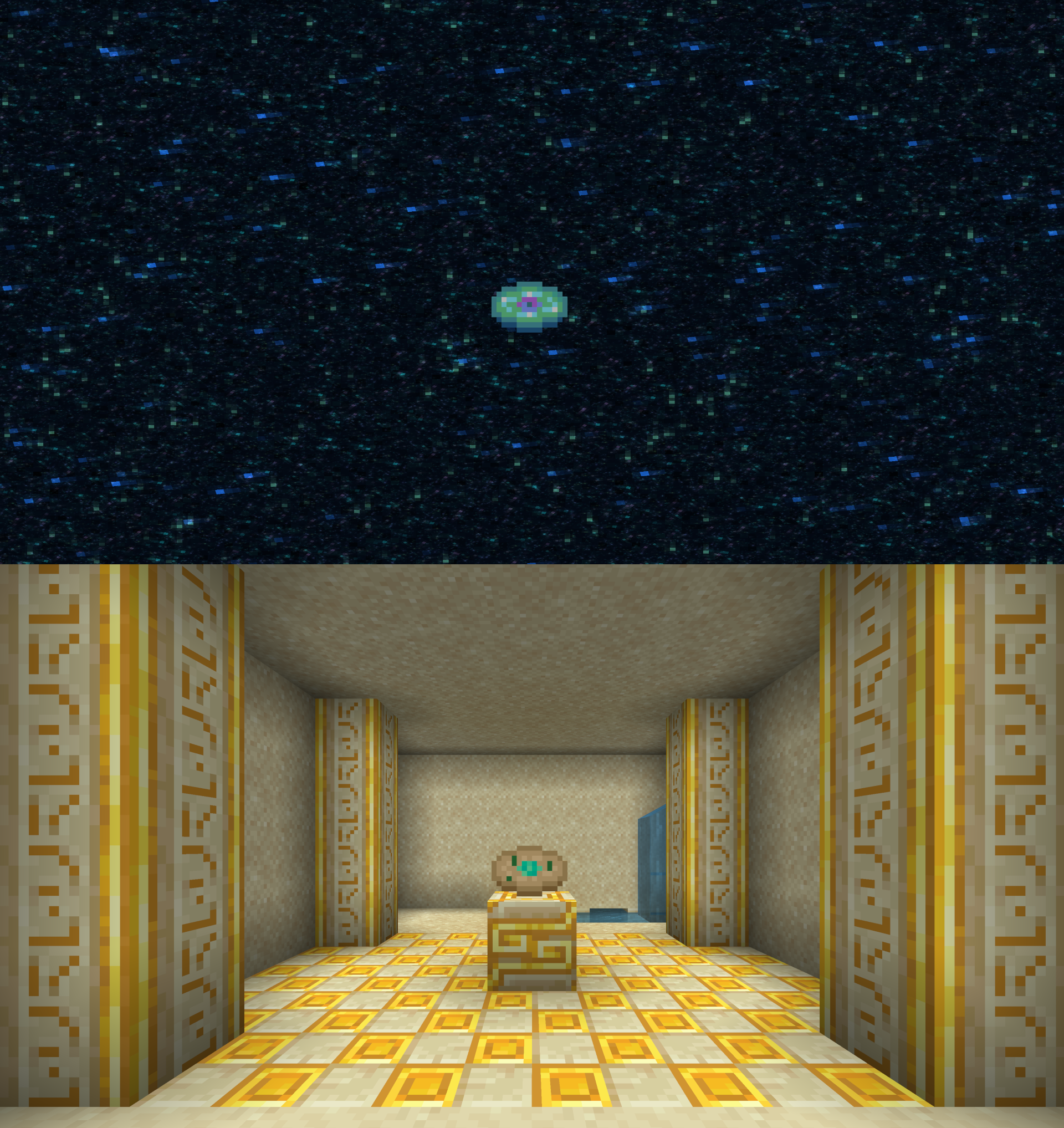
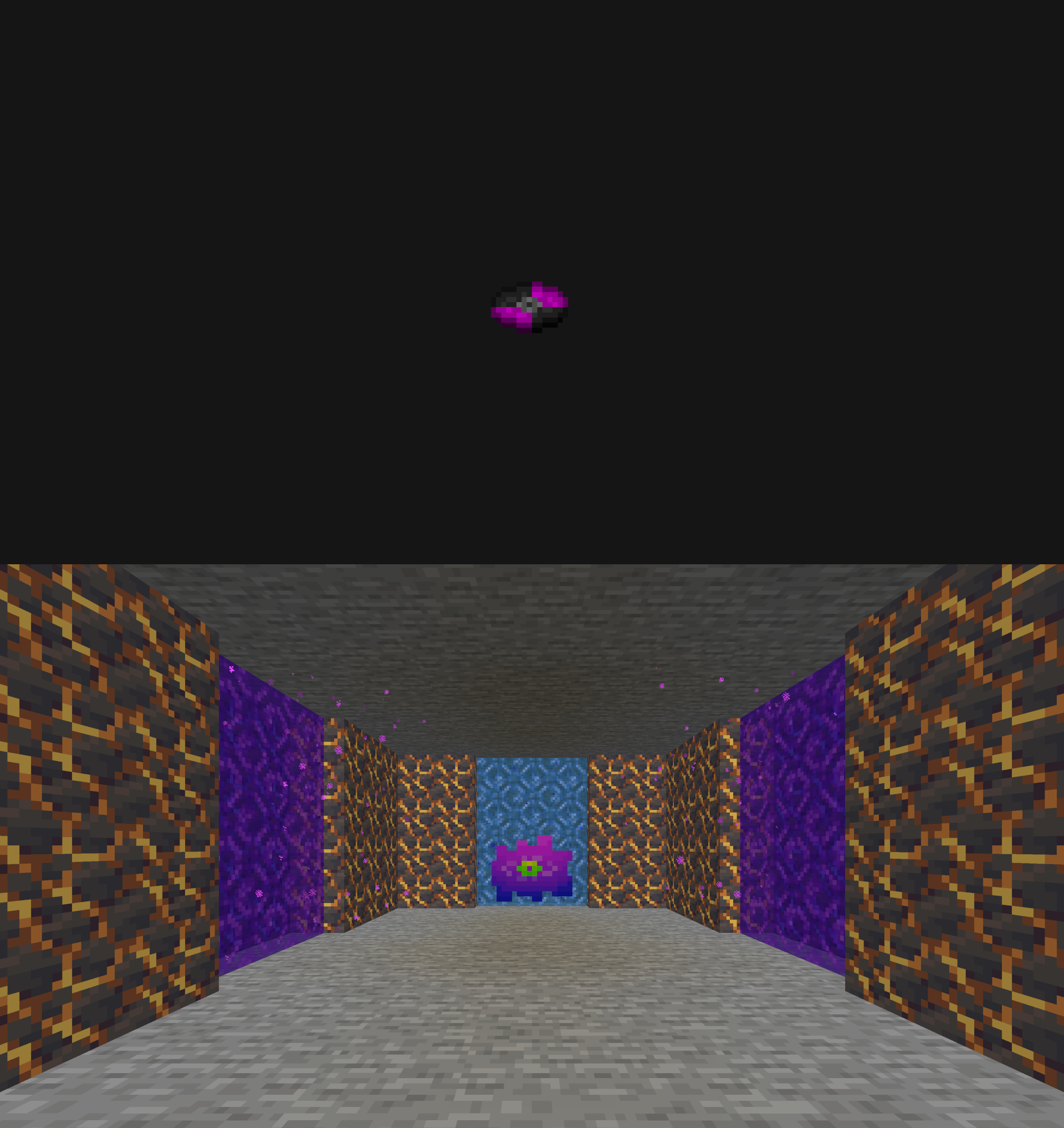
Makes every music disc look unique!

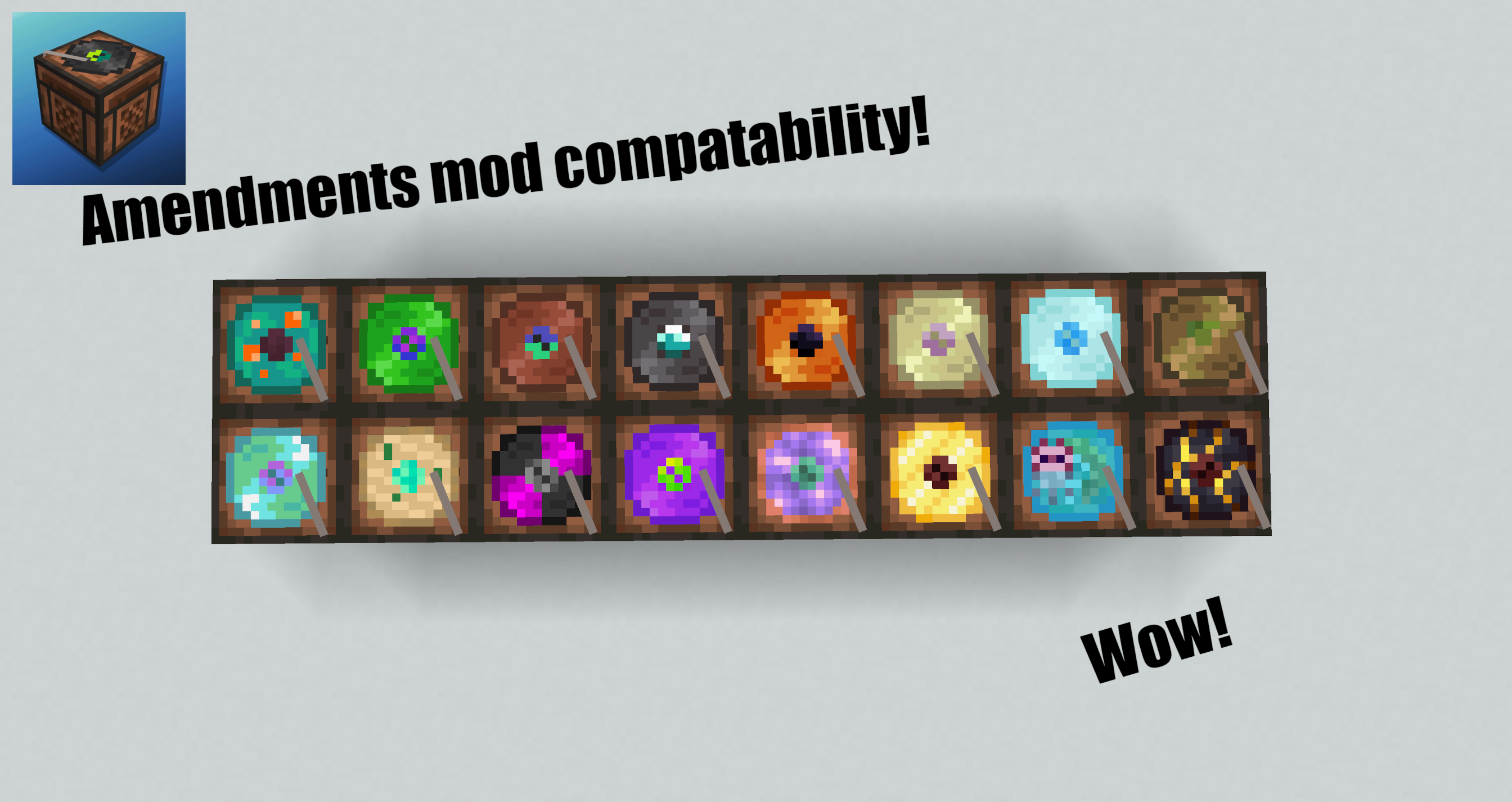
Also compatible with Amendments mod!
https://www.curseforge.com/minecraft/mc-mods/amendments


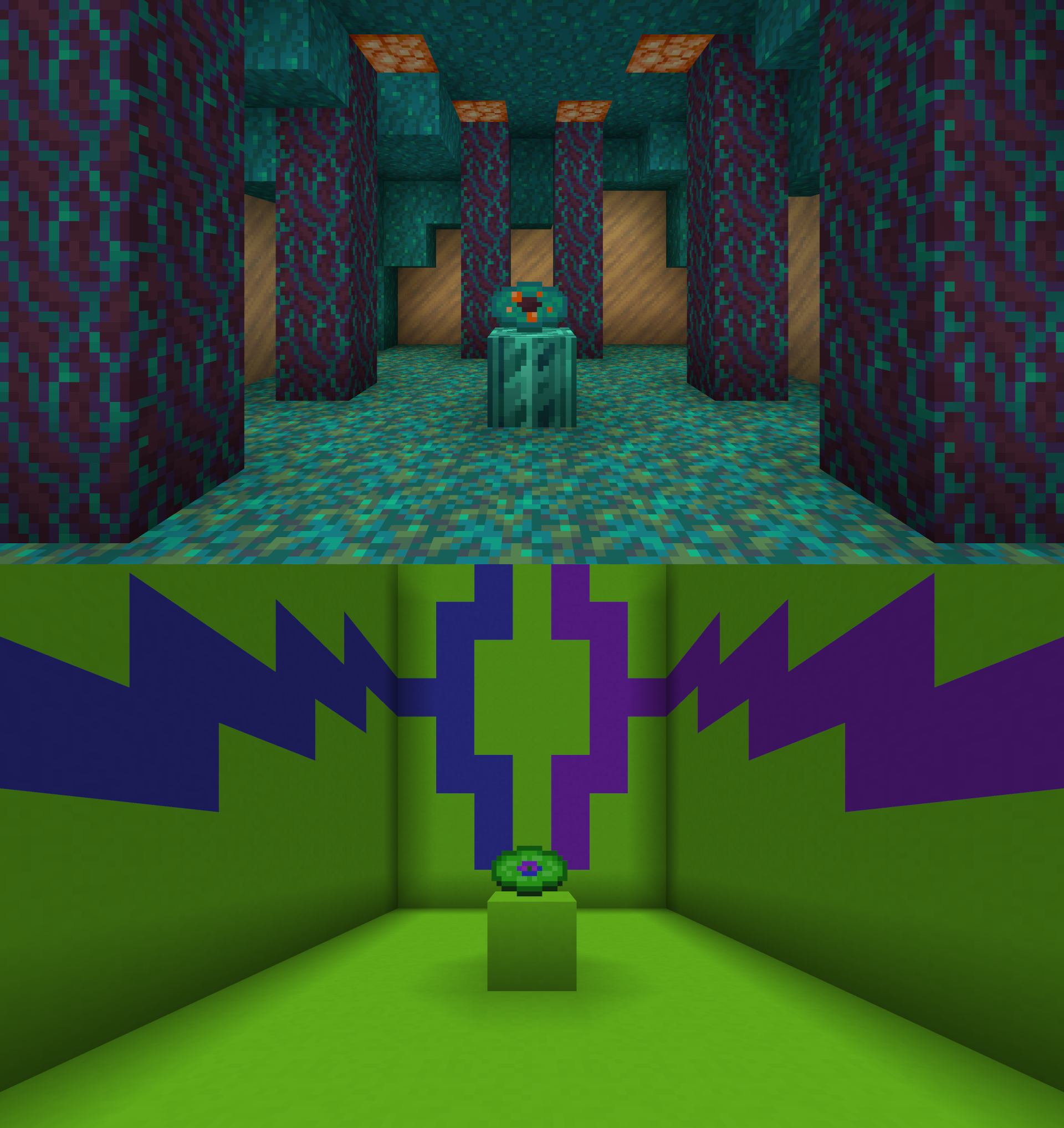
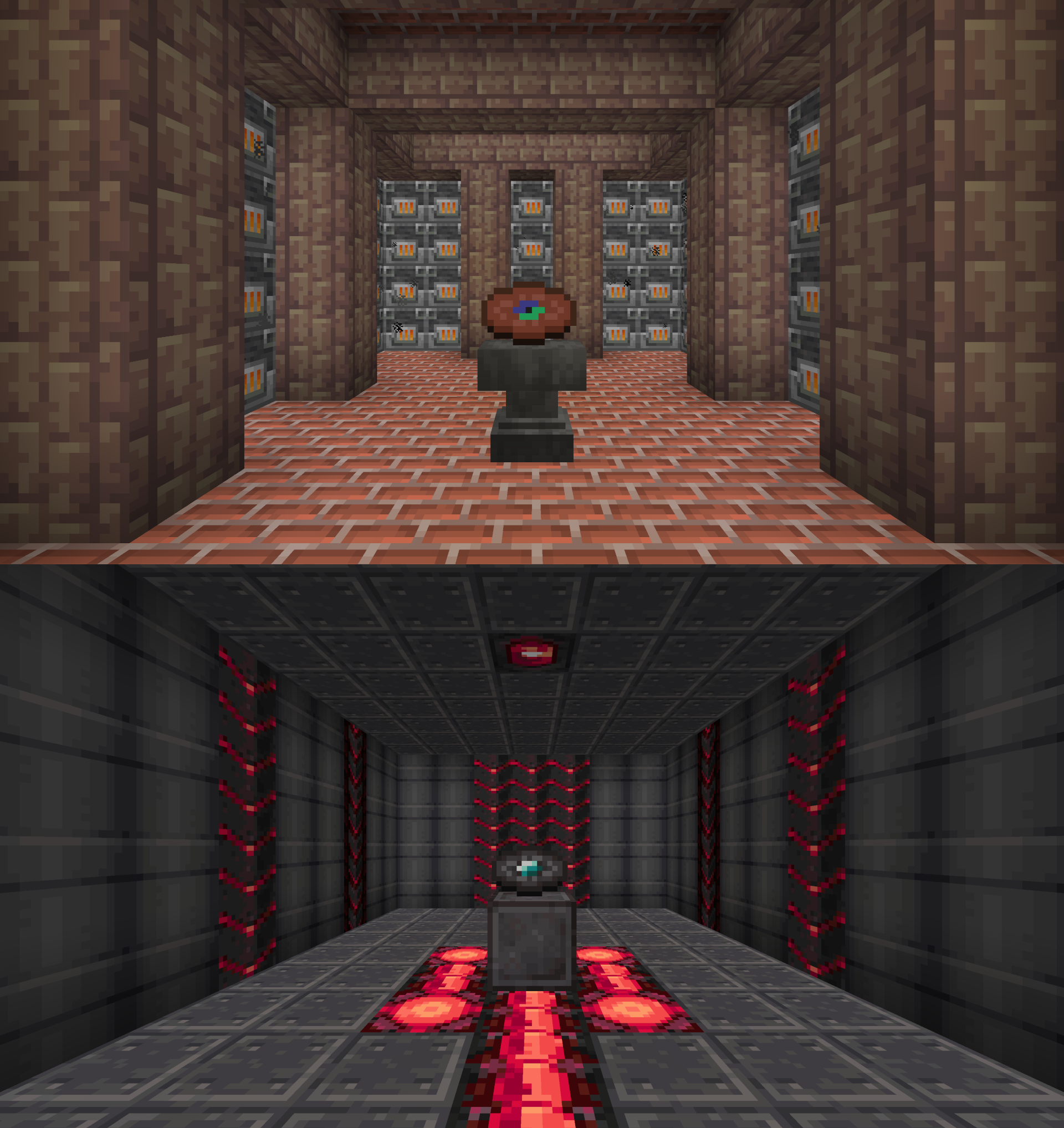
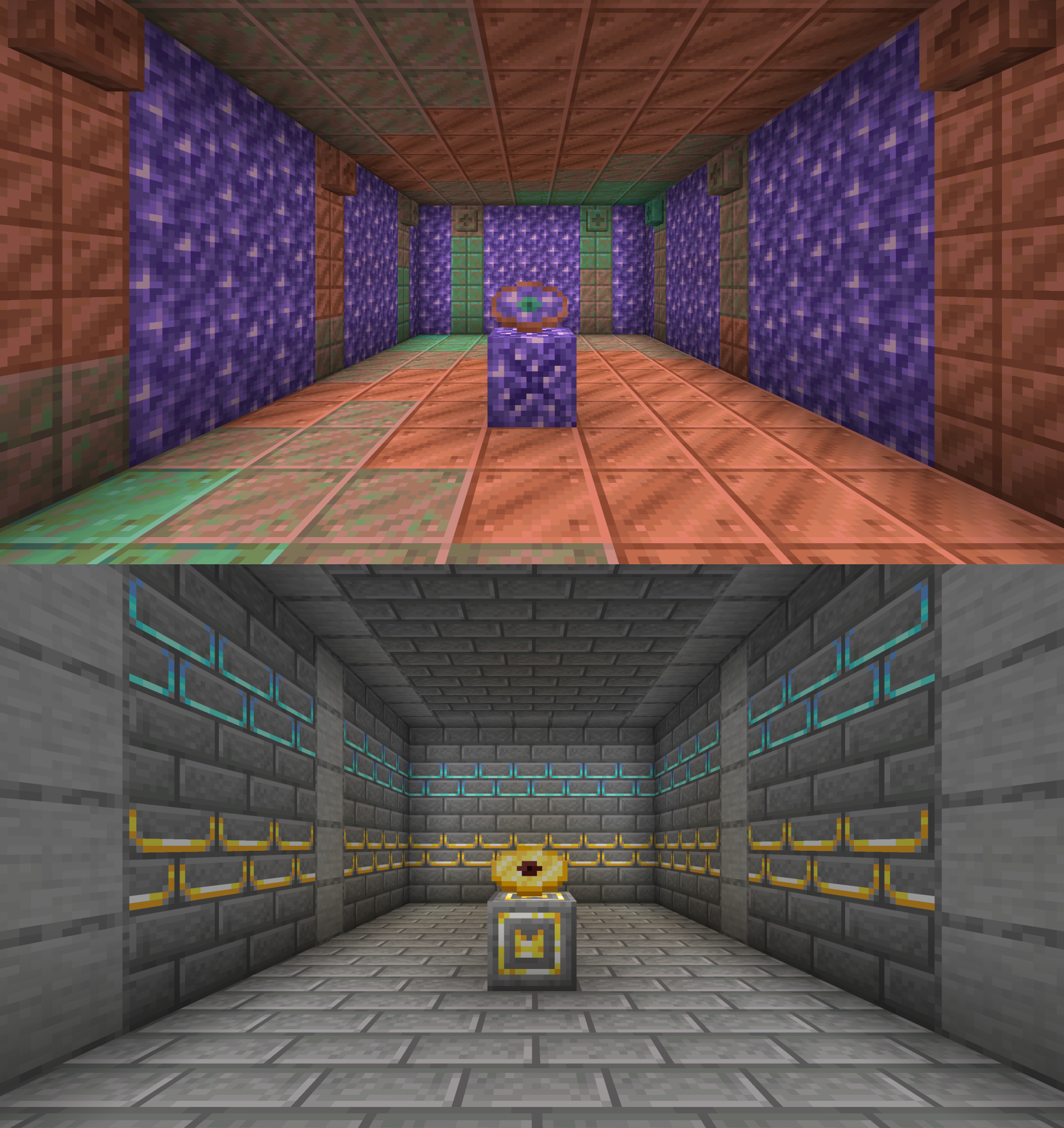
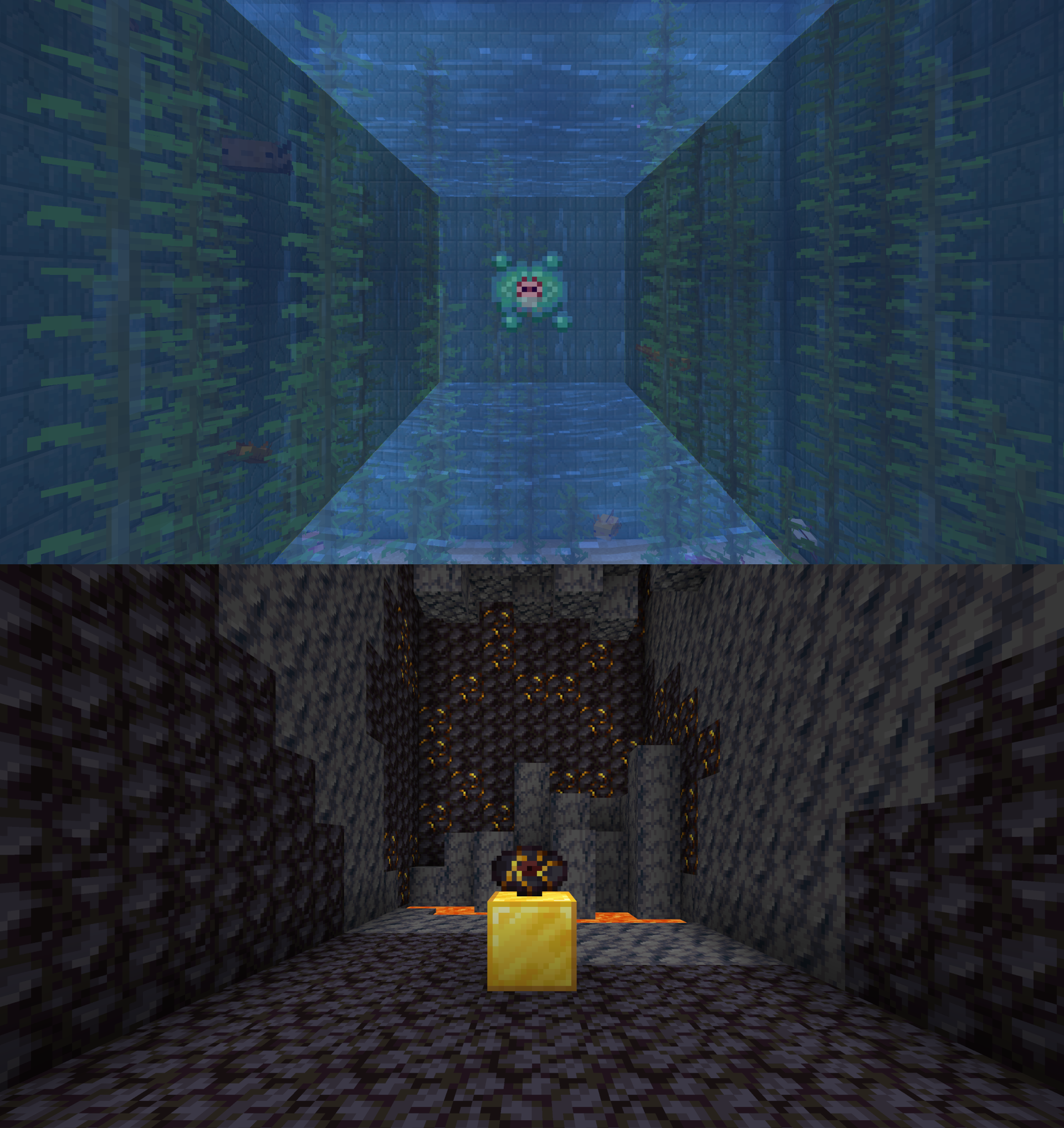
The order of the discs shown in the showcase screenshots are in this order;

-13
-cat
-blocks
-chirp
-far
-mall
-mellohi
-stal
-strad
-ward
-11
-wait
-otherside
-5
-pigstep
-relic

It's the same order as in the creative menu

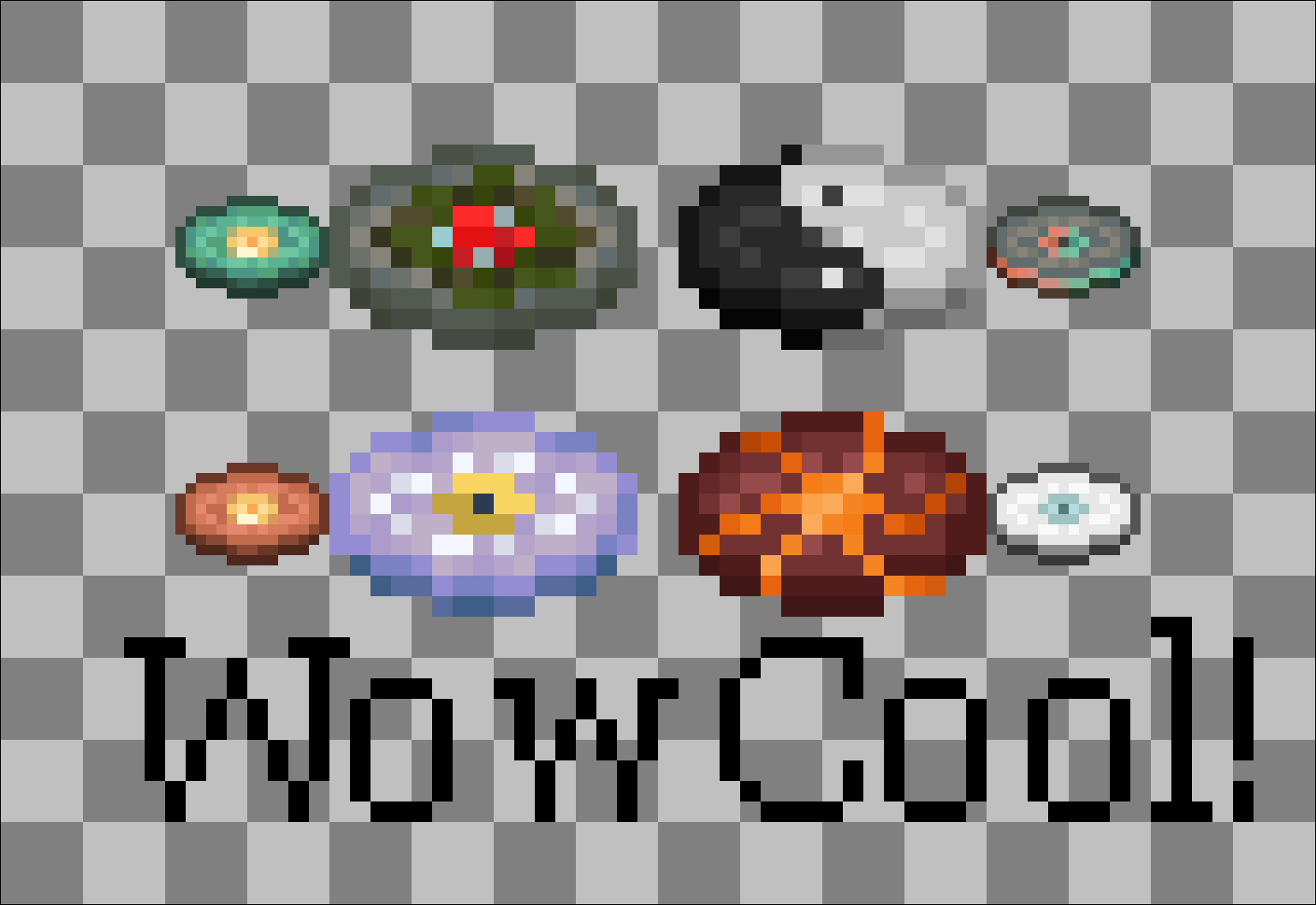
The discs in the "Wow Cool" image:


-Creator

-Precipice

-Creator (music box)

-Tears


Mods were used to decorate the showcase screenshots.

Most showcases used the Architect's Palette mod
I actually started to rely on this one because I ran out of ideas for vanilla blocks to use...
https://www.curseforge.com/minecraft/mc-mods/architects-palette

The showcase for Wait used portals from the Aether mod
https://www.curseforge.com/minecraft/mc-mods/aether

 

Unique Music Discs V3.0.zip
MC 1.21.6-snapshot
Release 2025-05-15 Get

Requirements & install

How to use this resource pack in Minecraft
Resolution
16x
Minecraft
1.21.6-snapshot
Install folder
.minecraft/resourcepacks

How to install resource packs

  1. Download the resource pack .zip file (do not extract it).
  2. In Minecraft open Options → Resource Packs → Open Pack Folder.
  3. Drop the .zip into the resourcepacks folder (.minecraft/resourcepacks).
  4. Move the pack to the Selected column and click Done.
Browse more: 16x resource packs 32x resource packs 64x resource packs 128x resource packs 256x resource packs 512x+ resource packs Resource Packs for 1.21.6-snapshot All resource packs
Advertisement Remove ads with Premium →

You Might Also Like