Mineuniverse
Resource Packs
UI - Smooth Hotbar | VSH

UI - Smooth Hotbar | VSH

RESOURCE PACK
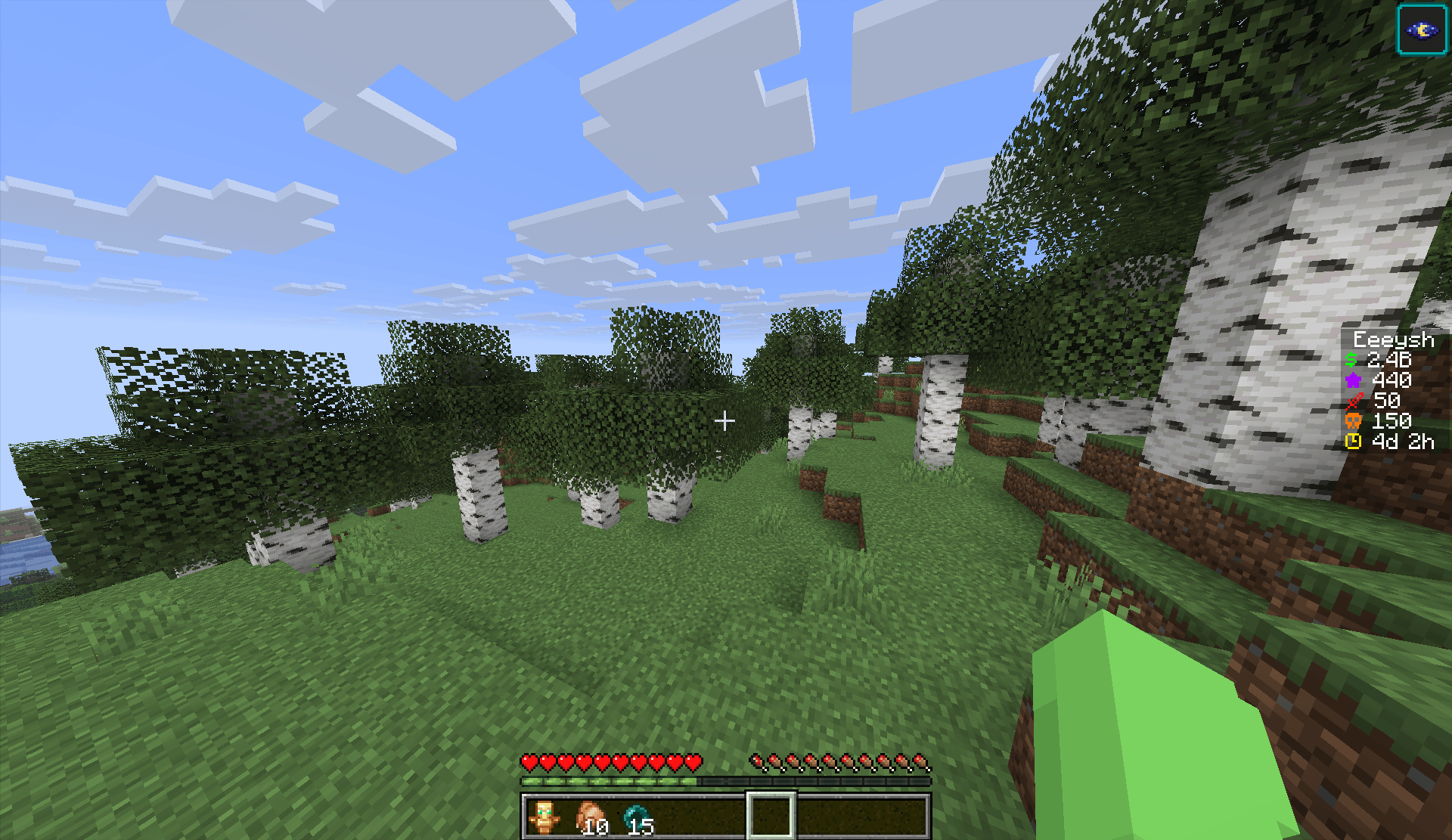
Removes the dividers on the vanilla hotbar ui to a cleaner no divider hotbar look while still mantaining the vanilla style.
by eeeysh
Download Claim this project
58 downloads
0 likes
0 followers
Updated Oct 14, 2026
0 hypes
Follow0
16x Modern
Advertisement Remove ads with Premium →

Introduction

Vanilla Smooth Hotbar is a Minecraft resource pack made to remove the dividers on each hotbar slot to give it a clean and nice look while still maintaining the vanilla-like look without changing a whole different style.

If you like what i do you can view my profile here (https://www.curseforge.com/members/eeeysh/projects).

Installation

1 | Firstly, install the resource pack. Make sure the resource pack is the same version as your Minecraft version.

2 | Next, go into your resourcepacks folder, you can locate it by pressing WIN + R and pasting this command:

%appdata%.minecraft\resourcepacks

3 | After, paste the resource pack you downloaded into the resourcepack folder you can do that by either copying and pasting or dragging it in.

4 | Lastly, you can launch Minecraft go to Options > Resource Packs and then choose the resource pack you want to use.

0.1
MC 26.2
Release 2026-08-31 Get

Requirements & install

How to use this resource pack in Minecraft
Resolution
16x
Minecraft
26.2
Install folder
.minecraft/resourcepacks

How to install resource packs

  1. Download the resource pack .zip file (do not extract it).
  2. In Minecraft open Options → Resource Packs → Open Pack Folder.
  3. Drop the .zip into the resourcepacks folder (.minecraft/resourcepacks).
  4. Move the pack to the Selected column and click Done.
Browse more: 16x resource packs 32x resource packs 64x resource packs 128x resource packs 256x resource packs 512x+ resource packs Resource Packs for 26.2 All resource packs

More from eeeysh

Advertisement Remove ads with Premium →

You Might Also Like