Mineuniverse
Resource Packs
Trains of Ruun: Biomes O Plenty Addon

Trains of Ruun: Biomes O Plenty Addon

RESOURCE PACK
BoP loads for ToR stock
by Aunuli
Download Claim this project
Add a badge to your pageLink to Trains of Ruun: Biomes O Plenty Addon from a README, website or forum post.
Preview: Badge

Badges update automatically and link to the resource pack page on MineUniverse.

453 downloads
0 likes
0 followers
Updated Oct 14, 2026
0 hypes
Follow0
16x Animated Miscellaneous Mod Support
Advertisement Remove ads with Premium →

TRAINS OF RUUN: BIOMES O PLENTY ADDON

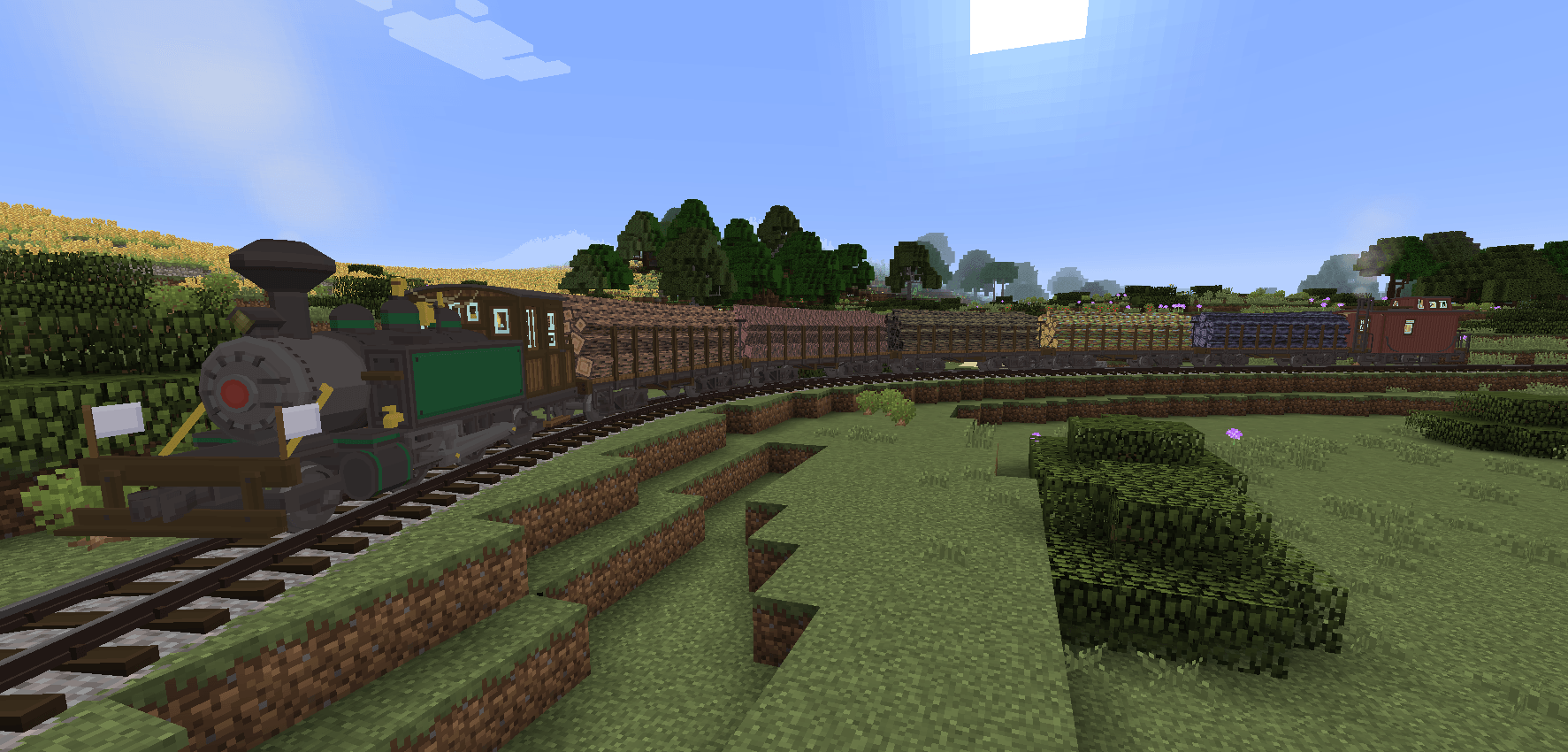
This pack adds Biomes O Plenty inspired loads to Trains of Ruun. All textures are made from scratch as to not redistribute base Biomes O Plenty textures.

Discord

CONTENTS

Short Gondolas
- Ash
- Black Sand
- Dried Sand
- Flesh
- Loamy Earth
- Mud
- Orange Sand
- Sandy Dirt
- Silty Dirt
- White Sand

Tall Gondolas
- Ash
- Black Sand
- Dried Sand
- Flesh
- Loamy Earth
- Mud
- Orange Sand
- Sandy Dirt
- Silty Dirt
- White Sand

Logs
- Cherry
- Dead
- Ebony
- Ethereal
- Eucalyptus
- Fir
- Hellbark
- Jacaranda
- Magic
- Mahogany
- Mangrove
- Palm
- Pine
- Redwood
- Sacred Oak
- Stems
- Umbran
- Willow

NOTES

This pack is an addon to the base Trains of Ruun. It will not work without Trains of Ruun!

This pack uses my own textures based on Biomes O Plenty. They are not an exact match due to BoP's terms of use.

Usage and redistribution in any form is allowed, just please give credit and link back here in some form =)


Discord
Patreon

Iron Horse Dev Group


Trains_of_Ruun_BoP_V0.9.zip
MC 1.16.5, 1.10.2, 1.14.4, 1.7.10, 1.15.2, 1.11.2, 1.13.2, 1.12.2
Release 2024-12-27 Get

Requirements & install

How to use this resource pack in Minecraft
Resolution
16x
Minecraft
1.7.10 – 1.16.5
Install folder
.minecraft/resourcepacks

How to install resource packs

  1. Download the resource pack .zip file (do not extract it).
  2. In Minecraft open Options → Resource Packs → Open Pack Folder.
  3. Drop the .zip into the resourcepacks folder (.minecraft/resourcepacks).
  4. Move the pack to the Selected column and click Done.
Browse more: 16x resource packs 32x resource packs 64x resource packs 128x resource packs 256x resource packs 512x+ resource packs Resource Packs for 1.16.5 All resource packs

More from Aunuli

Advertisement Remove ads with Premium →

You Might Also Like