Mineuniverse
Resource Packs
Trailforge Studios - Equipment

Trailforge Studios - Equipment

RESOURCE PACK
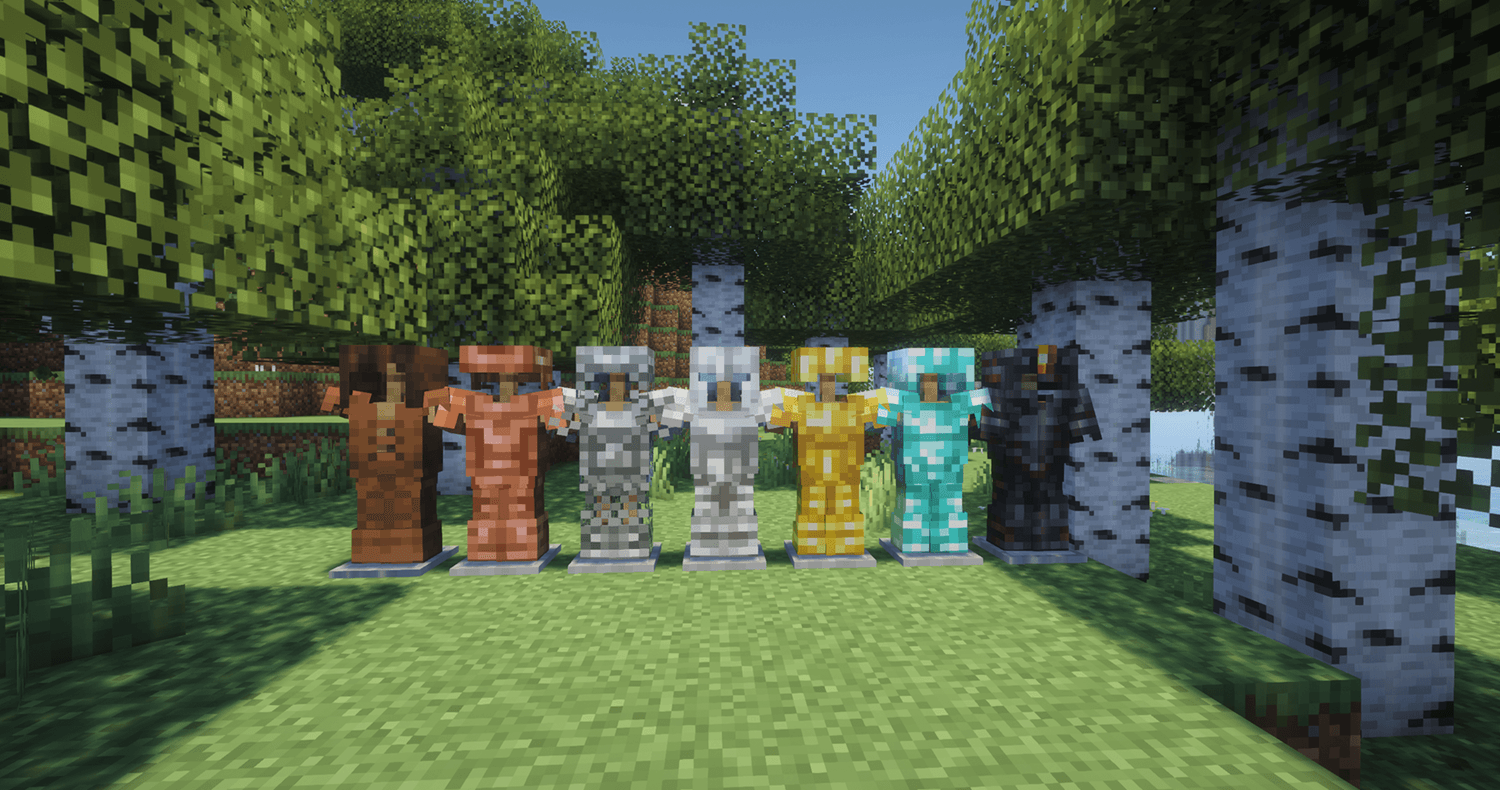
A Vanilla+ texture pack that refreshes tools, weapons, armor, and other equipment while staying true to Minecraft’s style.
by Thomsonsamson
Download Claim this project
1,579 downloads
0 likes
Updated Oct 14, 2026
0 hypes
16x Traditional
Advertisement Remove ads with Premium →

Trailforge Studios – Equipment

Give your gear a fresh new look without losing Minecraft’s familiar style.

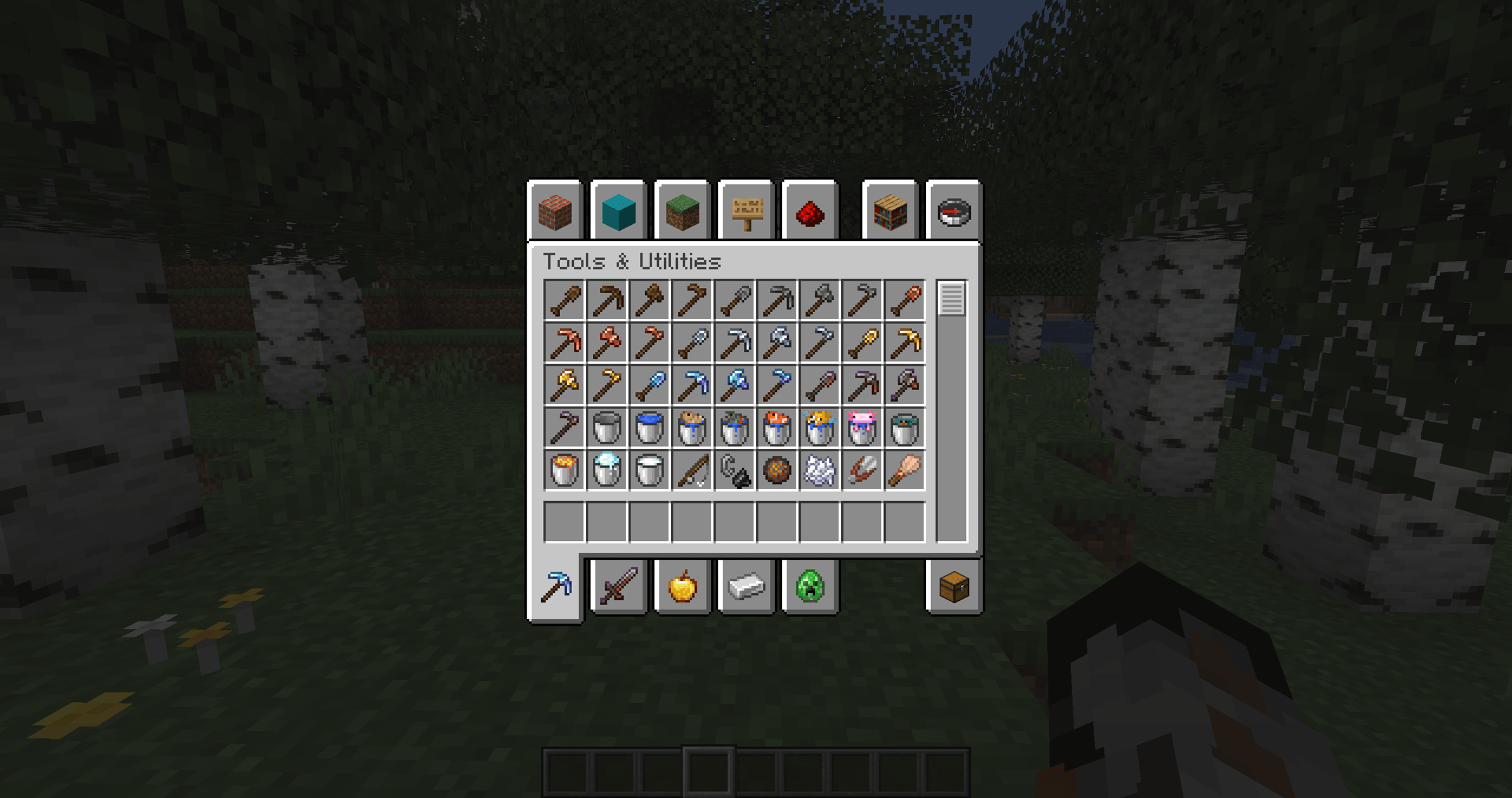
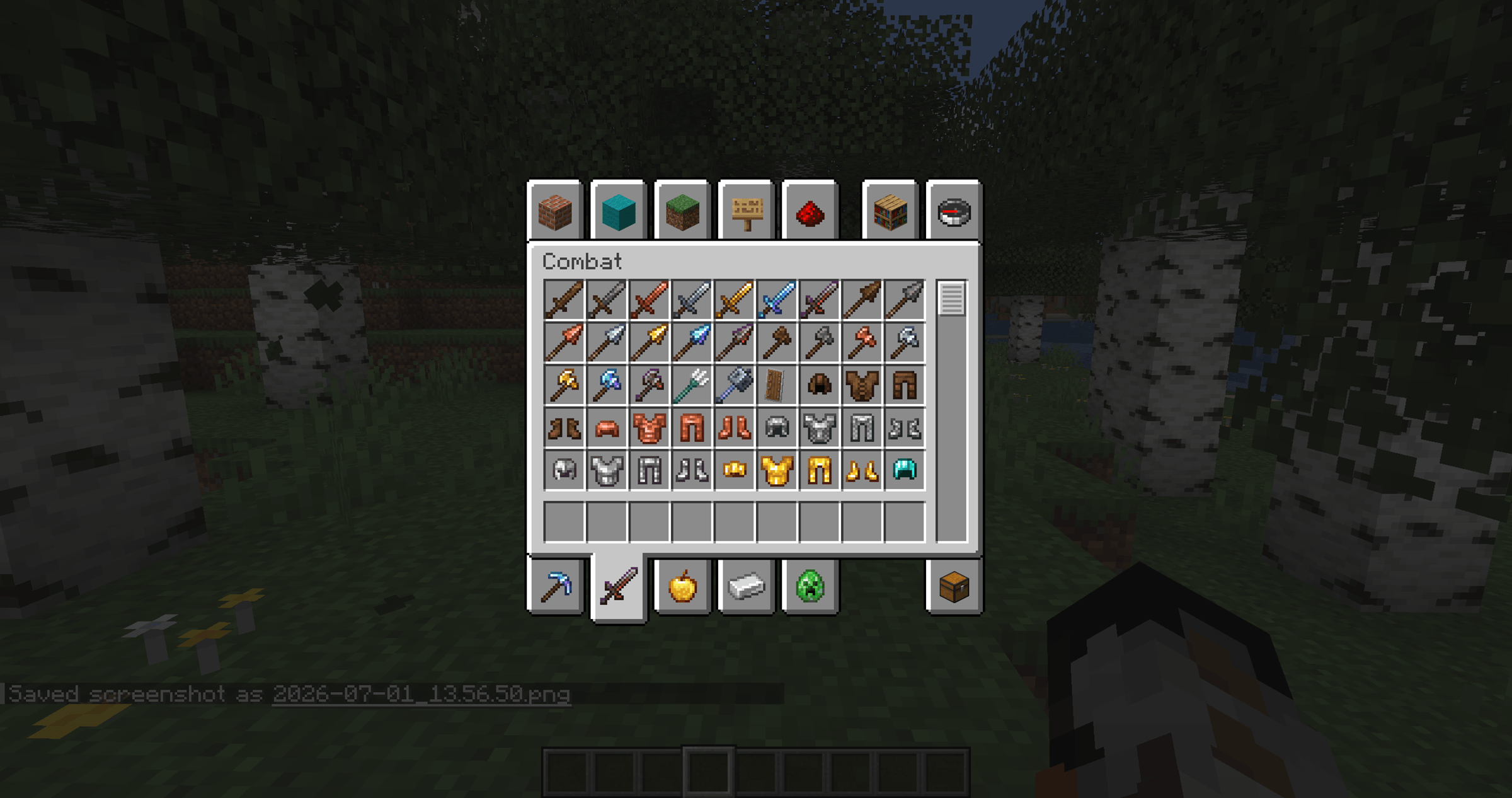
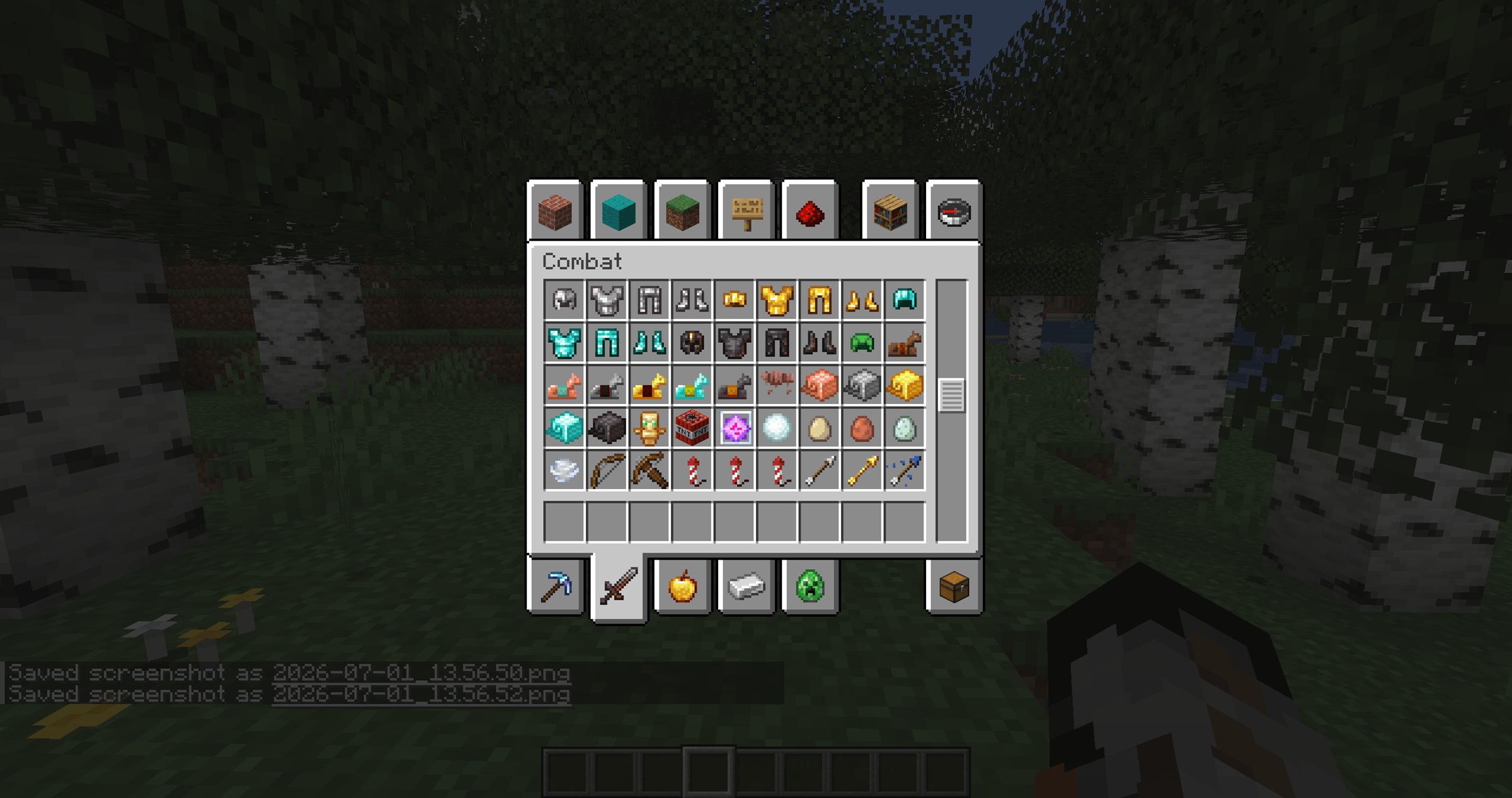
Trailforge Studios - Equipment is a Vanilla+ texture pack that redesigns tools, weapons, armor, and other equipment while staying true to the original game. The textures feel more detailed and polished, but still blend naturally into the Minecraft world.

Whether you are starting a new survival world, building a modpack, or simply want your equipment to feel a little more refined, this pack offers a clean visual upgrade without changing Minecraft’s identity.

Features

  • Redesigned tools, weapons, armor, and equipment
  • Vanilla+ art style
  • Clean and consistent textures
  • Fits naturally into survival and adventure gameplay
  • Works well alongside other Vanilla-style resource packs

A simple equipment refresh for players who love the classic Minecraft look but want a little more detail.

Trailforge Studios - Equipment - 1.1.zip
MC 1.21, 1.20.2, 1.21.8, 1.20.5, 1.21.5, 1.21.4, 1.20.6, 1.21.1, 1.21.6, 1.21.3, 1.21.7, 1.20.4, 1.20.3, 1.21.2, 1.21.9, 1.21.10, 1.21.11, 26.1, 26.1.1, 26.1.2, 26.2, 26.3
Release 2026-09-26 Get
Trailforge Studios - Equipment - 1.0.zip
MC 1.21, 1.20.2, 1.21.8, 1.20.5, 1.21.5, 1.21.4, 1.20.6, 1.21.1, 1.21.6, 1.21.3, 1.21.7, 1.20.4, 1.20.3, 1.21.2, 1.21.9, 1.21.10, 1.21.11, 26.1, 26.1.1, 26.1.2, 26.2
Release 2026-07-01 Get

Requirements & install

How to use this resource pack in Minecraft
Resolution
16x
Minecraft
1.21.9 – 26.3
Install folder
.minecraft/resourcepacks

How to install resource packs

  1. Download the resource pack .zip file (do not extract it).
  2. In Minecraft open Options → Resource Packs → Open Pack Folder.
  3. Drop the .zip into the resourcepacks folder (.minecraft/resourcepacks).
  4. Move the pack to the Selected column and click Done.
Browse more: 16x resource packs 32x resource packs 64x resource packs 128x resource packs 256x resource packs 512x+ resource packs Resource Packs for 26.3 All resource packs

More from Thomsonsamson

Advertisement Remove ads with Premium →

You Might Also Like