
Mineuniverse
Resource Packs
Too Many Guns

Too Many Guns

RESOURCE PACK
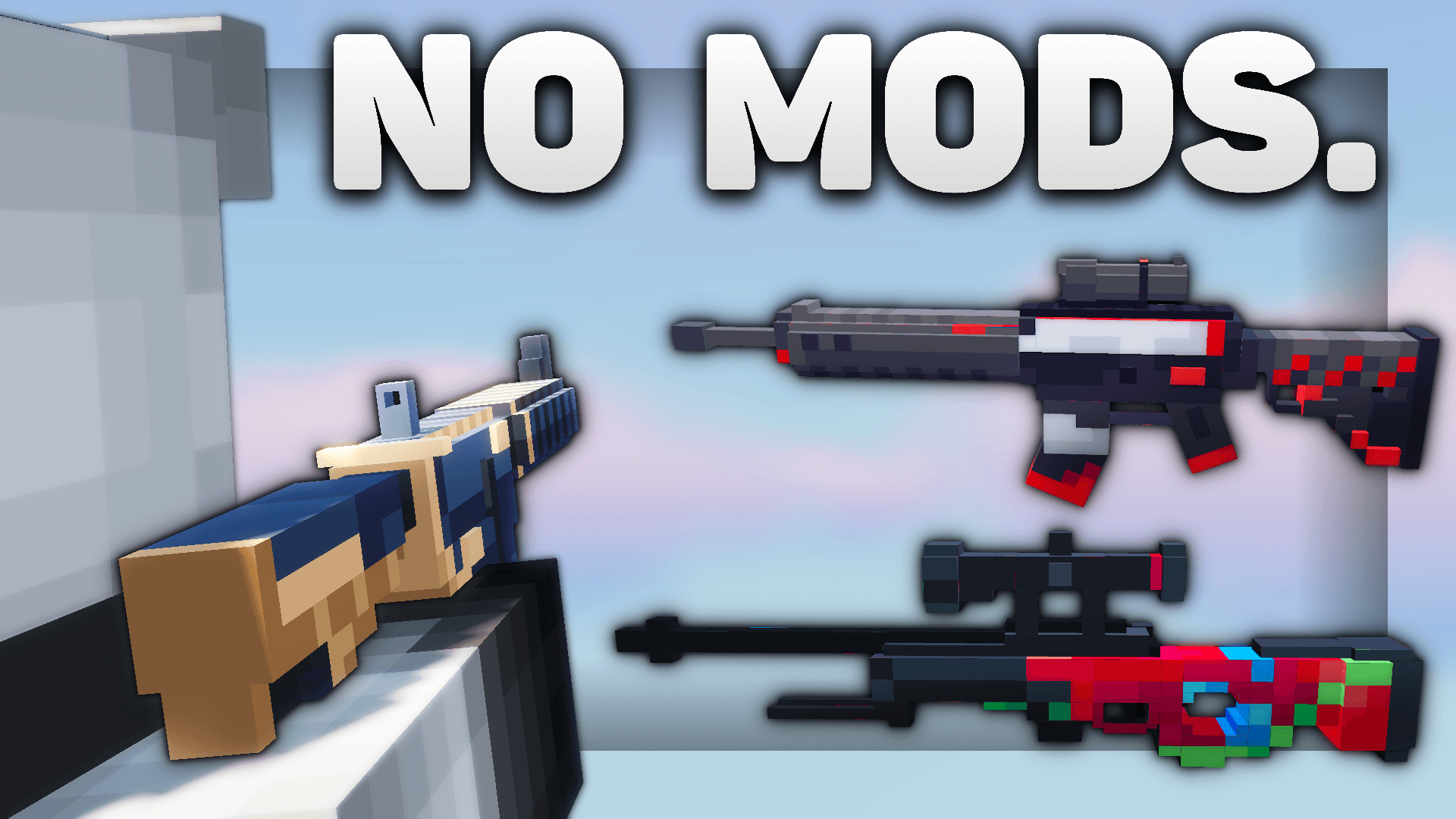
Changes the bow to various 3D gun models
by L33tfox
Download Claim this project
24,152 downloads
0 likes
Updated Oct 14, 2026
0 hypes
16x Animated Miscellaneous Modern
Advertisement Remove ads with Premium →

Support Me

Youtube Discord Twitter/X

Showcase

Showcase Video Link

Information

On the Files tab, you can choose and download the individual texture packs for each gun model. If you just press the normal Download button, you will not be able to choose which gun model texture pack you download.

texture packs that replace the bow texture with various 3d gun models. also replaces arrows with bullets and changes bow and arrow sounds to gun sounds.

no naming items required! works on most multiplayer servers and single player.

most of the models are only available in 1.20/1.21, but the awp and desert eagle also have 1.8 versions.

TUTORIAL: how to change gun textures

each gun model has 2 different textures (all showcased in the video).

  1. first extract the .zip file.
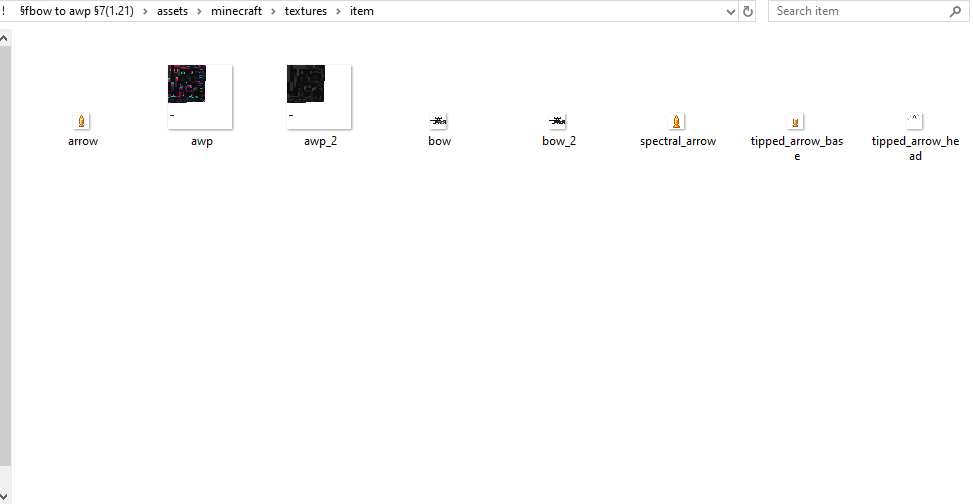
  2. open the pack folder and navigate to assets>minecraft>textures>item. the folder should look similar to the screenshot below.
  3. there are 2 different files named bow and 2 different files named awp (or whatever the name of the gun you are using is). the files without the "_2" at the end of their name are the textures that are used in-game, so to change textures just change the file names (for example, in the screenshot, rename awp to awp_2 and rename awp_2 to awp).
  4. reload your texture pack in-game and the texture will change
step 3

Public Usage

if you'd like to use assets/modified versions of this pack in your own projects and publicly share them, credit me and link this page or my YouTube video.

  • as long as you credit me, you may use this pack or assets from this pack in your own public social media posts, mod packs, resource packs, and bedrock ports
  • please do not create new showcase webpages, download links, or claim credit for making this pack or assets from this pack.
  • if you are unsure, message me on discord (L33tfox) for permission

ak-47
MC 1.20.2, 1.21, 1.20.5, 1.20.3, 1.20.1, 1.20, 1.20.6, 1.20.4, 1.21.3, 1.21.1, 1.21.2
Release 2024-11-29 Get
awp (1.8)
MC 1.8.7, 1.8.4, 1.8.8, 1.8.3, 1.8.6, 1.8, 1.8.2, 1.8.5, 1.8.9, 1.8.1
Release 2024-11-29 Get
awp (1.21)
MC 1.20.2, 1.21, 1.20.5, 1.20.3, 1.20.1, 1.20, 1.20.6, 1.20.4, 1.21.3, 1.21.1, 1.21.2
Release 2024-11-29 Get
desert eagle (1.8)
MC 1.8.7, 1.8.4, 1.8.8, 1.8.3, 1.8.6, 1.8, 1.8.2, 1.8.5, 1.8.9, 1.8.1
Release 2024-11-29 Get
desert eagle (1.21)
MC 1.20.2, 1.21, 1.20.5, 1.20.3, 1.20.1, 1.20, 1.20.6, 1.20.4, 1.21.3, 1.21.1, 1.21.2
Release 2024-11-29 Get
m4a1-s
MC 1.20.2, 1.21, 1.20.5, 1.20.3, 1.20.1, 1.20, 1.20.6, 1.20.4, 1.21.3, 1.21.1, 1.21.2
Release 2024-11-29 Get
m4a4
MC 1.20.2, 1.21, 1.20.5, 1.20.3, 1.20.1, 1.20, 1.20.6, 1.20.4, 1.21.3, 1.21.1, 1.21.2
Release 2024-11-29 Get
sg 553
MC 1.20.2, 1.21, 1.20.5, 1.20.3, 1.20.1, 1.20, 1.20.6, 1.20.4, 1.21.3, 1.21.1, 1.21.2
Release 2024-11-29 Get
usp
MC 1.20.2, 1.21, 1.20.5, 1.20.3, 1.20.1, 1.20, 1.20.6, 1.20.4, 1.21.3, 1.21.1, 1.21.2
Release 2024-11-29 Get
usp-s
MC 1.20.2, 1.21, 1.20.5, 1.20.3, 1.20.1, 1.20, 1.20.6, 1.20.4, 1.21.3, 1.21.1, 1.21.2
Release 2024-11-29 Get

Requirements & install

How to use this resource pack in Minecraft
Resolution
16x
Minecraft
1.20.3 – 1.21.3
Install folder
.minecraft/resourcepacks

How to install resource packs

  1. Download the resource pack .zip file (do not extract it).
  2. In Minecraft open Options → Resource Packs → Open Pack Folder.
  3. Drop the .zip into the resourcepacks folder (.minecraft/resourcepacks).
  4. Move the pack to the Selected column and click Done.
Browse more: 16x resource packs 32x resource packs 64x resource packs 128x resource packs 256x resource packs 512x+ resource packs Resource Packs for 1.21.3 All resource packs

More from L33tfox

Advertisement Remove ads with Premium →

You Might Also Like