Mineuniverse
Resource Packs
TomR24 Combined Texturepack

TomR24 Combined Texturepack

RESOURCE PACK
Default Textures with much more Animations and much more, made by TomR24
by _ForgeUser12861415
Download Claim this project
1,311 downloads
0 likes
0 followers
Updated Oct 14, 2026
0 hypes
Follow0
16x Animated Miscellaneous Traditional
Advertisement Remove ads with Premium →

Full Changelog (GERMAN):  bit.ly/TomR24TP


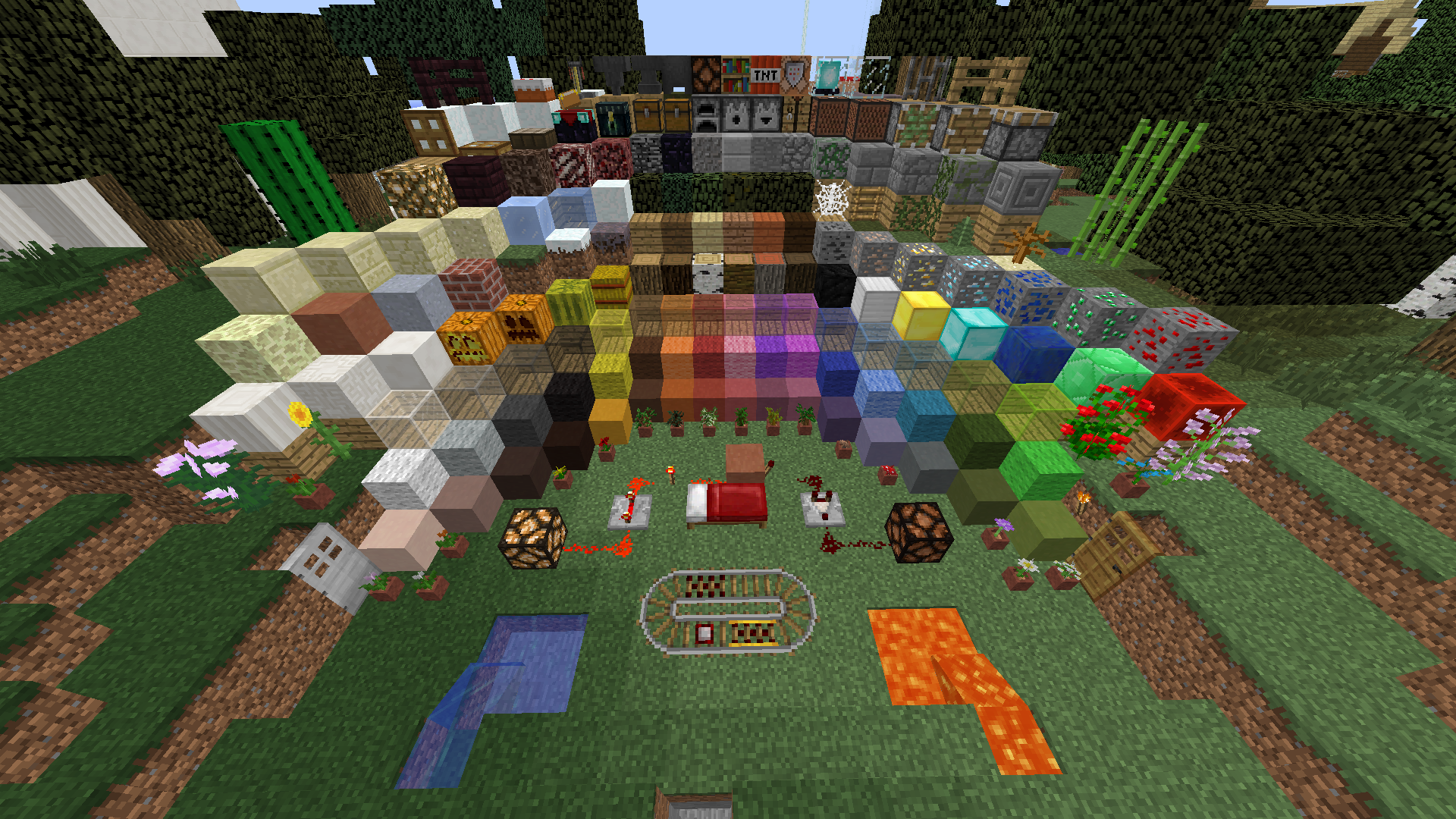
I've worked for a while on a Texture Pack, keeping the Pixel Textures of Minecraft, but making some Items and Blocks even BETTER!

I introduce the TomR24 Combined Texture Pack!

It contains serveral Changes of Items, Blocks, HUD, Hotbar and more!


It haves 2 Types: 1.7 and 1.8

The 1.7 contains Textures that dont let drop your FPS and can be used from 1.7 to 1.9  (Not 1.9 Improved yet)

The 1.8 contains Textures that let your FPS drop by 10-30 and can be used from 1.8 to 1.9  (Not 1.9 Improved yet)


To use the Texture Pack on your own, Read the Custom License 


Changes (GERMAN):


° Defalut Textures

° Schriftart aus Defscape

° Vieles aus Blocksmith Hybrid

° Transparentes GUI aus den Casual Texturepack

° 25 selbst erstellte Splahes (gelbe Texte im Menu)

° Neue Hotbar

° Selbst erstellter Bogen

° Freie Sicht im Pumpkin

UND MEHR...

 

BRAINBOW Obviously Flashing Redstone Block EXPERIMENTAL
MC 1.7.6, 1.8.7, 1.7.4, 1.7.7, 1.7.5, 1.8.4, 1.7.9, 1.8.8, 1.7.2, 1.8-Snapshot, 1.8.3, 1.8.6, 1.7.8, 1.7.10, 1.8, 1.9-Snapshot, 1.8.2, 1.8.5, 1.8.9, 1.8.1
Beta 2016-03-03 Get
[#7]
MC 1.7.6, 1.8.7, 1.7.4, 1.7.7, 1.7.5, 1.8.4, 1.7.9, 1.8.8, 1.7.2, 1.8-Snapshot, 1.8.3, 1.8.6, 1.7.8, 1.7.10, 1.8, 1.9-Snapshot, 1.8.2, 1.8.5, 1.8.9, 1.8.1
Release 2016-03-03 Get

Requirements & install

How to use this resource pack in Minecraft
Resolution
16x
Minecraft
1.8.3 – 1.9-Snapshot
Install folder
.minecraft/resourcepacks

How to install resource packs

  1. Download the resource pack .zip file (do not extract it).
  2. In Minecraft open Options → Resource Packs → Open Pack Folder.
  3. Drop the .zip into the resourcepacks folder (.minecraft/resourcepacks).
  4. Move the pack to the Selected column and click Done.
Browse more: 16x resource packs 32x resource packs 64x resource packs 128x resource packs 256x resource packs 512x+ resource packs Resource Packs for 1.9-Snapshot All resource packs
Advertisement Remove ads with Premium →

You Might Also Like