Mineuniverse
Resource Packs
There is never a bad time for Cake

There is never a bad time for Cake

RESOURCE PACK
A curated resource pack bringing pastel rainbow accents and cozy visual polish to your Minecraft HUD, blocks, and world.
by cleverruse
Download Claim this project
Add a badge to your pageLink to There is never a bad time for Cake from a README, website or forum post.
Preview: Badge

Badges update automatically and link to the resource pack page on MineUniverse.

204 downloads
0 likes
0 followers
Updated Oct 14, 2026
0 hypes
Follow0
16x Miscellaneous Traditional
Advertisement Remove ads with Premium →

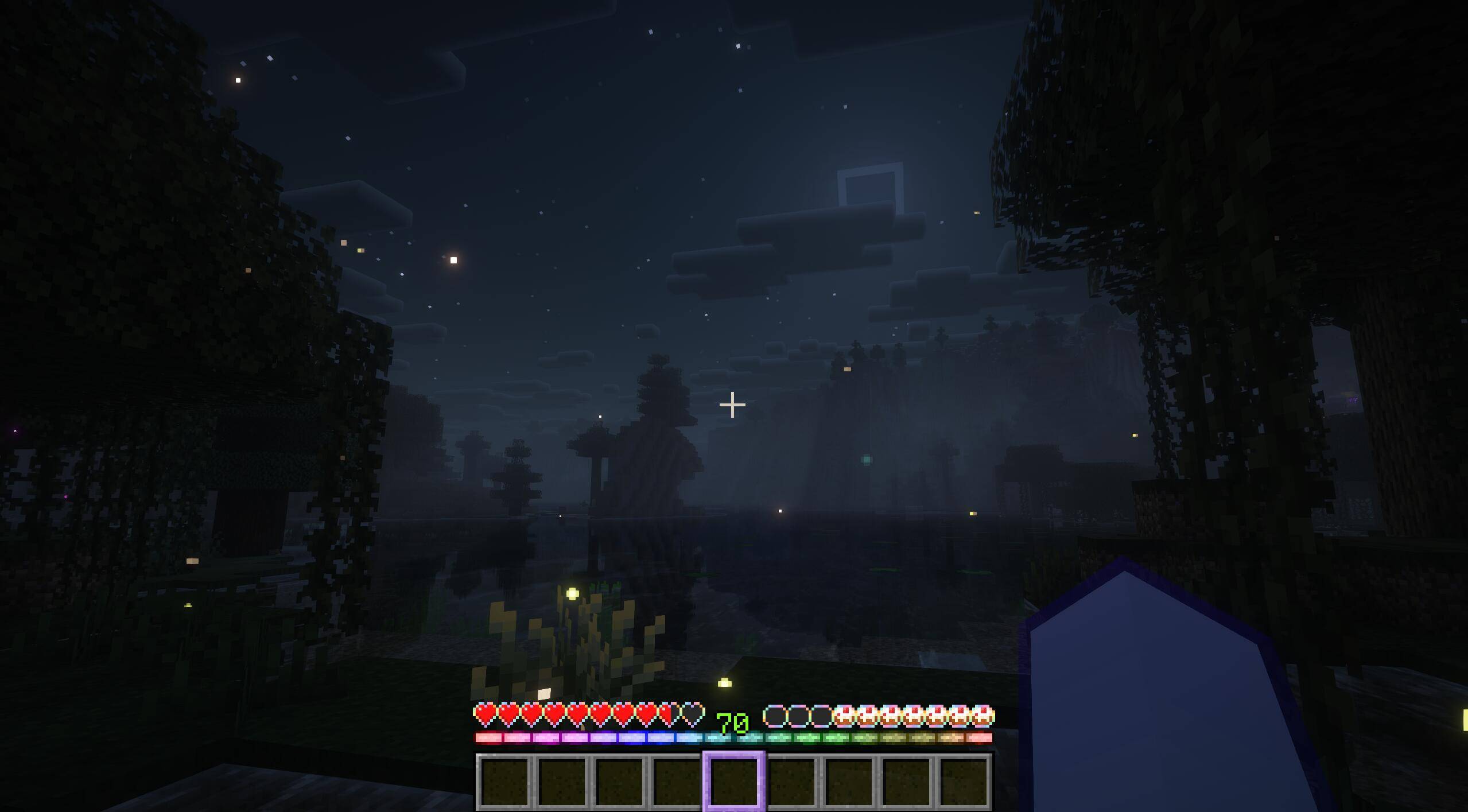
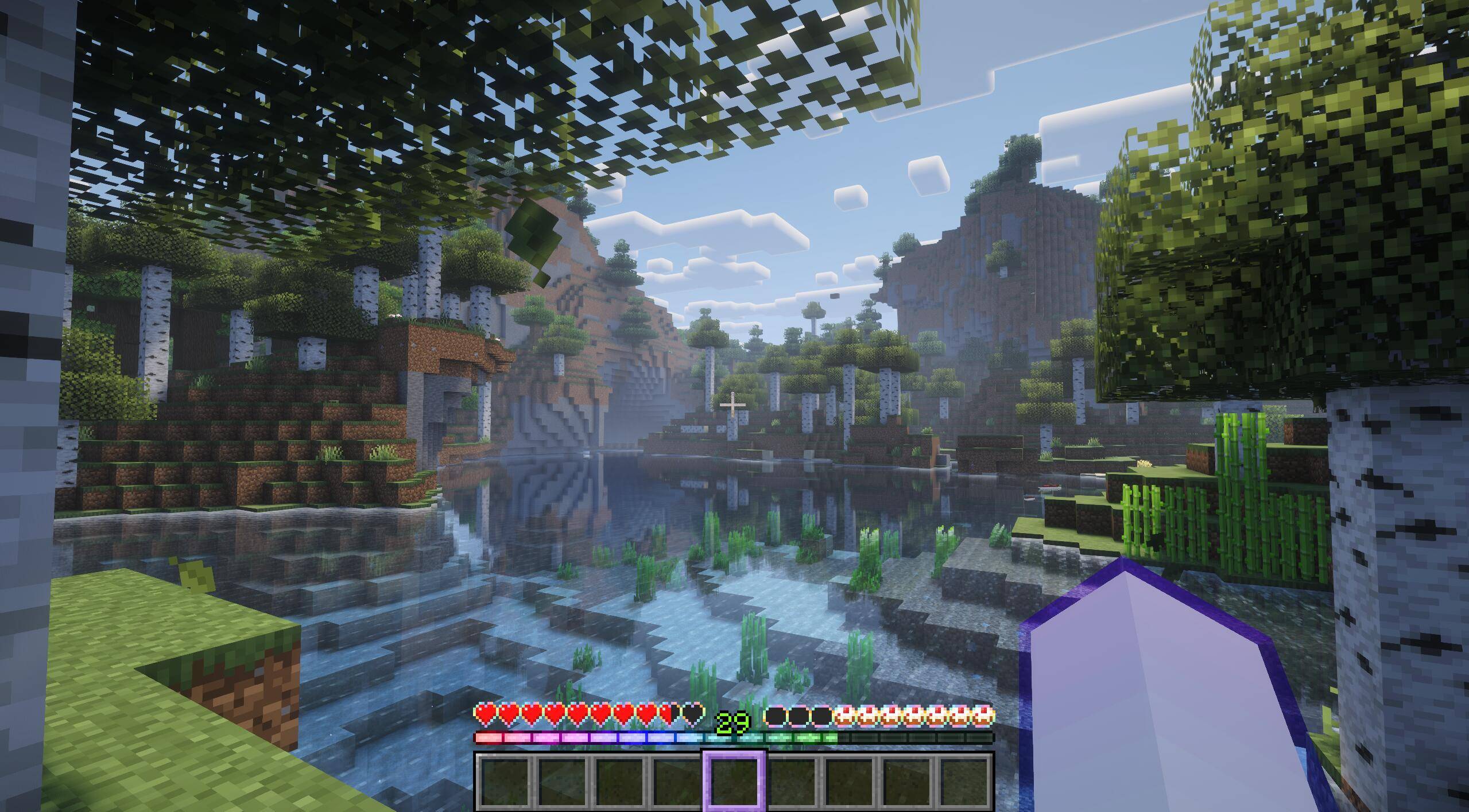
There is never a bad time for Cake is a carefully curated resource pack built around a soft pastel rainbow visual identity.

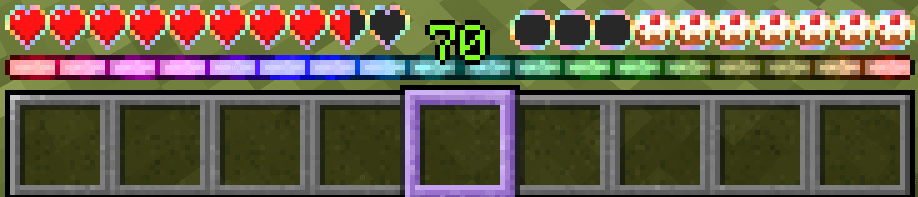
Every element of the HUD has been considered — custom destroy stages that sweep through a pastel rainbow as blocks break, a matching XP bar, cake hunger icons, rainbow heart containers, a soft lavender hotbar selector, and pastel enchant glint on your gear.

Bundled with a handpicked selection of Vanilla Tweaks including varied textures across dozens of block types, directional hoppers and dispensers, beehive honey stages, fancy sunflowers, and 25 unique carved pumpkin faces from the 2025 Pumpkin Carving Competition.

Designed to be shader friendly and tuned specifically for Complementary Reimagined — fully functional and beautiful as a standalone experience, and the visual companion to an upcoming modpack.

Free to use in modpacks, on servers, and in content creation with attribution. Please credit CleverRuse and link back to this page.


There is never a bad time for Cake.zip
MC 26.1, 26.1.1, 26.1.2
Release 2026-05-31 Get
There is never a bad time for Cake 26.1.2.2.zip
MC 26.1, 26.1.1, 26.1.2
Release 2026-05-31 Get

Requirements & install

How to use this resource pack in Minecraft
Resolution
16x
Minecraft
26.1 – 26.1.2
Install folder
.minecraft/resourcepacks

How to install resource packs

  1. Download the resource pack .zip file (do not extract it).
  2. In Minecraft open Options → Resource Packs → Open Pack Folder.
  3. Drop the .zip into the resourcepacks folder (.minecraft/resourcepacks).
  4. Move the pack to the Selected column and click Done.
Browse more: 16x resource packs 32x resource packs 64x resource packs 128x resource packs 256x resource packs 512x+ resource packs Resource Packs for 26.1.2 All resource packs
Advertisement Remove ads with Premium →

You Might Also Like