Mineuniverse
Resource Packs
The Sweet Taste of Victory and Vanilla

The Sweet Taste of Victory and Vanilla

RESOURCE PACK
Reworked Vanilla block textures in higher resolution [128x128] (WIP)
by AzeOfSwords
Download Claim this project
Add a badge to your pageLink to The Sweet Taste of Victory and Vanilla from a README, website or forum post.
Preview: Badge

Badges update automatically and link to the resource pack page on MineUniverse.

180 downloads
0 likes
0 followers
Updated Oct 14, 2026
0 hypes
Follow0
128x Animated Traditional
Advertisement Remove ads with Premium →

Work In progress...

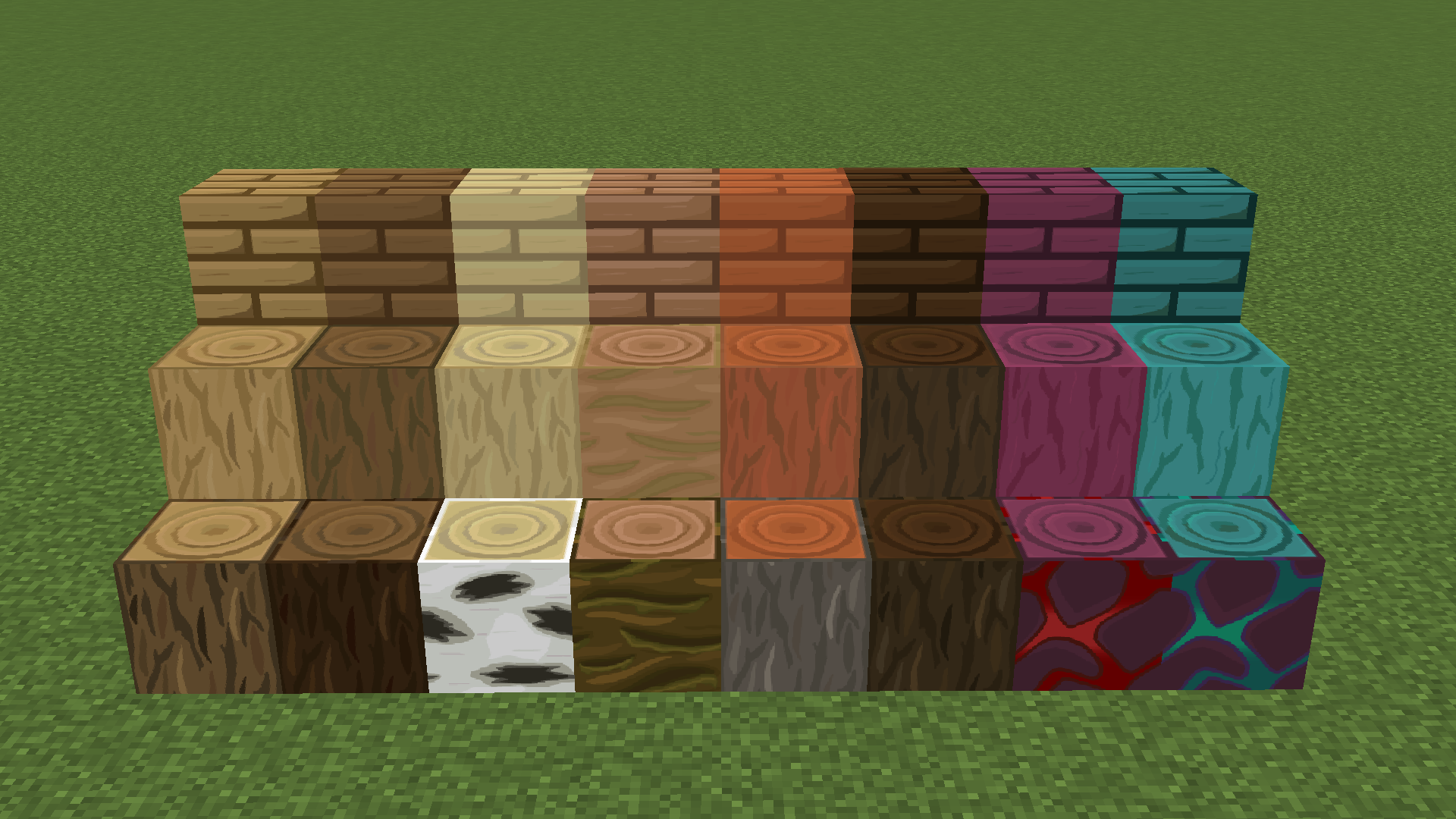
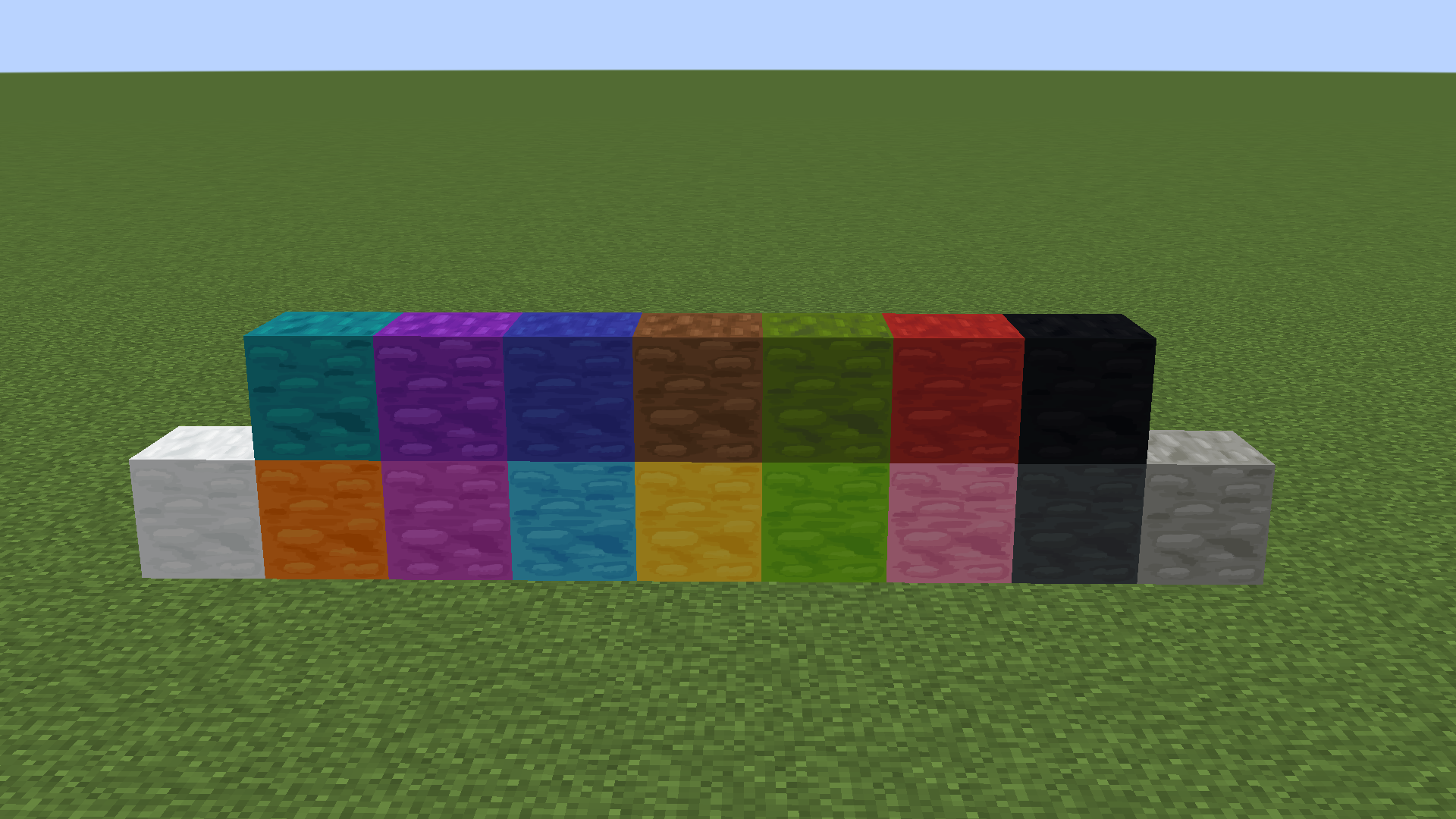
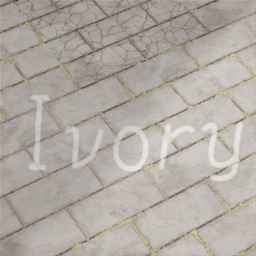
The Sweet Taste of Victory and Vanilla is a resourse pack only for blocks that tries to replicate the default pixelated textures style but 128x128, using the same color palette. Designed for players who love to play the game casually.
This is just the beginning!

These textures were made with Adobe Illustrator for an easy coloring, Then enhance them in Adobe Photoshop for adding those conforting pixelated details.

The Wool Update! Video Demostration

Subscribe to my Youtube channel if you wanna be up to date for any updates.

If you would like to give ideas and suggest things you can contact me on Discord ---> Distop#3564

This can be called a "reborn" of an old version that never came to light and that I still have, this old version used to have blocks, items and effects. But I had to cancel it because it was a lot and I think it's better to just focus on one thing. Probably I'm going to make an items one after I finish this.


Curseforge is the only official website where you can get this Resourse Pack, feel free to make any review and I'll have it in mind, and please don't forget to credit me and link this page.


 
Stone Update!
MC 1.18.1, 1.18
Beta 2022-02-25 Get
Stone Update!
MC 1.18.1, 1.18
Beta 2022-02-21 Get
Wood Update!
MC 1.18.1, 1.18
Release 2022-02-20 Get
The_Sweet_Taste_of_Victory_and_Vanilla_V0.1.zip
MC 1.18.1, 1.18
Release 2022-02-15 Get

Requirements & install

How to use this resource pack in Minecraft
Resolution
128x
Minecraft
1.18 – 1.18.1
Install folder
.minecraft/resourcepacks

How to install resource packs

  1. Download the resource pack .zip file (do not extract it).
  2. In Minecraft open Options → Resource Packs → Open Pack Folder.
  3. Drop the .zip into the resourcepacks folder (.minecraft/resourcepacks).
  4. Move the pack to the Selected column and click Done.

Packs from 128x upwards need more video memory: install a performance mod such as Sodium for smooth frame rates.

Browse more: 16x resource packs 32x resource packs 64x resource packs 128x resource packs 256x resource packs 512x+ resource packs Resource Packs for 1.18.1 All resource packs
Advertisement Remove ads with Premium →

You Might Also Like