Mineuniverse
Resource Packs
The Revenge of Shadow

The Revenge of Shadow

RESOURCE PACK
story of ice ender man [its a data pack]
by STM19
Download Claim this project
Add a badge to your pageLink to The Revenge of Shadow from a README, website or forum post.
Preview: Badge

Badges update automatically and link to the resource pack page on MineUniverse.

1,293 downloads
0 likes
0 followers
Updated Oct 14, 2026
0 hypes
Follow0
Data Packs Medieval Miscellaneous Photo Realistic Traditional
Advertisement Remove ads with Premium →

Hello guys!


we meet again

This time i present you the unknown story of ice enderman
this data pack is for entertainment
horror story
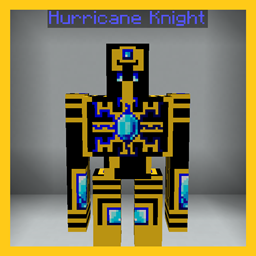
datapack introduce you 2 new type of endermans
this is a story based datapack
how a lonely ice enderman take his revenge for his family and village.
how he got killed and how he came back to life and start taking his revenge towards humans.
power of this enderman is unmeasurable.
he start changing enderman into ice enderman
1)light
2)shadow

read the Story how Light become Shadow and start taking revenge.
by using this command
/function shadow_revenge:story

these enderman are naturaly spawn and also be summon and craft by you
recipes of crafting spawn egg is posted in image
by summon use
/function shadow_revenge:summon/shadow
/function shadow_revenge:summon/light

after downloading this datapack and also texture pack
apply in your world and use this command
/reload
if this shows
Successfully loaded "The Revenge of Shadow Datapack"
it's means the pack is fully applied
if this not show to you then use
/function shadow_revenge:force_restart

this datapack have its own texture pack/resource pack
pls download both datapack and texture pack for proper exerience.


there are 2 packs

datapack-"The Revenge of Shadow Dp"
textpack-"The Revenge of Shadow Rp"

this pack is good for role play videos
horror adventure videos

this pack is supported both single player world and multiplayer servers.


version supported
form- 1.16 to latest

make sure you check the file version before downloading the pack
all versions have separate files


enjoy the "The Revenge of Shadow".


THANKS FOR DOWNLOAD

The Revenge of Shadow Dp[2.0][1.16.0-1.16.5].zip
MC 1.16-Snapshot, 1.16.3, 1.16.1, 1.16, 1.16.5, 1.16.4, 1.16.2
Release 2024-12-02 Get
The Revenge of Shadow Dp[2.0][1.17.0-1.17.1].zip
MC 1.17.1, 1.17, 1.17-Snapshot
Release 2024-12-02 Get
The Revenge of Shadow Dp[2.0][1.18.0-1.18.2].zip
MC 1.18.1, 1.18.2, 1.18, 1.18-Snapshot
Release 2024-12-02 Get
The Revenge of Shadow Dp[2.0][1.19.0-1.19.2].zip
MC 1.19-Snapshot, 1.19.2, 1.19.1, 1.19
Release 2024-12-02 Get
The Revenge of Shadow Dp[2.0][1.19.3].zip
MC 1.19.3, 1.19.3-Snapshot
Release 2024-12-02 Get
The Revenge of Shadow Dp[2.0][1.19.4].zip
MC 1.19.4-Snapshot, 1.19.4
Release 2024-12-02 Get
The Revenge of Shadow Dp[2.0][1.20.0-1.20.1].zip
MC 1.20.1, 1.20, 1.20-Snapshot
Release 2024-12-02 Get
The Revenge of Shadow Dp[2.0][1.20.2].zip
MC 1.20.2, 1.20.2-Snapshot
Release 2024-12-02 Get
The Revenge of Shadow Dp[2.0][1.20.3-1.20.4].zip
MC 1.20.3-Snapshot, 1.20.3, 1.20.4
Release 2024-12-02 Get
The Revenge of Shadow Dp[1.20.5-1.20.6].zip
MC 1.20.5, 1.20.5-Snapshot, 1.20.6
Release 2024-05-17 Get
The Revenge of Shadow Dp[1.20.3-1.20.4].zip
MC 1.20.3-Snapshot, 1.20.3, 1.20.4
Release 2024-01-03 Get
The Revenge of Shadow Dp[1.20.2].zip
MC 1.20.2, 1.20.2-Snapshot
Release 2023-09-27 Get
The Revenge of Shadow DP[1.16-1.16.5].zip
MC 1.16-Snapshot, 1.16.3, 1.16.1, 1.16, 1.16.5, 1.16.4, 1.16.2
Release 2023-06-17 Get
The Revenge of Shadow DP[1.17-1.17.1].zip
MC 1.17.1, 1.17, 1.17-Snapshot
Release 2023-06-17 Get
The Revenge of Shadow DP[1.18-1.18.2].zip
MC 1.18.1, 1.18.2, 1.18, 1.18-Snapshot
Release 2023-06-17 Get
The Revenge of Shadow DP[1.19-1.19.2].zip
MC 1.19-Snapshot, 1.19.2, 1.19.1, 1.19
Release 2023-06-17 Get
The Revenge of Shadow DP[1.19.3].zip
MC 1.19.3, 1.19.3-Snapshot
Release 2023-06-17 Get
The Revenge of Shadow DP[1.19.4].zip
MC 1.19.4-Snapshot, 1.19.4
Release 2023-06-17 Get
The Revenge of Shadow DP[1.20].zip
MC 1.20.1, 1.20, 1.20-Snapshot
Release 2023-06-17 Get

Requirements & install

How to use this resource pack in Minecraft
Resolution
Not specified
Minecraft
1.20.2-Snapshot – 1.20.6
Install folder
.minecraft/resourcepacks

How to install resource packs

  1. Download the resource pack .zip file (do not extract it).
  2. In Minecraft open Options → Resource Packs → Open Pack Folder.
  3. Drop the .zip into the resourcepacks folder (.minecraft/resourcepacks).
  4. Move the pack to the Selected column and click Done.
Browse more: 16x resource packs 32x resource packs 64x resource packs 128x resource packs 256x resource packs 512x+ resource packs Resource Packs for 1.20.6 All resource packs

More from STM19

Advertisement Remove ads with Premium →

You Might Also Like