Mineuniverse
Resource Packs
The green GUIs

The green GUIs

RESOURCE PACK
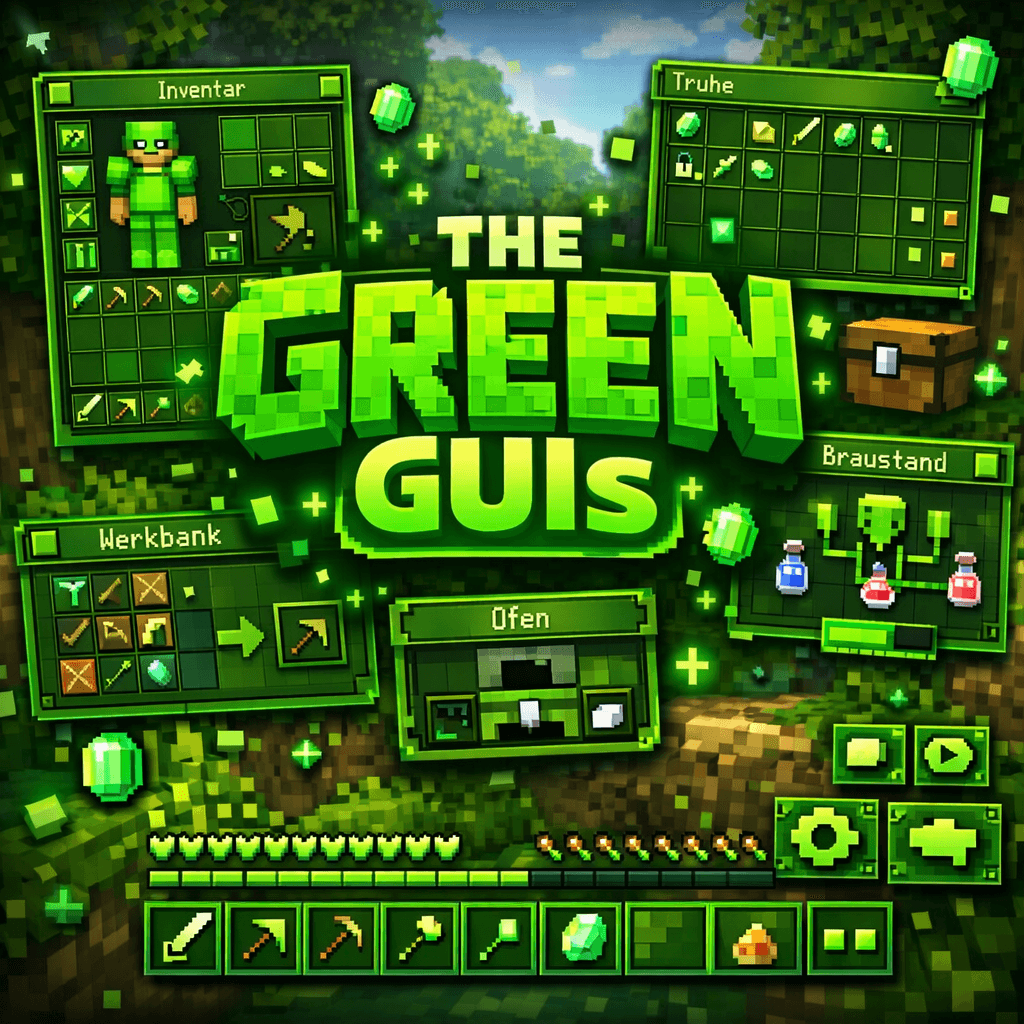
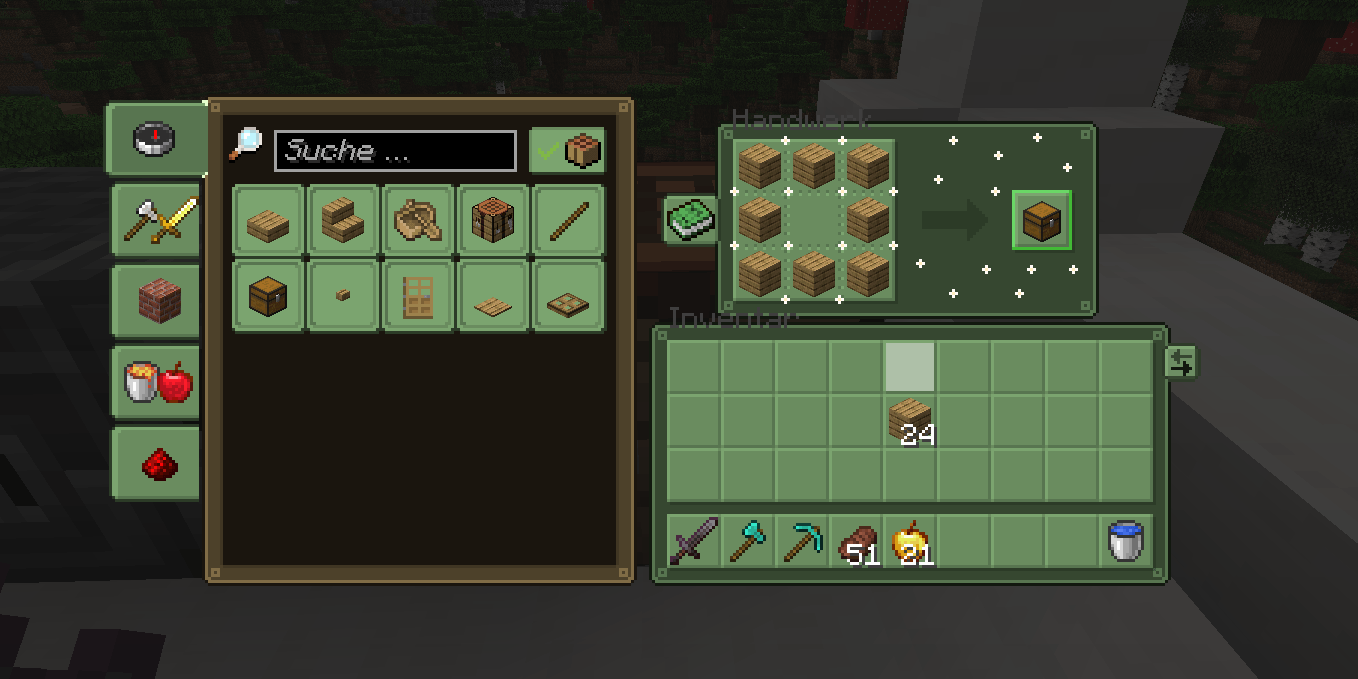
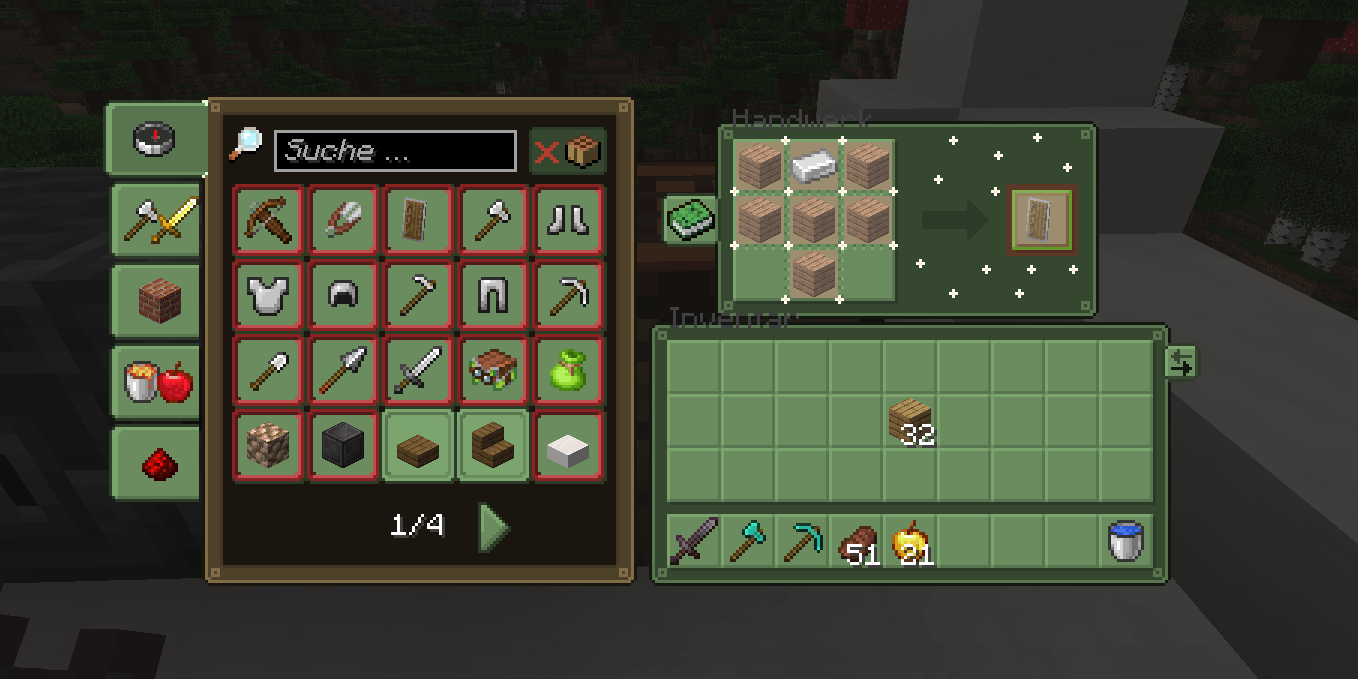
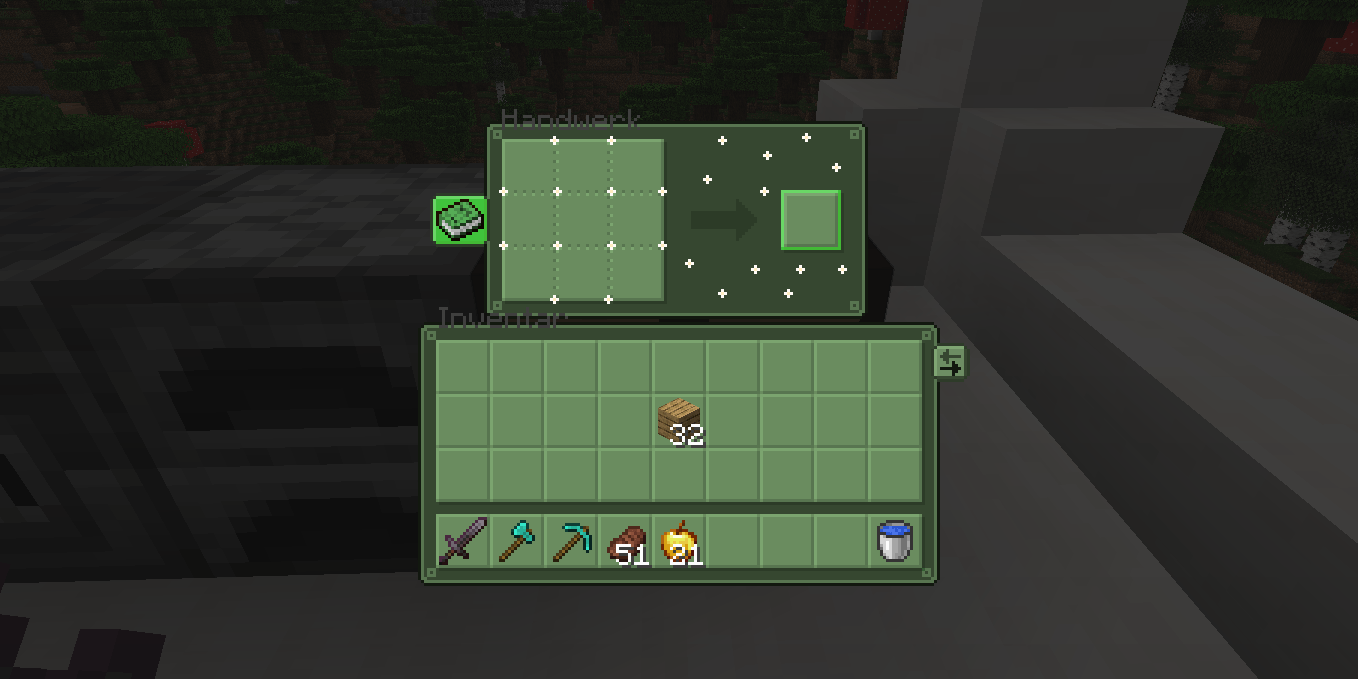
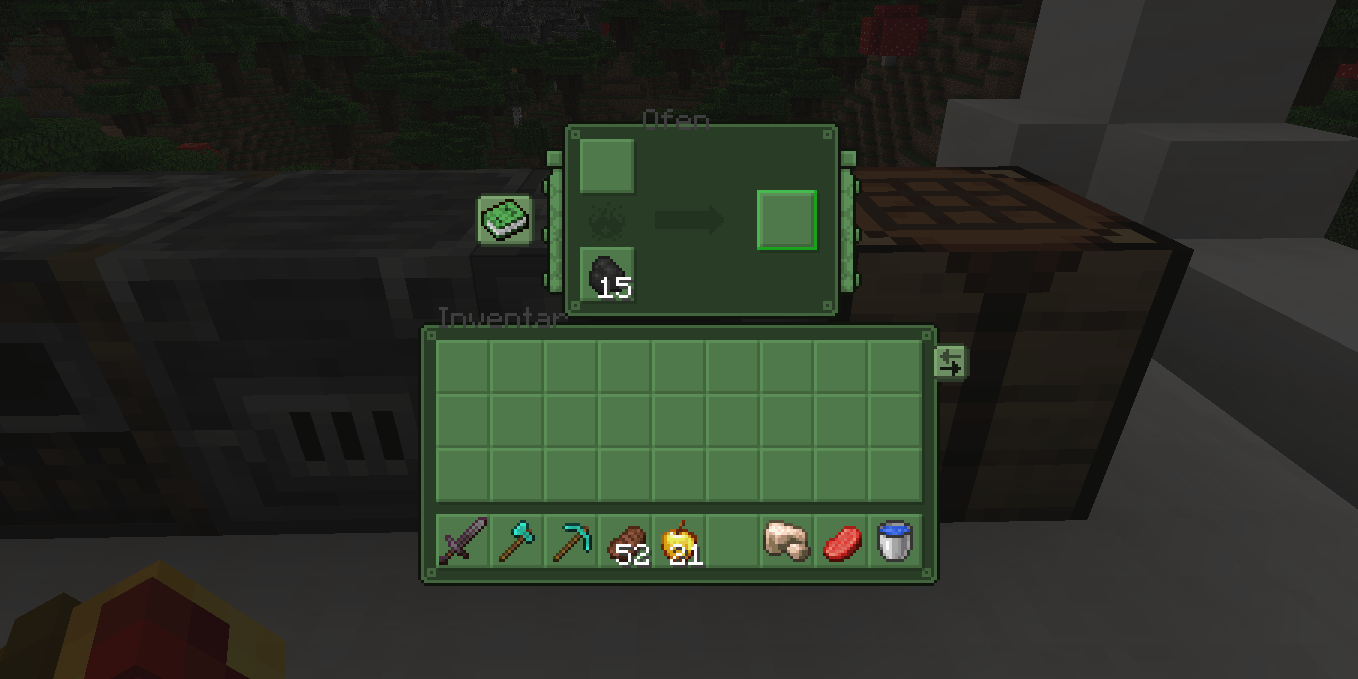
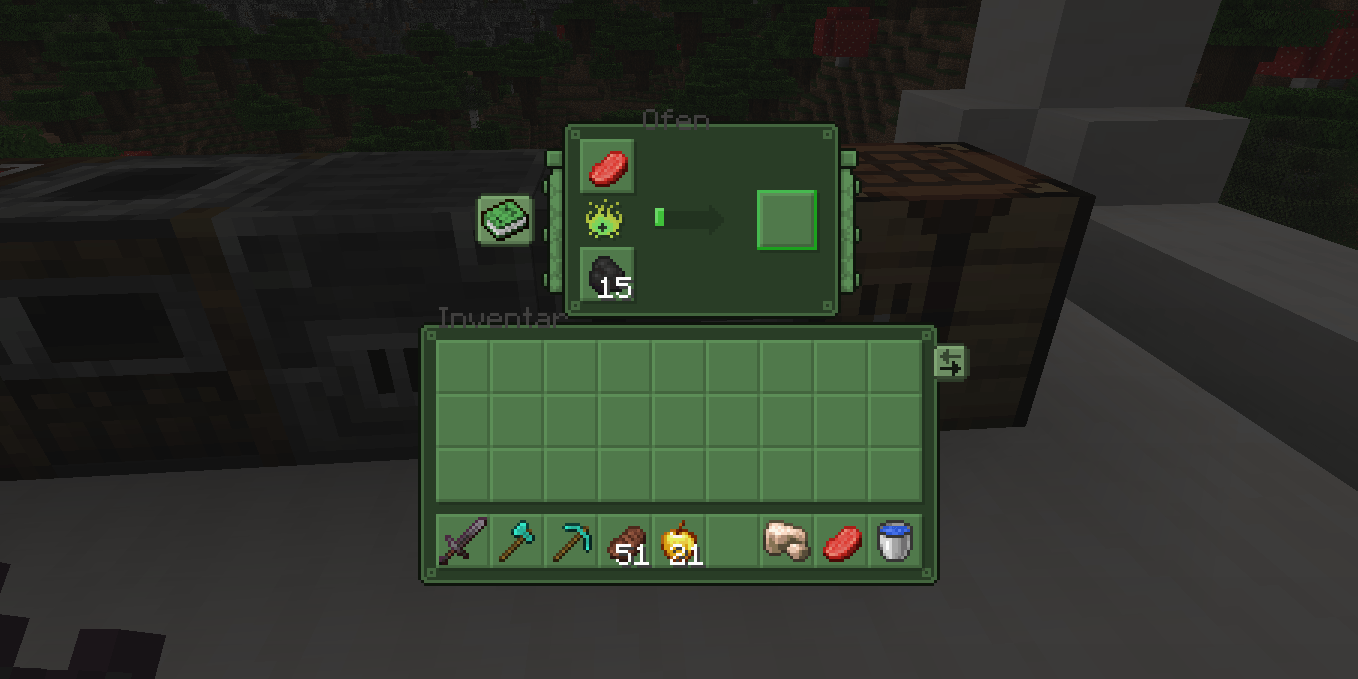
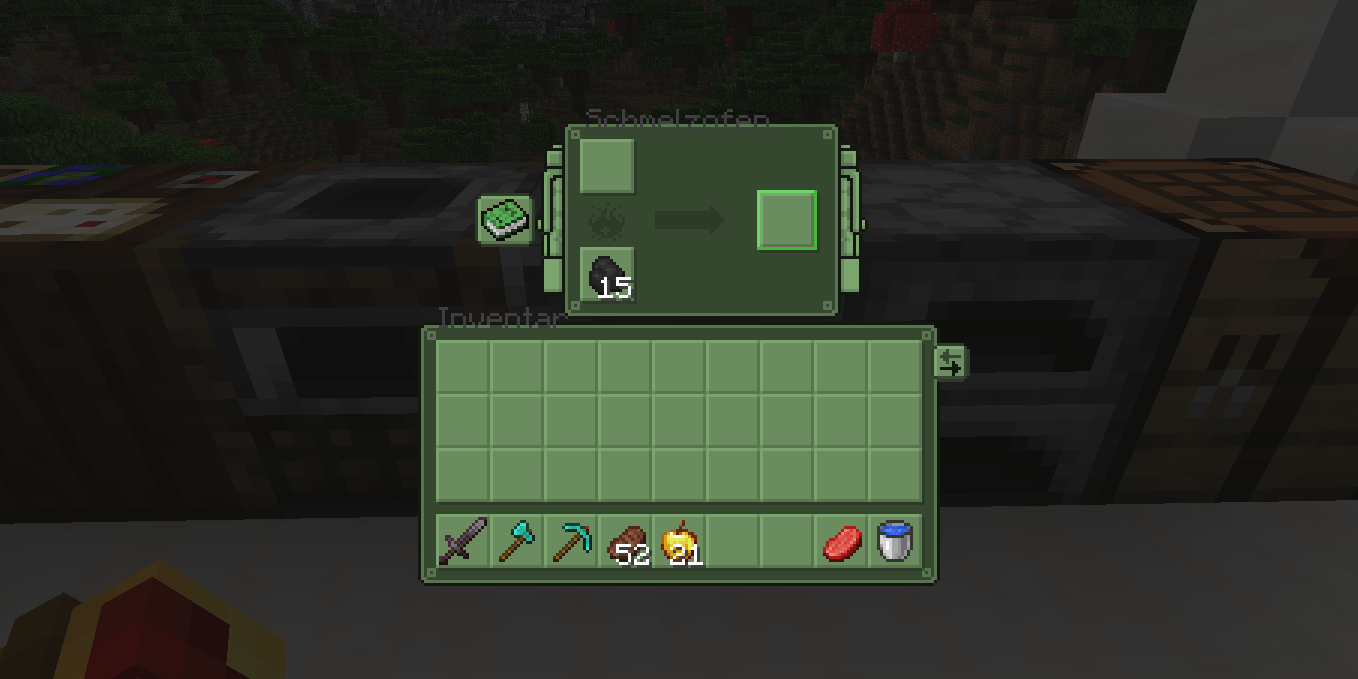
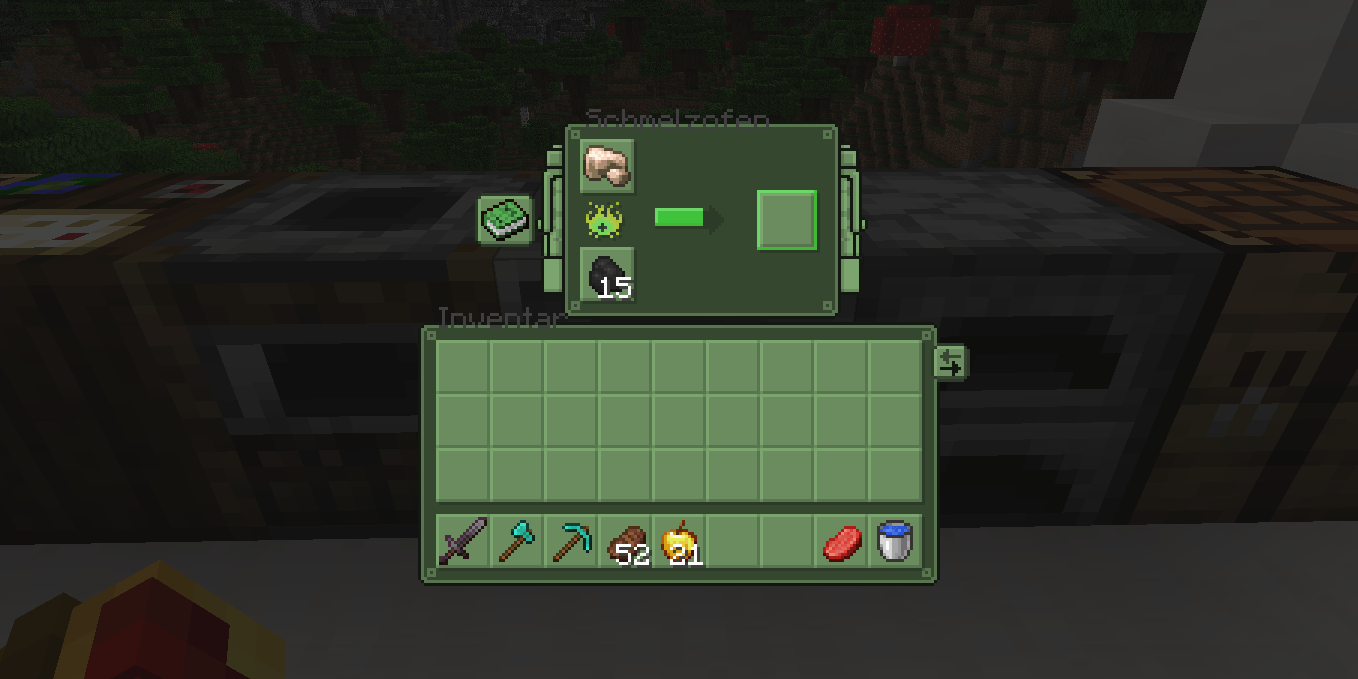
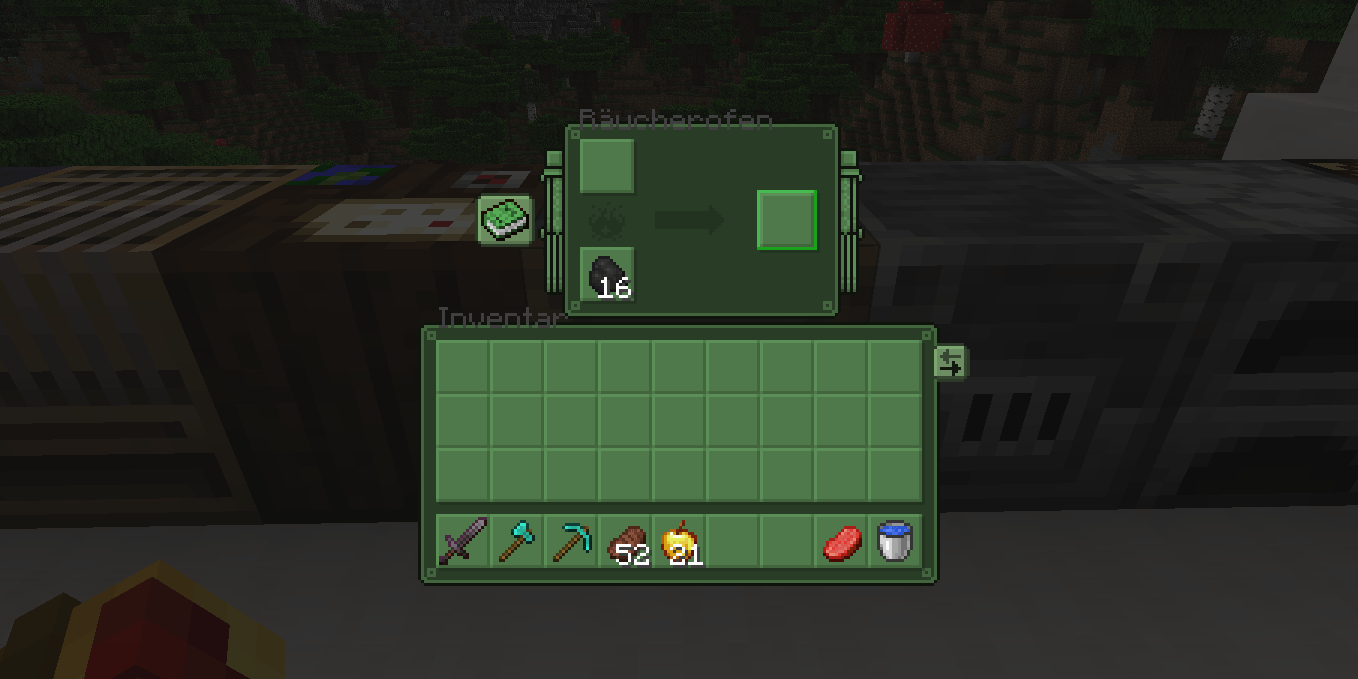
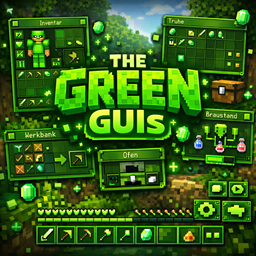
The Green GUIs is a texture pack for Minecraft that makes the GUIs green. Download now & Join my Discord server now! Link: https://discord.com/invite/dEfp2jXqfd
by Pizza_Star01
Download Claim this project
3,114 downloads
0 likes
0 followers
Updated Oct 14, 2026
0 hypes
Follow0
16x Miscellaneous
Advertisement Remove ads with Premium →

🟢 Welcome to The green GUIs!

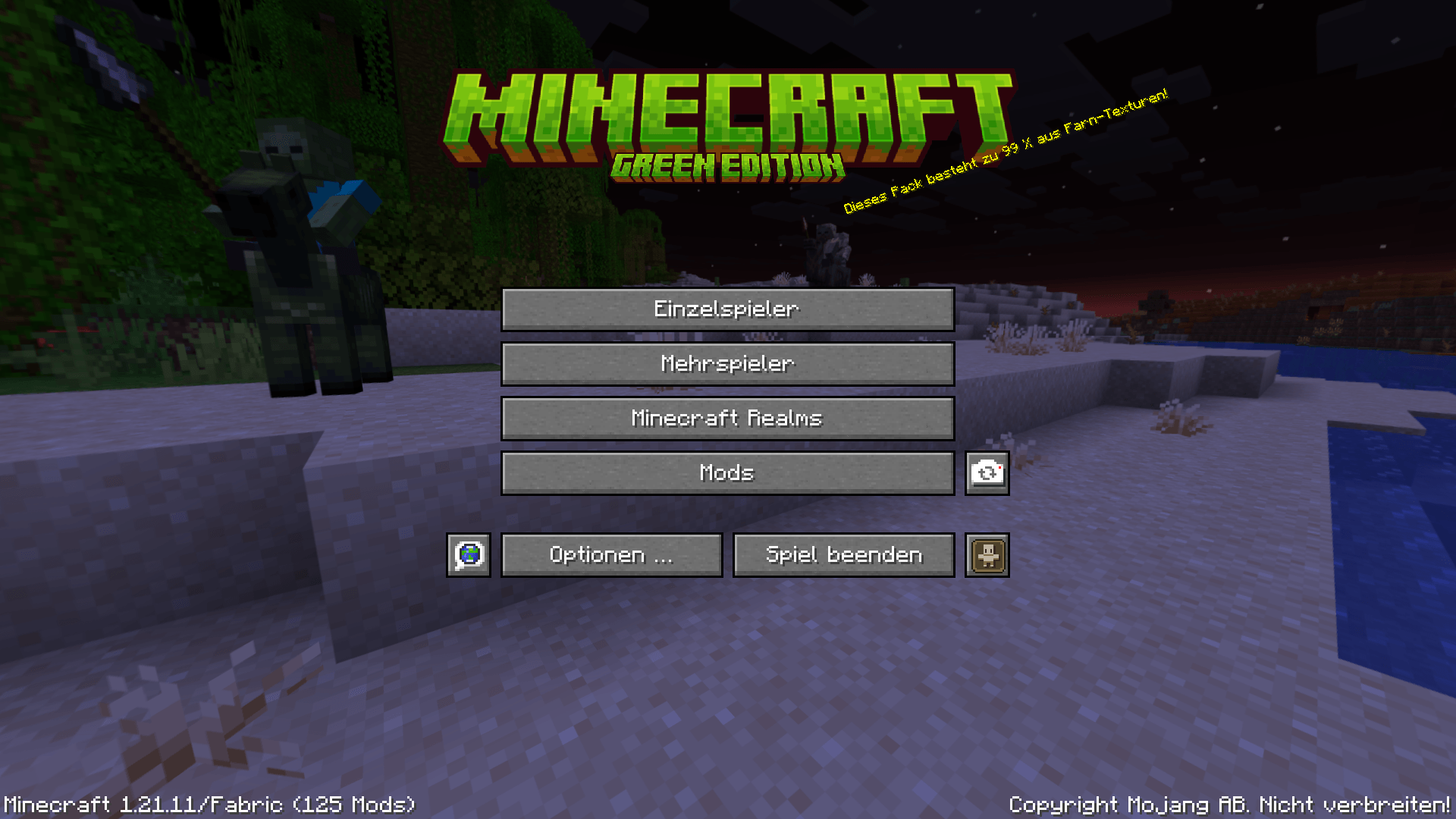
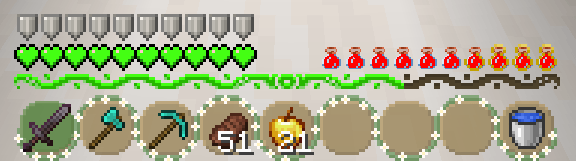
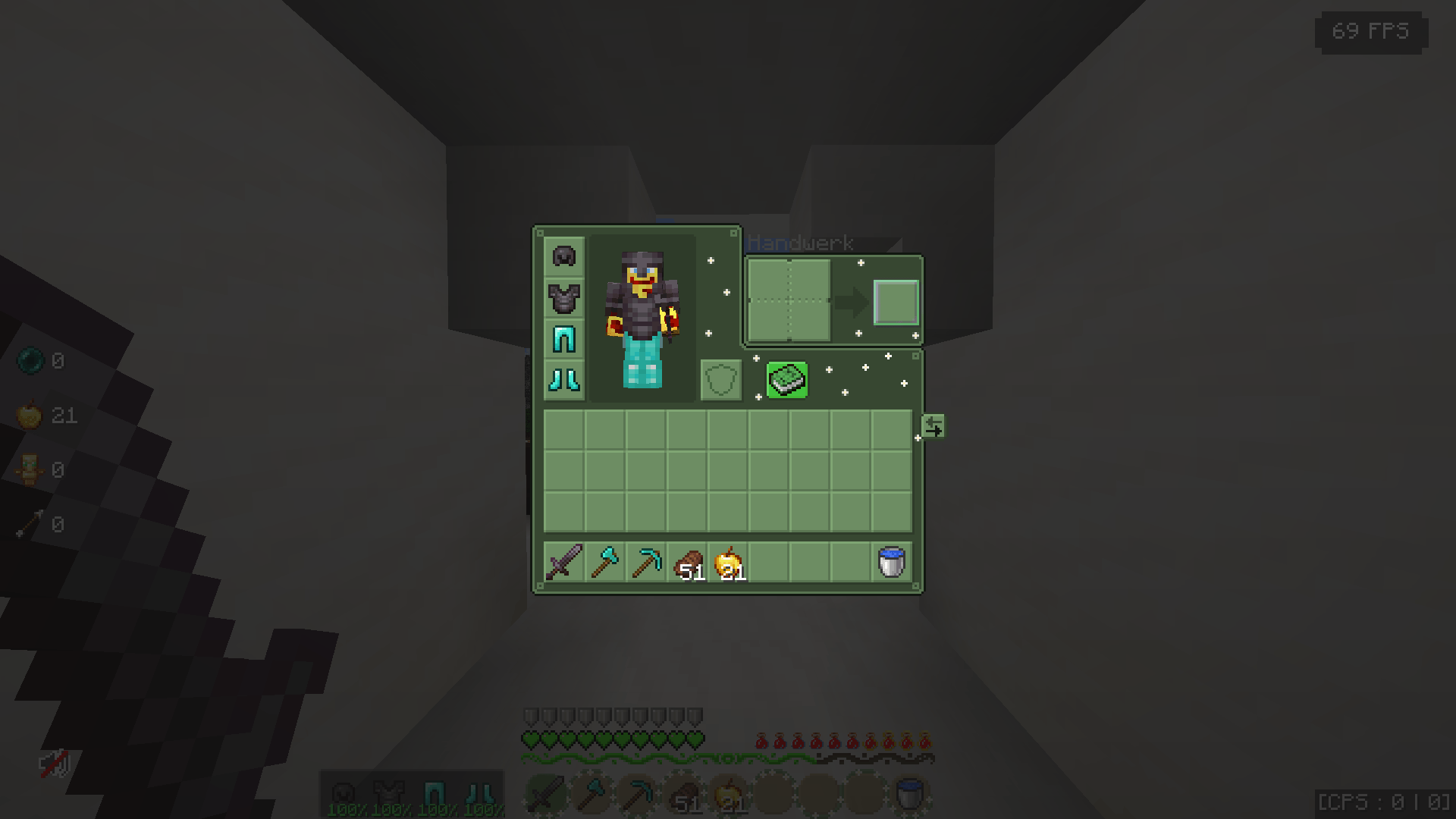
The green GUIs gives Minecraft’s interfaces a fresh, modern green look. If you are looking for a clean aesthetic GUI, a refreshed custom HUD, or a vibrant dark green UI, this is the perfect choice for your game!

Inventories, chests, crafting tables, furnaces, and many other interactive container interfaces are redesigned with a clean, consistent style, bright green accents, and optimized good readability. The resource pack keeps the original vanilla feel while adding a unique, vibrant look for players who love green-themed designs.

Now available on Modrinth! 👉 Check it out!


💬 Community & Support

Want to report a bug, suggest a mod to support, or chat with the creator? 👉 Join my Discord server now!


🧩 Mod Support & Credits

This texture pack is modpack ready and now includes custom green textures for the following mods:

  1. Client Sort Mod
  • Created by notryken
  • License: Licensed under Apache-2.0
  1. AppleSkin Mod
  • Created by squeek502
  • License: Licensed under Unlicense

📜 License

This project is licensed under the Apache License 2.0. You can read the full legal text here: 👉 View full project license


🔍 Related Keywords & Tags

For the search algorithm:

  • Style: green gui minecraft, aesthetic ui, dark green interface, clean container textures
  • Features: custom hud, green hearts, lime widgets, modern menus, transparent elements
  • Versions: minecraft 1.21 texture pack, vanilla friendly resource pack, forge fabric modpack

The_Green_GUI's_[1.21.x-26.x]
MC 1.21.2-Snapshot, 1.21, 1.21.6-snapshot, 1.21.1-Snapshot, 1.21.8, 1.21.5, 1.21.4, 1.21.5-Snapshot, 1.21.1, 1.21.6, 1.21.3, 1.21.7, 1.21-Snapshot, 1.21.4-Snapshot, 1.21.2
Release 2026-09-05 Get
The_Green_GUI's_[1.21.x-26.x]
MC 1.21.2-Snapshot, 1.21, 1.21.6-snapshot, 1.21.1-Snapshot, 1.21.8, 1.21.5, 1.21.4, 1.21.5-Snapshot, 1.21.1, 1.21.6, 1.21.3, 1.21.7, 1.21-Snapshot, 1.21.4-Snapshot, 1.21.2
Release 2026-07-06 Get
The_Green_GUI's_[1.21.x-26.x]
MC 1.21.2-Snapshot, 1.21, 1.21.6-snapshot, 1.21.1-Snapshot, 1.21.8, 1.21.5, 1.21.4, 1.21.5-Snapshot, 1.21.1, 1.21.6, 1.21.3, 1.21.7, 1.21-Snapshot, 1.21.4-Snapshot, 1.21.2
Release 2026-07-06 Get
The_Green_GUI's (1.21 - 26)
MC 1.21.2-Snapshot, 1.21, 1.21.6-snapshot, 1.21.1-Snapshot, 1.21.8, 1.21.5, 1.21.4, 1.21.5-Snapshot, 1.21.1, 1.21.6, 1.21.3, 1.21.7, 1.21-Snapshot, 1.21.4-Snapshot, 1.21.2
Release 2026-06-29 Get
The_Green_GUI's (1.21 - 26)
MC 1.21.2-Snapshot, 1.21, 1.21.6-snapshot, 1.21.1-Snapshot, 1.21.8, 1.21.5, 1.21.4, 1.21.5-Snapshot, 1.21.1, 1.21.6, 1.21.3, 1.21.7, 1.21-Snapshot, 1.21.4-Snapshot, 1.21.2
Release 2026-06-01 Get
The_Green_GUI's (1.21-26)
MC 1.21.2-Snapshot, 1.21, 1.21.6-snapshot, 1.21.1-Snapshot, 1.21.8, 1.21.5, 1.21.4, 1.21.5-Snapshot, 1.21.1, 1.21.6, 1.21.3, 1.21.7, 1.21-Snapshot, 1.21.4-Snapshot, 1.21.2
Release 2026-04-25 Get
The_Green_GUI's (1.21 - 26)
MC 1.21.2-Snapshot, 1.21, 1.21.6-snapshot, 1.21.1-Snapshot, 1.21.8, 1.21.5, 1.21.4, 1.21.5-Snapshot, 1.21.1, 1.21.6, 1.21.3, 1.21.7, 1.21-Snapshot, 1.21.4-Snapshot, 1.21.2
Release 2026-04-17 Get
The_Green_GUI's (1.21 - 26)
MC 1.21.2-Snapshot, 1.21, 1.21.6-snapshot, 1.21.1-Snapshot, 1.21.8, 1.21.5, 1.21.4, 1.21.5-Snapshot, 1.21.1, 1.21.6, 1.21.3, 1.21.7, 1.21-Snapshot, 1.21.4-Snapshot, 1.21.2
Release 2026-04-10 Get
The_Green_GUI's (1.21 - 26)
MC 1.21.2-Snapshot, 1.21, 1.21.6-snapshot, 1.21.1-Snapshot, 1.21.8, 1.21.5, 1.21.4, 1.21.5-Snapshot, 1.21.1, 1.21.6, 1.21.3, 1.21.7, 1.21-Snapshot, 1.21.4-Snapshot, 1.21.2
Release 2026-04-02 Get
The_Green_Gui's (1.21 - 1.21.11)
MC 1.21.2-Snapshot, 1.21, 1.21.6-snapshot, 1.21.1-Snapshot, 1.21.8, 1.21.5, 1.21.4, 1.21.5-Snapshot, 1.21.1, 1.21.6, 1.21.3, 1.21.7, 1.21-Snapshot, 1.21.4-Snapshot, 1.21.2
Release 2026-01-05 Get

Requirements & install

How to use this resource pack in Minecraft
Resolution
16x
Minecraft
1.21.4-Snapshot – 1.21.8
Install folder
.minecraft/resourcepacks

How to install resource packs

  1. Download the resource pack .zip file (do not extract it).
  2. In Minecraft open Options → Resource Packs → Open Pack Folder.
  3. Drop the .zip into the resourcepacks folder (.minecraft/resourcepacks).
  4. Move the pack to the Selected column and click Done.
Browse more: 16x resource packs 32x resource packs 64x resource packs 128x resource packs 256x resource packs 512x+ resource packs Resource Packs for 1.21.8 All resource packs

More from Pizza_Star01

Advertisement Remove ads with Premium →

You Might Also Like