Mineuniverse
Resource Packs
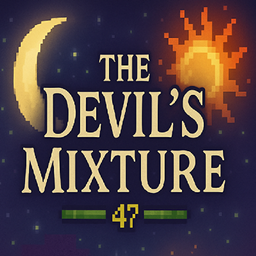
The Devil's Mixture

The Devil's Mixture

RESOURCE PACK
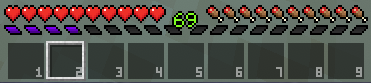
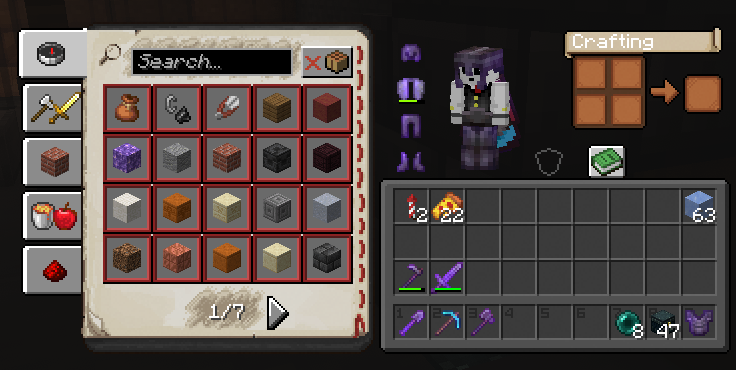
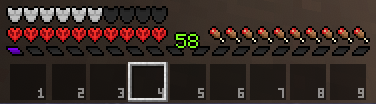
A dark, minimalist Minecraft HUD with a simple hotbar and purple XP bar
by TheDrunkenDevil
Download Claim this project
Add a badge to your pageLink to The Devil's Mixture from a README, website or forum post.
Preview: Badge

Badges update automatically and link to the resource pack page on MineUniverse.

951 downloads
0 likes
0 followers
Updated Oct 14, 2026
0 hypes
Follow0
16x Miscellaneous Modern Traditional
Advertisement Remove ads with Premium →

🟥 The Devil’s Mixture

The Devil’s Mixture is a Minecraft UI & HUD resource pack that gives the game a clean, dark, and minimalist look while remaining fully vanilla-friendly.

Designed to improve visual clarity without clutter, this pack focuses on subtle but impactful UI changes that feel natural during gameplay.


🎨 Features

  • Custom Minecraft HUD redesign
    (health, hunger, hotbar, and XP bar)

  • Clean, dark UI style with a purple XP bar

  • Custom 3D Sun and Moon textures

  • 8 Moon phases with enhanced visibility

  • Lightweight and performance-friendly

  • Compatible with vanilla and modded Minecraft


🧩 Compatibility

  • Minecraft Versions: 1.20.1 – 1.21.1
    (compatible with all versions in between)

  • Works with Vanilla, OptiFine, and Sodium

  • No OptiFine features required


🔍 Why Use This Pack?

If you’re looking for a minimalist Minecraft UI, a custom HUD resource pack, or a dark UI redesign that stays true to vanilla gameplay, The Devil’s Mixture is built to enhance your experience without distraction.


📌 Notes

  • This pack only affects UI/HUD and sky elements

  • No gameplay changes

  • Safe to add or remove from existing worlds

TheDevils Mixture.zip
MC 1.21.11
Release 2025-12-21 Get
TheDevils Mixture.zip
MC 1.20.1
Release 2025-06-09 Get

Requirements & install

How to use this resource pack in Minecraft
Resolution
16x
Minecraft
1.20.1 – 1.21.11
Install folder
.minecraft/resourcepacks

How to install resource packs

  1. Download the resource pack .zip file (do not extract it).
  2. In Minecraft open Options → Resource Packs → Open Pack Folder.
  3. Drop the .zip into the resourcepacks folder (.minecraft/resourcepacks).
  4. Move the pack to the Selected column and click Done.
Browse more: 16x resource packs 32x resource packs 64x resource packs 128x resource packs 256x resource packs 512x+ resource packs Resource Packs for 1.21.11 All resource packs

More from TheDrunkenDevil

Advertisement Remove ads with Premium →

You Might Also Like