Mineuniverse
Resource Packs
The BackRooms By Sinde

The BackRooms By Sinde

RESOURCE PACK
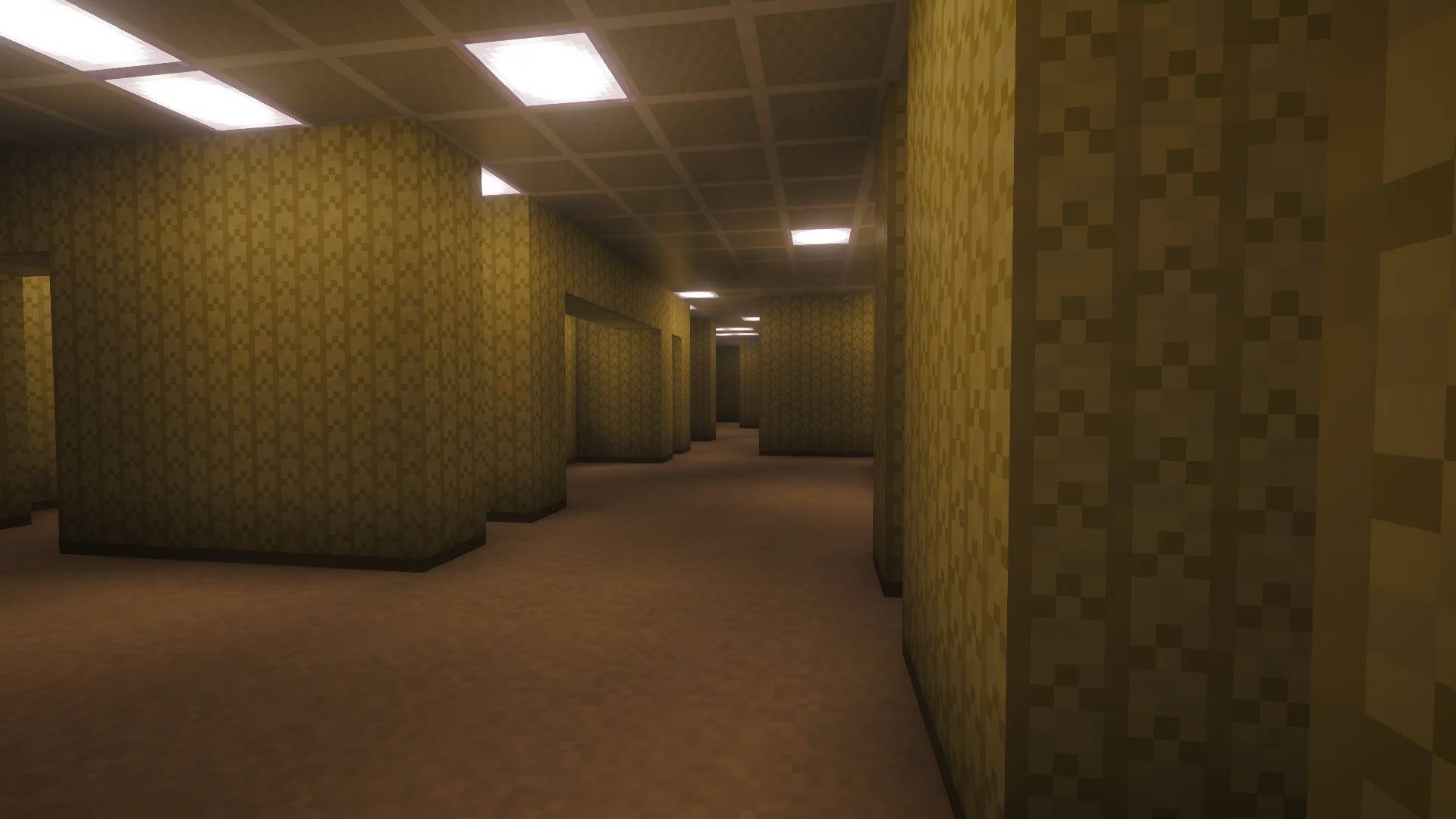
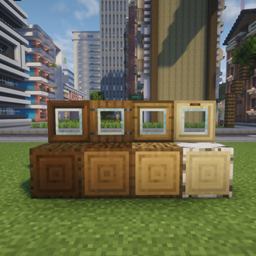
A simple Resource Pack that changes a few blocks to get the famous lookin' wallpaper, and more, from The BackRooms level 0.
by SindeIlMagnifico
Download Claim this project
2,970 downloads
0 likes
0 followers
Updated Oct 14, 2026
0 hypes
Follow0
16x Miscellaneous Modern
Advertisement Remove ads with Premium →

A simple Resource Pack that changes a few blocks to get the famous lookin' wallpaper, and more, from The BackRooms level 0. 

Use the "Body Camera Shader" shader for a better immerssion.

Type in the comments section some new blocks you would like me to change.


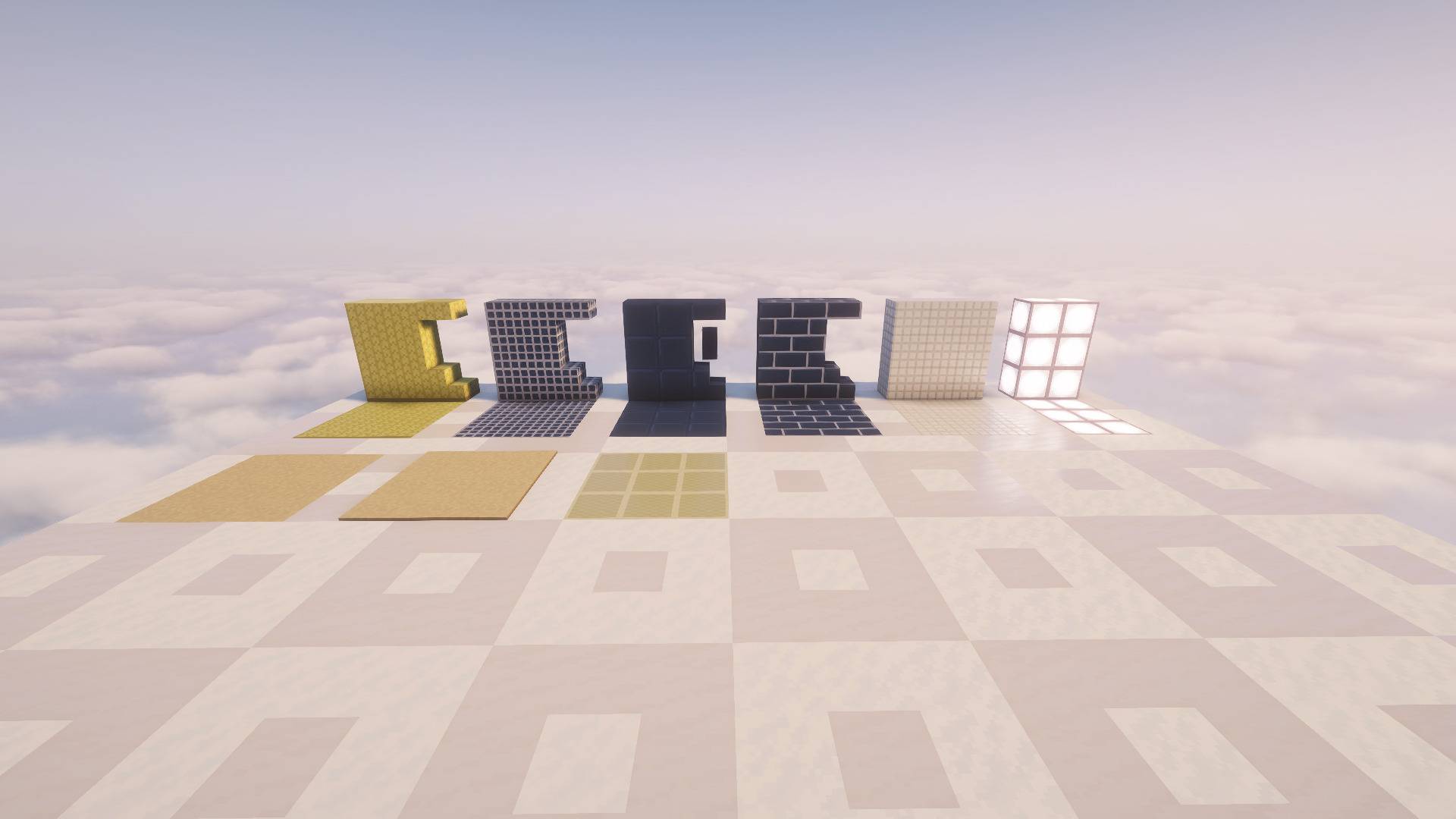
-Block of bamboo, Block of stripped bamboo, and Bamboo mosaic are textured to be the Level 0 Wallpaper.

-Yellow terracotta is textured to be the ceiling in v1.2.

-Sea lantern is textured to be the buzzing light. (It has no sound)

-Brown wool and carpet are textured to be the Level 0 Floor.

-Chiseled quartz and Quartz pillar are textured to be the Level 37.

-Prismarine and the set, Prismarine bricks and the set and Dark prismarine and the set are textured to be the blue version of Level 37.

-Prismarine shard also got retextured.

BackRooms 1.2
MC 1.21, 1.20.2, 1.21.8, 1.20.5, 1.21.5, 1.21.4, 1.20.1, 1.20, 1.20.6, 1.21.1, 1.21.6, 1.21.3, 1.21.7, 1.20.4, 1.20.3, 1.21.2, 1.21.9, 1.21.10, 1.21.11, 26.1, 26.1.1, 26.1.2
Release 2026-07-02 Get
BackRooms 1.1
MC 1.21, 1.20.2, 1.21.8, 1.20.5, 1.21.5, 1.21.4, 1.20.1, 1.20, 1.20.6, 1.21.1, 1.21.6, 1.21.3, 1.21.7, 1.20.4, 1.20.3, 1.21.2, 1.21.9, 1.21.10, 1.21.11, 26.1, 26.1.1, 26.1.2
Release 2026-06-19 Get
BackRooms 1.0
MC 1.21, 1.21.8, 1.21.5, 1.21.4, 1.21.1, 1.21.6, 1.21.3, 1.21.7, 1.21.2, 1.21.9, 1.21.10, 1.21.11, 26.1, 26.1.1, 26.1.2
Release 2026-05-30 Get

Requirements & install

How to use this resource pack in Minecraft
Resolution
16x
Minecraft
1.21.7 – 26.1.2
Install folder
.minecraft/resourcepacks

How to install resource packs

  1. Download the resource pack .zip file (do not extract it).
  2. In Minecraft open Options → Resource Packs → Open Pack Folder.
  3. Drop the .zip into the resourcepacks folder (.minecraft/resourcepacks).
  4. Move the pack to the Selected column and click Done.
Browse more: 16x resource packs 32x resource packs 64x resource packs 128x resource packs 256x resource packs 512x+ resource packs Resource Packs for 26.1.2 All resource packs

More from SindeIlMagnifico

Advertisement Remove ads with Premium →

You Might Also Like