Mineuniverse
Resource Packs
Textures 18w44a (FutureMC Support)

Textures 18w44a (FutureMC Support)

RESOURCE PACK
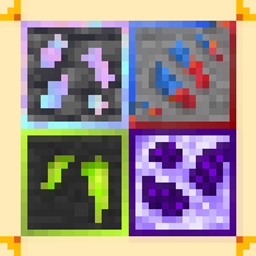
this mod adds old Jappa textures from 1.14 snapshot 18w44a
by taras228224
Download Claim this project
Add a badge to your pageLink to Textures 18w44a (FutureMC Support) from a README, website or forum post.
Preview: Badge

Badges update automatically and link to the resource pack page on MineUniverse.

427 downloads
0 likes
0 followers
Updated Oct 14, 2026
0 hypes
Follow0
16x Mod Support
Advertisement Remove ads with Premium →

Requies: FutureMC, Shadowfact's forgelin

this mod adds old Jappa textures from 1.14 snapshot 18w44a

I was interested in one thought: if someone doesn’t want to use the new textures from 1.14 for 1.12.2, then why did they leave the new texture for the profession blocks?

I decided to make retro profession block textures for those who want a regular, nostalgic Minecraft experience with old textures, and also so that mod backups will also contain old textures.

Credits: Mojang-for textures

on Modrinth:https://modrinth.com/resourcepack/18w44a-textures-(futuremc-support)

Feel free to add this to your modpacks.

18w44a Textures FutureMC support.zip
MC 1.12.2
Release 2026-08-09 Get

Requirements & install

How to use this resource pack in Minecraft
Resolution
16x
Minecraft
1.12.2
Install folder
.minecraft/resourcepacks

How to install resource packs

  1. Download the resource pack .zip file (do not extract it).
  2. In Minecraft open Options → Resource Packs → Open Pack Folder.
  3. Drop the .zip into the resourcepacks folder (.minecraft/resourcepacks).
  4. Move the pack to the Selected column and click Done.
Browse more: 16x resource packs 32x resource packs 64x resource packs 128x resource packs 256x resource packs 512x+ resource packs Resource Packs for 1.12.2 All resource packs

More from taras228224

Advertisement Remove ads with Premium →

You Might Also Like