Mineuniverse
Resource Packs
Texture pack- Colourful heaven

Texture pack- Colourful heaven

RESOURCE PACK
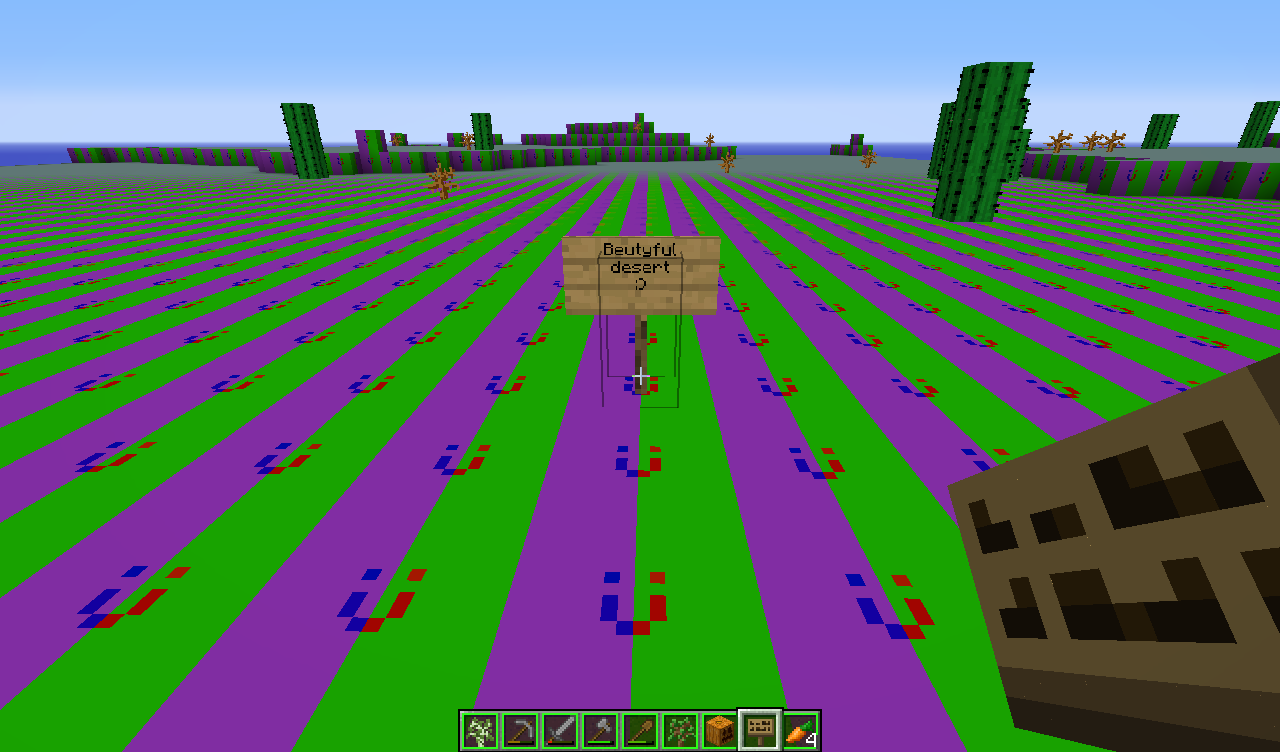
This texture pack will have some updates. This is the beta version. Enjoy! :D
by _ForgeUser16409139
Download Claim this project
5,715 downloads
0 likes
Updated Oct 14, 2026
0 hypes
32x Animated Mod Support Modern Traditional
Advertisement Remove ads with Premium →

WARNING: This a beta version and needs a lot of work....

What will be added in the next updates:

colourful mobs

colourful nether!

and more.....

What i added already:

Colourful end and ender dragon NEW

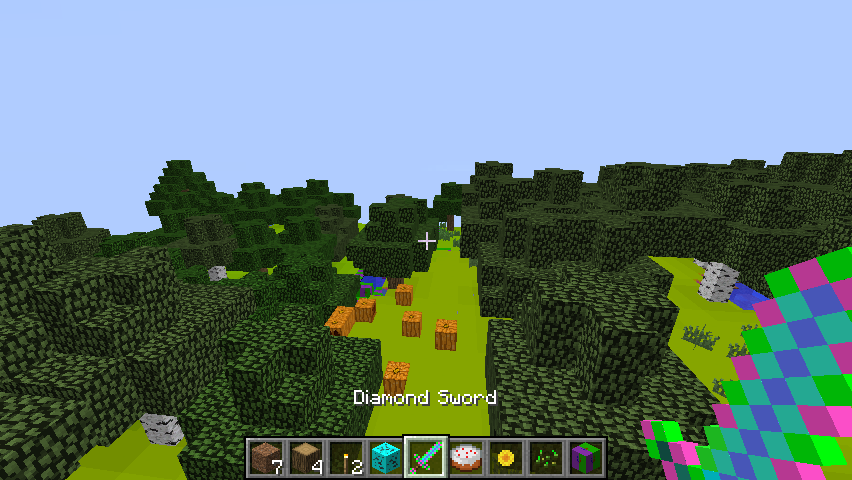
Colourful tools and armor NEW

Colourful tree logs

Colourful grass blocks

Colourful water NEW


I see already that some people are downloading. Thank you :D

Reviews will be accepted.

put video links on http://www.curse.com/texture-packs/minecraft/223685-justins-colorful-texture-pack

 

heaven texture pack v1.2.zip
MC 1.7.6, 1.7.4, 1.7.7, 1.7.5, 1.4.6, 1.6.1, 1.7.9, 1.7.2, 1.0.0, 1.8-Snapshot, Beta 1.7.3, 1.5.2, 1.5.1, 1.1, 1.2.1, Beta 1.6.6, Beta 1.7, 1.7.8, 1.6.4, 1.7.10, 1.3.2, 1.4.2
Beta 2014-08-30 Get
Heaven texture pack.zip
MC 1.7.6, 1.7.4, 1.7.7, 1.7.5, 1.4.6, 1.6.1, 1.7.9, 1.7.2, 1.0.0, 1.8-Snapshot, Beta 1.7.3, 1.5.2, 1.5.1, 1.1, 1.2.1, Beta 1.6.6, Beta 1.7, 1.7.8, 1.6.4, 1.7.10, 1.3.2, 1.4.2
Beta 2014-08-24 Get
Heaven texture pack v1.1.zip
MC 1.7.6, 1.7.4, 1.7.7, 1.7.5, 1.4.6, 1.6.1, 1.7.9, 1.7.2, 1.0.0, 1.8-Snapshot, Beta 1.7.3, 1.5.2, 1.5.1, 1.1, 1.2.1, Beta 1.6.6, Beta 1.7, 1.7.8, 1.6.4, 1.7.10, 1.3.2, 1.4.2
Beta 2014-08-24 Get
Justin's colurful texture pack.zip
MC 1.7.6, 1.7.4, 1.7.7, 1.7.5, 1.4.6, 1.6.1, 1.7.9, 1.7.2, 1.8-Snapshot, 1.5.2, 1.5.1, 1.7.8, 1.6.4, 1.7.10, 1.4.2, 1.4.7, 1.5.0, 1.6.2
Release 2014-08-24 Get

Requirements & install

How to use this resource pack in Minecraft
Resolution
32x
Minecraft
1.7.4 – 1.8-Snapshot
Install folder
.minecraft/resourcepacks

How to install resource packs

  1. Download the resource pack .zip file (do not extract it).
  2. In Minecraft open Options → Resource Packs → Open Pack Folder.
  3. Drop the .zip into the resourcepacks folder (.minecraft/resourcepacks).
  4. Move the pack to the Selected column and click Done.
Browse more: 16x resource packs 32x resource packs 64x resource packs 128x resource packs 256x resource packs 512x+ resource packs Resource Packs for 1.8-Snapshot All resource packs

More from _ForgeUser16409139

Advertisement Remove ads with Premium →

You Might Also Like