Mineuniverse
Resource Packs
SVC No Disconnect icon

SVC No Disconnect icon

RESOURCE PACK
This resource pack removes the persistent "disconnected" icon from the Simple Voice Chat mod. It’s a small visual tweak for players who find the icon distracting on unsupported servers.
by tobyjas
Download Claim this project
Add a badge to your pageLink to SVC No Disconnect icon from a README, website or forum post.
Preview: Badge

Badges update automatically and link to the resource pack page on MineUniverse.

1,921 downloads
0 likes
0 followers
Updated Oct 14, 2026
0 hypes
Follow0
16x Miscellaneous Mod Support Modern
Advertisement Remove ads with Premium →

This resource pack hides the "disconnected" icon from the Simple Voice Chat mod. The icon usually appears on servers that don't support the mod and stays visible at all times, which can be distracting. If you find the icon unnecessary or annoying, this pack removes it for a cleaner interface. No other visuals or features are changed - just a simple tweak for a better experience.


Before & After 

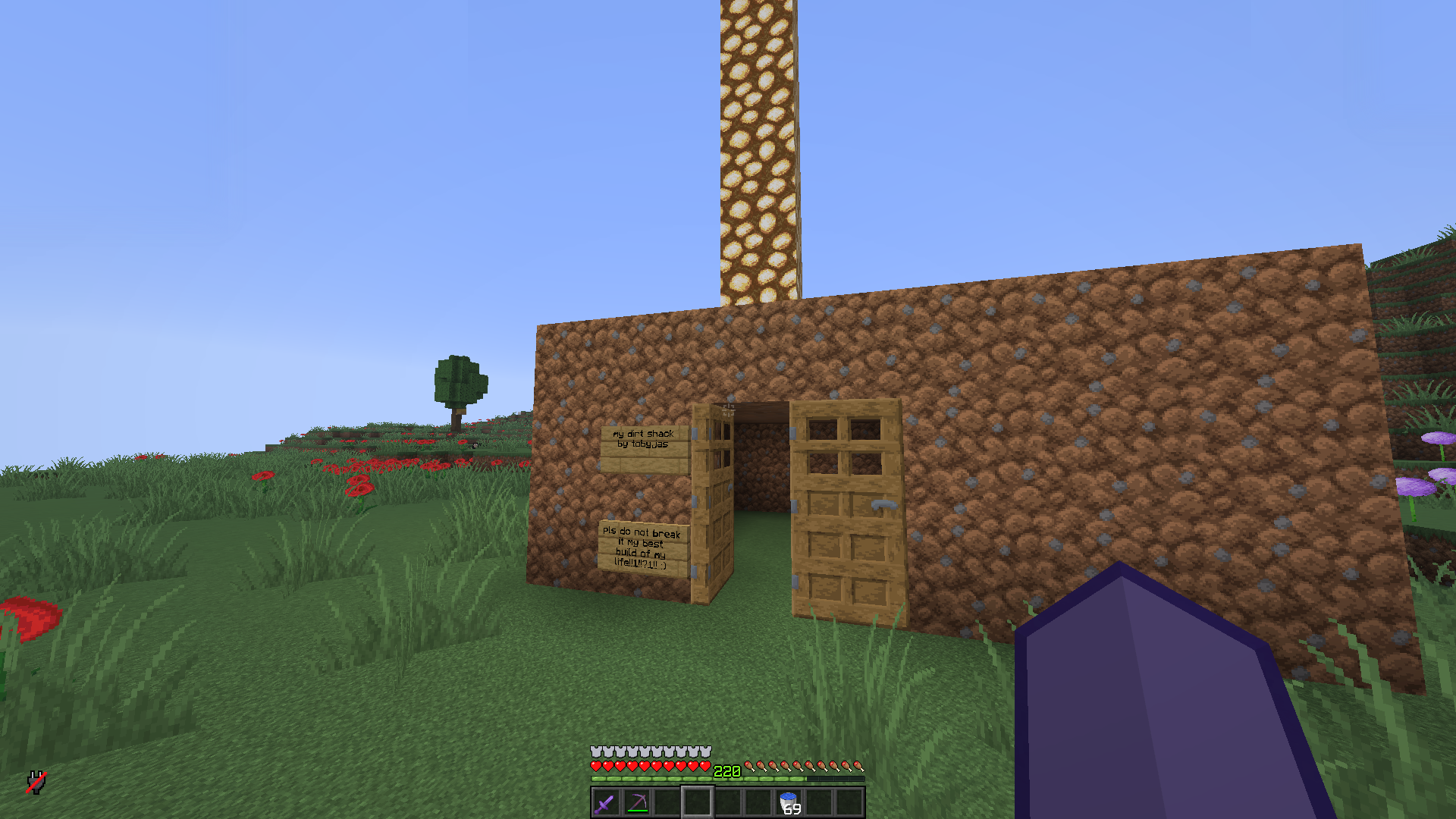
Before: In-game screenshot without the texture pack; disconnected icon in the bottom left

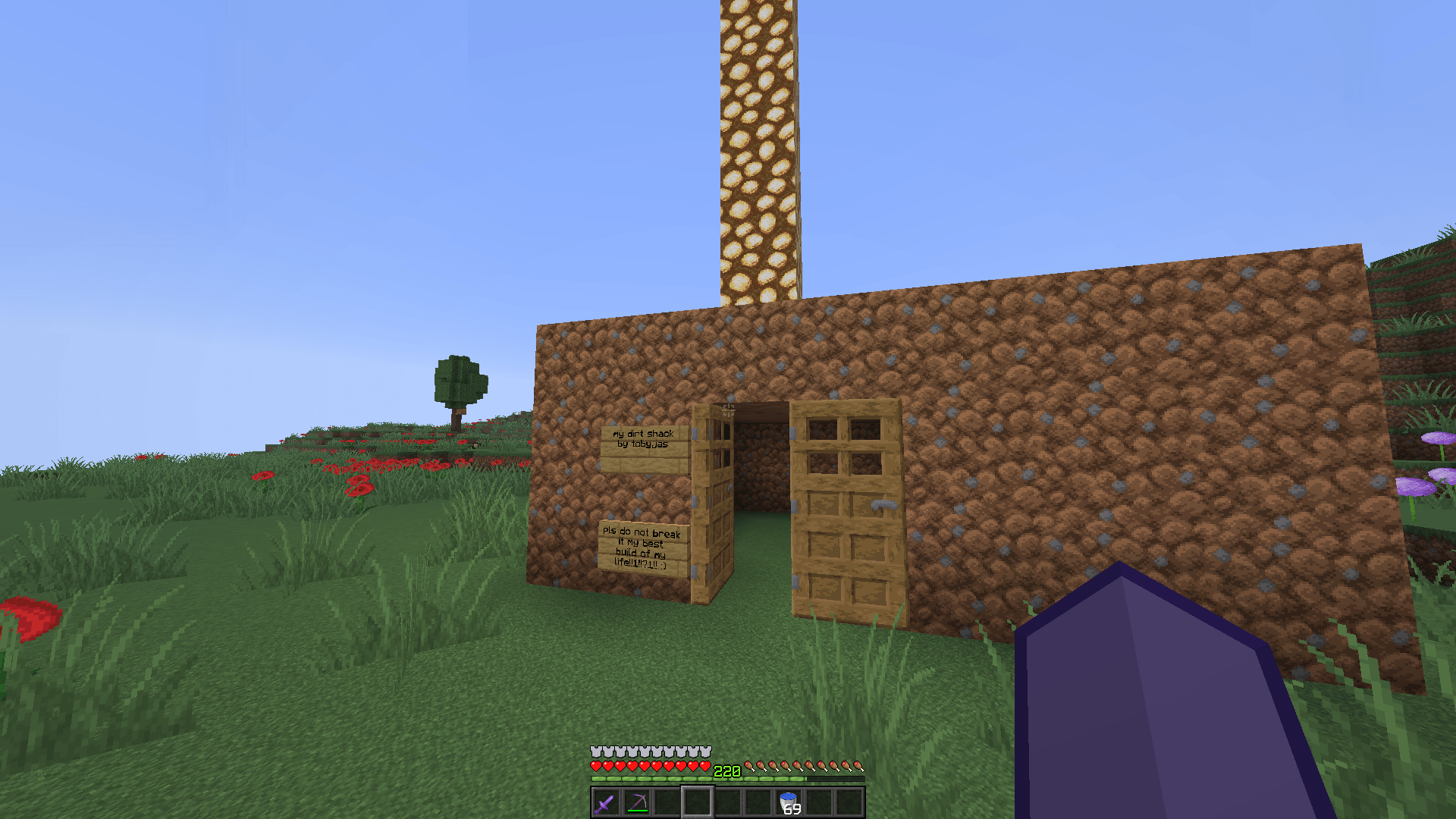
After: In-game screenshot with the texture pack; no disconnected icon in the bottom left Wow so beautiful! You have to download this pack too.


Reviews (totally real) 

Look at our beautiful reviews:

Steve This resource pack truly saved my life - Steve

Steve This resource pack makes playing on server better because i don't have to see the Disconnected icon all the time - also Steve

Tobias Good pack - literally me

SVC No disconnected icon.zip
MC 1.17.1, 1.16.3, 1.13.1, 1.8.7, 1.19.3, 1.20.2, 1.21, 1.16.1, 1.18.1, 1.20.5, 1.21.5, 1.8.4, 1.14.4, 1.14.1, 1.12.1, 1.17, 1.12, 1.14.3, 1.15, 1.16, 1.13, 1.19.4, 1.21.8
Release 2025-08-05 Get

Requirements & install

How to use this resource pack in Minecraft
Resolution
16x
Minecraft
1.18.1 – 1.21.8
Install folder
.minecraft/resourcepacks

How to install resource packs

  1. Download the resource pack .zip file (do not extract it).
  2. In Minecraft open Options → Resource Packs → Open Pack Folder.
  3. Drop the .zip into the resourcepacks folder (.minecraft/resourcepacks).
  4. Move the pack to the Selected column and click Done.
Browse more: 16x resource packs 32x resource packs 64x resource packs 128x resource packs 256x resource packs 512x+ resource packs Resource Packs for 1.21.8 All resource packs
Advertisement Remove ads with Premium →

You Might Also Like