Mineuniverse
Resource Packs
Stormbit298's Improved Jujutsucraft

Stormbit298's Improved Jujutsucraft

RESOURCE PACK
General improvements to Jujutsu Craft by Orca.
by Stormbit298
Download Claim this project
Add a badge to your pageLink to Stormbit298's Improved Jujutsucraft from a README, website or forum post.
Preview: Badge

Badges update automatically and link to the resource pack page on MineUniverse.

1,860,124 downloads
0 likes
0 followers
Updated Oct 14, 2026
0 hypes
Follow0
16x Miscellaneous
Advertisement Remove ads with Premium →

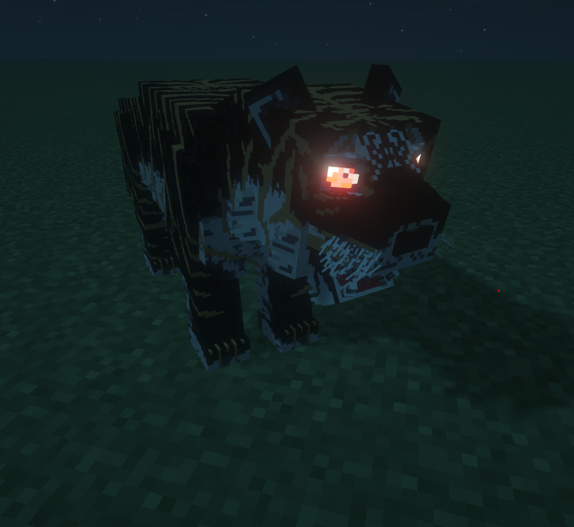
This resource pack is made as a fan project to the mod Jujutsu Craft by Orca, aiming to generally improve sounds or textures or other things that I feel are lacking.

Icon credit goes to TechnoDagger.

(Sounds taken from clips of the anime Jujutsu Kaisen by Gege Akutami, animated by MAPPA. Music used goes to all its respectful creators and belongs to them, no copyright infringement is intended, if the respectful creators want me to remove their music or sound effects from this resource pack I will comply.)


Improved Tiger Funeral texture originally by Orca, edited by me.


This resource pack removes the "annoying" black box around move selector.


Songs currently used by this resource pack include:


HIGHEST JUMPING


Tuca Donka


Join the official server for the Jujutsucraft mod.


Please leave any suggestions for future changes in the comments. Please consider what you can and cannot do with Resource Packs when suggesting things!

Join the Discord for my things.

Improved Jujutsucraft V4 (Tuca Donka Version)
MC 1.20.1
Release 2024-04-07 Get
Version 3 - 1.20.1 Uraume
MC 1.20.1
Release 2024-02-04 Get
Version 2
MC 1.16.5, 1.20.1
Release 2023-12-20 Get
Version 1
MC 1.16.5
Release 2023-11-25 Get

Requirements & install

How to use this resource pack in Minecraft
Resolution
16x
Minecraft
1.16.5 – 1.20.1
Install folder
.minecraft/resourcepacks

How to install resource packs

  1. Download the resource pack .zip file (do not extract it).
  2. In Minecraft open Options → Resource Packs → Open Pack Folder.
  3. Drop the .zip into the resourcepacks folder (.minecraft/resourcepacks).
  4. Move the pack to the Selected column and click Done.
Browse more: 16x resource packs 32x resource packs 64x resource packs 128x resource packs 256x resource packs 512x+ resource packs Resource Packs for 1.20.1 All resource packs

More from Stormbit298

Advertisement Remove ads with Premium →

You Might Also Like