Mineuniverse
Resource Packs
Stardew Waystone Textures

Stardew Waystone Textures

RESOURCE PACK
A resource pack for Minecraft that retextures the modded Waystones to match the style of Stardew Valley/Farming Valley.
by Kehaan
Download Claim this project
114,050 downloads
0 likes
0 followers
Updated Oct 14, 2026
0 hypes
Follow0
16x Miscellaneous Mod Support
Advertisement Remove ads with Premium →

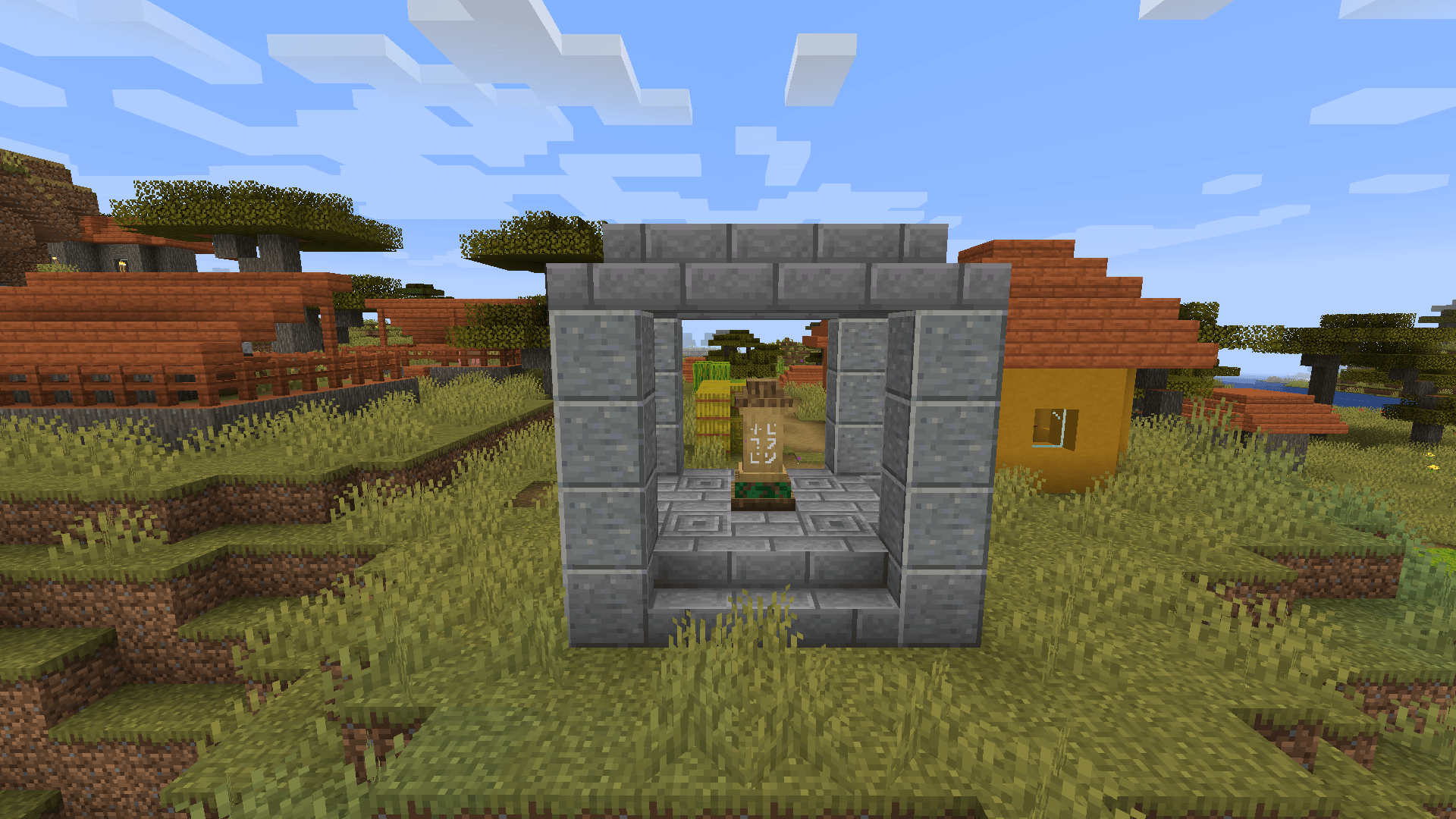
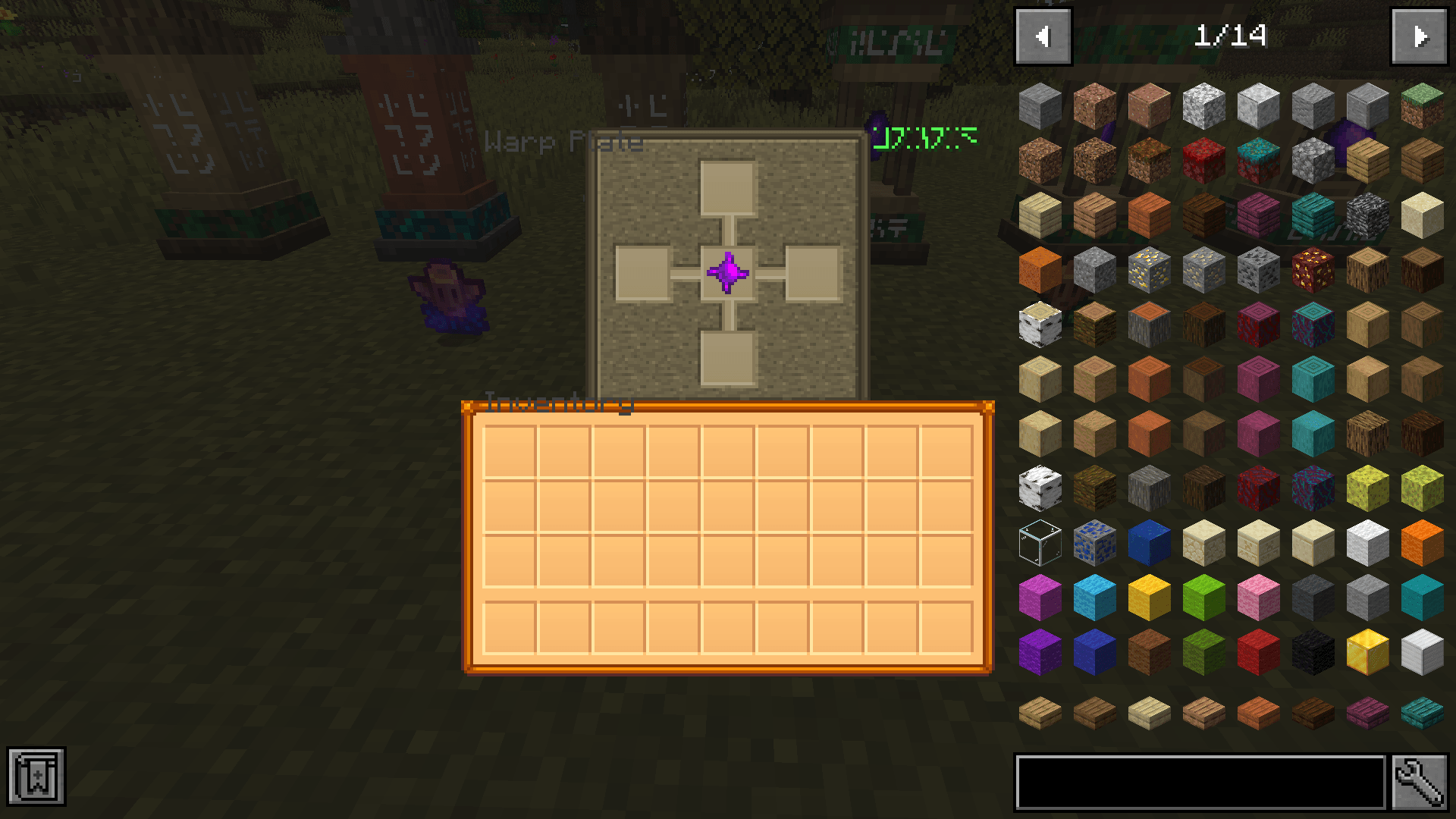
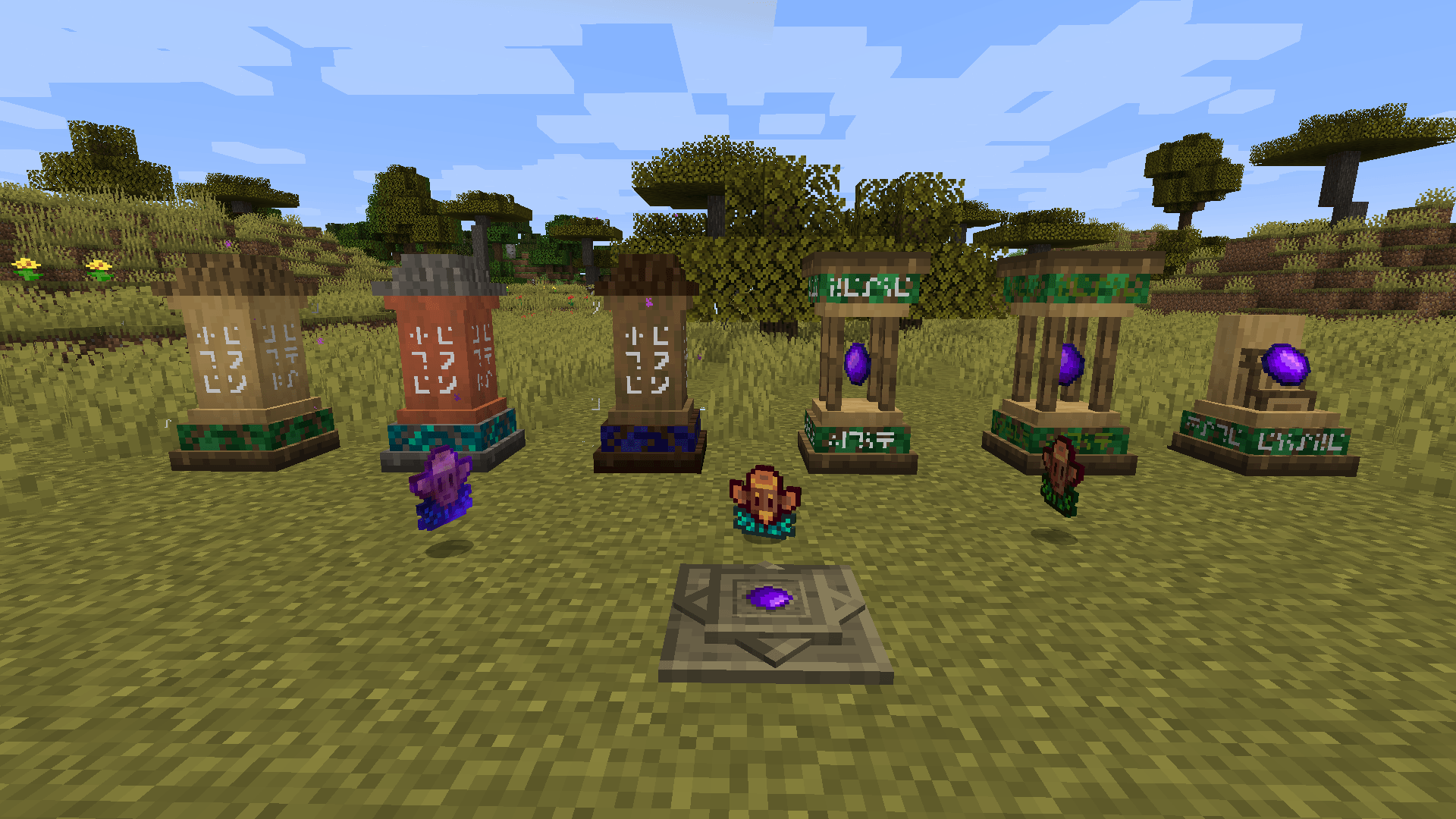
This resource pack retextures the Minecraft mod Waystones  made by BlayTheNinth to match the aesthetic of the game Stardew Valley and the Minecraft modpack Farming Valley. It updates the appearance of all items, blocks, and interfaces from the mod.

This includes the Return Scroll, Bound Scroll, Warp Scroll, and Warp Stone — as well as the various Waystone, Sharestone, Portstone, and Warp Plate variants. The graphical user interface (GUI) has also been redesigned to fit the theme.

This resource pack is currently out for Minecraft 1.10.2, 1.12.2, 1.16.5 and 1.20.1

Please see the screenshots below:
This resourcepack requires the mod Waystones.

Textures by arkadyaaa

stardew_waystone_1.21.11_v1.0.2.zip
MC 1.21.11
Release 2026-02-10 Get
stardew_waystone_1.12.2_v1.0.0.zip
MC 1.12.2
Release 2025-06-12 Get
stardew_waystone_1.16.5_v1.0.0.zip
MC 1.16.5
Release 2025-06-12 Get
stardew_waystone_1.20.1_v1.0.0.zip
MC 1.20.1
Release 2025-06-12 Get
stardew_waystone_1.21.5_v1.0.0.zip
MC 1.21.5
Release 2025-06-12 Get
stardew_waystone_1.10.2_v1.0.2.zip
MC 1.10.2
Release 2025-06-12 Get
stardew_waystone_1.12.2_v1.0.2.zip
MC 1.12.2
Release 2025-06-12 Get
stardew_waystone_1.16.5_v1.0.2.zip
MC 1.16.5
Release 2025-06-12 Get
stardew_waystone_1.20.1_v1.0.2.zip
MC 1.20.1
Release 2025-06-12 Get
stardew_waystone_1.21.5_v1.0.2.zip
MC 1.21.5
Release 2025-06-12 Get
stardew_waystone_1.10.2_v1.0.0.zip
MC 1.10.2
Release 2025-06-09 Get

Requirements & install

How to use this resource pack in Minecraft
Resolution
16x
Minecraft
1.10.2 – 1.21.11
Install folder
.minecraft/resourcepacks

How to install resource packs

  1. Download the resource pack .zip file (do not extract it).
  2. In Minecraft open Options → Resource Packs → Open Pack Folder.
  3. Drop the .zip into the resourcepacks folder (.minecraft/resourcepacks).
  4. Move the pack to the Selected column and click Done.
Browse more: 16x resource packs 32x resource packs 64x resource packs 128x resource packs 256x resource packs 512x+ resource packs Resource Packs for 1.21.11 All resource packs

More from Kehaan

Advertisement Remove ads with Premium →

You Might Also Like