Mineuniverse
Resource Packs
Spryzeen's Thunder breathing (original style)

Spryzeen's Thunder breathing (original style)

RESOURCE PACK
Thunder breathing from Demon slayer
by Spryzeen
Download Claim this project
Add a badge to your pageLink to Spryzeen's Thunder breathing (original style) from a README, website or forum post.
Preview: Badge

Badges update automatically and link to the resource pack page on MineUniverse.

9,226 downloads
0 likes
0 followers
Updated Oct 14, 2026
0 hypes
Follow0
16x Miscellaneous
Advertisement Remove ads with Premium →

There are more breathings, you can find all below


Spryzeen's Thunder Breathing changes the sword sweep animation into a lightning sweep

like Thunder breathing from Demon slayer

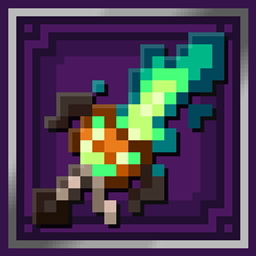
also adds an especial nichirin sword that has a different texture if it's in left or right hand (see screenshots)


You can get that nichirin sword by renaming a diamond or netherite sword as: thunder nichirin

also you can rename "zenitsu nichirin" to get another sword style

-----------------------------------------------------------------------------------------------------------------------------------------------------------------------------------

Requirements:

- Optifine, download it here: Optifine downloads (you need optifine only for sword, you can use the sweep without optifine)


More breathing styles:


- Sun breathing

- Water breathing

- Beast breathing

- Flame breathing

- Blue Flame breathing

------------------------------------------------------------------------------------------------------------------------------------------------------------------------------------

 
Thunder breathing v1.1
MC 1.19.3
Release 2023-01-18 Get
Thunder breathing v1.0
MC 1.19.2
Release 2022-12-04 Get
§bThunderBreathing§8-[v0.7].zip
MC 1.19.2
Beta 2022-12-02 Get

Requirements & install

How to use this resource pack in Minecraft
Resolution
16x
Minecraft
1.19.2 – 1.19.3
Install folder
.minecraft/resourcepacks

How to install resource packs

  1. Download the resource pack .zip file (do not extract it).
  2. In Minecraft open Options → Resource Packs → Open Pack Folder.
  3. Drop the .zip into the resourcepacks folder (.minecraft/resourcepacks).
  4. Move the pack to the Selected column and click Done.
Browse more: 16x resource packs 32x resource packs 64x resource packs 128x resource packs 256x resource packs 512x+ resource packs Resource Packs for 1.19.3 All resource packs

More from Spryzeen

Advertisement Remove ads with Premium →

You Might Also Like