Better Summary:
This Resource Pack changes Oak look on some of the based Oak blocks/items, for example version 2.0 changes the based Oak texture of the chest to look like Spruce textured chest.
✔️ means that to this resource is both block/entity and item textured
❌ means that to this resource is just block/entity textured
What version 1.0 changes:
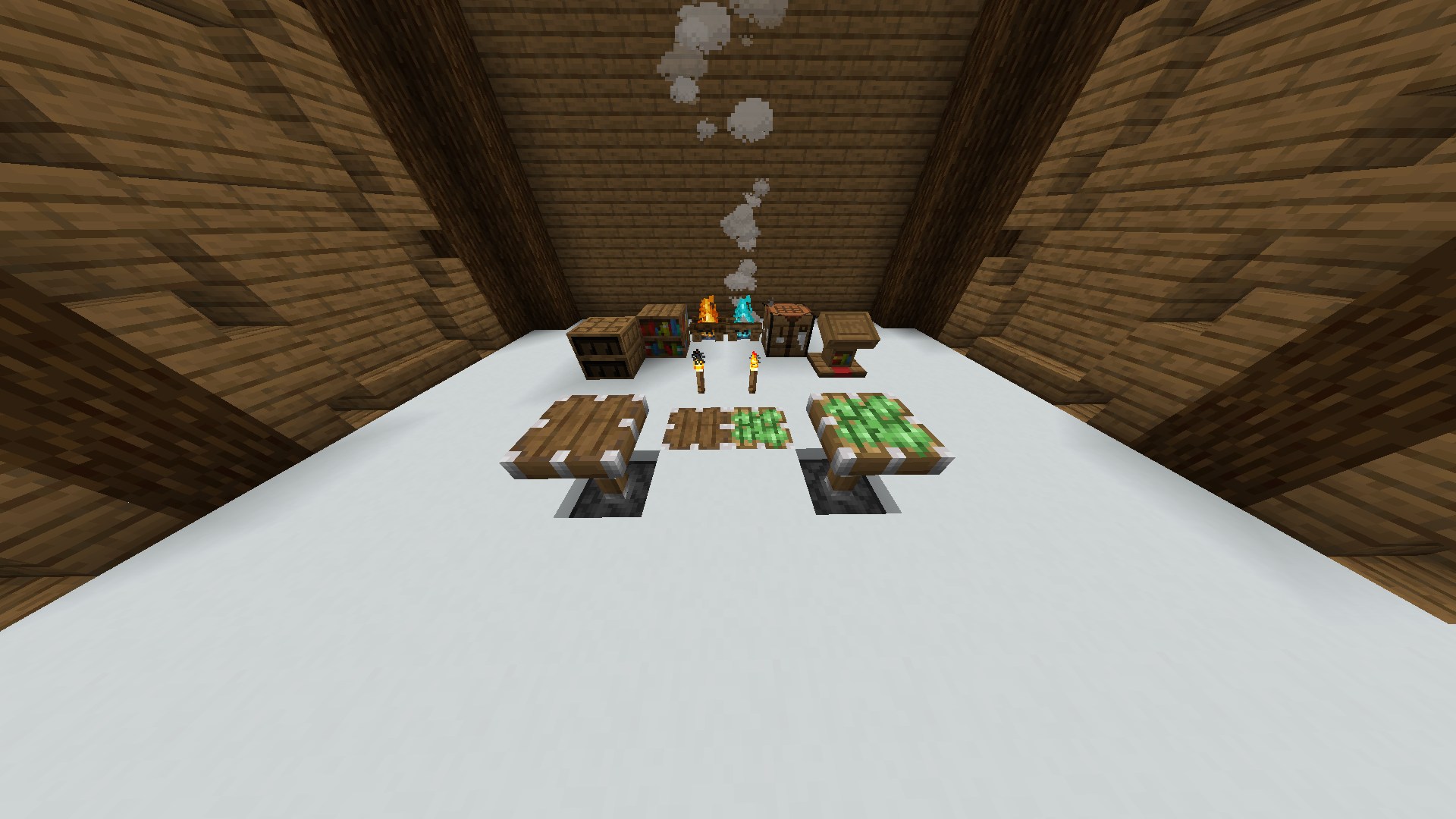
Crafting Table (Bad Texture) ✔️
Piston ✔️
Sticky Piston (Bad Texture) ✔️
Bookshelf ✔️
Chiseled Bookshelf ✔️
Campfire ❌
Soul Campfire (Bad Texture) ❌
Lectern ✔️
Torch ✔️
What version 2.0 changes:
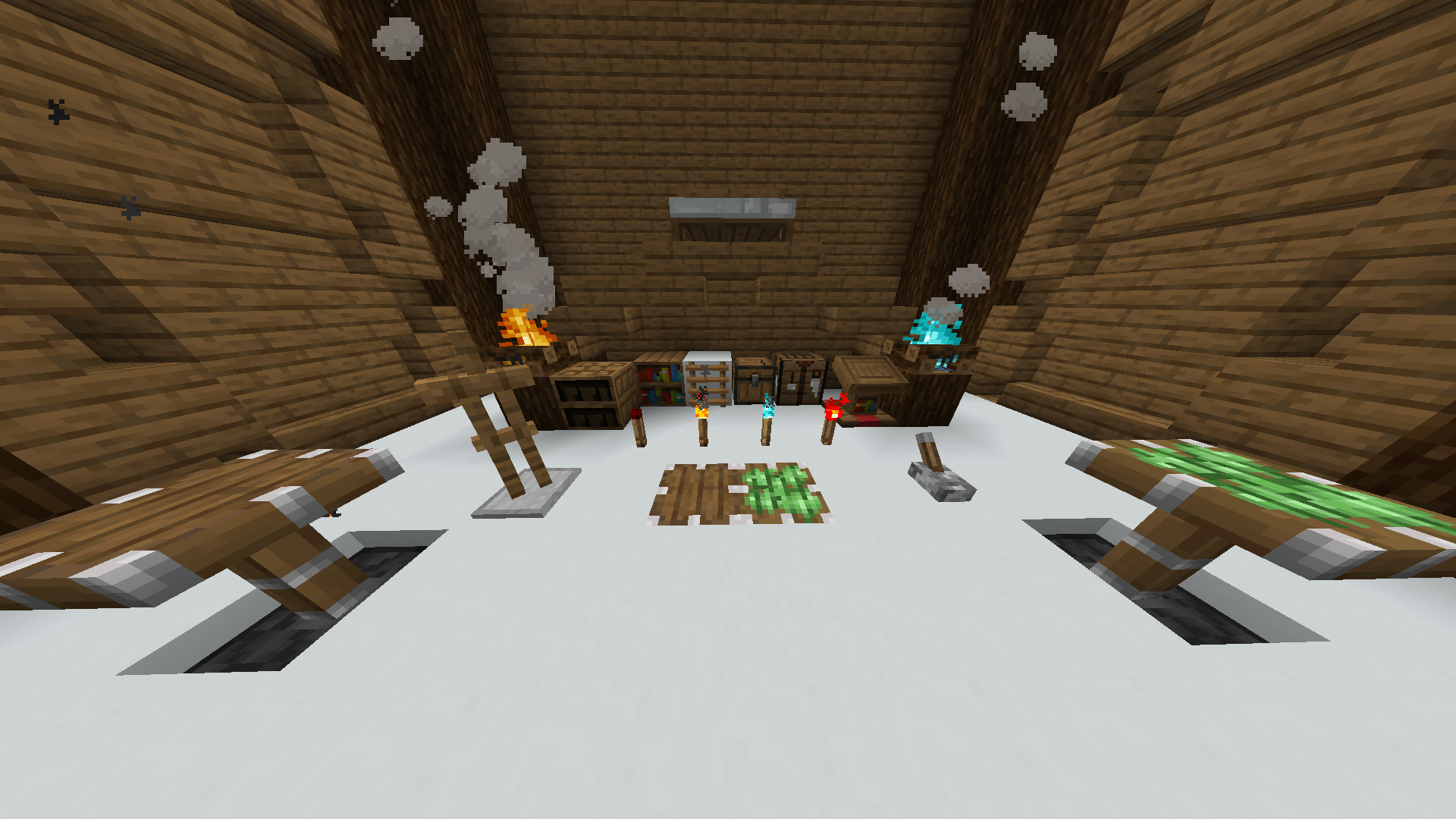
Chest ✔️
Crafting Table ✔️
Piston ✔️
Sticky Piston ✔️
Bookshelf ✔️
Chiseled Bookshelf ✔️
Ladder ✔️
Campfire ✔️
Soul Campfire ✔️
Lectern ✔️
Torch ✔️
Redstone Torch ✔️
Soul Torch ✔️
Lever ✔️
Armor Stand ✔️
Chest on chest boats (Done on all chest boats) ❌
Wooden part at the bed (Done on all of the beds) ✔️
I want to continue this resource pack only on the version 1.20 or above, thank you for understanding.
If you have some ideas to improve some of the textures or just add some other block, you can write comment here on the curseforge page or you can message me on the curseforge profile.
If you want to use this resource pack in your videos, pictures or any other possible view of this resource pack, you will need to put the link to this page, thank you for understanding.