Mineuniverse
Resource Packs
Splotchez Snapshot Extension [1.20]

Splotchez Snapshot Extension [1.20]

RESOURCE PACK
A simple resource pack full of bright colors
by Templ3ro
Download Claim this project
Add a badge to your pageLink to Splotchez Snapshot Extension [1.20] from a README, website or forum post.
Preview: Badge

Badges update automatically and link to the resource pack page on MineUniverse.

189 downloads
0 likes
0 followers
Updated Oct 14, 2026
0 hypes
Follow0
16x Miscellaneous Traditional
Advertisement Remove ads with Premium →

This is an extension for my main pack, Splotchez, that includes some of the upcoming 1.20 textures. To function properly, this pack must be used in tandem with Splotchez and placed above it in Minecraft's resource pack settings. Come the update's release, all textures within this pack will be merged into Splotchez and this post will become inactive until snapshots start releasing for the next update.

To repeat, this is not the main pack, that can be found by following the link above and is required for any non-1.20 textures


Current Textures
Bamboo Wood
Cherry Wood
Cherry Leaves
Chiseled Bookshelf
Calibrated Sculk Sensor
Hanging Signs
Pink Petals

Relic Disc


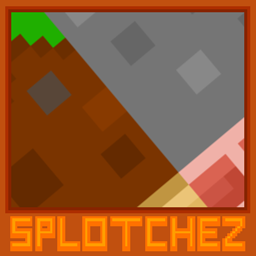
Logo (Updated for 1.20 format)


Splotchez 1.20 Extension V0.1.1.zip
MC 1.19.4-Snapshot
Release 2023-05-04 Get
Splotchez 1.20 Extension V.0.1.0.zip
MC 1.19.4-Snapshot
Release 2023-04-28 Get

Requirements & install

How to use this resource pack in Minecraft
Resolution
16x
Minecraft
1.19.4-Snapshot
Install folder
.minecraft/resourcepacks

How to install resource packs

  1. Download the resource pack .zip file (do not extract it).
  2. In Minecraft open Options → Resource Packs → Open Pack Folder.
  3. Drop the .zip into the resourcepacks folder (.minecraft/resourcepacks).
  4. Move the pack to the Selected column and click Done.
Browse more: 16x resource packs 32x resource packs 64x resource packs 128x resource packs 256x resource packs 512x+ resource packs Resource Packs for 1.19.4-Snapshot All resource packs

More from Templ3ro

Advertisement Remove ads with Premium →

You Might Also Like