Mineuniverse
Resource Packs
Splotch

Splotch

RESOURCE PACK
A charming 8x8 simple pack with a pleasant palette.
by cheezlordy
Download Claim this project
167,648 downloads
0 likes
Updated Oct 14, 2026
0 hypes
16x Miscellaneous Modern Traditional
Advertisement Remove ads with Premium →


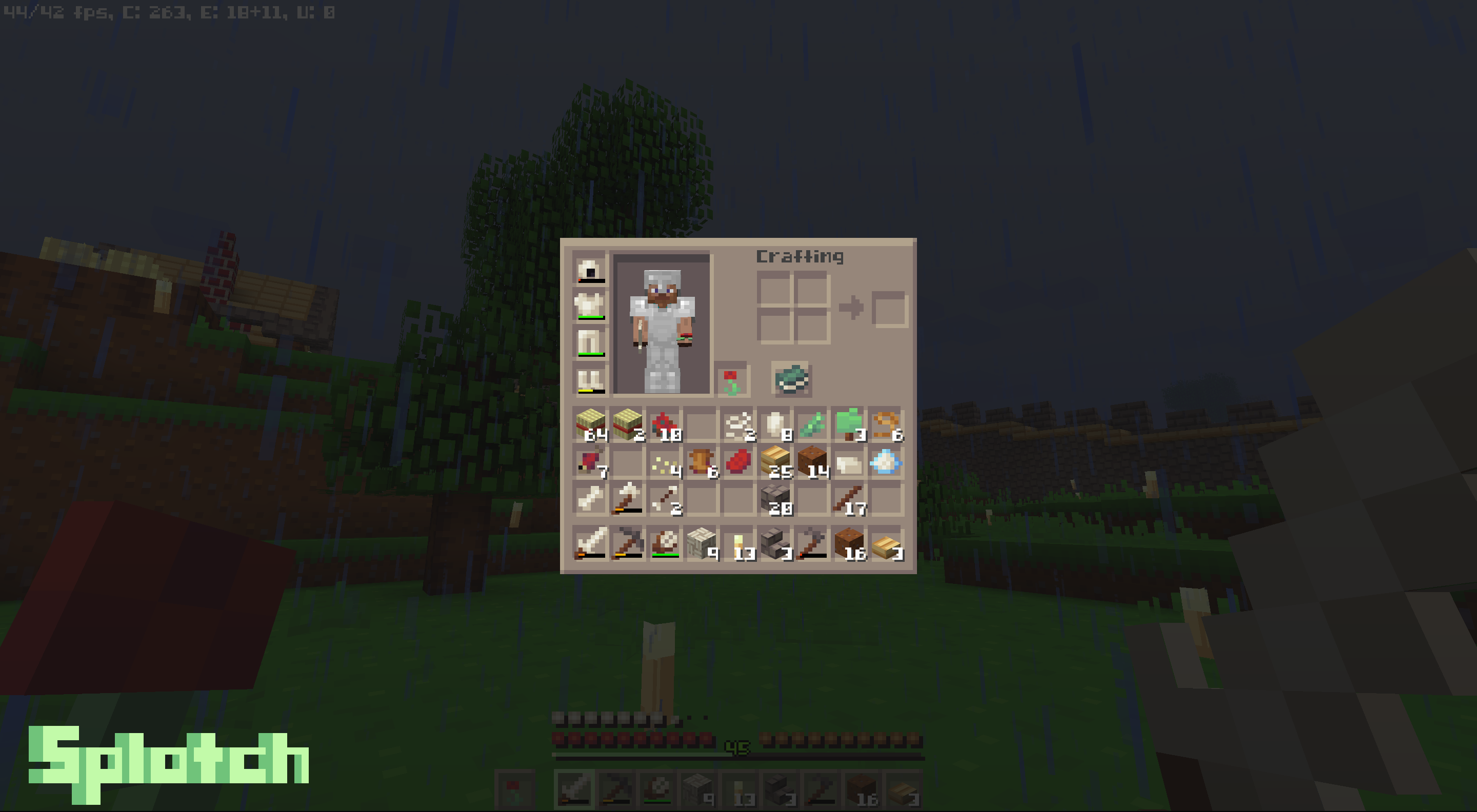
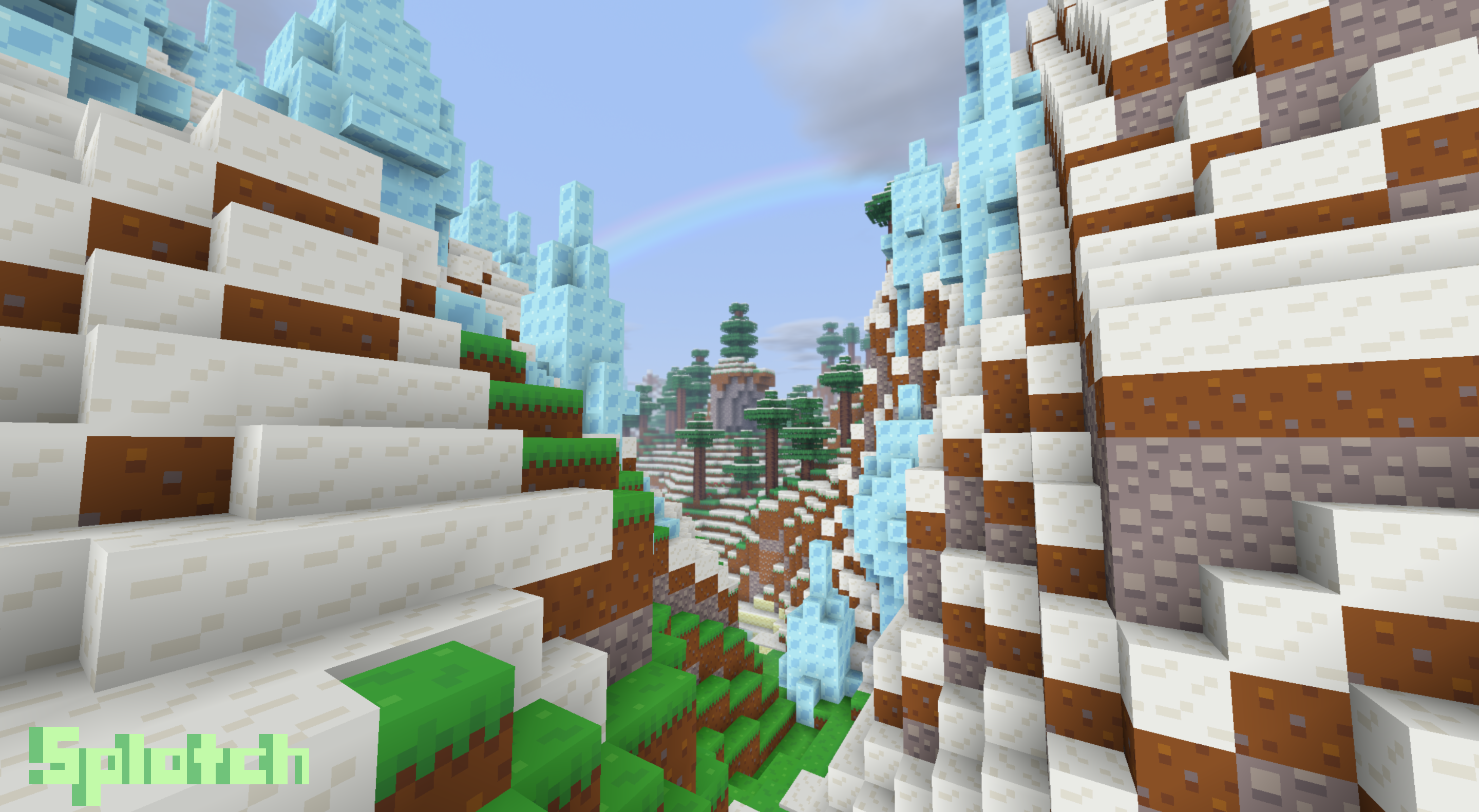
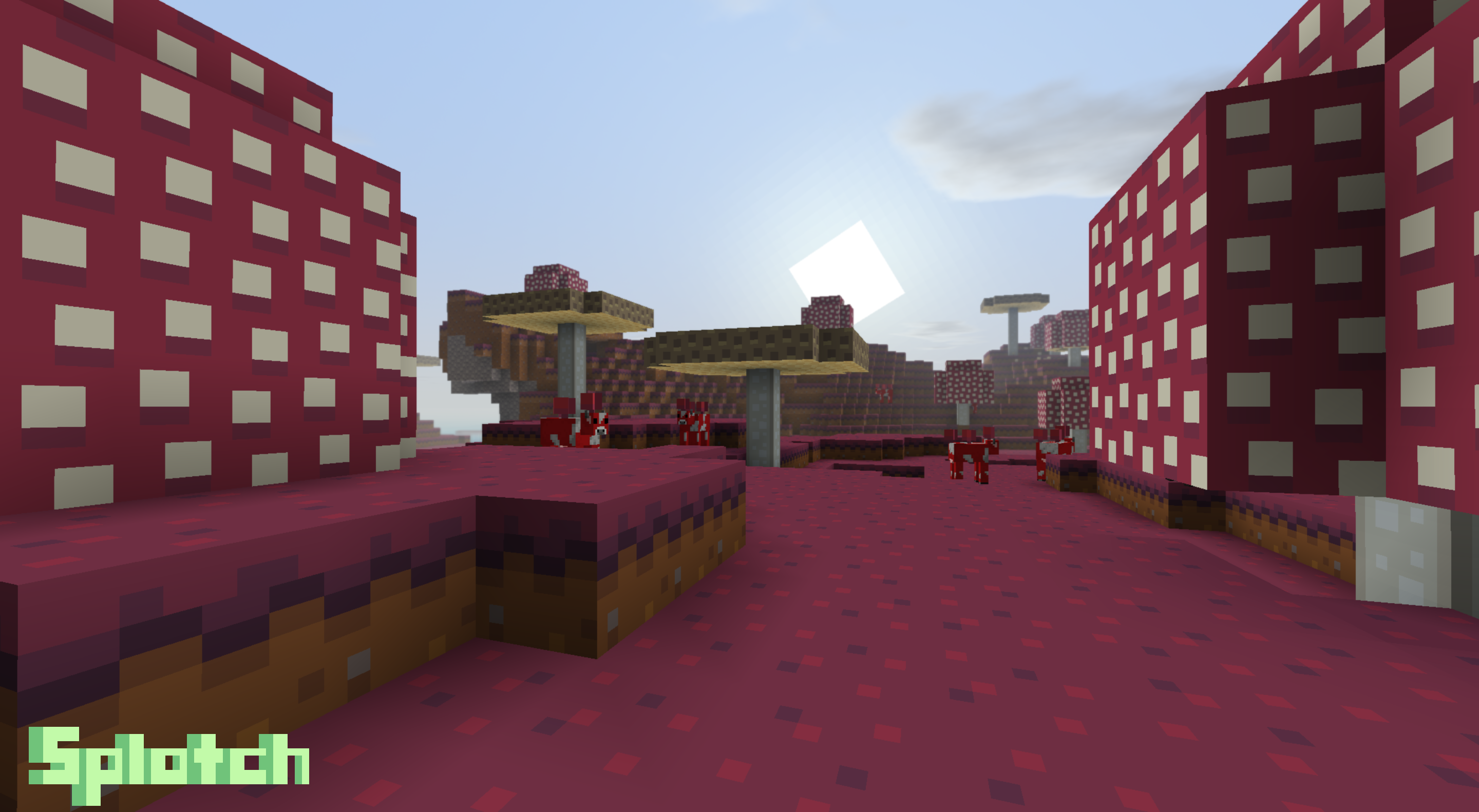
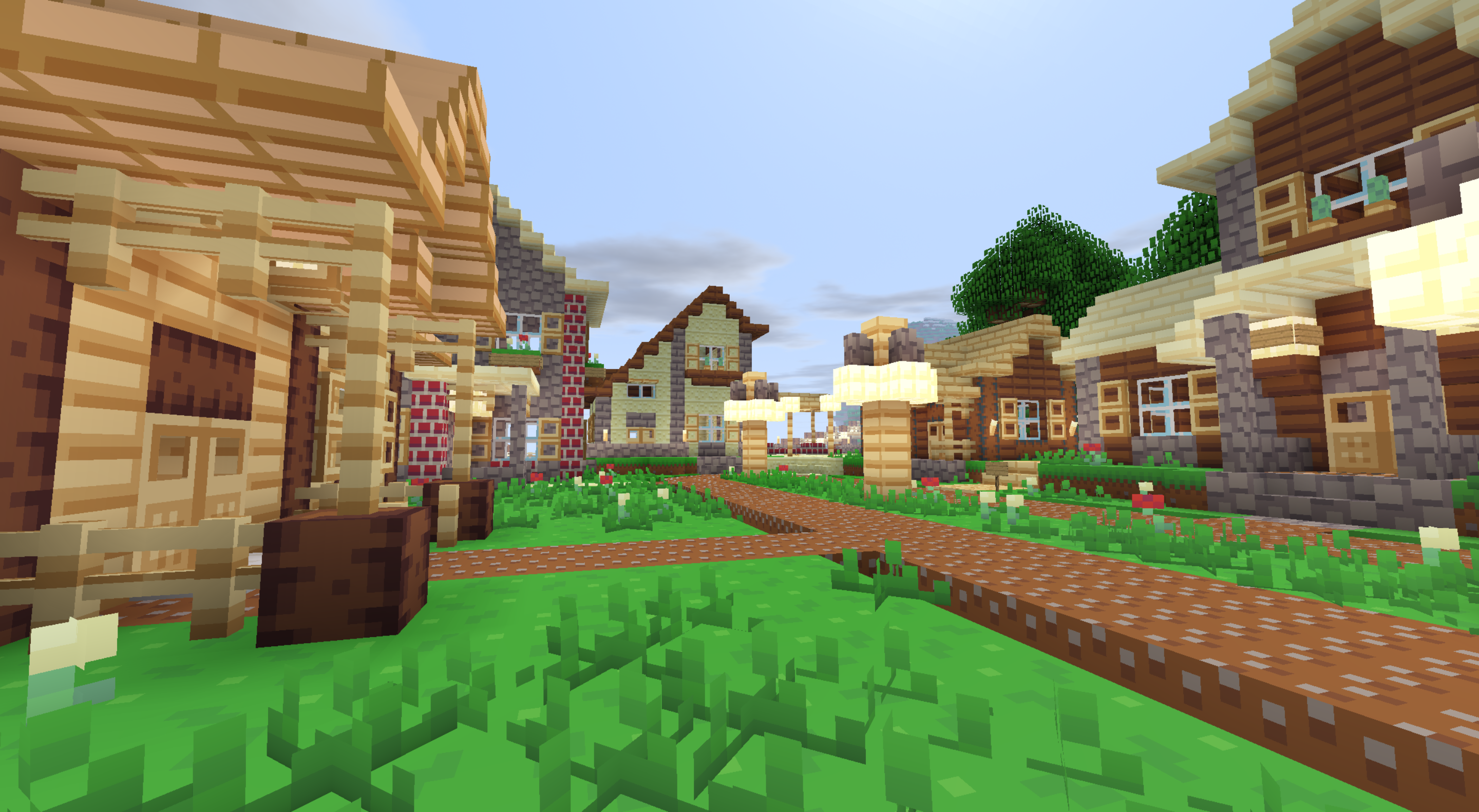
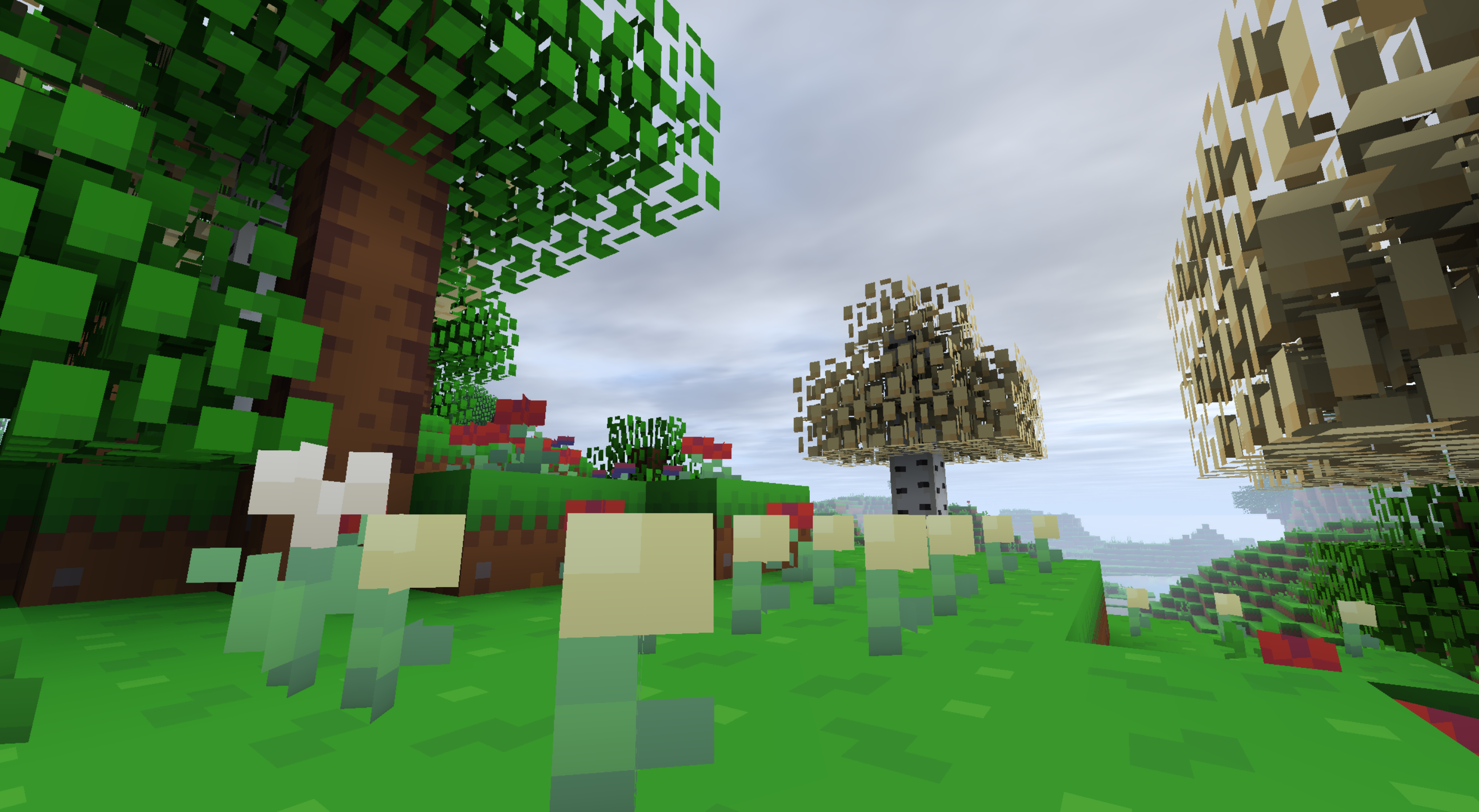
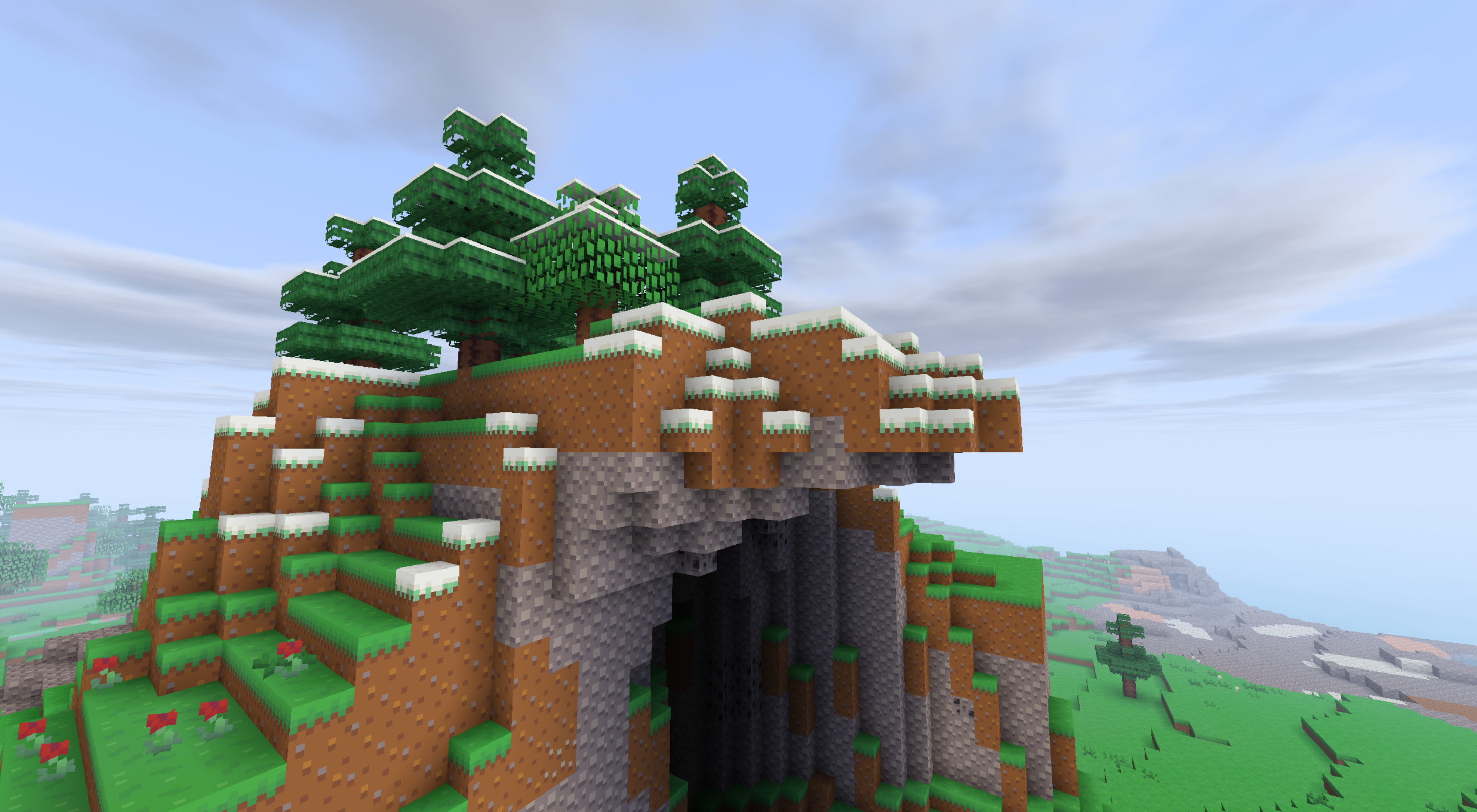
Splotch is a delightful 8x8 resolution Minecraft resource pack that brings a burst of vibrant color and playful simplicity to your world. Originally created as an entry for the third Simple Pack Showdown back in 2015, this timeless pack has been lovingly updated over the years and now boasts over 115,000 downloads on CurseForge alone!

Crafted with a beautiful palette by AngeloTangelo, Splotch delivers a clean, minimalist look that's easy on the eyes and perfect for:

  • Low-end PCs & laptops (excellent FPS boost from the tiny 8x textures)
  • Bright, cheerful survival worlds
  • Creative builds that pop with color
  • PVP or relaxed vanilla-style gameplay

Why Players Love Splotch 8x8

  • Super lightweight & performance-friendly
  • Bright, fun, and nostalgic vibe
  • Faithful-yet-fresh take on vanilla blocks & items
  • Supports latest versions (1.21.11, snapshots, and beyond)
  • Clean, charming aesthetic without overwhelming details

Whether you're after the best 8x8 texture pack for FPS gains, a simple Minecraft resource pack, or just something cheerful and unique, Splotch has been a community favorite for over a decade.

Ready to add some splotchy joy to your Minecraft? Download now on CurseForge: https://www.curseforge.com/minecraft/texture-packs/splotch/files


Feedback, suggestions, or just want to say hi? Drop a comment or join the Discord!


Links:

Minecraft Forum

Planet Minecraft

Discord


Permissions & Usage Guidelines 

You MAY:

  • Use Splotch in videos, streams, screenshots, or other content (YouTube, Twitch, TikTok, etc.) — as long as you provide proper credit by linking back to this CurseForge page or the original Minecraft Forum thread.

You MAY NOT:

  • Redistribute or re-upload this resource pack (or any part of it) in any form, including on other sites, servers, or file hosts.
  • Create, distribute, or share modified versions, derivatives, ports (e.g., to Bedrock), adaptations, or "remixes" of Splotch.
  • Use Splotch for any commercial purposes (monetized servers, paid content, merchandise, etc.).


8-bit minecraft texture pack, 8x, 8x or lower, 8x8 resource pack, 8x8 texture pack, 8x8 texture pack 1.21, 8x8 vanilla texture pack, 16x, 1.21 8x8 resource pack, animations, blocks, bright minecraft textures, charming 8x8, clean vanilla 8x8, entities, faithful 8x8, fps boost 8x8, lightweight 8x8 resource pack, low end 8x8 pack, minecraft 1.20.6 8x8, minecraft 8x8, minecraft 8x8 pack, miscellaneous, performance, pixelated 8x8 pack, pvp, pvp 8x8 texture pack, pvp texture pack, retro 8x8 minecraft, simplistic 8x8, splotch texture pack, traditional, vanilla 8x8, vanilla like

 
Splotch v1.16.0.zip
MC 1.21.9, 1.21.10, 1.21.11-snapshot, 1.21.11, 26.1, 26.1.1, 26.1.2, 26.2
Release 2026-07-28 Get
Splotch v1.15.0.zip
MC 1.21.9, 1.21.10, 1.21.11-snapshot, 1.21.11, 26.1, 26.1.1, 26.1.2, 26.2
Release 2026-07-14 Get
Splotch v1.14.0.zip
MC 1.21.9, 1.21.10, 1.21.11-snapshot, 1.21.11, 26.1, 26.1.1, 26.1.2, 26.2
Release 2026-07-08 Get
Splotch v1.13.0.zip
MC 1.21.9, 1.21.10, 1.21.11-snapshot, 1.21.11, 26.1, 26.1.1, 26.1.2, 26.2
Release 2026-06-27 Get
Splotch v1.12.0.zip
MC 1.21.9, 1.21.10, 1.21.11-snapshot, 1.21.11, 26.1, 26.1.1, 26.1.2, 26.2
Release 2026-06-18 Get
Splotch v1.11.1.zip
MC 1.21.9, 1.21.10, 1.21.11-snapshot, 1.21.11, 26.1, 26.1.1, 26.1.2
Release 2026-05-18 Get
Splotch v1.11.0.zip
MC 1.21.9, 1.21.10, 1.21.11-snapshot, 1.21.11, 26.1, 26.1.1, 26.1.2
Release 2026-05-04 Get
Splotch v1.10.1.zip
MC 1.21.9, 1.21.10, 1.21.11-snapshot, 1.21.11, 26.1, 26.1.1, 26.1.2
Release 2026-04-27 Get
Splotch v1.10.0.zip
MC 1.21.9, 1.21.10, 1.21.11-snapshot, 1.21.11, 26.1, 26.1.1, 26.1.2
Release 2026-04-25 Get
Splotch v1.9.0.zip
MC 1.21.9, 1.21.10, 1.21.11-snapshot, 1.21.11, 26.1, 26.1.1, 26.1.2
Release 2026-04-21 Get
Splotch v1.8.1.zip
MC 1.21.9, 1.21.10, 1.21.11-snapshot, 1.21.11, 26.1, 26.1.1, 26.1.2
Release 2026-04-13 Get
Splotch v1.8.0.zip
MC 1.21.9, 1.21.10, 1.21.11, 26.1, 26.1.1
Release 2026-04-03 Get
Splotch v1.7.2.zip
MC 1.21.11, 26.1
Release 2026-03-27 Get
Splotch v1.7.1.zip
MC 1.21.11
Release 2026-03-16 Get
Splotch v1.7.0.zip
MC 1.21.11
Release 2026-02-28 Get
Splotch v1.6.1.zip
MC 1.21.11
Release 2026-02-14 Get
Splotch v1.6.0.zip
MC 1.21.11
Release 2026-02-02 Get
Splotch v1.5.1.zip
MC 1.21.11
Release 2026-01-22 Get
Splotch v1.5.0.zip
MC 1.21.11
Release 2026-01-15 Get
Splotch v1.4.1.zip
MC 1.21.10, 1.21.11-snapshot
Release 2025-12-03 Get
Splotch v1.4.0.zip
MC 1.21.10, 1.21.11-snapshot
Release 2025-11-23 Get
Splotch v1.3.11.zip
MC 1.21, 1.21.1
Release 2024-09-23 Get
Splotch v1.3.9.zip
MC 1.20.5, 1.20.6
Release 2024-08-20 Get
Splotch v1.3.10.zip
MC 1.21, 1.21.1
Release 2024-08-20 Get
Splotch v1.3.8.zip
MC 1.20.3, 1.20.4
Release 2024-04-26 Get
Splotch v1.3.7.zip
MC 1.20.3, 1.20.4
Release 2024-04-15 Get
Splotch v1.3.6.zip
MC 1.20.2, 1.20.3, 1.20.4
Release 2024-03-02 Get
Splotch v1.3.5.zip
MC 1.20.1, 1.20
Release 2023-07-31 Get
Splotch v1.3.4.zip
MC 1.20.1, 1.20
Release 2023-06-30 Get
Splotch v1.3.3.zip
MC 1.19.4
Release 2023-05-08 Get
Splotch v1.3.2.zip
MC 1.19.3
Release 2023-03-19 Get
Splotch v1.3.1.zip
MC 1.19.3-Snapshot
Release 2023-02-28 Get
Splotch v1.3.0.zip
MC 1.19-Snapshot, 1.19.2, 1.19.1, 1.19
Release 2022-11-30 Get
Splotch v1.2.1.zip
MC 1.19-Snapshot, 1.19.1, 1.19
Release 2022-07-31 Get
Splotch v1.2.0.zip
MC 1.18.1, 1.18, 1.18.2, 1.18-Snapshot
Release 2021-12-30 Get
Splotch v1.1.0.zip
MC 1.17.1, 1.17, 1.17-Snapshot
Release 2021-10-30 Get
Splotch v1.0.0.zip
MC 1.17.1, 1.17, 1.17-Snapshot
Release 2021-07-31 Get
Splotch v1.0.0 for 1.8+.zip
MC 1.6.4, 1.7.10, 1.8.9
Release 2021-07-30 Get
Splotch v0.1.0.zip
MC 1.6.1, 1.7.2, 1.8
Beta 2015-07-30 Get

Requirements & install

How to use this resource pack in Minecraft
Resolution
16x
Minecraft
1.21.9 – 26.2
Install folder
.minecraft/resourcepacks

How to install resource packs

  1. Download the resource pack .zip file (do not extract it).
  2. In Minecraft open Options → Resource Packs → Open Pack Folder.
  3. Drop the .zip into the resourcepacks folder (.minecraft/resourcepacks).
  4. Move the pack to the Selected column and click Done.
Browse more: 16x resource packs 32x resource packs 64x resource packs 128x resource packs 256x resource packs 512x+ resource packs Resource Packs for 26.2 All resource packs

More from cheezlordy

Advertisement Remove ads with Premium →

You Might Also Like