Mineuniverse
Resource Packs
Speedbridging wool

Speedbridging wool

RESOURCE PACK
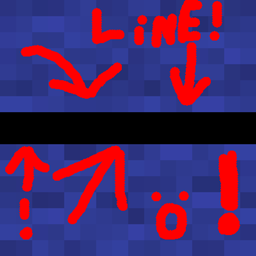
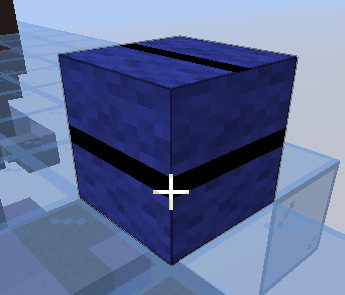
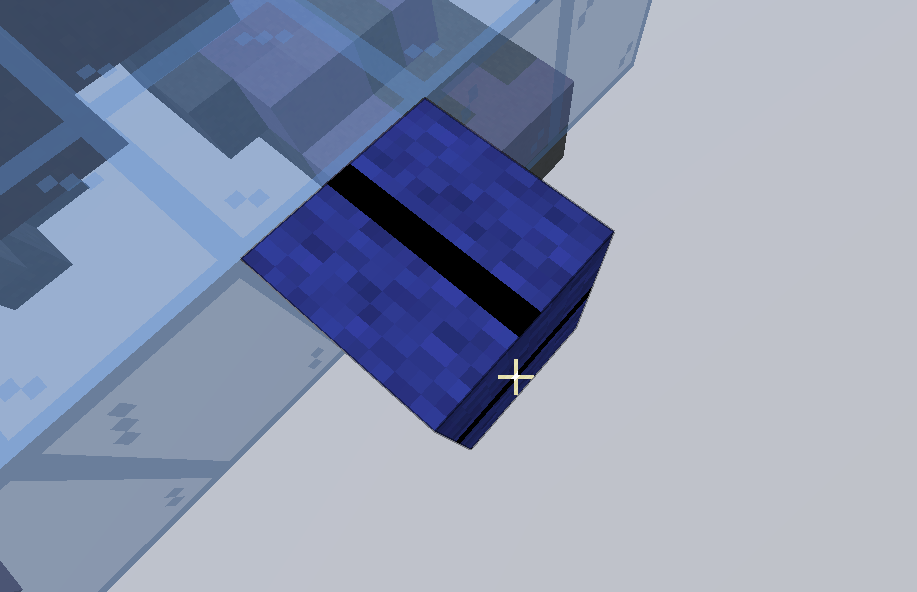
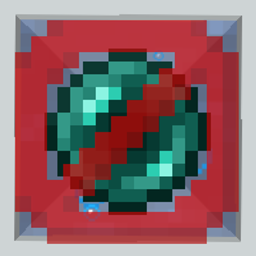
Adds a line so you know where to aim your cursor when Speed bridging.
by zackdcat
Download Claim this project
105 downloads
0 likes
Updated Oct 14, 2026
0 hypes
16x Miscellaneous
Advertisement Remove ads with Premium →

This pack assists you in speedbridging by giving you a line on the side of the block to place your line this can help beginners learn and experts get ready to rush the other team. This pack is designed for bedwars.

If there is a version that does not exist please email me here so i know to add it: [email protected]

SBW-26.2.x.zip
MC 26.2
Release 2026-08-24 Get

Requirements & install

How to use this resource pack in Minecraft
Resolution
16x
Minecraft
26.2
Install folder
.minecraft/resourcepacks

How to install resource packs

  1. Download the resource pack .zip file (do not extract it).
  2. In Minecraft open Options → Resource Packs → Open Pack Folder.
  3. Drop the .zip into the resourcepacks folder (.minecraft/resourcepacks).
  4. Move the pack to the Selected column and click Done.
Browse more: 16x resource packs 32x resource packs 64x resource packs 128x resource packs 256x resource packs 512x+ resource packs Resource Packs for 26.2 All resource packs

More from zackdcat

Advertisement Remove ads with Premium →

You Might Also Like