Mineuniverse
Resource Packs
Song of Resurrection I x128 I x256 I x512 I x1024 I RTX I POM I lab-pbr

Song of Resurrection I x128 I x256 I x512 I x1024 I RTX I POM I lab-pbr

RESOURCE PACK
Texturpack Stilized
by Caleb_Stubbe
Download Claim this project
Add a badge to your pageLink to Song of Resurrection I x128 I x256 I x512 I x1024 I RTX I POM I lab-pbr from a README, website or forum post.
Preview: Badge

Badges update automatically and link to the resource pack page on MineUniverse.

2,038 downloads
0 likes
0 followers
Updated Oct 14, 2026
0 hypes
Follow0
128x Medieval
Advertisement Remove ads with Premium →

Workprogress: 50%


Tested in BSL-Shader. Actived lab-pbr 1.3 in the shader you use. POM is balanced for BSL-Shader default POM settings only.


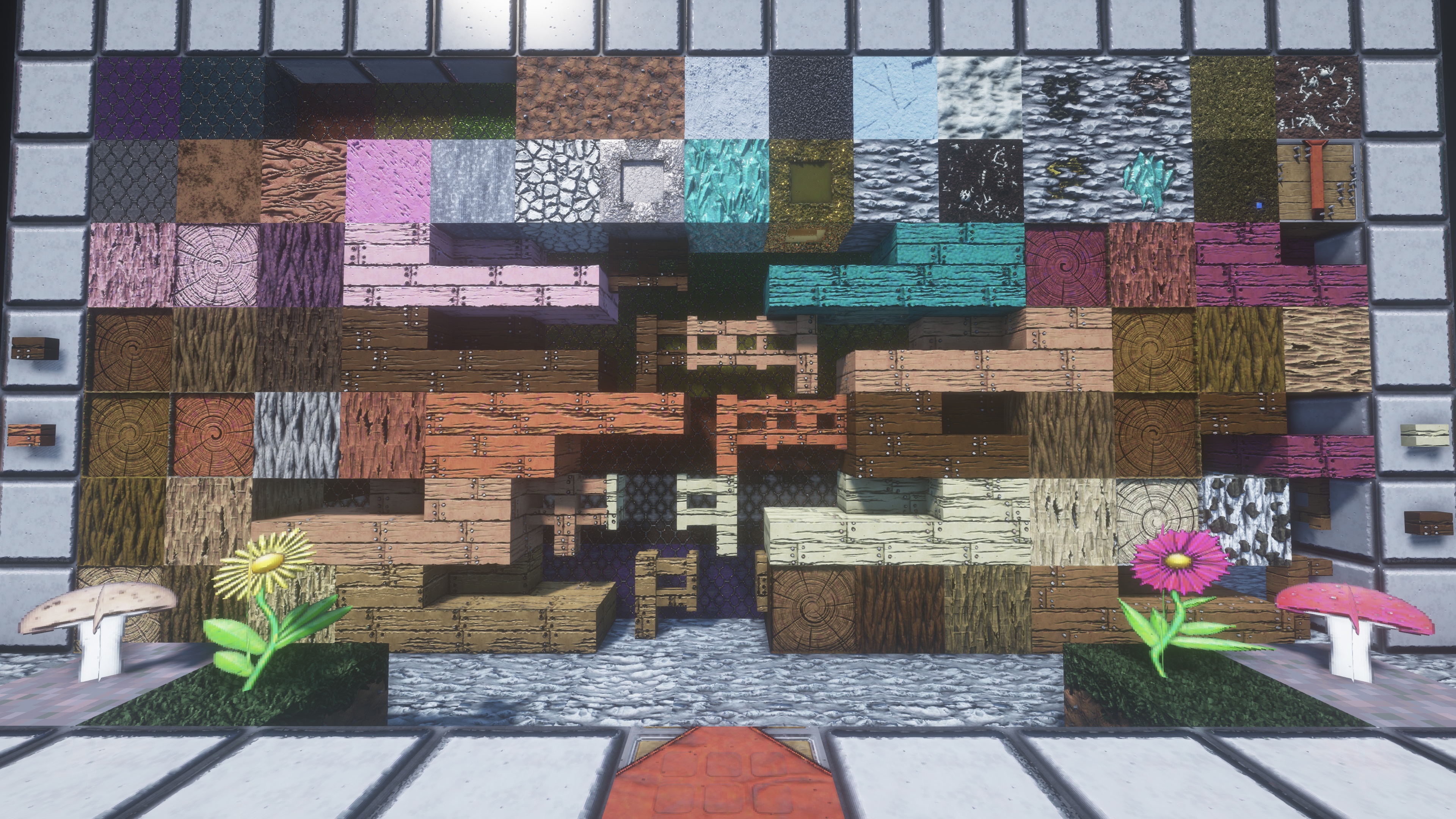
This resource pack enhances the visual experience of Minecraft by providing a cohesive, high-quality redesign of core game textures while fully preserving the original gameplay mechanics. The goal of the project is to improve visual clarity, immersion, and aesthetic consistency without changing how the game is played.


Currently i working on 4 Versions. x128, x256, x512 and x1024.
You can download all Versions on Google Drive.

https://drive.google.com/drive/folders/19-rLHCyPKnTemQ2t7r0F4Gvjp851fGg8?usp=sharing


 Bugreport on Discord

https://discord.gg/sqr5wsKc38


© 2026 Caleb Stubbe , All Rights Reserved.
Song of Resurrection x128.zip
MC 1.17.1, 1.16.5, 1.19.4-Snapshot, 1.20.6, 1.18.2, 1.21.11, 26.1-snapshot
Release 2026-01-24 Get
Song of Resurrection x256.zip
MC 1.17.1, 1.16.5, 1.19.4-Snapshot, 1.20.6, 1.18.2, 1.21.11, 26.1-snapshot
Release 2026-01-24 Get
Song of Resurrection x512.zip
MC 1.16.5, 1.19.4-Snapshot, 1.20.6, 1.18.2, 1.21.11, 26.1-snapshot
Release 2026-01-24 Get
Song of Resurrection x128.zip
MC 1.17.1, 1.16.5, 1.19.4-Snapshot, 1.20.6, 1.18.2, 1.19.2, 1.21.11, 26.1-snapshot
Release 2026-01-18 Get

Requirements & install

How to use this resource pack in Minecraft
Resolution
128x
Minecraft
1.16.5 – 26.1-snapshot
Install folder
.minecraft/resourcepacks

How to install resource packs

  1. Download the resource pack .zip file (do not extract it).
  2. In Minecraft open Options → Resource Packs → Open Pack Folder.
  3. Drop the .zip into the resourcepacks folder (.minecraft/resourcepacks).
  4. Move the pack to the Selected column and click Done.

Packs from 128x upwards need more video memory: install a performance mod such as Sodium for smooth frame rates.

Browse more: 16x resource packs 32x resource packs 64x resource packs 128x resource packs 256x resource packs 512x+ resource packs Resource Packs for 26.1-snapshot All resource packs
Advertisement Remove ads with Premium →

You Might Also Like