Mineuniverse
Resource Packs
Snipperly's Blossom Leaves 🌸

Snipperly's Blossom Leaves 🌸

RESOURCE PACK
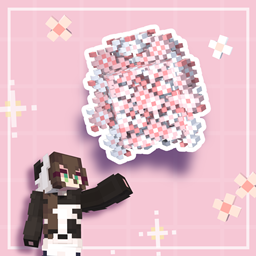
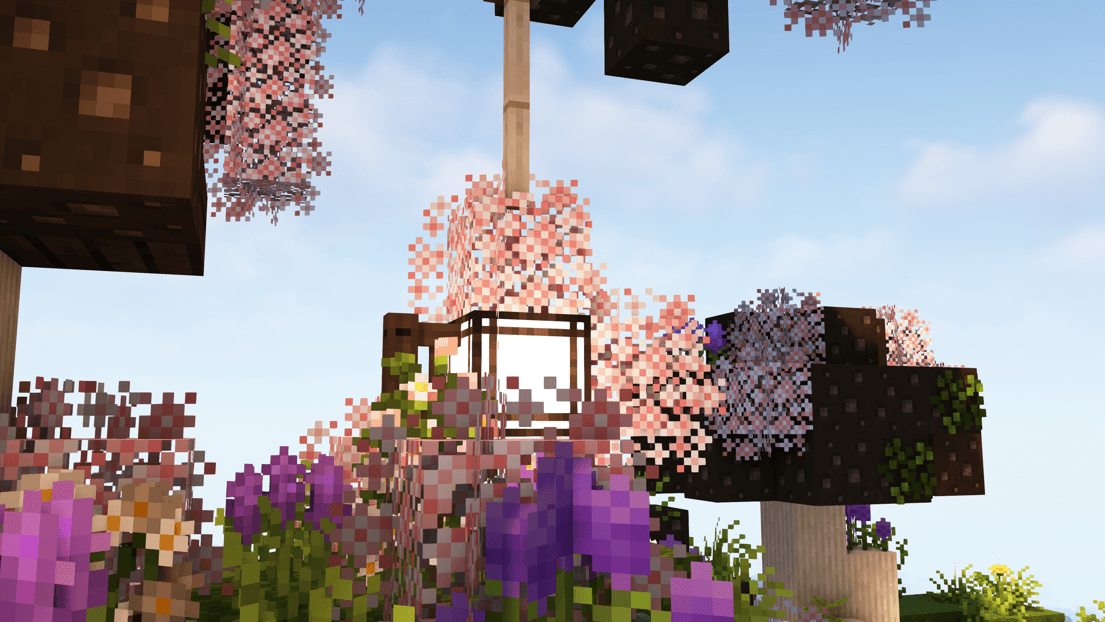
A leaf pack changing the cherry blossom leaves!
by Snipperly
Download Claim this project
Add a badge to your pageLink to Snipperly's Blossom Leaves 🌸 from a README, website or forum post.
Preview: Badge

Badges update automatically and link to the resource pack page on MineUniverse.

1,863 downloads
0 likes
0 followers
Updated Oct 14, 2026
0 hypes
Follow0
16x
Advertisement Remove ads with Premium →

This pack replaces the existing cherry leaves with this blossom texture I made.
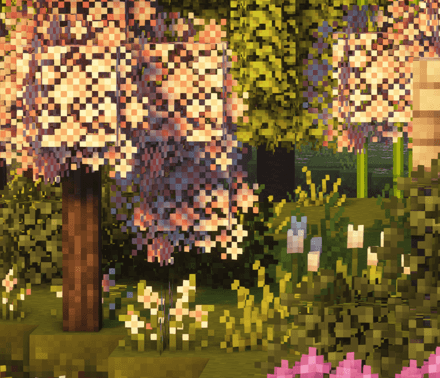
Use Motschen's Better Leaves for example to achieve a bushy texture! Currently I have to fix my own bushy version still! ¯(。>οΈΏ<)_θ


ENJOYY!! -Snips 🌱


TOS:

Thank you for downloading this Pack! Enjoy playing! <3


TERMS OF USE - [TOS]


You are allowed to:

- of course use this Texture Pack!
-> On Stream/in Videos - if you get asked for it please mention where you got it from.
- Edit it for personal use only!

You are NOT allowed to:

- Redistribute/share this pack anywhere. Please link to the original sites. [Can be seen below.]
- No reuploads allowed, regardless of modifications or credit.
- Do not claim this pack as your own in any way.


[original download Sites]

- Patreon [free] 
- Modrinth  
- Curseforge


[Socials & Contact]

Instagram builds:             Snipperly
Instagram Models & Textures:        Snippsel
Instagram Vanilla/Survival:            Snippyful

Website: snipperly.carrd.co
Discord: Snipperly - my DM's are open. :D

Youtube:                Snipperly
Twitch:                    Snipperly_

Threads, Pinterest, Tumblr:        Snipperly
Twitter [X]:               Snipperly_


If you have any questions, feel free to Contact me. I dont't mind. <3

Snipperly's Blossom Leaves V.1 - cherry_leaves.zip
MC 1.20.2, 1.21, 1.20.5, 1.21.5, 1.21.4, 1.20.3, 1.20.1, 1.20, 1.20.6, 1.20.4, 1.21.3, 1.21.1, 1.21.2
Release 2025-03-30 Get

Requirements & install

How to use this resource pack in Minecraft
Resolution
16x
Minecraft
1.20.5 – 1.21.5
Install folder
.minecraft/resourcepacks

How to install resource packs

  1. Download the resource pack .zip file (do not extract it).
  2. In Minecraft open Options β†’ Resource Packs β†’ Open Pack Folder.
  3. Drop the .zip into the resourcepacks folder (.minecraft/resourcepacks).
  4. Move the pack to the Selected column and click Done.
Browse more: 16x resource packs 32x resource packs 64x resource packs 128x resource packs 256x resource packs 512x+ resource packs Resource Packs for 1.21.5 All resource packs

More from Snipperly

Advertisement Remove ads with Premium →

You Might Also Like