Mineuniverse
Resource Packs
Smooth font | Modern Font

Smooth font | Modern Font

RESOURCE PACK
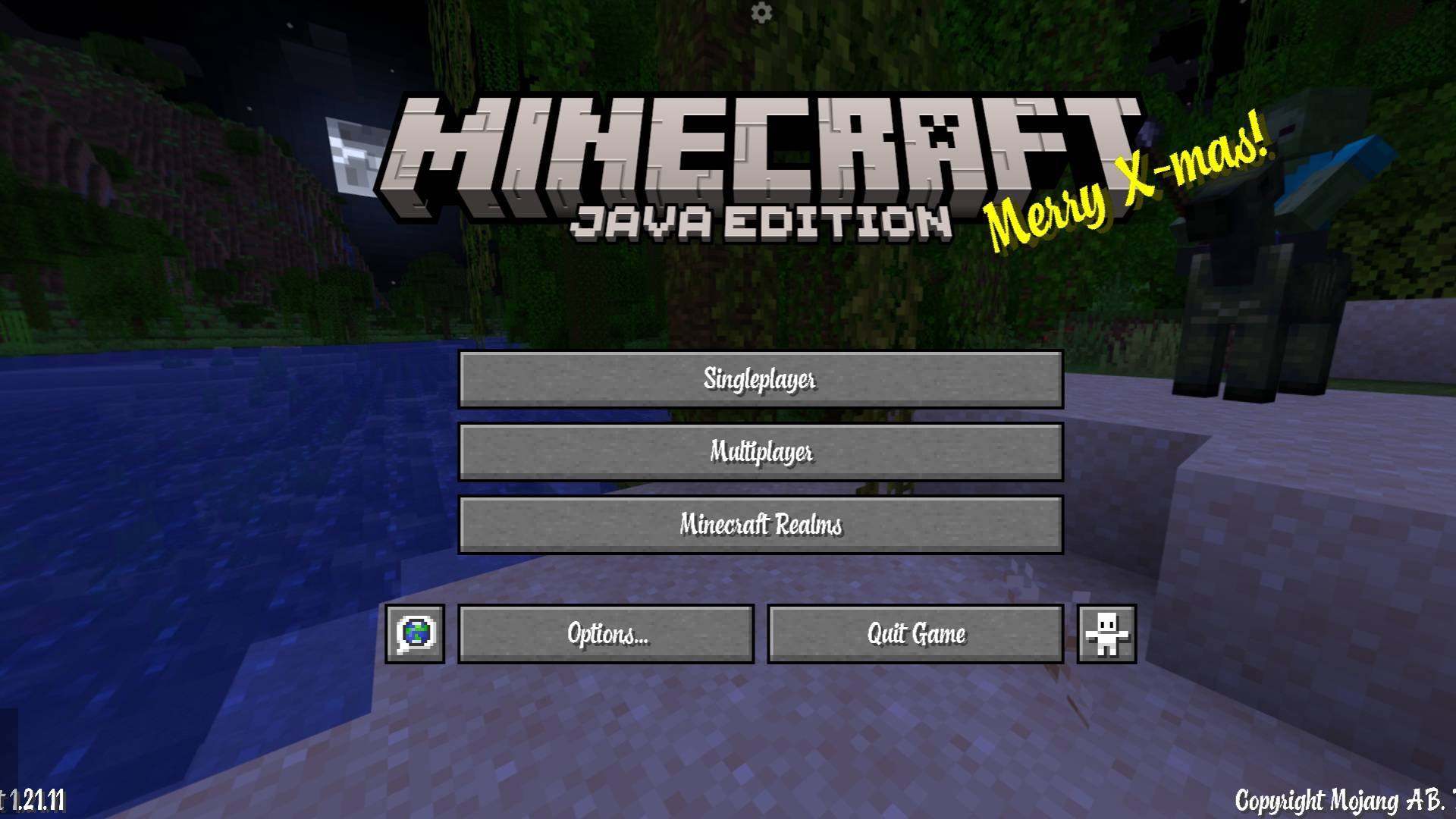
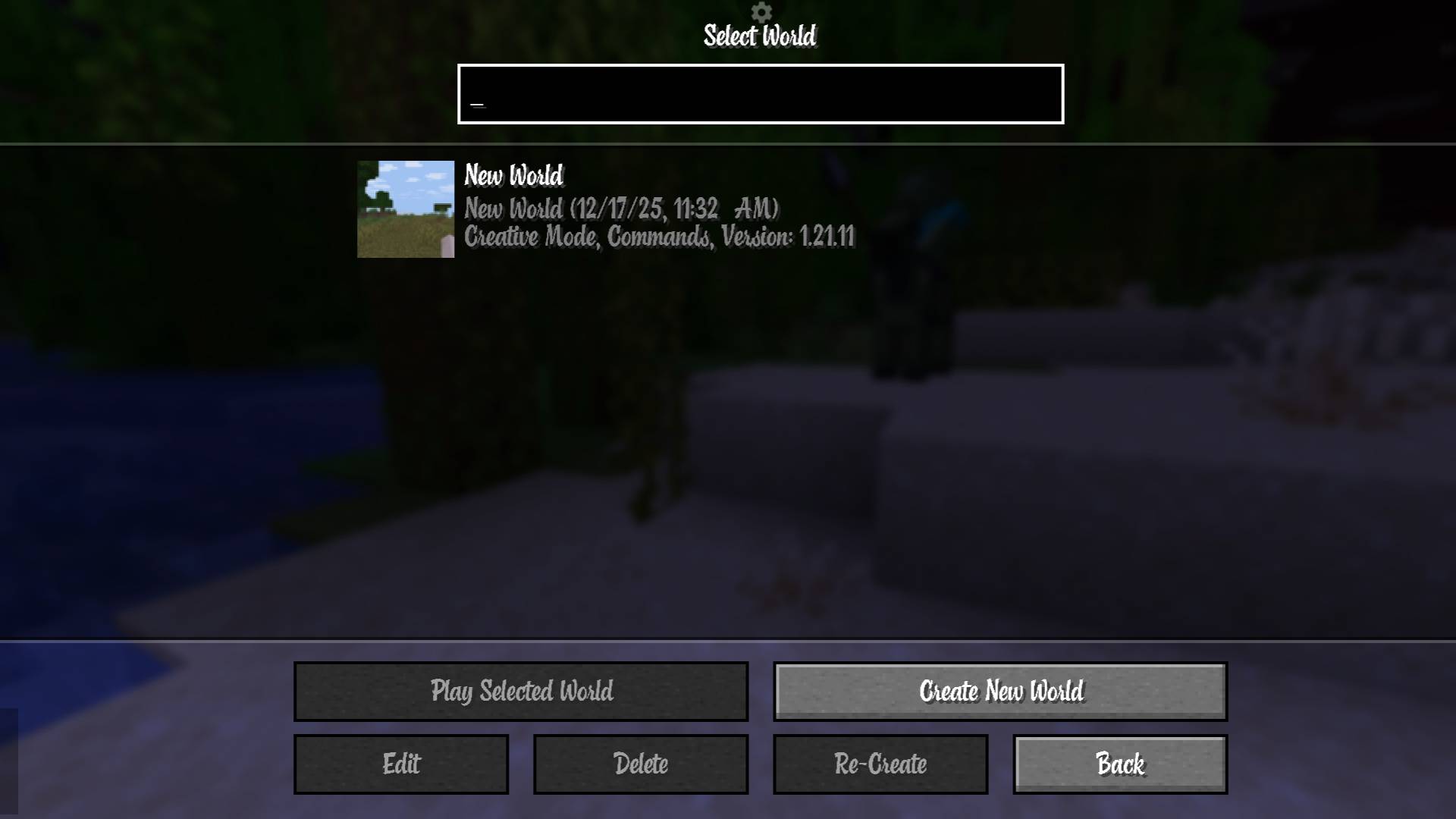
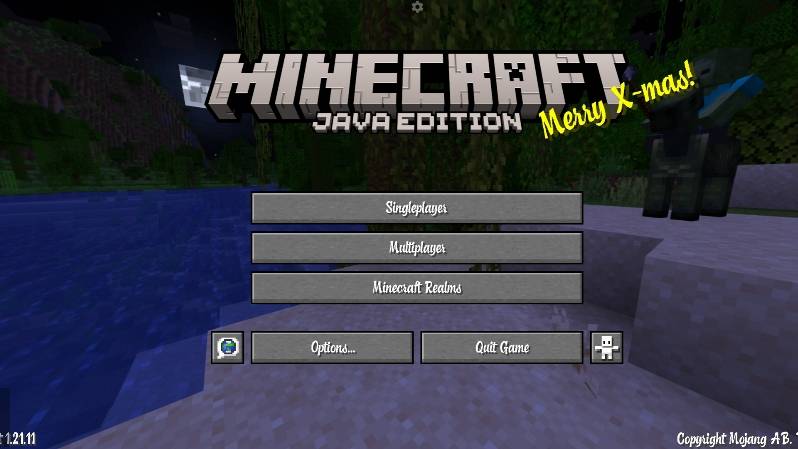
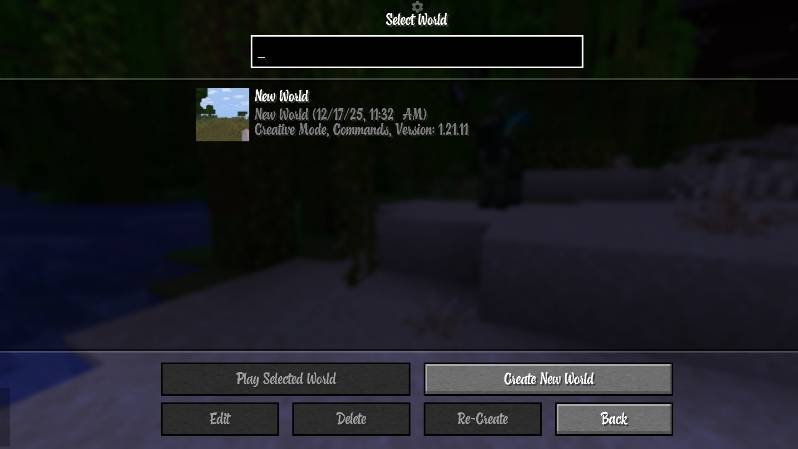
Chocolate Font (Smooth) replaces Minecraft’s default pixel font with a clean, smooth, and modern typeface. It improves readability across menus, chat, and UI while keeping a vanilla-friendly look.
by NetherSpark_Studios
Download Claim this project
1,100 downloads
0 likes
0 followers
Updated Oct 14, 2026
0 hypes
Follow0
Font Packs Miscellaneous Modern
Advertisement Remove ads with Premium →

🍫 Chocolate Font (Smooth)

Chocolate Font (Smooth) is a clean, modern font resource pack for Minecraft Java Edition that replaces the default pixel font with a smooth, stylish, and highly readable typeface—without breaking the vanilla UI feel.

Perfect for players who want a fresh look, content creators, and anyone tired of jagged or overly blocky fonts.
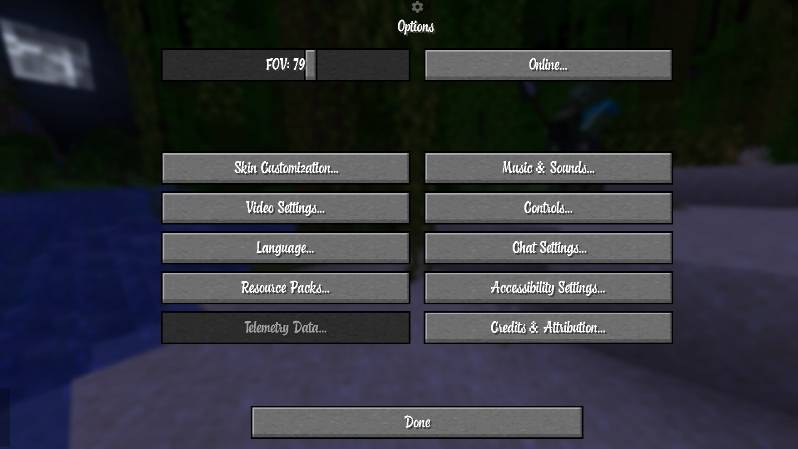
✨ Features

  • Smooth, anti-aliased font (less pixelated)
  • Clean and minimal design
  • Easy on the eyes for long play sessions
  • Works seamlessly with Minecraft’s UI
  • Ideal for menus, chat, and HUD text
  • Lightweight and performance-friendly


🎮 Compatibility

  • Minecraft Java Edition
  • Tested on 1.21.x
  • Works with:
    • Vanilla
    • Resource packs
    • PojavLauncher (Android)

⚠️ Some launchers may show a “made for older version” warning — this is a Minecraft UI bug and does not affect functionality.


📦 Installation

  1. Download the resource pack
  2. Place it in your resourcepacks folder
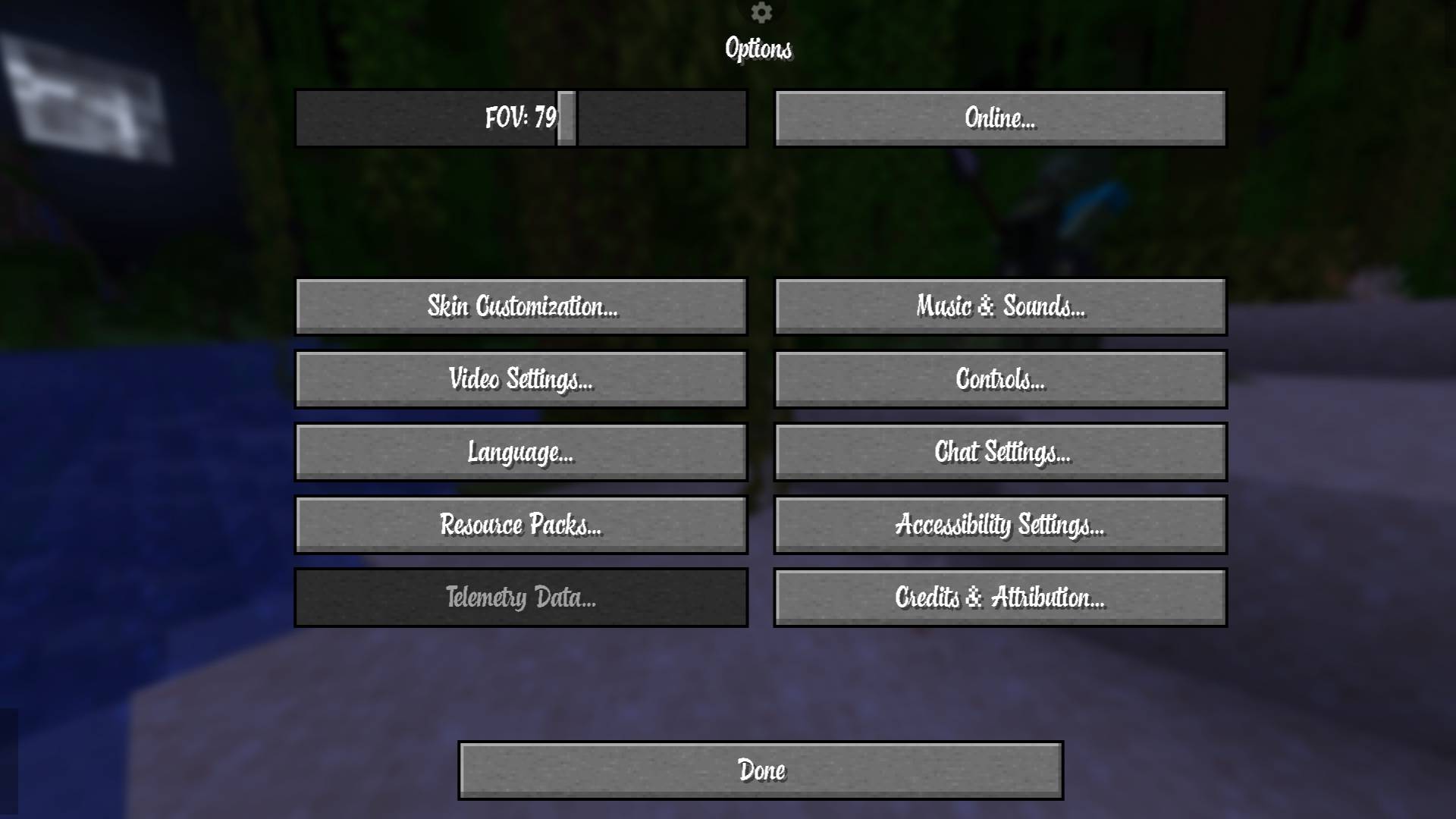
  3. Enable it in Options → Resource Packs
  4. Enjoy smooth text ✨

🖥 Recommended Settings

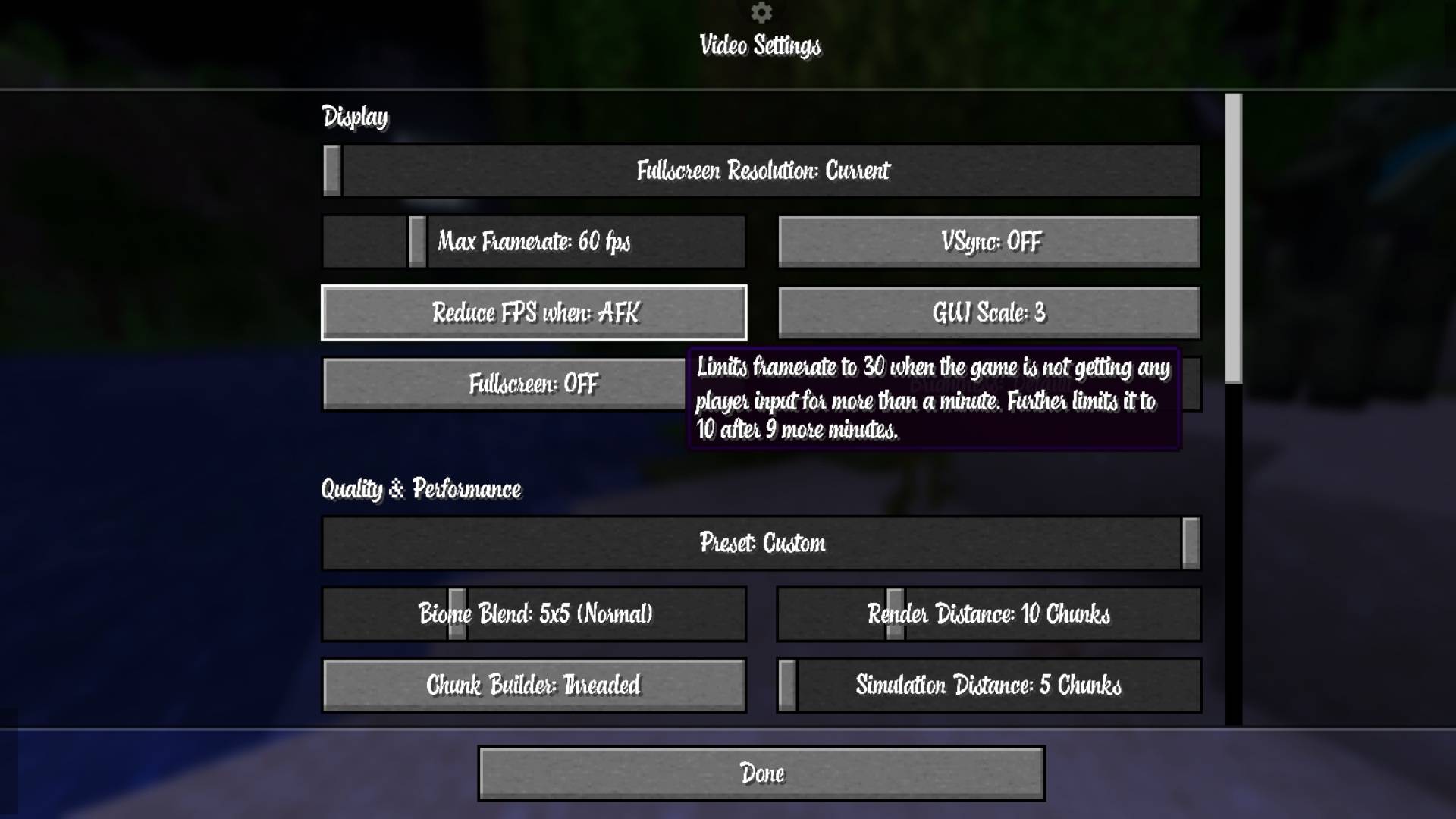
  • GUI Scale: 2–3 (best clarity)
  • Fullscreen: Optional
  • VSync: Off (for sharper text)

❗ Notes

  • This pack only changes fonts — no gameplay changes
  • Fully client-side
  • Safe to use .
Chocolate_font.zip
MC 1.21.2-Snapshot, 1.21, 1.21.6-snapshot, 1.21.1-Snapshot, 1.21.8, 1.21.5, 1.21.4, 1.21.5-Snapshot, 1.21.1, 1.21.6, 1.21.3, 1.21.7, 1.21-Snapshot, 1.21.4-Snapshot, 1.21.2
Release 2025-12-24 Get

Requirements & install

How to use this resource pack in Minecraft
Resolution
Not specified
Minecraft
1.21.4-Snapshot – 1.21.8
Install folder
.minecraft/resourcepacks

How to install resource packs

  1. Download the resource pack .zip file (do not extract it).
  2. In Minecraft open Options → Resource Packs → Open Pack Folder.
  3. Drop the .zip into the resourcepacks folder (.minecraft/resourcepacks).
  4. Move the pack to the Selected column and click Done.
Browse more: 16x resource packs 32x resource packs 64x resource packs 128x resource packs 256x resource packs 512x+ resource packs Resource Packs for 1.21.8 All resource packs

More from NetherSpark_Studios

Advertisement Remove ads with Premium →

You Might Also Like