Mineuniverse
Resource Packs
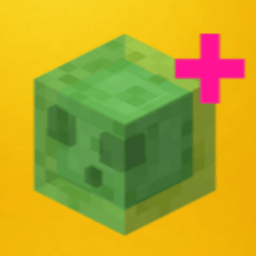
Slimes + (More Slimes Variants)  X Fresh Animations

Slimes + (More Slimes Variants) X Fresh Animations

RESOURCE PACK
The Texture Pack that Makes slimes better by adding more Variants! (Works with Fresh Animation)s
by Mooshroom98
Download Claim this project
Add a badge to your pageLink to Slimes + (More Slimes Variants) X Fresh Animations from a README, website or forum post.
Preview: Badge

Badges update automatically and link to the resource pack page on MineUniverse.

2,622 downloads
0 likes
0 followers
Updated Oct 14, 2026
0 hypes
Follow0
16x Miscellaneous
Advertisement Remove ads with Premium →

                ONLY FOR MINECRAFT VERSION 1.21+ (Other versions will be Available Soon!)



🟢 Slimes + – 48 Slime Variants (Resource Pack for Minecraft 1.21)

Slimes+ is a vanilla-style resource pack that adds 48 random slime variants to Minecraft 1.21. Every slime you meet can look different — no behavior changes, just visual variety that keeps things fun and squishy.

🔹 Features:

  • 🎨 48 unique slime textures, applied randomly

  • 🧠 No mods or custom entities required — fully vanilla-compatible

  • 🔄 Slimes still behave and spawn like normal

  • 🤝 Compatible with Fresh Animations and other visual packs (This requires Optifine or Requires 2 Mods : Entity Texture Feature and Entity Model Feature)

  • 📦 Plug-and-play: just drop it in your resource packs folder

Bring some color and surprise to your slime encounters — simple, clean, and satisfying.

ALSO ON Modrinth

Slimes + (More Slime Variants)
MC 1.21.2-Snapshot, 1.21, 1.21.6-snapshot, 1.21.5, 1.21.8, 1.21.1-Snapshot, 1.21.4, 1.21.5-Snapshot, 1.21.3, 1.21.7, 1.21.1, 1.21.6, 1.21.4-Snapshot, 1.21.2, 1.21.9-snapshot
Release 2025-07-30 Get

Requirements & install

How to use this resource pack in Minecraft
Resolution
16x
Minecraft
1.21.4 – 1.21.9-snapshot
Install folder
.minecraft/resourcepacks

How to install resource packs

  1. Download the resource pack .zip file (do not extract it).
  2. In Minecraft open Options → Resource Packs → Open Pack Folder.
  3. Drop the .zip into the resourcepacks folder (.minecraft/resourcepacks).
  4. Move the pack to the Selected column and click Done.
Browse more: 16x resource packs 32x resource packs 64x resource packs 128x resource packs 256x resource packs 512x+ resource packs Resource Packs for 1.21.9-snapshot All resource packs

More from Mooshroom98

Advertisement Remove ads with Premium →

You Might Also Like