Mineuniverse
Resource Packs
SkypeEmojis

SkypeEmojis

RESOURCE PACK
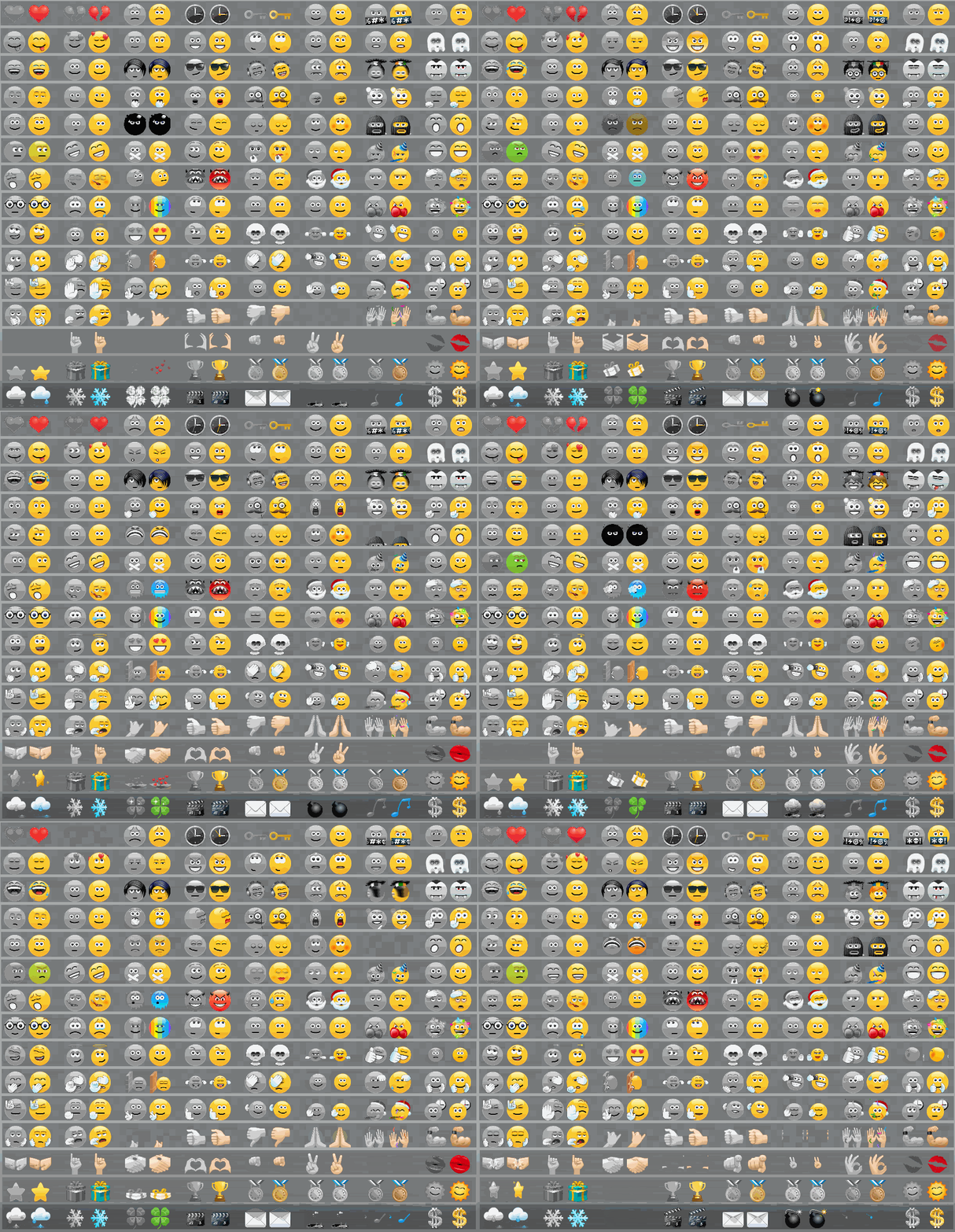
Is a resourse pack which adds 120+ types of different emojis from skype into a game as well as changes the text colour. Each emojis is represented in two types, i.e. original and black&white. 
by guide1313
Download Claim this project
400 downloads
0 likes
Updated Oct 14, 2026
0 hypes
16x Animated Traditional
Advertisement Remove ads with Premium →

SkypeEmojis
is a resourse pack which adds 120+ types of different emojis from skype into a game as well as changes the text colour. Each emojis is represented in two types, i.e. original and black&white. 

Their reliability has been tested on 1.7.X - 1.12.X versions of games. 
Textures of the above mentioned versions are proved to be 100% workable. 

Emojis are as following: 
 ❤  ♥                                                                                                                                                                                                                                                                                                            


Optifine is used for making animation stable and changing a pallet. 
For your convenience, you may use a server plugin for emojis. 
My good friend and mate Baksovic has developed it especially for you: ChatSmilies

SkypeEmojis v1.3.zip
MC 1.9.4, 1.10.2, 1.7.10, 1.11.2, 1.12.2, 1.8.9
Release 2018-12-03 Get

Requirements & install

How to use this resource pack in Minecraft
Resolution
16x
Minecraft
1.7.10 – 1.12.2
Install folder
.minecraft/resourcepacks

How to install resource packs

  1. Download the resource pack .zip file (do not extract it).
  2. In Minecraft open Options → Resource Packs → Open Pack Folder.
  3. Drop the .zip into the resourcepacks folder (.minecraft/resourcepacks).
  4. Move the pack to the Selected column and click Done.
Browse more: 16x resource packs 32x resource packs 64x resource packs 128x resource packs 256x resource packs 512x+ resource packs Resource Packs for 1.12.2 All resource packs
Advertisement Remove ads with Premium →

You Might Also Like