Mineuniverse
Resource Packs
SkinFix

SkinFix

RESOURCE PACK
Have your own skin on the old version
by JulisZebra
Download Claim this project
3,395 downloads
0 likes
Updated Oct 14, 2026
0 hypes
16x
Advertisement Remove ads with Premium →

READ THE INSTRUCTIONS BELOW IMPORTANT!!!

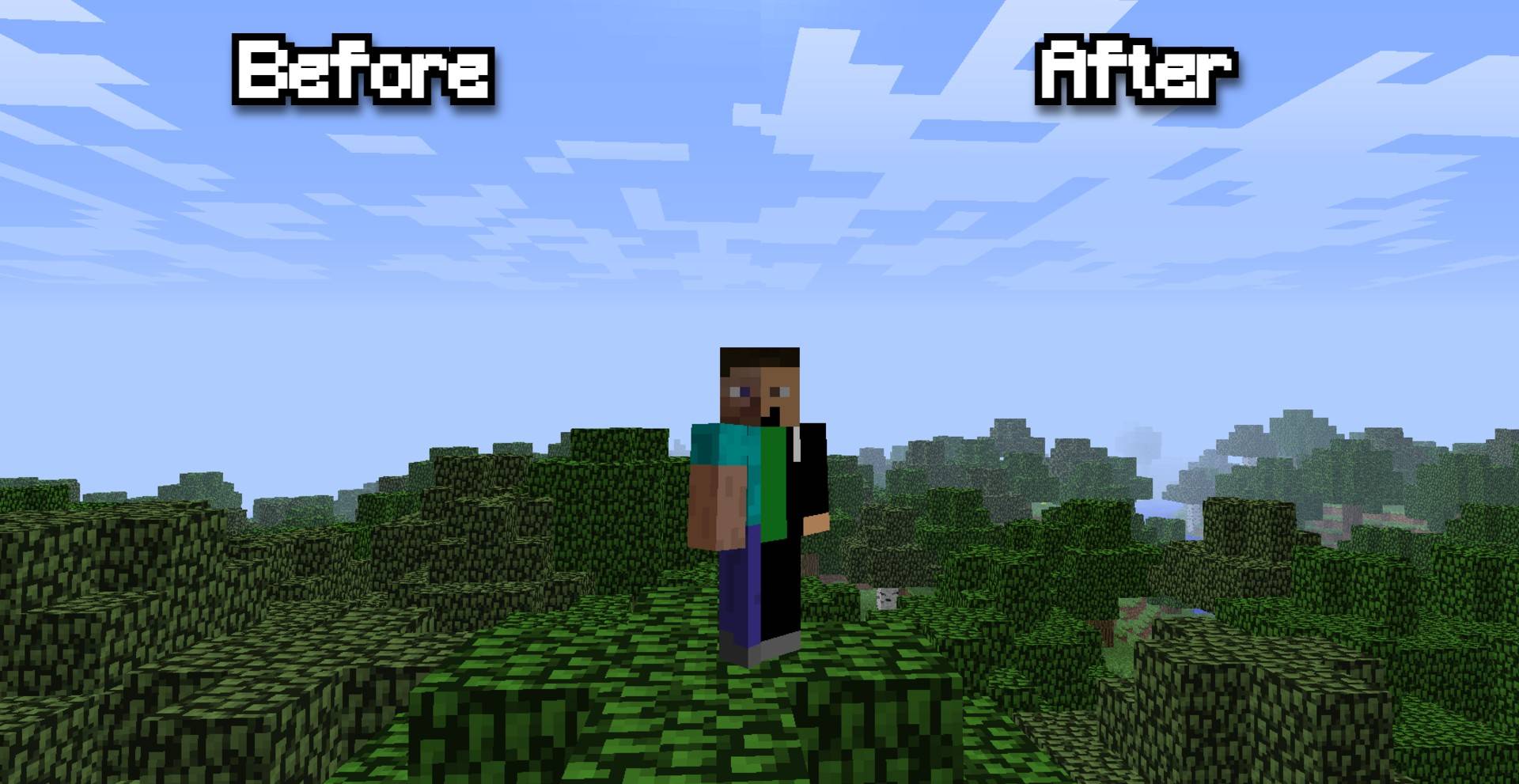
This texture pack will restore support for your skin in old versions of minecraft

Attention: If you play multiplayer, all players will have the same skin as you set

INSTRUCTIONS ON HOW TO SET UP YOUR SKIN IN THIS TEXTURE PACK

1.Download the texture pack (texture pack is universal for now)

2.Open zip the folder and go to the mob folder (In 1.6+ assets/minecraft/entity)

3.Replace the char.png(In 1.6+ steve.png) file with yours (Attention, your skin must be called exactly char.png(In 1.6+ steve.png) and must be 64 by 32!!!)

4.And put the texture pack in the folder  ...\Roaming\.minecraft\texturepacks(In 1.6+ resourse pack)

5.Enjoy your skin in the old version of minecraft

Current version of the texture pack: v4 
SkinFix b1.6.6 - 1.6.4v4(universal).zip
MC 1.5.3, 1.4.6, 1.6.1, 1.0, 1.2.4, 1.4.4, 1.0.0, Beta 1.7.3, 1.5.2, 1.5.1, 1.1, 1.2.1, Beta 1.6.6, Beta 1.7, 1.6.4, 1.4.5, 1.3.2, 1.4.2, 1.4.7, 1.3.1, Beta 1.8.1, 1.2.5, 1.5.0
Release 2025-08-09 Get

Requirements & install

How to use this resource pack in Minecraft
Resolution
16x
Minecraft
1.4.6 – 1.6.4
Install folder
.minecraft/resourcepacks

How to install resource packs

  1. Download the resource pack .zip file (do not extract it).
  2. In Minecraft open Options → Resource Packs → Open Pack Folder.
  3. Drop the .zip into the resourcepacks folder (.minecraft/resourcepacks).
  4. Move the pack to the Selected column and click Done.
Browse more: 16x resource packs 32x resource packs 64x resource packs 128x resource packs 256x resource packs 512x+ resource packs Resource Packs for 1.6.4 All resource packs

More from JulisZebra

Advertisement Remove ads with Premium →

You Might Also Like